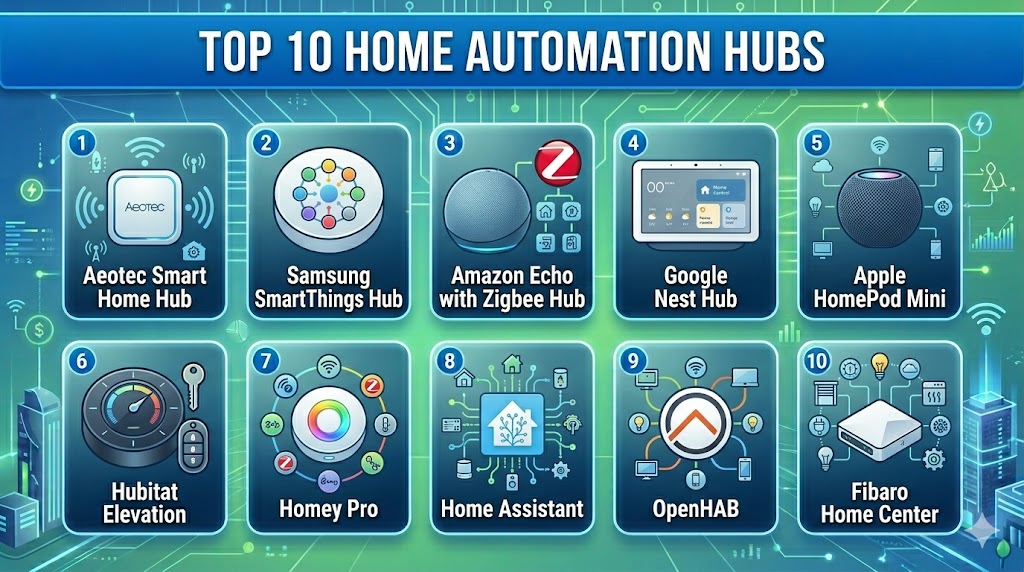
Introduction
Home Automation Hubs are central control systems that connect, manage, and automate multiple smart home devices from a single platform. These hubs act as the brain of a smart home, enabling devices like lights, thermostats, cameras, locks, and sensors to communicate with each other seamlessly. Instead of managing each device individually, users can create unified automation workflows and control everything through a single interface.
As smart homes become more complex, hubs are increasingly important for ensuring compatibility, reliability, and advanced automation. They help reduce fragmentation across different brands and protocols, making it easier to build scalable and efficient smart environments. Common use cases include centralized device control, home security automation, energy optimization, voice-enabled control, and remote monitoring.
When evaluating home automation hubs, buyers should consider:
- Device compatibility across brands and protocols
- Automation and rule engine capabilities
- Local vs cloud processing
- Ease of setup and usability
- Integration with voice assistants
- Security and data privacy
- Scalability and future expansion
- Performance and reliability
Best for: Homeowners, smart home enthusiasts, property managers, and users with multiple smart devices seeking centralized control and automation.
Not ideal for: Users with only a few smart devices or those preferring simple app-based control without automation complexity.
Key Trends in Home Automation Hubs
- Increased support for interoperability standards improving device compatibility
- Growth of local processing for better privacy and faster automation
- AI-driven automation adapting to user behavior
- Integration with energy management and sustainability systems
- Voice assistants becoming core control interfaces
- Expansion of edge computing capabilities
- Unified mobile apps for centralized control
- Subscription models for advanced features
- Stronger focus on cybersecurity and device authentication
- Integration with electric vehicles and renewable energy systems
How We Selected These Tools Methodology
We evaluated the top home automation hubs based on:
- Market adoption and popularity
- Device compatibility and supported protocols
- Automation capabilities and flexibility
- Ease of use and onboarding experience
- Security and privacy features
- Performance and reliability
- Integration with ecosystems and third-party services
- Support and community engagement
- Scalability across different home setups
Top 10 Home Automation Hubs Tools
#1 — Aeotec Smart Home Hub
Short description: A versatile hub designed to work with a wide range of smart devices using multiple protocols. It is suitable for users who want flexibility and broad compatibility in their smart home setup.
Key Features
- Multi-protocol support including Zigbee and Z-Wave
- SmartThings integration
- Automation routines
- Mobile app control
- Remote access
- Device grouping
Pros
- Strong compatibility
- Easy integration with multiple devices
Cons
- Cloud dependency for some features
- Limited advanced customization
Platforms / Deployment
Cloud / Hub
Security & Compliance
Encryption, account-based security
Integrations & Ecosystem
Works with a wide range of smart devices and ecosystems
- IoT integrations
- API support
- SmartThings ecosystem
Support & Community
Good documentation and community support
#2 — Samsung SmartThings Hub
Short description: A widely used smart home hub offering strong device compatibility and flexible automation features, ideal for both beginners and advanced users.
Key Features
- Multi-device support
- Automation rules engine
- SmartThings app integration
- Voice assistant support
- Remote access
- Scene automation
Pros
- Broad ecosystem
- User-friendly interface
Cons
- Cloud reliance
- Occasional latency
Platforms / Deployment
Cloud / Hub
Security & Compliance
Not publicly stated
Integrations & Ecosystem
Supports many devices and services
- IoT integrations
- API support
- Smart home ecosystem
Support & Community
Active community and support resources
#3 — Amazon Echo with Zigbee Hub
Short description: A smart speaker with built-in hub capabilities, enabling voice control and device automation for compatible smart home devices.
Key Features
- Built-in Zigbee hub
- Voice control via Alexa
- Device automation
- Multi-room audio
- Smart routines
- App-based control
Pros
- Easy setup
- Voice-first control
Cons
- Limited protocol support
- Cloud dependency
Platforms / Deployment
Cloud / Android / iOS
Security & Compliance
Account security features
Integrations & Ecosystem
Extensive ecosystem of compatible devices
- Alexa integrations
- Smart device compatibility
- Skills support
Support & Community
Strong support and ecosystem
#4 — Google Nest Hub
Short description: A smart display hub that integrates with Google Assistant and provides centralized control of smart home devices.
Key Features
- Voice control with Google Assistant
- Visual dashboard
- Device control
- Automation routines
- Smart display features
- Multi-device integration
Pros
- Easy to use
- Strong Google ecosystem
Cons
- Limited advanced automation
- Requires cloud connectivity
Platforms / Deployment
Cloud / Android / iOS
Security & Compliance
Encryption and account protection
Integrations & Ecosystem
Works with a wide range of devices
- Google ecosystem integration
- IoT compatibility
- API support
Support & Community
Large user base and documentation
#5 — Apple HomePod Mini
Short description: A compact smart speaker that acts as a hub for Apple HomeKit devices, focusing on privacy and seamless Apple ecosystem integration.
Key Features
- Siri voice control
- HomeKit hub functionality
- Secure device communication
- Automation scenes
- Multi-room audio
- Local processing
Pros
- Strong privacy
- Seamless Apple integration
Cons
- Limited device compatibility
- Requires Apple ecosystem
Platforms / Deployment
iOS / Cloud
Security & Compliance
Encryption, secure authentication
Integrations & Ecosystem
Works with HomeKit-enabled devices
- Apple ecosystem
- IoT integrations
- API support
Support & Community
Reliable support and community
#6 — Hubitat Elevation
Short description: A local processing hub that prioritizes speed, privacy, and automation without relying heavily on cloud services.
Key Features
- Local automation engine
- Multi-device compatibility
- Rule-based automation
- Fast execution
- Offline functionality
- Custom dashboards
Pros
- High performance
- Strong privacy
Cons
- Complex setup
- Smaller ecosystem
Platforms / Deployment
Self-hosted / Hub
Security & Compliance
Local data processing
Integrations & Ecosystem
Supports multiple devices and integrations
- API support
- IoT compatibility
- Plugin ecosystem
Support & Community
Active community support
#7 — Homey Pro
Short description: A premium smart home hub offering multi-protocol support and advanced automation in a user-friendly interface.
Key Features
- Multi-protocol support
- Advanced automation flows
- Mobile app control
- Voice assistant support
- Device grouping
- Cloud connectivity
Pros
- Easy to use
- Strong automation features
Cons
- Premium pricing
- Limited enterprise features
Platforms / Deployment
Cloud / Hub
Security & Compliance
Not publicly stated
Integrations & Ecosystem
Supports a wide range of devices
- IoT integrations
- API support
- Smart home ecosystem
Support & Community
Good support and active community
#8 — Home Assistant
Short description: An open-source home automation hub platform offering extensive customization and control for advanced users.
Key Features
- Local control
- Custom automation
- Extensive integrations
- Dashboard customization
- Open-source flexibility
- Privacy-focused
Pros
- Highly customizable
- No cloud dependency
Cons
- Requires technical skills
- Setup complexity
Platforms / Deployment
Linux / Web / Self-hosted
Security & Compliance
User-managed
Integrations & Ecosystem
Extensive integration capabilities
- API integrations
- IoT device support
- Plugin ecosystem
Support & Community
Strong open-source community
#9 — OpenHAB
Short description: A flexible open-source hub platform that supports multiple protocols and offers deep customization for smart home automation.
Key Features
- Open-source platform
- Automation rules
- Multi-device support
- Local control
- Flexible integrations
- Custom dashboards
Pros
- Highly flexible
- Strong community
Cons
- Complex setup
- Requires technical knowledge
Platforms / Deployment
Linux / Windows / macOS / Self-hosted
Security & Compliance
User-managed
Integrations & Ecosystem
Supports numerous devices and protocols
- API support
- IoT integrations
- Plugin ecosystem
Support & Community
Strong developer community
#10 — Fibaro Home Center
Short description: A premium home automation hub focused on advanced automation and integration with high-end smart home systems.
Key Features
- Z-Wave support
- Automation scenarios
- Mobile control
- Device integration
- Security system support
- Remote access
Pros
- Strong automation capabilities
- Reliable performance
Cons
- Expensive
- Limited ecosystem compared to open platforms
Platforms / Deployment
Cloud / Hub
Security & Compliance
Not publicly stated
Integrations & Ecosystem
Supports smart home devices and systems
- IoT integrations
- API support
- Smart device ecosystem
Support & Community
Reliable support services
Comparison Table
| Tool Name | Best For | Platform Supported | Deployment | Standout Feature | Public Rating |
|---|---|---|---|---|---|
| Aeotec Hub | Compatibility | Hub | Cloud | Multi-protocol | N/A |
| SmartThings Hub | Versatility | Hub | Cloud | Broad ecosystem | N/A |
| Amazon Echo | Voice users | Android iOS | Cloud | Voice hub | N/A |
| Google Nest Hub | Beginners | Android iOS | Cloud | Visual control | N/A |
| HomePod Mini | Apple users | iOS | Cloud | Privacy | N/A |
| Hubitat | Privacy users | Hub | Self-hosted | Local control | N/A |
| Homey Pro | Premium users | Hub | Cloud | Automation flows | N/A |
| Home Assistant | Advanced users | Linux Web | Self-hosted | Custom control | N/A |
| OpenHAB | Developers | Multi platform | Self-hosted | Open-source | N/A |
| Fibaro | Premium homes | Hub | Cloud | Z-Wave automation | N/A |
Evaluation & Scoring of Home Automation Hubs
| Tool Name | Core | Ease | Integrations | Security | Performance | Support | Value | Weighted Total |
|---|---|---|---|---|---|---|---|---|
| Aeotec | 8 | 8 | 9 | 7 | 8 | 7 | 8 | 8.0 |
| SmartThings | 8 | 9 | 9 | 7 | 8 | 8 | 8 | 8.3 |
| Amazon Echo | 7 | 9 | 8 | 7 | 8 | 8 | 9 | 8.1 |
| Google Nest | 7 | 9 | 8 | 7 | 8 | 8 | 9 | 8.1 |
| HomePod Mini | 7 | 8 | 7 | 9 | 8 | 8 | 7 | 7.8 |
| Hubitat | 8 | 6 | 8 | 9 | 9 | 7 | 8 | 8.1 |
| Homey Pro | 8 | 8 | 8 | 7 | 8 | 7 | 7 | 7.8 |
| Home Assistant | 9 | 6 | 10 | 9 | 9 | 8 | 8 | 8.6 |
| OpenHAB | 8 | 6 | 9 | 8 | 8 | 7 | 8 | 8.0 |
| Fibaro | 8 | 7 | 7 | 7 | 8 | 7 | 7 | 7.5 |
These scores are comparative and help highlight strengths and trade-offs. Higher scores indicate broader capabilities, while lower scores may reflect specialization or limitations. Always evaluate based on your specific needs.
Which Home Automation Hub Is Right for You
Solo / Freelancer
Google Nest Hub and Amazon Echo provide simple and affordable solutions for basic automation and voice control.
SMB
SmartThings Hub and Aeotec Hub offer flexibility and wide device compatibility.
Mid-Market
Homey Pro and Hubitat provide advanced automation with better control and performance.
Enterprise
Control-focused platforms like Home Assistant can scale with customization and integration needs.
Budget vs Premium
Budget hubs focus on ease and affordability, while premium hubs offer deeper automation and performance.
Feature Depth vs Ease of Use
Advanced hubs provide customization but require setup effort, while simpler hubs prioritize usability.
Integrations & Scalability
Choose hubs with strong ecosystem support to ensure long-term compatibility.
Security & Compliance Needs
Privacy-focused users should consider hubs with local processing and strong data control.
Frequently Asked Questions FAQs
1. What is a home automation hub
A home automation hub is a central device that connects and controls multiple smart home devices. It allows users to manage devices from one interface and create automation routines. This improves convenience and coordination between devices.
2. Do I need a hub for smart home devices
Not always. Some devices work independently through apps. However, a hub is useful when managing multiple devices across different brands and protocols.
3. Are home automation hubs secure
Security depends on the platform and configuration. Many hubs offer encryption and authentication features. Users should also follow best practices like updates and secure passwords.
4. Can hubs work without internet
Some hubs support local control and can operate without internet for basic functions. Cloud-based features may require connectivity.
5. How much does a home automation hub cost
Costs vary depending on features and capabilities. Entry-level hubs are affordable, while premium systems can be more expensive.
6. Can I add more devices later
Yes, most hubs are designed to be scalable. You can add more devices and expand automation over time.
7. What protocols do hubs support
Common protocols include Zigbee, Z-Wave, and Wi-Fi. Compatibility depends on the hub and supported standards.
8. Is setup difficult
Some hubs are easy to set up with guided instructions, while others require technical knowledge. Choose based on your comfort level.
9. Can I control devices remotely
Yes, most hubs provide mobile apps for remote control and monitoring. This allows users to manage their home from anywhere.
10. Which hub is best for beginners
Beginner-friendly hubs include Google Nest Hub and Amazon Echo. They offer simple setup and easy control through voice and apps.
Conclusion
Home Automation Hubs play a critical role in creating a connected and efficient smart home environment by acting as the central control point for multiple devices. As smart homes continue to evolve, these hubs are becoming more powerful with AI-driven automation, local processing, and improved security features. Choosing the right hub depends on your needs, whether it is simplicity, customization, privacy, or scalability. Beginner users may prefer easy-to-use platforms with strong ecosystems, while advanced users can benefit from customizable and open-source solutions. It is important to consider compatibility with existing devices and future expansion plans. Testing a hub with a few devices before full deployment can help ensure the right fit. A well-chosen hub can significantly enhance convenience, efficiency, and control in your smart home setup.
