Introduction
Issue Tracking Tools are platforms used to capture, organize, assign, prioritize, and resolve all types of work items such as bugs, feature requests, tasks, and customer issues in a centralized system. In simple terms, they convert problems and requests into structured tickets with ownership and status.
In modern development and operations environments, teams deal with constant streams of issues across products, support, and engineering. Issue tracking tools ensure visibility, accountability, and structured workflows, helping teams avoid missed tasks, duplicate work, and delays.
Real-world use cases include:
- Managing bugs and feature requests
- Tracking development tasks and backlog
- Handling customer support tickets
- Coordinating cross-team workflows
- Monitoring issue resolution progress
What buyers should evaluate:
- Ease of use and workflow customization
- Integration with DevOps and project tools
- Automation and prioritization capabilities
- Reporting and analytics dashboards
- Collaboration features and notifications
- Scalability for growing teams
- Security and access control
- Pricing and flexibility
Best for: Developers, product managers, IT teams, support teams, and organizations managing complex workflows.
Not ideal for: Teams with very simple workflows or those not managing structured tasks and issues.
Key Trends in Issue Tracking Tools
- AI-powered issue prioritization and triaging
- Integration with DevOps pipelines and CI/CD tools
- Real-time collaboration and notifications
- Automation of workflows and assignments
- Unified platforms combining tasks, bugs, and support
- Cloud-first solutions with scalability
- Advanced analytics and reporting dashboards
- Developer-first tools with fast interfaces
- Integration with version control systems
- Cross-functional usage across engineering and support
How We Selected These Tools
- Evaluated industry adoption and popularity
- Assessed issue tracking and workflow capabilities
- Considered ease of use and onboarding
- Reviewed integrations with DevOps and productivity tools
- Analyzed scalability across team sizes
- Evaluated reporting and analytics features
- Considered security and compliance readiness
- Assessed overall value and flexibility
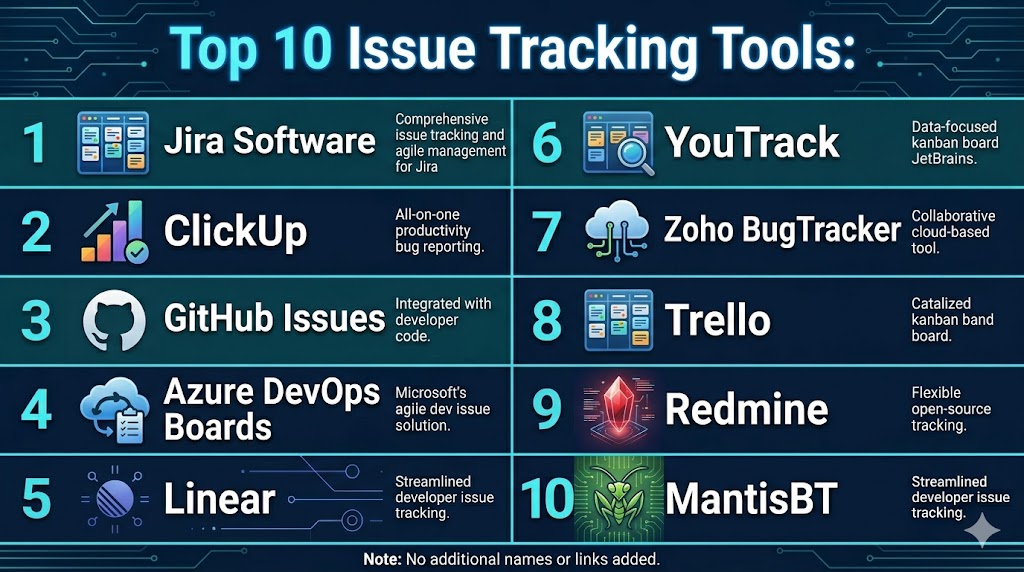
Top 10 Issue Tracking Tools
#1 — Jira Software
Short description: Jira Software is an industry-standard issue tracking platform known for deep customization, agile workflows, and enterprise scalability.
Key Features
- Issue and task tracking
- Agile boards and backlog management
- Workflow customization
- Automation rules
- Reporting dashboards
- Integration with DevOps tools
Pros
- Highly customizable
- Strong ecosystem
- Scalable for enterprises
Cons
- Complex setup
- Learning curve
- Pricing increases with scale
Platforms / Deployment
- Web Mobile
- Cloud On-premise
Security & Compliance
- Role-based access control, encryption
- Not publicly stated
Integrations & Ecosystem
Integrates with a wide range of tools including Git, CI/CD, and APIs.
- Git tools
- CI/CD systems
- APIs
Support & Community
Large global community and enterprise support
#2 — ClickUp
Short description: ClickUp is an all-in-one productivity platform that includes issue tracking, task management, and workflow automation.
Key Features
- Issue and task tracking
- Custom workflows
- Automation
- Reporting dashboards
- Collaboration tools
Pros
- All-in-one platform
- Highly customizable
- Easy to use
Cons
- Can be overwhelming
- Performance issues
- Learning curve
Platforms / Deployment
- Web Mobile
- Cloud
Security & Compliance
- Not publicly stated
Integrations & Ecosystem
Supports wide integrations with productivity tools.
- CRM
- APIs
Support & Community
Strong support and community
#3 — GitHub Issues
Short description: GitHub Issues is a lightweight issue tracking system integrated directly into GitHub repositories.
Key Features
- Issue tracking
- Labels and milestones
- Integration with code
- Collaboration tools
- Notifications
Pros
- Seamless GitHub integration
- Easy to use
- Free basic version
Cons
- Limited advanced features
- Not standalone
- Basic reporting
Platforms / Deployment
- Web
- Cloud
Security & Compliance
- Not publicly stated
Integrations & Ecosystem
Integrated with GitHub ecosystem.
- GitHub tools
- APIs
Support & Community
Large developer community
#4 — Azure DevOps Boards
Short description: Azure DevOps Boards provides issue tracking integrated with development pipelines and enterprise workflows.
Key Features
- Issue tracking
- Agile boards
- Reporting
- CI/CD integration
- Automation
Pros
- Strong DevOps integration
- Scalable
- Enterprise-ready
Cons
- Complex
- Learning curve
- Requires setup
Platforms / Deployment
- Web
- Cloud On-premise
Security & Compliance
- Enterprise-level controls
- Not publicly stated
Integrations & Ecosystem
Integrates with Microsoft ecosystem.
- Azure tools
- APIs
Support & Community
Enterprise-level support
#5 — Linear
Short description: Linear is a modern issue tracking tool focused on speed, simplicity, and developer productivity.
Key Features
- Issue tracking
- Workflow automation
- Keyboard shortcuts
- Reporting
- Collaboration
Pros
- Fast and intuitive UI
- Developer-friendly
- Easy to adopt
Cons
- Limited enterprise features
- Smaller ecosystem
- Fewer integrations
Platforms / Deployment
- Web Desktop
- Cloud
Security & Compliance
- Not publicly stated
Integrations & Ecosystem
Supports integrations with dev tools.
- Git
- APIs
Support & Community
Growing support ecosystem
#6 — YouTrack
Short description: YouTrack is a flexible issue tracker designed for agile teams with advanced search and workflow customization.
Key Features
- Issue tracking
- Agile boards
- Advanced search
- Workflow automation
- Reporting
Pros
- Powerful search
- Flexible workflows
- Developer-friendly
Cons
- Learning curve
- Smaller ecosystem
- Setup effort
Platforms / Deployment
- Web
- Cloud Self-hosted
Security & Compliance
- Not publicly stated
Integrations & Ecosystem
Integrates with development tools.
- Git
- APIs
Support & Community
Good support and documentation
#7 — Zoho BugTracker
Short description: Zoho BugTracker is a simple cloud-based issue tracking tool suited for small to mid-sized teams.
Key Features
- Issue tracking
- Automation
- Reporting
- Time tracking
- Workflow management
Pros
- Affordable
- Easy to use
- Good integrations
Cons
- Limited advanced features
- Smaller ecosystem
- Customization limits
Platforms / Deployment
- Web Mobile
- Cloud
Security & Compliance
- Not publicly stated
Integrations & Ecosystem
Integrates with Zoho and third-party tools.
- Zoho apps
- APIs
Support & Community
Good support resources
#8 — Trello
Short description: Trello is a visual task management tool that can be adapted for lightweight issue tracking using Kanban boards.
Key Features
- Kanban boards
- Task tracking
- Collaboration
- Automation
- Templates
Pros
- Simple and visual
- Easy to use
- Affordable
Cons
- Limited advanced features
- Not ideal for complex workflows
- Basic reporting
Platforms / Deployment
- Web Mobile
- Cloud
Security & Compliance
- Not publicly stated
Integrations & Ecosystem
Supports integrations with many tools.
- APIs
- Productivity tools
Support & Community
Large community
#9 — Redmine
Short description: Redmine is an open-source issue tracking and project management tool with multi-project support.
Key Features
- Issue tracking
- Project management
- Gantt charts
- Reporting
- Plugin support
Pros
- Free and open-source
- Flexible
- Multi-project support
Cons
- Outdated UI
- Requires setup
- Limited native integrations
Platforms / Deployment
- Web
- Self-hosted
Security & Compliance
- Not publicly stated
Integrations & Ecosystem
Supports plugins and APIs.
- APIs
- Extensions
Support & Community
Active open-source community
#10 — MantisBT
Short description: MantisBT is a lightweight open-source issue tracker focused on simplicity and ease of deployment.
Key Features
- Issue tracking
- Email notifications
- Reporting
- Workflow management
- Access control
Pros
- Lightweight
- Easy to use
- Free
Cons
- Limited advanced features
- Basic UI
- Smaller ecosystem
Platforms / Deployment
- Web
- Self-hosted
Security & Compliance
- Not publicly stated
Integrations & Ecosystem
Supports plugins and integrations.
- APIs
- Extensions
Support & Community
Open-source community support
Comparison Table
| Tool Name | Best For | Platform Supported | Deployment | Standout Feature | Public Rating |
|---|---|---|---|---|---|
| Jira Software | Enterprises | Web Mobile | Cloud On-premise | Workflow customization | N/A |
| ClickUp | All-in-one teams | Web Mobile | Cloud | Custom workflows | N/A |
| GitHub Issues | Dev teams | Web | Cloud | Code integration | N/A |
| Azure DevOps | Enterprise DevOps | Web | Cloud On-premise | DevOps integration | N/A |
| Linear | Fast workflows | Web Desktop | Cloud | Speed | N/A |
| YouTrack | Agile teams | Web | Cloud Self-hosted | Advanced search | N/A |
| Zoho BugTracker | SMB | Web Mobile | Cloud | Affordability | N/A |
| Trello | Simple workflows | Web Mobile | Cloud | Visual boards | N/A |
| Redmine | Open-source | Web | Self-hosted | Flexibility | N/A |
| MantisBT | Lightweight | Web | Self-hosted | Simplicity | N/A |
Evaluation & Scoring of Issue Tracking Tools
| Tool Name | Core | Ease | Integrations | Security | Performance | Support | Value | Weighted Total |
|---|---|---|---|---|---|---|---|---|
| Jira Software | 9 | 7 | 9 | 8 | 9 | 9 | 7 | 8.4 |
| ClickUp | 8 | 8 | 8 | 7 | 7 | 8 | 8 | 7.9 |
| GitHub Issues | 7 | 9 | 8 | 7 | 8 | 8 | 9 | 8.0 |
| Azure DevOps | 9 | 6 | 9 | 9 | 9 | 8 | 6 | 8.1 |
| Linear | 8 | 9 | 7 | 7 | 8 | 7 | 8 | 7.9 |
| YouTrack | 8 | 7 | 7 | 7 | 8 | 7 | 8 | 7.6 |
| Zoho BugTracker | 8 | 8 | 7 | 7 | 8 | 7 | 8 | 7.8 |
| Trello | 7 | 9 | 6 | 7 | 7 | 7 | 8 | 7.5 |
| Redmine | 7 | 6 | 6 | 7 | 7 | 7 | 8 | 7.1 |
| MantisBT | 7 | 7 | 5 | 7 | 7 | 6 | 9 | 7.2 |
Scores are comparative and reflect how tools perform across usability, features, and value. Choose based on your workflow needs rather than just rankings.
Which Issue Tracking Tool Is Right for You
Solo / Freelancer
GitHub Issues and Trello are simple and effective.
SMB
ClickUp and Zoho BugTracker offer strong value.
Mid Market
YouTrack and Linear provide flexibility and performance.
Enterprise
Jira Software and Azure DevOps Boards are ideal.
Budget vs Premium
Redmine and MantisBT are budget-friendly, Jira is premium.
Feature Depth vs Ease of Use
Jira for depth, Linear for simplicity.
Integrations & Scalability
Jira and GitHub Issues are strong choices.
Security & Compliance Needs
Enterprise tools provide stronger governance.
Frequently Asked Questions
1. What is issue tracking software
Issue tracking software is a centralized system for logging, assigning, and resolving issues such as bugs, tasks, and requests. It helps teams manage workflows efficiently.
2. How is issue tracking different from bug tracking
Bug tracking focuses only on software defects, while issue tracking covers broader tasks like feature requests and support tickets.
3. Why are issue tracking tools important
They improve visibility, collaboration, and efficiency in managing tasks. Teams can track progress and resolve issues faster.
4. Can non-developers use issue tracking tools
Yes, many tools are designed for cross-functional teams. Product managers and support teams can also use them.
5. How much do issue tracking tools cost
Pricing varies widely depending on features and scale. Some tools are free, while enterprise solutions are more expensive.
6. Do these tools integrate with other systems
Yes, most tools integrate with development, CRM, and productivity platforms. This improves workflow efficiency.
7. How long does implementation take
Implementation can take from a few hours to several days. It depends on complexity and customization.
8. What are common mistakes
Common mistakes include poor issue documentation and lack of prioritization. Teams should maintain clear workflows.
9. Are issue tracking tools secure
Most tools include access control and encryption. Security features vary by provider.
10. Are there alternatives
Alternatives include spreadsheets or task management tools. However, they lack structured workflows and scalability.
Conclusion
Issue tracking tools have become a foundational part of modern software and operational workflows, enabling teams to manage everything from bugs to feature requests in a structured and collaborative way. These platforms provide visibility, accountability, and efficiency, ensuring that no issue is overlooked and that teams can prioritize work effectively. From lightweight tools like Trello and GitHub Issues to enterprise-grade solutions like Jira Software and Azure DevOps, each option offers unique advantages depending on organizational needs. The best tool ultimately depends on your workflow complexity, integration requirements, and team size rather than a one-size-fits-all solution. Organizations should focus on usability, scalability, and integrations when selecting a platform. A practical next step is to shortlist two or three tools, run a pilot with real workflows, and validate how well they align with your team’s processes and long-term goals.

One aspect that often has a big impact on productivity is how easily teams can prioritize and organize issues. A tool that keeps workflows clear and reduces time spent managing tickets can be just as valuable as advanced reporting features.