Introduction
Business Plan Software helps entrepreneurs, startups, and companies create structured, professional business plans with financial projections, market analysis, and strategic roadmaps. Instead of building plans manually, these tools guide users step-by-step and automate calculations, reports, and documentation.
In today’s competitive business environment, a strong business plan is essential not just for launching a company but also for securing funding and guiding long-term growth. These tools reduce errors, save time, and improve the overall quality of planning by providing templates, forecasting tools, and collaboration features.
Real-world use cases include:
- Creating investor-ready business plans
- Financial forecasting and budgeting
- Startup validation and strategy building
- Team collaboration on business planning
- Preparing documents for funding or loans
What buyers should evaluate:
- Ease of use and templates
- Financial modeling capabilities
- Collaboration features
- Integration with accounting tools
- Customization and export options
- Security and data protection
- Pricing flexibility
- Scalability
Best for: Entrepreneurs, startups, consultants, and small to mid-sized businesses planning growth or funding.
Not ideal for: Businesses with simple operations that do not require structured planning or financial forecasting.
Key Trends in Business Plan Software
- AI-powered business plan generation
- Automated financial forecasting and projections
- Real-time collaboration features
- Built-in pitch deck creation tools
- Integration with accounting and CRM systems
- Cloud-based accessibility
- Visual storytelling and presentation tools
- Scenario planning and what-if analysis
- Industry-specific templates
- Subscription-based pricing models
How We Selected These Tools
- Evaluated market popularity and adoption
- Assessed feature completeness for planning and forecasting
- Considered ease of use and onboarding
- Reviewed financial modeling capabilities
- Checked integrations with finance tools
- Analyzed scalability for startups and enterprises
- Considered support quality and documentation
- Evaluated overall value and flexibility
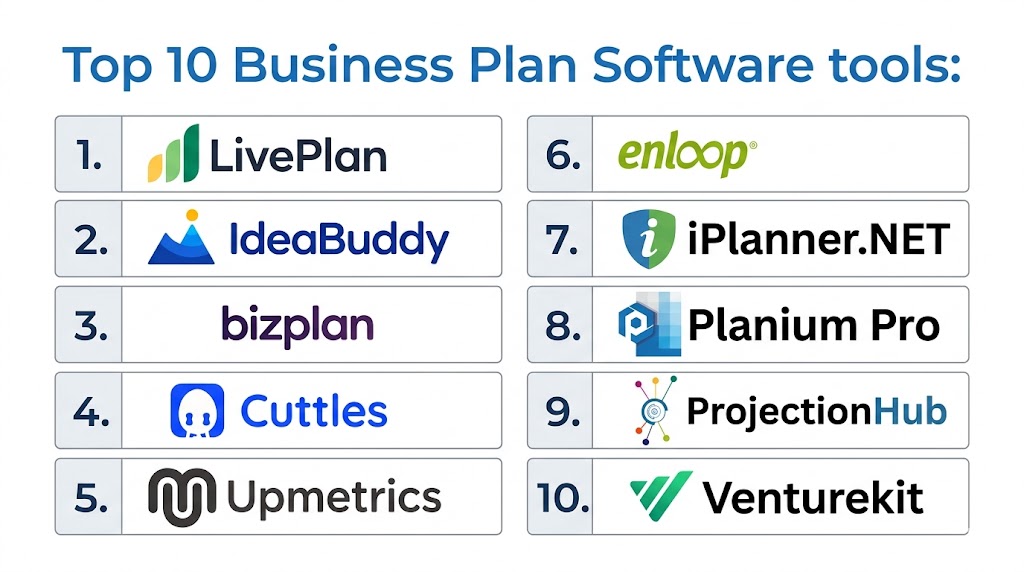
Top 10 Business Plan Software Tools
#1 — LivePlan
Short description: LivePlan is one of the most popular business planning tools, offering step-by-step guidance, financial forecasting, and collaboration features for startups and small businesses.
Key Features
- Guided business plan builder
- Financial forecasting tools
- Industry-specific templates
- Collaboration tools
- Performance tracking dashboards
Pros
- Beginner-friendly
- Strong financial tools
- Wide template library
Cons
- Subscription-based pricing
- Limited customization
- Requires internet access
Platforms / Deployment
- Web
- Cloud
Security & Compliance
- Encryption and access control
- Not publicly stated
Integrations & Ecosystem
Integrates with accounting tools and financial platforms.
- Accounting tools
- Export to documents
Support & Community
Strong documentation and tutorials.
#2 — IdeaBuddy
Short description: IdeaBuddy is a modern business planning tool focused on idea validation, financial planning, and collaboration.
Key Features
- Idea validation tools
- Financial projections
- Business plan builder
- Collaboration features
- Templates
Pros
- Easy to use
- Great for beginners
- Visual planning
Cons
- Limited advanced analytics
- Smaller ecosystem
- Fewer integrations
Platforms / Deployment
- Web
- Cloud
Security & Compliance
- Not publicly stated
Integrations & Ecosystem
Basic integrations with export options.
- Export tools
- API limited
Support & Community
Good support and onboarding.
#3 — Bizplan
Short description: Bizplan provides structured business planning tools with financial forecasting and collaboration features.
Key Features
- Drag-and-drop builder
- Financial projections
- Collaboration tools
- Templates
- Export options
Pros
- Easy interface
- Strong planning workflow
- Collaboration support
Cons
- Limited customization
- Subscription cost
- Fewer integrations
Platforms / Deployment
- Web
- Cloud
Security & Compliance
- Not publicly stated
Integrations & Ecosystem
Supports export and sharing features.
- Export tools
- Financial tools
Support & Community
Helpful onboarding resources.
#4 — Upmetrics
Short description: Upmetrics is an AI-powered business planning software offering fast plan creation and financial forecasting tools.
Key Features
- AI plan generation
- Financial forecasting
- Templates
- Collaboration tools
- Pitch deck generator
Pros
- AI-driven features
- Affordable pricing
- Easy to use
Cons
- Limited customization
- Smaller ecosystem
- No mobile app
Platforms / Deployment
- Web
- Cloud
Security & Compliance
- Not publicly stated
Integrations & Ecosystem
Offers export and sharing tools.
- Export options
- API support
Support & Community
Good documentation and tutorials.
#5 — Enloop
Short description: Enloop automates business plan creation with financial projections and performance scoring.
Key Features
- Automated text generation
- Financial projections
- Performance scoring
- Scenario analysis
- Collaboration
Pros
- Saves time
- Strong financial tools
- Easy to use
Cons
- Limited customization
- Basic interface
- Fewer integrations
Platforms / Deployment
- Web
- Cloud
Security & Compliance
- Not publicly stated
Integrations & Ecosystem
Basic integrations with export features.
- Export tools
- Financial data tools
Support & Community
Simple support with guides.
#6 — Cuttles
Short description: Cuttles is a modern planning tool designed for startups, offering visual planning and financial modeling.
Key Features
- Business plan builder
- Financial forecasting
- Templates
- Collaboration
- Pitch creation
Pros
- Modern UI
- Easy to use
- Startup-focused
Cons
- Limited advanced features
- Smaller ecosystem
- Subscription pricing
Platforms / Deployment
- Web
- Cloud
Security & Compliance
- Not publicly stated
Integrations & Ecosystem
Limited integrations.
- Export tools
- API limited
Support & Community
Growing support system.
#7 — PlanGuru
Short description: PlanGuru focuses on financial forecasting, budgeting, and performance analysis for businesses.
Key Features
- Financial forecasting
- Budgeting tools
- Scenario planning
- Reporting tools
- Analytics
Pros
- Strong financial analysis
- Detailed forecasting
- Enterprise-ready
Cons
- Complex interface
- Higher cost
- Learning curve
Platforms / Deployment
- Web Windows
- Cloud
Security & Compliance
- Not publicly stated
Integrations & Ecosystem
Integrates with accounting tools.
- Accounting systems
- Financial tools
Support & Community
Good support with training.
#8 — iPlanner
Short description: iPlanner is designed for financial planning and business modeling with strong analytics capabilities.
Key Features
- Financial modeling
- Scenario analysis
- Reporting tools
- Forecasting
- Data visualization
Pros
- Strong analytics
- Flexible modeling
- Enterprise features
Cons
- Complex setup
- Less intuitive
- Limited templates
Platforms / Deployment
- Web
- Cloud
Security & Compliance
- Not publicly stated
Integrations & Ecosystem
Supports integration with financial tools.
- Financial systems
- Data tools
Support & Community
Enterprise-level support.
#9 — ProjectionHub
Short description: ProjectionHub focuses on financial projections and investor-ready reports for startups.
Key Features
- Financial projections
- Investor reports
- Templates
- Scenario modeling
- Export tools
Pros
- Affordable
- Easy to use
- Investor-focused
Cons
- Limited planning features
- Basic UI
- Fewer integrations
Platforms / Deployment
- Web
- Cloud
Security & Compliance
- Not publicly stated
Integrations & Ecosystem
Basic integrations.
- Export tools
- Financial tools
Support & Community
Helpful support resources.
#10 — Venturekit
Short description: Venturekit is an AI-based business plan generator designed for fast and automated plan creation.
Key Features
- AI business plan generator
- Templates
- Financial forecasting
- Automation
- Collaboration
Pros
- Fast plan creation
- AI features
- Easy to use
Cons
- Limited customization
- Newer platform
- Smaller ecosystem
Platforms / Deployment
- Web
- Cloud
Security & Compliance
- Not publicly stated
Integrations & Ecosystem
Limited integrations available.
- API support
- Export tools
Support & Community
Growing support ecosystem.
Comparison Table
| Tool Name | Best For | Platform Supported | Deployment | Standout Feature | Public Rating |
|---|---|---|---|---|---|
| LivePlan | Beginners | Web | Cloud | Guided planning | N/A |
| IdeaBuddy | Idea validation | Web | Cloud | Visual planning | N/A |
| Bizplan | Collaboration | Web | Cloud | Drag builder | N/A |
| Upmetrics | AI planning | Web | Cloud | AI features | N/A |
| Enloop | Automation | Web | Cloud | Auto projections | N/A |
| Cuttles | Startups | Web | Cloud | Visual UI | N/A |
| PlanGuru | Finance | Web Windows | Cloud | Forecasting | N/A |
| iPlanner | Analytics | Web | Cloud | Modeling | N/A |
| ProjectionHub | Investors | Web | Cloud | Reports | N/A |
| Venturekit | AI tools | Web | Cloud | Automation | N/A |
Evaluation & Scoring of Business Plan Software
| Tool Name | Core | Ease | Integrations | Security | Performance | Support | Value | Weighted Total |
|---|---|---|---|---|---|---|---|---|
| LivePlan | 9 | 9 | 7 | 7 | 8 | 8 | 8 | 8.3 |
| IdeaBuddy | 8 | 9 | 6 | 7 | 7 | 7 | 8 | 7.8 |
| Bizplan | 8 | 8 | 6 | 7 | 7 | 7 | 7 | 7.5 |
| Upmetrics | 8 | 9 | 6 | 7 | 7 | 7 | 9 | 7.9 |
| Enloop | 8 | 8 | 6 | 7 | 8 | 7 | 8 | 7.8 |
| Cuttles | 7 | 9 | 5 | 6 | 7 | 7 | 8 | 7.3 |
| PlanGuru | 9 | 6 | 8 | 7 | 9 | 8 | 7 | 8.1 |
| iPlanner | 8 | 6 | 7 | 7 | 8 | 7 | 7 | 7.5 |
| ProjectionHub | 7 | 8 | 5 | 6 | 7 | 7 | 9 | 7.2 |
| Venturekit | 7 | 9 | 5 | 6 | 7 | 6 | 8 | 7.1 |
Scores are comparative and highlight strengths across usability, features, and value. Choose based on your specific business needs rather than just the highest score.
Which Business Plan Software Is Right for You
Solo / Freelancer
IdeaBuddy or Venturekit are simple and easy.
SMB
LivePlan and Upmetrics provide balance.
Mid Market
PlanGuru and Bizplan offer deeper features.
Enterprise
PlanGuru and iPlanner are better choices.
Budget vs Premium
ProjectionHub is budget-friendly, LivePlan is premium.
Feature Depth vs Ease of Use
PlanGuru for depth, IdeaBuddy for ease.
Integrations & Scalability
Choose PlanGuru or LivePlan.
Security & Compliance Needs
Enterprise tools provide stronger controls.
Frequently Asked Questions
1. What is business plan software
Business plan software is a tool that helps create structured business plans with templates and financial projections. It simplifies planning and ensures accuracy. It is widely used by startups and businesses to prepare professional documents.
2. Why should I use business plan software
It saves time, reduces errors, and improves the quality of business plans. These tools guide users step by step and automate calculations. They also help present data clearly to investors.
3. How much does business plan software cost
Pricing varies depending on features and business size. Some tools offer free versions or trials, while others use subscription models. Costs increase with advanced features.
4. Can beginners use these tools
Yes, most tools are designed for beginners with templates and guided workflows. They require little technical knowledge. This makes them accessible for entrepreneurs.
5. Are these tools secure
Most platforms include encryption and access control features. However, security levels vary by provider. It is important to review security features before choosing.
6. Do these tools include financial forecasting
Yes, most tools include financial projections and forecasting features. These help estimate revenue and expenses. They are essential for planning and funding.
7. How long does it take to create a business plan
With software, it can take a few hours to a few days. Time depends on complexity and data accuracy. Templates speed up the process significantly.
8. Can teams collaborate on business plans
Yes, many tools offer collaboration features. Teams can work together in real time. This improves efficiency and alignment.
9. What are common mistakes in business planning
Common mistakes include unrealistic projections and incomplete data. Lack of market research is also a problem. Software helps reduce these issues.
10. Are there alternatives to business plan software
Yes, you can use templates or write plans manually. However, software provides better automation and accuracy. It also saves time and effort.
Conclusion
Business plan software has become an essential tool for entrepreneurs and businesses aiming to create structured, professional, and data-driven plans. These platforms simplify complex planning tasks by offering templates, automation, and financial forecasting tools that improve accuracy and efficiency. From beginner-friendly tools like IdeaBuddy and LivePlan to advanced solutions like PlanGuru and iPlanner, the market offers options for every stage of business growth. The best choice depends on your specific needs, whether it is simplicity, financial depth, or scalability. Businesses should focus on usability, integration capabilities, and long-term value when selecting a tool. Testing a few platforms before making a decision is always recommended to ensure the best fit for your workflow and goals.

A practical factor to consider is how easily a business plan can be updated as assumptions change. The most useful tools are often the ones that make it simple to revise forecasts and adapt plans as the business evolves.