Introduction
Board management portals are specialized software platforms designed to help boards of directors and executive leadership teams streamline governance, improve communication, and facilitate strategic decision‑making. These tools centralize board materials, automate meeting workflows, and provide secure collaboration spaces for distributed leadership teams. They play a vital role in enabling boards to work efficiently in increasingly complex corporate environments.
Effective board management is critical given the rise of remote work, heightened regulatory expectations, and the growing volume of corporate governance responsibilities. Modern portals support everything from agenda creation and secure file sharing to voting, annotations, and compliance tracking.
Use cases include:
- Planning and distributing board meeting materials
- Conducting virtual and hybrid board meetings
- Capturing meeting minutes and approvals
- Tracking resolutions and governance documents
- Providing a secure repository for confidential records
What buyers should evaluate:
- Security and access control capabilities
- Ease of content distribution and collaboration
- Support for remote/hybrid meetings
- Annotation and document review workflows
- Audit trails and compliance reporting
- Integration with calendar/email systems
- Mobile accessibility
- Customization of dashboards and permissions
- Vendor support and onboarding
- Scalability for enterprise governance
Best for: Corporate boards, advisory councils, nonprofit boards, governance teams, and executive leadership groups that handle confidential, high‑impact decisions.
Not ideal for: Small teams using basic collaboration tools with minimal governance requirements.
Key Trends in Board Management Portals
- Enhanced security: Adoption of enterprise‑grade encryption, SSO, and MFA to protect sensitive governance data.
- Mobile‑first design: Native and responsive platforms for executives on the go.
- AI‑assisted insights: Automated meeting summaries and action item suggestions.
- Hybrid meeting facilitation: Tools designed for both in‑person and virtual board experiences.
- Integrated compliance tracking: Monitoring regulatory requirements and policy adherence.
- Seamless workflow automation: Agenda creation, approvals, and notifications.
- Collaboration analytics: Usage metrics to optimize engagement.
- Custom roles & permissions: Fine‑grained access control for governance hierarchies.
- Cloud & on‑premises flexibility: Deployment choice based on security and compliance needs.
- E‑signatures & secure voting: Governance decisions tracked and validated within the portal.
How We Selected These Tools (Methodology)
- Market adoption and corporate governance mindshare
- Depth of security and compliance features
- Collaboration and workflow capabilities
- Support for hybrid and remote governance needs
- Integration ecosystem with calendars, email, and enterprise IT
- Performance and reliability in high‑security environments
- Customer feedback across industries
- Scalability for mid‑market to enterprise boards
- Ease of use and onboarding experience
- Innovation (AI, analytics, automation)
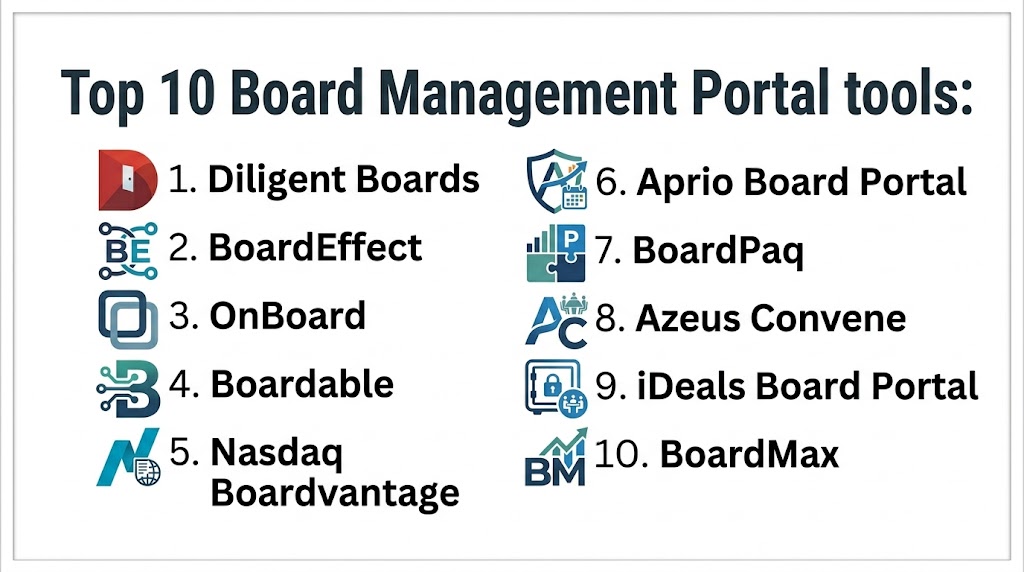
Top 10 Board Management Portals
#1 — Diligent Boards
Short description:
Diligent Boards is a leading enterprise board portal focused on secure governance, collaboration, and distributed meeting management, widely used by public and private boards globally.
Key Features
- Secure document distribution
- Agenda and packet creation
- Annotation and collaboration tools
- Voting and e‑signatures
- Audit trails
- Mobile accessibility
Pros
- Robust security features
- Comprehensive governance workflows
Cons
- Enterprise pricing tiers
- Feature depth can be complex for small teams
Platforms / Deployment
- Web / iOS / Android
- Cloud
Security & Compliance
- Enterprise encryption and RBAC
- SOC 2 / ISO 27001 / GDPR (where applicable)
Integrations & Ecosystem
- Calendar and email integrations
- Active Directory / SSO
- APIs for enterprise systems
Support & Community
- Dedicated onboarding
- 24/7 support for enterprise clients
#2 — BoardEffect
Short description:
BoardEffect helps organizations manage governance activities, board materials, and meeting workflows in a secure, structured environment.
Key Features
- Centralized board materials
- Task and meeting management
- Secure file sharing
- Mobile app
- User analytics
Pros
- Intuitive user experience
- Strong compliance tools
Cons
- Customization may require support
- Some advanced features require higher plans
Platforms / Deployment
- Web / iOS / Android
- Cloud
Security & Compliance
- Encryption at rest and in transit
- Audit logs and permissions controls
Integrations & Ecosystem
- Calendar sync
- SSO/Active Directory
- APIs for custom workflows
Support & Community
- Onboarding assistance
- Customer success resources
#3 — OnBoard
Short description:
OnBoard focuses on meeting efficiency and governance insight, with real‑time collaboration, voting, and reporting features designed for modern boards.
Key Features
- Agendas and minutes
- Annotated document review
- Voting and polls
- Real‑time collaboration
- Engagement analytics
Pros
- User‑friendly interface
- Strong meeting execution tools
Cons
- Enterprise features behind higher tier
- Support tiers vary by plan
Platforms / Deployment
- Web / iOS / Android
- Cloud
Security & Compliance
- Encryption and RBAC
- Compliance with governance best practices
Integrations & Ecosystem
- Calendar platforms
- SSO
- APIs for analytics export
Support & Community
- Video tutorials
- Dedicated support options
#4 — Boardable
Short description:
Boardable is tailored for nonprofit boards, focusing on simplicity, engagement, and efficient agenda and document management.
Key Features
- Board portals and agendas
- Task management
- Event scheduling
- Announcement tools
- Collaboration dashboard
Pros
- Designed for nonprofits
- Straightforward pricing
Cons
- Less enterprise‑scale than others
- Limited advanced security customization
Platforms / Deployment
- Web / iOS / Android
- Cloud
Security & Compliance
- Encryption and user permissions
- Not publicly stated for major certifications
Integrations & Ecosystem
- Calendar and email sync
- SSO available
Support & Community
- Onboarding guides
- Responsive support
#5 — Nasdaq Boardvantage
Short description:
Nasdaq Boardvantage offers corporate boards robust governance features, performance dashboards, and secure collaboration for distributed teams.
Key Features
- Secure document repository
- Workflow management
- Action item tracking
- Mobile meeting apps
- Analytics
Pros
- Strong security posture
- Designed for regulated industries
Cons
- Premium pricing
- Onboarding complexity
Platforms / Deployment
- Web / iOS / Android
- Cloud
Security & Compliance
- Encryption, audit logs
- Compliance frameworks (varies / N/A)
Integrations & Ecosystem
- Enterprise SSO
- Calendar integration
Support & Community
- Enterprise support tiers
- Training programs
#6 — Aprio Board Portal
Short description:
Aprio Board Portal offers straightforward governance tools with emphasis on document security, annotation, and collaborative meeting preparation.
Key Features
- Secure document sharing
- Annotation tools
- Meeting agendas
- Mobile access
Pros
- Clean interface
- Good for small to mid‑size boards
Cons
- Fewer advanced analytics
- Basic workflows compared to enterprise tools
Platforms / Deployment
- Web / iOS / Android
- Cloud
Security & Compliance
- Encryption
- User permissions
Integrations & Ecosystem
- Calendar sync
- SSO
Support & Community
- Standard support
- Documentation
#7 — BoardPaq
Short description:
BoardPaq simplifies board meeting preparation with tools for agenda creation, document distribution, and secure collaboration.
Key Features
- Meeting packet builder
- Secure repository
- User permissions
- Annotation
Pros
- Easy setup
- Cost effective for smaller boards
Cons
- Limited advanced features
- Support varies
Platforms / Deployment
- Web / iOS / Android
- Cloud
Security & Compliance
- Encryption
- RBAC
Integrations & Ecosystem
- Calendar sync
- SSO
Support & Community
- Standard support
- Knowledge base
#8 — Azeus Convene
Short description:
Azeus Convene provides enterprise governance tools with a focus on secure collaboration, workflows, and meeting facilitation.
Key Features
- Agenda and minutes
- Annotation and tracking
- Voting and approvals
- Analytics dashboards
Pros
- Strong security focus
- Comprehensive governance features
Cons
- Interface may feel dated
- Licensing complexity
Platforms / Deployment
- Web / iOS / Android
- Cloud / On‑premises
Security & Compliance
- Encryption and audit trails
- Compliance posture (varies / N/A)
Integrations & Ecosystem
- SSO/Active Directory
- APIs
- Document management
Support & Community
- Enterprise support
- Documentation
#9 — iDeals Board Portal
Short description:
iDeals offers a secure board portal with advanced encryption, mobile collaboration, and document annotation features suitable for regulated sectors.
Key Features
- End‑to‑end encryption
- Annotation tools
- Meeting management
- Offline access
Pros
- Excellent security
- Offline access
Cons
- Enterprise pricing
- Customization may require support
Platforms / Deployment
- Web / iOS / Android
- Cloud
Security & Compliance
- SOC 2, ISO 27001
- Encryption and RBAC
Integrations & Ecosystem
- Single sign‑on
- Calendar integration
Support & Community
- 24/7 support
- Onboarding resources
#10 — BoardMax
Short description:
BoardMax is designed for small‑to‑medium organizations needing simple but effective board governance tools without enterprise complexity.
Key Features
- Document storage
- Agenda builder
- Task tracking
- Collaboration tools
Pros
- Affordable
- User‑friendly for small boards
Cons
- Limited enterprise features
- Basic analytics
Platforms / Deployment
- Web / iOS / Android
- Cloud
Security & Compliance
- Encryption
- User roles
Integrations & Ecosystem
- Calendar sync
- Email notifications
Support & Community
- Email support
- Documentation
Comparison Table
| Tool Name | Best For | Platform(s) Supported | Deployment | Standout Feature | Public Rating |
|---|---|---|---|---|---|
| Diligent Boards | Enterprise governance | Web / iOS / Android | Cloud | Enterprise security | N/A |
| BoardEffect | Mid‑market & large boards | Web / iOS / Android | Cloud | Compliance workflows | N/A |
| OnBoard | All board types | Web / iOS / Android | Cloud | Real‑time collaboration | N/A |
| Boardable | Nonprofits | Web / iOS / Android | Cloud | Easy setup | N/A |
| Nasdaq Boardvantage | Regulated industries | Web / iOS / Android | Cloud | Governance analytics | N/A |
| Aprio Board Portal | Small/mid boards | Web / iOS / Android | Cloud | Simple interface | N/A |
| BoardPaq | Small boards | Web / iOS / Android | Cloud | Cost effective | N/A |
| Azeus Convene | Enterprise & hybrid | Web / iOS / Android | Cloud / On‑premises | Secure collaboration | N/A |
| iDeals Board Portal | Regulated sectors | Web / iOS / Android | Cloud | Offline access | N/A |
| BoardMax | Small/SMB boards | Web / iOS / Android | Cloud | Affordable governance | N/A |
Evaluation & Scoring of Board Management Portals
| Tool Name | Core (25%) | Ease (15%) | Integrations (15%) | Security (10%) | Performance (10%) | Support (10%) | Value (15%) | Weighted Total |
|---|---|---|---|---|---|---|---|---|
| Diligent Boards | 9 | 8 | 9 | 10 | 9 | 8 | 7 | 8.7 |
| BoardEffect | 8 | 8 | 8 | 9 | 8 | 8 | 8 | 8.3 |
| OnBoard | 8 | 9 | 8 | 9 | 8 | 8 | 8 | 8.4 |
| Boardable | 7 | 9 | 7 | 8 | 7 | 8 | 9 | 8.0 |
| Nasdaq Boardvantage | 9 | 7 | 8 | 9 | 8 | 7 | 7 | 8.1 |
| Aprio Board Portal | 7 | 8 | 7 | 8 | 7 | 7 | 9 | 7.7 |
| BoardPaq | 6 | 8 | 6 | 8 | 6 | 7 | 9 | 7.1 |
| Azeus Convene | 8 | 7 | 8 | 9 | 8 | 7 | 7 | 8.0 |
| iDeals Board Portal | 9 | 7 | 8 | 10 | 8 | 8 | 7 | 8.2 |
| BoardMax | 6 | 9 | 6 | 8 | 6 | 7 | 9 | 7.0 |
Interpretation: A higher weighted total suggests stronger overall performance across core features, integration support, security, and value — balanced against deployment complexity and cost.
Which Board Management Portal Is Right for You?
Solo / Freelancer
- Boardable or BoardPaq for ease of use, low cost, and streamlined governance.
SMB
- BoardEffect, OnBoard, or Aprio Board Portal for scalable governance without enterprise complexity.
Mid‑Market
- OnBoard, BoardEffect, or iDeals Board Portal for balanced features and security.
Enterprise
- Diligent Boards, Nasdaq Boardvantage, or Azeus Convene for robust governance, analytics, and compliance.
Budget vs Premium
- Budget: Boardable, BoardPaq, BoardMax
- Premium: Diligent Boards, OnBoard, Nasdaq Boardvantage
Feature Depth vs Ease of Use
- Feature‑rich: Diligent Boards, Azeus Convene
- Easy to adopt: Boardable, BoardMax
Integrations & Scalability
- Best integrations: Diligent Boards, BoardEffect, OnBoard
- Scalable governance: Nasdaq Boardvantage, iDeals Board Portal
Security & Compliance Needs
- Strongest security: Diligent Boards, iDeals Board Portal, Nasdaq Boardvantage
Frequently Asked Questions (FAQs)
1. What features should a board management portal include?
Essential features include secure document management, meeting workflows, annotations, voting, audit trails, and mobile access — all designed for streamlined governance.
2. Are board portals secure?
Top board portals provide encryption at rest and in transit, role‑based access, audit logs, and compliance with standards like SOC 2 and ISO 27001.
3. Do these tools support remote meetings?
Yes, most modern board portals include tools for virtual and hybrid meetings, including collaboration and voting functionality.
4. Can portal tools integrate with other systems?
Many offer integrations with calendar systems, email, enterprise SSO, CRM, and document management tools through APIs.
5. How long does onboarding take?
Onboarding can range from a few days for SMB‑focused portals to several weeks for enterprise platforms with complex governance workflows.
6. Are mobile apps available?
Yes, most leading portals support iOS and Android for review, annotations, and meeting access on the go.
7. Are board portals useful for nonprofits?
Absolutely — solutions like Boardable and BoardMax are designed with nonprofits in mind.
8. Do these tools support compliance reporting?
Advanced portals provide dashboards and audit logs for compliance with regulations and internal governance standards.
9. What should small organizations consider?
Prioritize ease of use, cost efficiency, and basic governance workflows when selecting portals for smaller boards.
10. Can board portals help with audits?
Yes — audit trails, document histories, and reporting dashboards simplify audit preparation and governance reviews.
Conclusion
Choosing the right board management portal requires balancing security, collaboration, ease of use, and integration capabilities. Enterprise teams should prioritize platforms with strong security and compliance, while SMBs may benefit from intuitive interfaces and lower cost structures. Pilot testing shortlisted solutions with real workflows can provide invaluable insights into fit and adoption.

One factor that often makes a board portal truly effective is ease of use for all participants. Even advanced features provide limited value if board members find it difficult to access information, review documents, or collaborate efficiently.