Hey Guys
This is Ravi Verma, In this article, we will tell you how to make a custom URL for our youtube channel
let’s begin,
What are the benefits of creating a custom URL for a YouTube channel?
Custom URL for our youtube channel has a variety of benefits. Many people are visiting our youtube channel and they see their useful videos after watching that video they left our youtube channel without subscribing.
Due to these types of reasons, the subscriber of our channel is not getting more.
If we can make our custom URL for our youtube then we will get more subscribers than other then channels and increase our watch hours as well.
How to create a custom URL for youtube?
A. Open YouTube in your browser.

B. Go to your youtube channel.
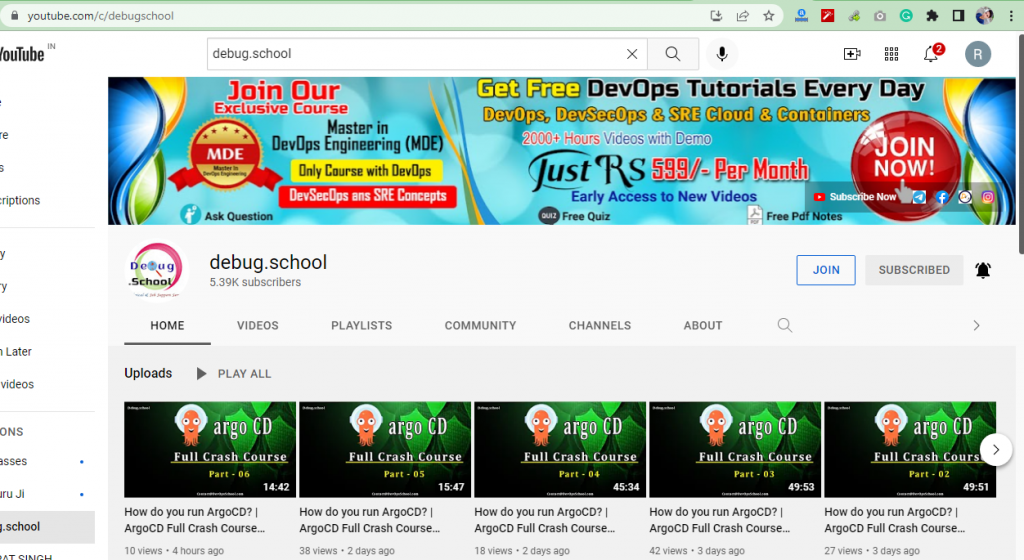
C. Select your youtube channel’s link.

D. After that, you will write a formula with the URL of your youtube channel (URL+?sub_confirmation=1)
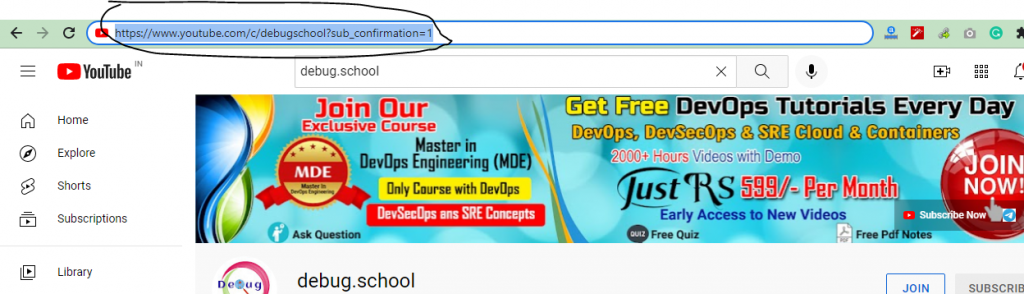
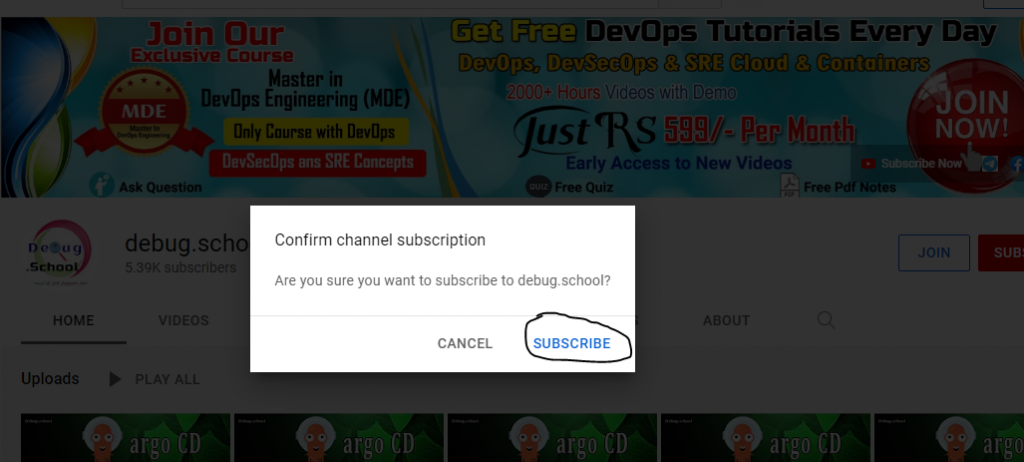
E. After adding that formula, if anyone will click your channel’s link then he gives a pop-up for subscribing to that channel.
Make sure all your doubts are cleared.
Thanks

This article explains how to add a subscriber link to your YouTube channel in a very clear and easy way. I liked how the steps were written so that even someone new to YouTube can follow them without confusion. The tips feel useful and practical for anyone who wants to grow their channel and get more subscribers. Overall, it was a helpful guide with simple instructions that anyone can try on their own. Thank you for sharing this useful information.