Introduction
AI Video Generation Tools are platforms that use artificial intelligence to create videos from text prompts, scripts, images, or existing content. Instead of traditional filming and editing, these tools automate the entire process—generating visuals, adding voiceovers, and assembling scenes into a finished video.
This technology has become critical as businesses and creators face increasing demand for high-quality video content across social media, marketing, education, and entertainment. AI video tools dramatically reduce production time and cost while enabling non-technical users to create professional videos at scale.
Real-world use cases include:
- Social media and marketing videos
- YouTube automation and content repurposing
- E-learning and training videos
- Product demos and explainer videos
- Personalized video campaigns
What buyers should evaluate:
- Video quality and realism
- Text-to-video and script automation capabilities
- Customization (avatars, voiceovers, branding)
- Rendering speed and latency
- Ease of use (UI/UX)
- Integration with editing and publishing tools
- Multilingual support
- Scalability for bulk video production
- Security and data privacy
- Pricing (credits, subscriptions, usage limits)
Best for: Marketers, content creators, agencies, educators, startups, and enterprises scaling video production.
Not ideal for: High-end cinematic production requiring full creative control or projects demanding deep storytelling nuance without human editing.
Key Trends in AI Video Generation Tools
- Rapid growth of text-to-video generation models
- Integration with multimodal AI (text, image, audio)
- Rise of AI avatars and synthetic presenters
- Expansion of real-time video generation
- Improved lip-sync and voice realism
- Growth of short-form content automation (Reels, Shorts)
- Increasing focus on content authenticity and deepfake detection
- Hybrid workflows combining AI + manual editing tools
- API-first platforms for scalable video pipelines
- Enterprise adoption for training and internal communication
How We Selected These Tools (Methodology)
We selected these platforms based on:
- Industry adoption and popularity
- Feature completeness (text-to-video, avatars, editing)
- Output quality and realism
- Ease of use for beginners and professionals
- Integration capabilities and APIs
- Performance and rendering speed
- Flexibility in deployment
- Security and compliance readiness
- Community and support ecosystem
- Value across different user segments
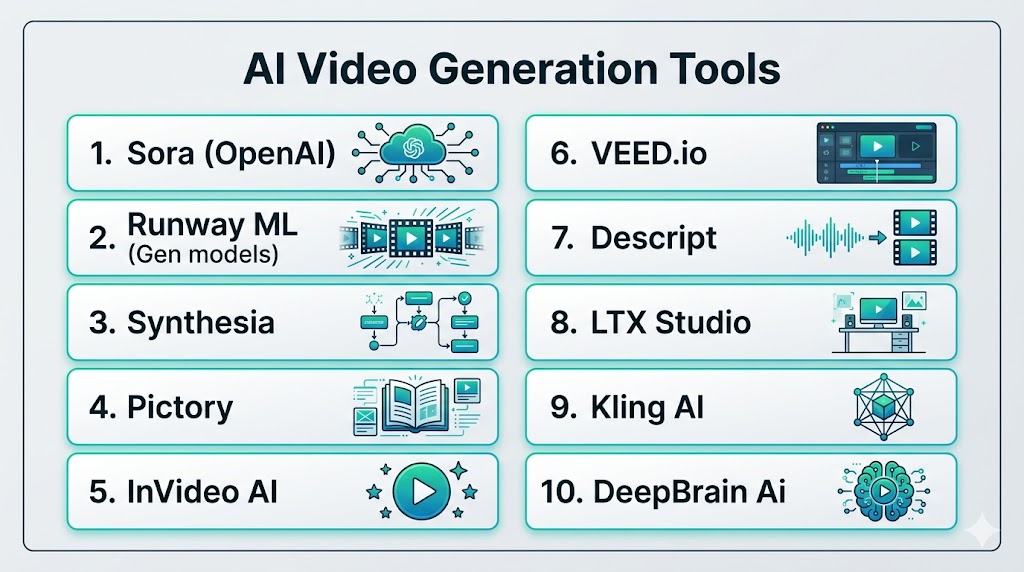
Top 10 AI Video Generation Tools
#1 — Sora (OpenAI)
Short description: A cutting-edge AI video model capable of generating highly realistic and cinematic videos from text prompts.
Key Features
- Text-to-video generation
- High realism and physics-aware scenes
- Long-form video generation
- Multimodal input support
- Cinematic quality output
- Advanced prompt understanding
Pros
- Industry-leading realism
- Strong creative capabilities
Cons
- Limited availability
- Still evolving
Platforms / Deployment
Web / Cloud
Security & Compliance
Not publicly stated
Integrations & Ecosystem
- AI workflows
- APIs
Support & Community
Rapidly growing adoption
#2 — Runway ML
Short description: A creative AI platform for generating and editing videos with strong control over visuals.
Key Features
- Text-to-video and image-to-video
- Video editing tools
- Style and motion control
- Real-time generation
- Team collaboration
- Creative workflows
Pros
- Strong creative control
- Versatile platform
Cons
- Learning curve
- Output may need editing
Platforms / Deployment
Web / Cloud
Security & Compliance
Not publicly stated
Integrations & Ecosystem
- Creative tools
- Production workflows
Support & Community
Strong creator community
#3 — Synthesia
Short description: A leading AI video platform focused on avatar-based videos for business and training.
Key Features
- AI avatars
- Script-to-video
- Multilingual voiceovers
- Templates
- Corporate training tools
Pros
- Easy to use
- Great for corporate use
Cons
- Limited creative flexibility
- Avatar-focused
Platforms / Deployment
Web / Cloud
Security & Compliance
Not publicly stated
Integrations & Ecosystem
- Business tools
- APIs
Support & Community
Enterprise-level support
#4 — Pictory
Short description: A platform designed to turn text, blogs, and scripts into engaging videos.
Key Features
- Script-to-video
- Blog-to-video conversion
- Voiceover generation
- Automatic captions
- Media library integration
Pros
- Simple workflow
- Great for content repurposing
Cons
- Template-based output
- Limited customization
Platforms / Deployment
Web
Security & Compliance
Not publicly stated
Integrations & Ecosystem
- Content tools
- APIs
Support & Community
Moderate support
#5 — InVideo AI
Short description: A user-friendly platform for creating marketing and social media videos quickly.
Key Features
- Text-to-video
- Templates and themes
- Voiceovers
- Stock media library
- Drag-and-drop editor
Pros
- Beginner-friendly
- Fast production
Cons
- Template-heavy
- Limited advanced control
Platforms / Deployment
Web
Security & Compliance
Not publicly stated
Integrations & Ecosystem
- Social media tools
- APIs
Support & Community
Large user base
#6 — VEED.io
Short description: A video editing platform with AI-powered generation and automation features.
Key Features
- AI video generation
- Auto subtitles
- Editing tools
- Voice generation
- Screen recording
Pros
- All-in-one platform
- Easy to use
Cons
- Limited advanced generation
- Subscription cost
Platforms / Deployment
Web
Security & Compliance
Not publicly stated
Integrations & Ecosystem
- Editing tools
- APIs
Support & Community
Strong adoption
#7 — Descript
Short description: A unique AI video and audio editor that uses text-based editing.
Key Features
- Text-based video editing
- Voice cloning
- Screen recording
- Transcription
- Podcast editing
Pros
- Innovative editing workflow
- Great for creators
Cons
- Not purely generative
- Learning curve
Platforms / Deployment
Web / Desktop
Security & Compliance
Not publicly stated
Integrations & Ecosystem
- Audio/video tools
- APIs
Support & Community
Strong creator community
#8 — LTX Studio
Short description: A storytelling-focused AI video platform for creating structured video narratives.
Key Features
- Storyboarding
- Script-to-video
- Scene generation
- Character consistency
- Visual storytelling tools
Pros
- Strong for storytelling
- Structured workflows
Cons
- Limited availability
- Niche use case
Platforms / Deployment
Web
Security & Compliance
Not publicly stated
Integrations & Ecosystem
- Creative tools
Support & Community
Emerging community
#9 — Kling AI
Short description: A fast-growing AI video generator with strong motion and animation capabilities.
Key Features
- Text-to-video
- Image animation
- Motion control tools
- Video extension
- Lip-sync support
Pros
- Good animation quality
- Affordable
Cons
- Limited support
- Credit-based system
Platforms / Deployment
Cloud
Security & Compliance
Not publicly stated
Integrations & Ecosystem
- APIs
- Creative tools
Support & Community
Growing adoption
#10 — DeepBrain AI
Short description: A platform focused on AI avatars and business video automation.
Key Features
- AI presenters
- Text-to-video
- Real-time generation
- Multilingual support
- Corporate use cases
Pros
- Strong for enterprise
- Easy automation
Cons
- Limited creative flexibility
- Avatar-heavy
Platforms / Deployment
Cloud
Security & Compliance
Not publicly stated
Integrations & Ecosystem
- Business tools
- APIs
Support & Community
Enterprise support
Comparison Table (Top 10)
| Tool Name | Best For | Platform(s) Supported | Deployment | Standout Feature | Public Rating |
|---|---|---|---|---|---|
| Sora | Cinematic video | Web | Cloud | Realism | N/A |
| Runway | Creators | Web | Cloud | Editing + generation | N/A |
| Synthesia | Corporate | Web | Cloud | AI avatars | N/A |
| Pictory | Bloggers | Web | Cloud | Blog-to-video | N/A |
| InVideo | Marketing | Web | Cloud | Templates | N/A |
| VEED | Editing | Web | Cloud | All-in-one | N/A |
| Descript | Creators | Desktop/Web | Cloud | Text editing | N/A |
| LTX Studio | Storytelling | Web | Cloud | Scene creation | N/A |
| Kling AI | Animation | Cloud | Cloud | Motion control | N/A |
| DeepBrain | Enterprise | Web | Cloud | AI presenters | N/A |
Evaluation & Scoring of AI Video Generation Tools
| Tool Name | Core (25%) | Ease (15%) | Integrations (15%) | Security (10%) | Performance (10%) | Support (10%) | Value (15%) | Weighted Total |
|---|---|---|---|---|---|---|---|---|
| Sora | 10 | 8 | 8 | 8 | 9 | 8 | 8 | 8.8 |
| Runway | 9 | 7 | 8 | 7 | 9 | 8 | 8 | 8.3 |
| Synthesia | 8 | 9 | 7 | 7 | 8 | 8 | 7 | 7.9 |
| Pictory | 7 | 9 | 6 | 6 | 7 | 7 | 8 | 7.4 |
| InVideo | 7 | 9 | 7 | 6 | 7 | 7 | 8 | 7.5 |
| VEED | 7 | 9 | 7 | 6 | 7 | 7 | 7 | 7.4 |
| Descript | 8 | 8 | 8 | 6 | 8 | 8 | 7 | 7.9 |
| LTX | 8 | 7 | 6 | 6 | 7 | 7 | 7 | 7.2 |
| Kling | 8 | 7 | 6 | 6 | 8 | 6 | 8 | 7.3 |
| DeepBrain | 7 | 8 | 7 | 7 | 7 | 8 | 7 | 7.4 |
How to interpret scores:
- Scores are relative within this category
- Higher scores indicate broader capability
- Enterprise tools score higher in automation
- Creative tools score higher in flexibility
- Choose based on your use case
Which AI Video Generation Tool Is Right for You?
Solo / Freelancer
- Best: InVideo, VEED
- Easy and fast
SMB
- Best: Pictory, Descript
- Balanced features
Mid-Market
- Best: Runway, Synthesia
- Scalable and flexible
Enterprise
- Best: Sora, DeepBrain
- Advanced automation
Budget vs Premium
- Budget: InVideo, Pictory
- Premium: Sora, Runway
Feature Depth vs Ease of Use
- Depth: Runway, Sora
- Ease: InVideo, VEED
Integrations & Scalability
- Strong: Runway, Synthesia
- Moderate: Pictory
Security & Compliance Needs
- Enterprise tools offer better governance
- Simpler tools require manual controls
Frequently Asked Questions (FAQs)
What are AI video generation tools?
These tools use AI to create videos from text, images, or scripts. They automate editing, visuals, and voiceovers. This makes video production faster and easier.
Do I need editing skills?
No, most tools are beginner-friendly. They provide templates and automation. Advanced tools offer more control.
Are AI videos high quality?
Yes, many tools produce professional-quality videos. However, output depends on input quality. Editing may still be needed.
Can AI replace video editors?
No, AI assists rather than replaces editors. Creativity and storytelling still require human input. It improves efficiency.
Are these tools expensive?
Pricing varies. Some offer free plans. Others use subscriptions or credits.
Can AI generate realistic videos?
Yes, modern tools can generate highly realistic videos. Some even include physics-aware motion.
What is text-to-video?
It converts text prompts into videos automatically. It is the most common use case.
Is AI video safe to use?
Most tools include safeguards. However, ethical use is important. Always verify content authenticity.
Which tool is best for beginners?
InVideo and VEED are easiest to use. They offer templates and automation. Good for quick content.
How do I choose the right tool?
Consider your use case, budget, and features. Test multiple tools. Focus on quality and ease of use.
Conclusion
AI video generation tools are transforming how video content is created, making production faster, more accessible, and scalable than ever before. From advanced cinematic tools like Sora to beginner-friendly platforms like InVideo and VEED, there is a solution for every type of user. These platforms significantly reduce the need for expensive equipment and large production teams while enabling rapid experimentation and content creation. However, choosing the right tool depends on your specific goals—whether it’s marketing, storytelling, education, or enterprise automation. While AI handles much of the heavy lifting, human creativity remains essential for refining output and ensuring quality. Integration with existing workflows is also a key factor in long-term success. Testing tools through real use cases is the best way to evaluate performance. Ultimately, the best AI video generation platform is the one that aligns with your content strategy, budget, and scalability needs.
