Introduction
Timesheet Management Tools are software solutions designed to track, record, approve, and analyze employee work hours across projects and tasks. Unlike basic time tracking tools, timesheet systems focus on structured reporting, approvals, payroll integration, and compliance, making them essential for businesses managing teams, billing clients, or handling payroll.
These tools help organizations maintain accurate records of working hours, improve transparency, and streamline operations like invoicing and payroll. Many modern platforms also include automation, analytics, and integrations to reduce manual effort and errors.
Real-world use cases:
- Tracking employee work hours and attendance
- Managing billable vs non-billable hours
- Payroll and compliance reporting
- Project-based time tracking and approvals
- Generating invoices from timesheets
What buyers should evaluate:
- Timesheet approval workflows
- Automation and reporting capabilities
- Integration with payroll and accounting tools
- Ease of use and employee adoption
- Multi-project tracking support
- Compliance and audit logs
- Real-time dashboards and analytics
- Mobile and remote tracking features
- Security and role-based access
- Pricing and scalability
Best for: HR teams, project managers, agencies, enterprises, and organizations needing accurate time records and payroll integration.
Not ideal for: Individuals or teams needing only simple timers without approval workflows or compliance tracking.
Key Trends in Timesheet Management Tools
- Automated timesheet generation and approvals
- AI-based time tracking suggestions
- Integration with payroll and accounting systems
- Real-time dashboards for workforce insights
- Mobile-first and remote workforce tracking
- Compliance-focused reporting and audit trails
- Hybrid workforce management (office + remote)
- API-first integrations for business systems
- Advanced billing and invoicing automation
- Role-based access and governance
How We Selected These Tools (Methodology)
- Market popularity and adoption
- Timesheet-specific features (approvals, reporting)
- Integration capabilities (payroll, ERP, CRM)
- Ease of use and onboarding
- Performance and scalability
- Security and compliance readiness
- Reporting and analytics depth
- Suitability for different business sizes
- Vendor support and documentation
- Overall value for money
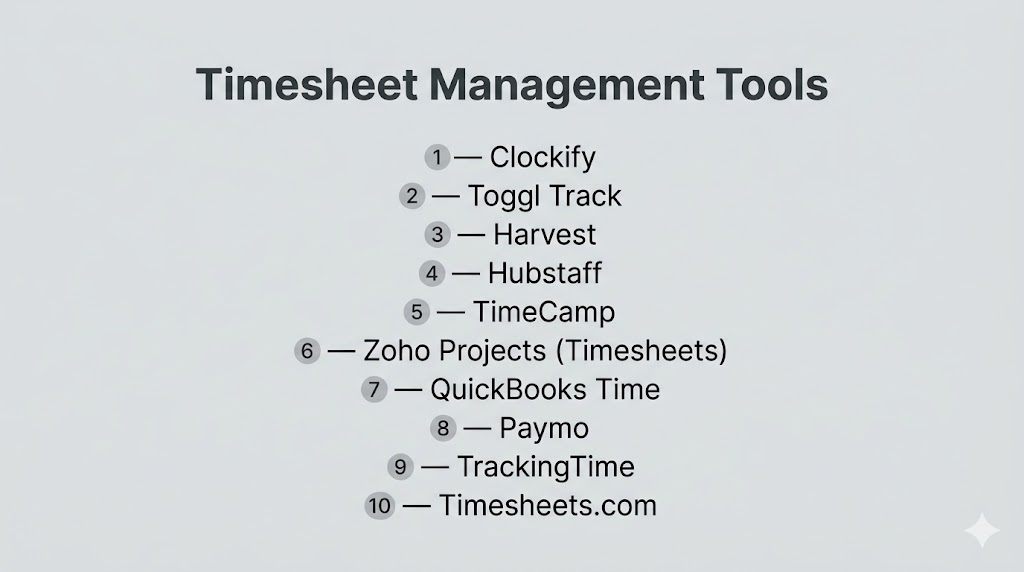
Top 10 Timesheet Management Tools
#1 — Clockify
Short description: A widely used free timesheet and time tracking tool for teams and businesses.
Key Features
- Timesheet tracking and approvals
- Project and task tracking
- Reporting dashboards
- Team management
- Integrations
- Idle detection
Pros
- Free plan with strong features
- Easy onboarding
Cons
- Limited advanced analytics
- UI improvements needed
Platforms / Deployment
Web / Desktop / Mobile
Cloud
Security & Compliance
Encryption
Compliance: Not publicly stated
Integrations & Ecosystem
- Project management tools
- Productivity apps
Support & Community
Large user base and documentation
#2 — Toggl Track
Short description: Simple and powerful timesheet tool with strong reporting features.
Key Features
- Timesheet entries
- Reporting and analytics
- Project tracking
- Idle detection
- Cross-platform apps
Pros
- Easy to use
- Detailed reports
Cons
- Limited approval workflows
- Advanced features paid
Platforms / Deployment
Web / Desktop / Mobile
Cloud
#3 — Harvest
Short description: Timesheet tool focused on billing, invoicing, and reporting.
Key Features
- Timesheets and tracking
- Invoicing
- Expense tracking
- Reporting
- Integrations
Pros
- Strong billing features
- Good integrations
Cons
- Limited free plan
- Pricing increases
Platforms / Deployment
Web / Mobile
Cloud
#4 — Hubstaff
Short description: Workforce and timesheet management tool with productivity monitoring.
Key Features
- Timesheets and approvals
- Productivity monitoring
- GPS tracking
- Payroll integration
- Reporting
Pros
- Strong workforce insights
- Remote team support
Cons
- Monitoring can feel intrusive
- Setup complexity
Platforms / Deployment
Web / Desktop / Mobile
Cloud
#5 — TimeCamp
Short description: Automated timesheet tool with strong reporting and billing features.
Key Features
- Automatic timesheets
- Reporting
- Budget tracking
- Integrations
- Billing
Pros
- Automation capabilities
- Affordable
Cons
- UI complexity
- Setup required
#6 — Zoho Projects (Timesheets)
Short description: Integrated timesheet solution within a broader project management ecosystem.
Key Features
- Timesheet tracking
- Billing and invoicing
- Reporting
- Project tracking
- Approval workflows
Pros
- Strong integration ecosystem
- Good for SMBs
Cons
- Limited standalone use
- Learning curve
#7 — QuickBooks Time
Short description: Timesheet tool designed for payroll and accounting integration.
Key Features
- Timesheet tracking
- Scheduling
- Payroll integration
- GPS tracking
- Reporting
Pros
- Strong payroll integration
- Accurate billing
Cons
- Pricing
- Best within ecosystem
#8 — Paymo
Short description: Project and timesheet management tool for freelancers and teams.
Key Features
- Timesheets
- Task management
- Invoicing
- Reporting
- Scheduling
Pros
- All-in-one platform
- Good for agencies
Cons
- Limited scalability
- UI improvements needed
#9 — TrackingTime
Short description: Timesheet tool with project tracking and reporting features.
Key Features
- Timesheets
- Project tracking
- Reporting
- Collaboration
- Integrations
Pros
- Balanced features
- Easy to use
Cons
- Limited advanced features
- Smaller ecosystem
#10 — Timesheets.com
Short description: Dedicated timesheet and workforce management platform for businesses.
Key Features
- Timesheet tracking
- PTO and scheduling
- Expense tracking
- HR features
- Reporting
Pros
- Strong HR integration
- Easy setup
Cons
- Limited advanced analytics
- Smaller ecosystem
Comparison Table (Top 10)
| Tool Name | Best For | Platform(s) Supported | Deployment | Standout Feature | Public Rating |
|---|---|---|---|---|---|
| Clockify | Free teams | Multi-platform | Cloud | Free unlimited users | 4.8 |
| Toggl | Simple tracking | Multi-platform | Cloud | Ease of use | N/A |
| Harvest | Billing | Multi-platform | Cloud | Invoicing | N/A |
| Hubstaff | Remote teams | Multi-platform | Cloud | Monitoring | N/A |
| TimeCamp | Automation | Multi-platform | Cloud | Auto tracking | N/A |
| Zoho Projects | SMBs | Multi-platform | Cloud | Ecosystem | N/A |
| QuickBooks Time | Payroll | Multi-platform | Cloud | Accounting sync | N/A |
| Paymo | Agencies | Multi-platform | Cloud | All-in-one | N/A |
| TrackingTime | Teams | Web | Cloud | Collaboration | N/A |
| Timesheets.com | Workforce mgmt | Web | Cloud | HR features | N/A |
Evaluation & Scoring of Timesheet Management Tools
| Tool Name | Core | Ease | Integrations | Security | Performance | Support | Value | Weighted Total |
|---|---|---|---|---|---|---|---|---|
| Clockify | 8 | 9 | 7 | 7 | 8 | 8 | 10 | 8.5 |
| Toggl | 8 | 10 | 8 | 7 | 9 | 8 | 9 | 8.6 |
| Harvest | 8 | 8 | 9 | 8 | 8 | 8 | 7 | 8.1 |
| Hubstaff | 8 | 7 | 8 | 8 | 8 | 8 | 7 | 7.9 |
| TimeCamp | 8 | 7 | 8 | 7 | 8 | 7 | 8 | 7.9 |
| Zoho | 8 | 7 | 8 | 8 | 8 | 8 | 8 | 8.0 |
| QuickBooks | 8 | 7 | 9 | 8 | 8 | 8 | 7 | 8.0 |
| Paymo | 7 | 8 | 7 | 7 | 7 | 7 | 8 | 7.6 |
| TrackingTime | 7 | 8 | 7 | 7 | 7 | 7 | 8 | 7.6 |
| Timesheets.com | 7 | 8 | 6 | 7 | 7 | 7 | 8 | 7.5 |
Scores are comparative and help identify strengths across usability, automation, and value.
Which Timesheet Management Tool Is Right for You?
Solo / Freelancer
- Best: Toggl, Paymo
SMB
- Best: Clockify, Zoho Projects
Mid-Market
- Best: TimeCamp, TrackingTime
Enterprise
- Best: QuickBooks Time, Hubstaff
Budget vs Premium
- Budget: Clockify
- Premium: QuickBooks Time
Feature Depth vs Ease of Use
- Easy: Toggl, Clockify
- Advanced: Hubstaff, TimeCamp
Integrations & Scalability
- Best integrations: QuickBooks, Zoho
Security & Compliance Needs
- High: Enterprise-focused tools
Frequently Asked Questions (FAQs)
What is timesheet management software?
It is software that records and manages employee working hours, often with approvals and reporting features.
Why is timesheet software important?
It ensures accurate payroll, improves accountability, and tracks productivity.
What is the difference between time tracking and timesheets?
Time tracking records activity, while timesheets organize and approve recorded hours.
Can timesheet tools automate reporting?
Yes, most tools generate reports and insights automatically.
Do these tools support payroll integration?
Yes, many integrate directly with payroll systems.
Are timesheet tools suitable for remote teams?
Yes, they are widely used for remote workforce tracking.
Can timesheets track billable hours?
Yes, they differentiate between billable and non-billable work.
Do timesheet tools support approvals?
Yes, approval workflows are a core feature.
Are there free timesheet tools available?
Yes, tools like Clockify offer free plans.
What is the main benefit of timesheet software?
It improves efficiency, accuracy, and compliance in time tracking.
Conclusion
Timesheet Management Tools are critical for organizations that need accurate time tracking, payroll integration, and workforce accountability. They go beyond basic timers by offering structured workflows, approvals, and reporting that support business operations at scale. Whether you are a freelancer, SMB, or enterprise, selecting the right tool depends on your workflow complexity, integration needs, and team size. Start by shortlisting a few tools, run a pilot, and choose the one that best aligns with your operational goals.
