Introduction
Workforce Management Software (WFM) helps organizations plan, schedule, track, and optimize their workforce to ensure the right employees are available at the right time. These tools typically include features like time tracking, scheduling, attendance, labor forecasting, and compliance management, enabling businesses to improve productivity and reduce operational inefficiencies.
Modern workforce management platforms are cloud-based and provide real-time visibility into employee performance, attendance, and resource utilization. They are especially valuable for organizations managing distributed teams, shift-based workers, or large employee bases.
Real-world use cases:
- Managing employee schedules and shift planning
- Tracking attendance and leave management
- Workforce forecasting and capacity planning
- Payroll and compliance tracking
- Managing remote and hybrid teams
What buyers should evaluate:
- Scheduling and shift management capabilities
- Time and attendance tracking
- Payroll and compliance integration
- Workforce analytics and reporting
- Integration with HR, ERP, and payroll systems
- Mobile and remote workforce support
- Automation and AI capabilities
- Scalability for large teams
- Ease of use and onboarding
- Security and compliance features
Best for: HR teams, operations managers, enterprises, and businesses managing shift-based or distributed workforces.
Not ideal for: Small teams with simple workflows or organizations that don’t require structured workforce tracking.
Key Trends in Workforce Management Software
- AI-driven workforce forecasting and scheduling
- Cloud-based and mobile-first workforce platforms
- Integration with HR, payroll, and ERP systems
- Real-time workforce analytics and dashboards
- Automation of attendance and payroll processes
- Hybrid workforce management (remote + onsite)
- Employee self-service portals
- Compliance-focused reporting and audit logs
- API-first architecture for integrations
- Workforce experience and engagement features
How We Selected These Tools (Methodology)
- Market adoption and enterprise usage
- Feature completeness (scheduling, tracking, analytics)
- Performance and scalability
- Security and compliance capabilities
- Integration ecosystem strength
- Ease of use and onboarding
- Reporting and analytics depth
- Suitability across industries and company sizes
- Vendor support and documentation quality
- Overall value and innovation
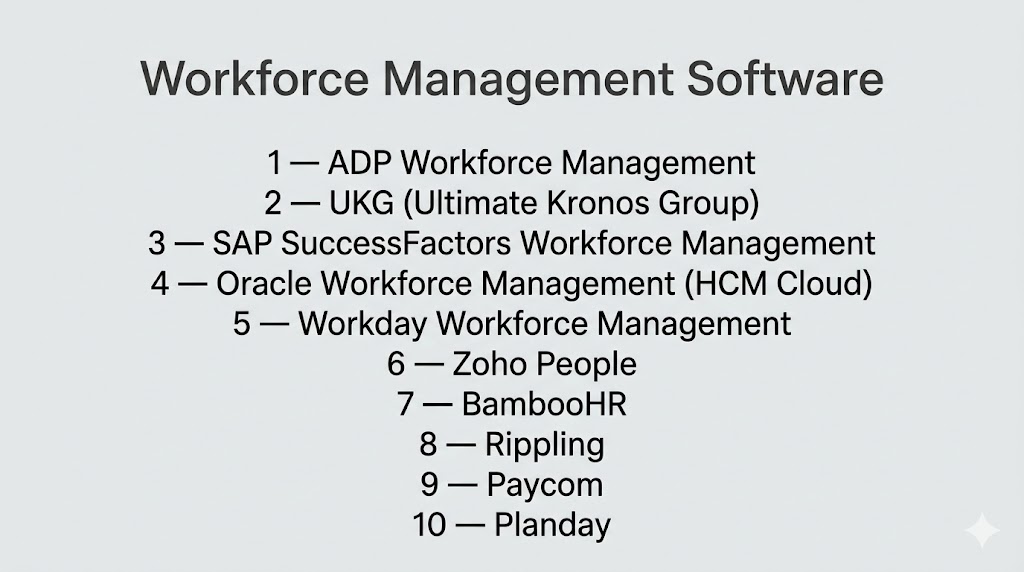
Top 10 Workforce Management Software
#1 — ADP Workforce Management
Short description: Comprehensive enterprise workforce management platform with payroll, scheduling, and compliance capabilities.
Key Features
- Workforce scheduling
- Time and attendance tracking
- Payroll integration
- Compliance management
- Reporting dashboards
- Employee self-service
Pros
- Strong enterprise capabilities
- Trusted global provider
Cons
- Complex setup
- Pricing not transparent
Platforms / Deployment
Web / Mobile
Cloud
Security & Compliance
SSO, encryption, RBAC
Compliance: Not publicly stated
Integrations & Ecosystem
- Payroll systems
- HR tools
- ERP platforms
Support & Community
Enterprise support and global resources.
#2 — UKG (Ultimate Kronos Group)
Short description: Industry-leading workforce management platform for scheduling, analytics, and compliance.
Key Features
- Workforce scheduling
- Labor forecasting
- Time tracking
- Compliance tools
- Analytics dashboards
Pros
- Strong scheduling engine
- Enterprise scalability
Cons
- Complex interface
- Requires training
Platforms / Deployment
Web / Mobile
Cloud
#3 — SAP SuccessFactors Workforce Management
Short description: Enterprise solution for managing employees and contingent workforce operations.
Key Features
- Time tracking
- Scheduling
- Workforce analytics
- Compliance tools
- Integration with SAP ecosystem
Pros
- Strong enterprise integration
- Scalable
Cons
- Expensive
- Complex setup
Platforms / Deployment
Web
Cloud
Security & Compliance
Encryption, RBAC
Compliance: Not publicly stated
#4 — Oracle Workforce Management (HCM Cloud)
Short description: Enterprise-grade workforce and HR management platform with strong analytics.
Key Features
- Workforce scheduling
- Attendance tracking
- Payroll integration
- Analytics dashboards
- Compliance tools
Pros
- Strong analytics
- Enterprise-ready
Cons
- Complex deployment
- High cost
#5 — Workday Workforce Management
Short description: Cloud-based workforce platform focused on HR, payroll, and analytics.
Key Features
- Workforce planning
- Time tracking
- Payroll integration
- Reporting
- Employee management
Pros
- Strong analytics
- Unified HR platform
Cons
- Expensive
- Requires implementation effort
#6 — Zoho People
Short description: Affordable workforce management tool for SMBs with HR and attendance features.
Key Features
- Attendance tracking
- Leave management
- Employee database
- Reporting
- Automation
Pros
- Affordable
- Easy to use
Cons
- Limited enterprise features
- Smaller ecosystem
#7 — BambooHR
Short description: User-friendly workforce management platform for SMBs with HR capabilities.
Key Features
- Employee management
- Time tracking
- Reporting
- Performance tracking
- Self-service portal
Pros
- Easy onboarding
- Strong HR features
Cons
- Limited advanced scheduling
- Pricing not transparent
#8 — Rippling
Short description: All-in-one workforce platform combining HR, payroll, and IT management.
Key Features
- Employee management
- Payroll
- Device management
- Automation
- Reporting
Pros
- All-in-one platform
- Strong automation
Cons
- Pricing varies
- Setup required
#9 — Paycom
Short description: Workforce management platform with AI-driven automation and payroll features.
Key Features
- Payroll automation
- Time tracking
- Workforce analytics
- Compliance tools
- Reporting
Pros
- Strong automation
- Integrated payroll
Cons
- Enterprise pricing
- Limited flexibility
#10 — Planday
Short description: Workforce management tool focused on shift scheduling and deskless teams.
Key Features
- Shift scheduling
- Time tracking
- Leave management
- Payroll integration
- Mobile access
Pros
- Great for shift-based teams
- Easy scheduling
Cons
- Limited enterprise features
- Smaller ecosystem
Comparison Table (Top 10)
| Tool Name | Best For | Platform(s) Supported | Deployment | Standout Feature | Public Rating |
|---|---|---|---|---|---|
| ADP | Enterprise HR | Web/Mobile | Cloud | Payroll + WFM | N/A |
| UKG | Large enterprises | Web/Mobile | Cloud | Scheduling engine | N/A |
| SAP SuccessFactors | Enterprise integration | Web | Cloud | SAP ecosystem | N/A |
| Oracle WFM | Analytics-heavy orgs | Web | Cloud | Advanced analytics | N/A |
| Workday | Unified HR | Web | Cloud | HR + WFM | N/A |
| Zoho People | SMBs | Web/Mobile | Cloud | Affordability | N/A |
| BambooHR | SMB HR teams | Web | Cloud | Ease of use | N/A |
| Rippling | All-in-one HR | Web | Cloud | Automation | N/A |
| Paycom | Payroll-focused orgs | Web | Cloud | AI automation | N/A |
| Planday | Shift teams | Web/Mobile | Cloud | Scheduling | N/A |
Evaluation & Scoring of Workforce Management Software
| Tool Name | Core | Ease | Integrations | Security | Performance | Support | Value | Weighted Total |
|---|---|---|---|---|---|---|---|---|
| ADP | 9 | 6 | 9 | 9 | 9 | 8 | 6 | 8.1 |
| UKG | 9 | 6 | 8 | 9 | 9 | 8 | 6 | 8.0 |
| SAP | 9 | 5 | 9 | 9 | 9 | 8 | 6 | 8.0 |
| Oracle | 9 | 5 | 9 | 9 | 9 | 8 | 6 | 8.0 |
| Workday | 9 | 6 | 9 | 9 | 9 | 8 | 6 | 8.1 |
| Zoho | 7 | 8 | 7 | 7 | 7 | 7 | 9 | 7.8 |
| BambooHR | 7 | 9 | 7 | 7 | 7 | 8 | 8 | 7.9 |
| Rippling | 8 | 8 | 9 | 8 | 8 | 8 | 7 | 8.0 |
| Paycom | 8 | 7 | 8 | 8 | 8 | 8 | 7 | 7.9 |
| Planday | 7 | 9 | 6 | 7 | 7 | 7 | 8 | 7.7 |
Scores are comparative and highlight differences in enterprise capabilities, usability, and value.
Which Workforce Management Software Is Right for You?
Solo / Freelancer
- Not required; use simple time tracking tools
SMB
- Zoho People, BambooHR
Mid-Market
- Rippling, Paycom
Enterprise
- ADP, UKG, SAP, Workday
Budget vs Premium
- Budget: Zoho People
- Premium: Workday, SAP
Feature Depth vs Ease of Use
- Deep features: SAP, Oracle
- Easy tools: BambooHR
Integrations & Scalability
- Best integrations: Workday, SAP
Security & Compliance Needs
- High: ADP, UKG
Frequently Asked Questions (FAQs)
What is workforce management software?
It is a system that helps manage scheduling, attendance, payroll, and workforce productivity.
Why is workforce management important?
It ensures employees are in the right place at the right time for optimal productivity.
What features do WFM tools include?
They include scheduling, time tracking, payroll integration, and analytics.
Are WFM tools cloud-based?
Most modern tools are cloud-based for remote access and scalability.
Can WFM tools integrate with HR systems?
Yes, most integrate with HR, payroll, and ERP platforms.
Do WFM tools support compliance?
Yes, they help track labor laws and compliance requirements.
Are these tools suitable for remote teams?
Yes, they support hybrid and remote workforce management.
Do WFM tools use AI?
Many modern tools use AI for forecasting and scheduling.
Can WFM tools scale for large enterprises?
Yes, enterprise solutions are designed for large-scale operations.
What is the biggest benefit of WFM software?
It improves productivity by optimizing workforce planning and operations.
Conclusion
Workforce Management Software is essential for organizations aiming to optimize productivity, streamline HR operations, and ensure compliance. From enterprise-grade platforms like ADP, SAP, and Workday to SMB-friendly tools like Zoho People and BambooHR, there are solutions for every business size and complexity. The best tool depends on your workforce size, operational needs, and integration requirements. Start by shortlisting a few platforms, run a pilot, and choose the one that aligns best with your organizational goals.
