Introduction
Time Tracking Software helps individuals and organizations record, monitor, and analyze how time is spent on tasks, projects, and activities. These tools are essential for improving productivity, managing billable hours, tracking employee performance, and optimizing workflows. Modern time tracking tools go beyond simple timers by offering automation, reporting, and integrations with business systems.
With remote work, distributed teams, and performance-driven environments becoming common, time tracking software plays a key role in ensuring accountability, improving efficiency, and supporting data-driven decision-making.
Real-world use cases:
- Tracking billable hours for freelancers and agencies
- Monitoring employee productivity and attendance
- Managing project timelines and resource allocation
- Generating invoices based on tracked time
- Improving personal productivity and time awareness
What buyers should evaluate:
- Ease of use and interface simplicity
- Automatic vs manual time tracking
- Reporting and analytics capabilities
- Integration with project management and accounting tools
- Cross-platform support (desktop, mobile, web)
- Team and workforce monitoring features
- Privacy and security controls
- Scalability for teams and enterprises
- Pricing and free plan availability
- Support and documentation
Best for: Freelancers, agencies, remote teams, HR managers, and enterprises tracking employee productivity or billable time.
Not ideal for: Teams that don’t require time-based tracking or rely purely on outcome-based workflows.
Key Trends in Time Tracking Software
- AI-powered automatic time tracking and smart suggestions
- Integration with project management, payroll, and invoicing tools
- Real-time productivity analytics and dashboards
- Privacy-focused tracking with user-controlled monitoring
- Cloud-based and mobile-first solutions
- Automated timesheets and billing workflows
- GPS and location-based tracking for field teams
- Hybrid workforce tracking (remote + in-office)
- API-first integrations for custom workflows
- Increased focus on compliance and labor law tracking
How We Selected These Tools (Methodology)
- Market adoption and popularity
- Feature completeness for time tracking and reporting
- Ease of use and onboarding
- Integration ecosystem strength
- Performance and reliability
- Security and compliance capabilities
- Suitability for different team sizes
- Automation and analytics capabilities
- Vendor support and documentation
- Overall value and scalability
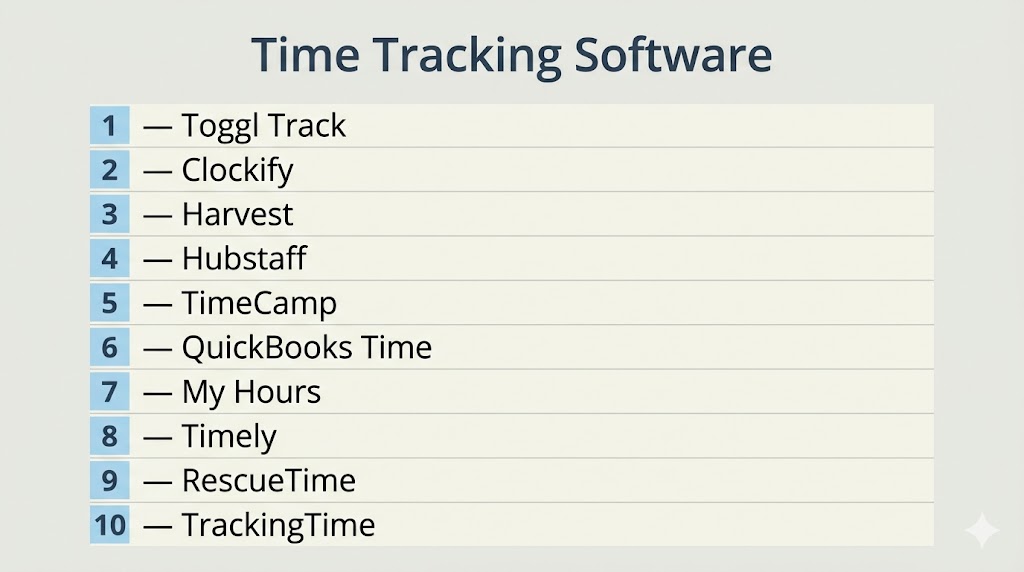
Top 10 Time Tracking Software
#1 — Toggl Track
Short description: Simple and widely used time tracking tool for individuals and teams.
Key Features
- One-click time tracking
- Detailed reporting
- Project and client tracking
- Idle detection
- Cross-platform apps
- Integrations
Pros
- Easy to use
- Strong reporting features
Cons
- Limited workforce monitoring
- Advanced features require paid plans
Platforms / Deployment
Web / Windows / macOS / Linux / iOS / Android
Cloud
Security & Compliance
Encryption
Compliance: Not publicly stated
Integrations & Ecosystem
- Project management tools
- Calendar apps
- Collaboration tools
Support & Community
Large user base and documentation.
#2 — Clockify
Short description: Free time tracking tool with unlimited users and projects.
Key Features
- Time tracking and timesheets
- Project tracking
- Reporting dashboards
- Team management
- Integrations
- Idle detection
Pros
- Free plan with strong features
- Easy onboarding
Cons
- Limited advanced analytics
- UI could be improved
Platforms / Deployment
Web / Desktop / Mobile
Cloud
Security & Compliance
Encryption
Compliance: Not publicly stated
Integrations & Ecosystem
- Project tools
- Productivity apps
Support & Community
Strong community and documentation.
#3 — Harvest
Short description: Time tracking tool with invoicing and billing capabilities.
Key Features
- Time tracking
- Expense tracking
- Invoicing
- Reporting
- Integrations
Pros
- Great for billing and invoicing
- Strong integrations
Cons
- Limited free plan
- Pricing can increase
Platforms / Deployment
Web / Mobile
Cloud
Security & Compliance
Encryption
Compliance: Not publicly stated
Integrations & Ecosystem
- Accounting tools
- Project management tools
Support & Community
Good support resources.
#4 — Hubstaff
Short description: Time tracking and employee monitoring platform with productivity analytics.
Key Features
- Time tracking
- Productivity monitoring
- GPS tracking
- Reporting
- Payroll integration
Pros
- Strong workforce analytics
- Good for remote teams
Cons
- Monitoring features may feel intrusive
- Setup required
Platforms / Deployment
Web / Desktop / Mobile
Cloud
Security & Compliance
Encryption, RBAC
Compliance: Not publicly stated
Integrations & Ecosystem
- Slack
- Jira
- Asana
Support & Community
Good documentation and integrations.
#5 — TimeCamp
Short description: Automated time tracking tool with reporting and billing features.
Key Features
- Automatic time tracking
- Timesheets
- Reporting
- Budgeting
- Integrations
Pros
- Strong automation
- Affordable pricing
Cons
- Interface can be complex
- Setup required
Platforms / Deployment
Web / Desktop / Mobile
Cloud
Security & Compliance
Encryption
Compliance: Not publicly stated
#6 — QuickBooks Time
Short description: Time tracking solution integrated with accounting and payroll systems.
Key Features
- Time tracking
- Scheduling
- GPS tracking
- Payroll integration
- Reporting
Pros
- Seamless accounting integration
- Strong for payroll
Cons
- Pricing may be high
- Best within QuickBooks ecosystem
Platforms / Deployment
Web / Mobile
Cloud
Security & Compliance
Encryption
Compliance: Not publicly stated
#7 — My Hours
Short description: Simple time tracking tool with strong reporting and project tracking.
Key Features
- Time tracking
- Project management
- Reporting
- Budget tracking
- Invoicing
Pros
- Easy to use
- Strong reporting
Cons
- Limited integrations
- Basic UI
Platforms / Deployment
Web
Cloud
Security & Compliance
Encryption
Compliance: Not publicly stated
Support & Community
Highly rated for usability.
#8 — Timely
Short description: AI-powered time tracking tool with automatic tracking features.
Key Features
- Automatic time tracking
- AI suggestions
- Project tracking
- Reporting
- Integrations
Pros
- Minimal manual effort
- Advanced automation
Cons
- Premium pricing
- Learning curve
Platforms / Deployment
Web / Mobile
Cloud
#9 — RescueTime
Short description: Personal productivity and time tracking tool focused on behavior insights.
Key Features
- Automatic activity tracking
- Productivity insights
- Focus tools
- Reports
- Alerts
Pros
- Great for personal productivity
- Automatic tracking
Cons
- Limited team features
- Not for billing
Platforms / Deployment
Web / Desktop / Mobile
Cloud
#10 — TrackingTime
Short description: Time tracking tool with project management and reporting features.
Key Features
- Automatic time tracking
- Project tracking
- Reporting
- Collaboration tools
- Integrations
Pros
- Good for teams
- Balanced features
Cons
- Limited advanced features
- Smaller ecosystem
Platforms / Deployment
Web
Cloud
Support & Community
Good for team productivity workflows.
Comparison Table (Top 10)
| Tool Name | Best For | Platform(s) Supported | Deployment | Standout Feature | Public Rating |
|---|---|---|---|---|---|
| Toggl Track | Individuals & teams | Multi-platform | Cloud | Ease of use | N/A |
| Clockify | Free tracking | Multi-platform | Cloud | Free unlimited plan | N/A |
| Harvest | Billing & invoicing | Multi-platform | Cloud | Invoicing | N/A |
| Hubstaff | Remote teams | Multi-platform | Cloud | Workforce monitoring | N/A |
| TimeCamp | Automation | Multi-platform | Cloud | Automatic tracking | N/A |
| QuickBooks Time | Payroll integration | Multi-platform | Cloud | Accounting sync | N/A |
| My Hours | Simplicity | Web | Cloud | Reporting | N/A |
| Timely | AI tracking | Multi-platform | Cloud | AI automation | N/A |
| RescueTime | Personal productivity | Multi-platform | Cloud | Behavior insights | N/A |
| TrackingTime | Teams | Web | Cloud | Collaboration | N/A |
Evaluation & Scoring of Time Tracking Software
| Tool Name | Core | Ease | Integrations | Security | Performance | Support | Value | Weighted Total |
|---|---|---|---|---|---|---|---|---|
| Toggl | 8 | 10 | 8 | 7 | 9 | 8 | 9 | 8.6 |
| Clockify | 8 | 9 | 7 | 7 | 8 | 8 | 10 | 8.5 |
| Harvest | 8 | 8 | 9 | 8 | 8 | 8 | 7 | 8.1 |
| Hubstaff | 8 | 7 | 8 | 8 | 8 | 8 | 7 | 7.9 |
| TimeCamp | 8 | 7 | 8 | 7 | 8 | 7 | 8 | 7.9 |
| QuickBooks | 8 | 7 | 9 | 8 | 8 | 8 | 7 | 8.0 |
| My Hours | 7 | 9 | 6 | 7 | 7 | 7 | 9 | 7.8 |
| Timely | 8 | 8 | 7 | 7 | 8 | 7 | 7 | 7.8 |
| RescueTime | 7 | 9 | 6 | 7 | 7 | 7 | 9 | 7.7 |
| TrackingTime | 7 | 8 | 7 | 7 | 7 | 7 | 8 | 7.6 |
Scores are comparative and highlight differences in usability, automation, and value.
Which Time Tracking Software Is Right for You?
Solo / Freelancer
- Best: Toggl Track, RescueTime
SMB
- Best: Clockify, Harvest
Mid-Market
- Best: TimeCamp, Hubstaff
Enterprise
- Best: QuickBooks Time, Hubstaff
Budget vs Premium
- Budget: Clockify
- Premium: Timely
Feature Depth vs Ease of Use
- Easy: Toggl, Clockify
- Advanced: Hubstaff, TimeCamp
Integrations & Scalability
- Best integrations: Harvest, QuickBooks
Security & Compliance Needs
- Higher: Enterprise tools
Frequently Asked Questions (FAQs)
What is time tracking software?
It is a tool that records how time is spent on tasks, projects, or activities.
Why use time tracking tools?
They improve productivity, track billable hours, and optimize workflows.
Are time tracking tools accurate?
Yes, especially with automated tracking and reporting features.
Can these tools integrate with other systems?
Yes, most integrate with project management, accounting, and collaboration tools.
Do time tracking tools support billing?
Many tools include invoicing and billing features.
Are these tools suitable for remote teams?
Yes, they are widely used for remote workforce tracking.
Do they offer mobile apps?
Most tools support mobile tracking on iOS and Android.
Is automatic time tracking better than manual?
Automatic tracking reduces effort but may require configuration.
Are free time tracking tools available?
Yes, tools like Clockify offer free plans.
What is the biggest benefit of time tracking software?
It provides visibility into productivity and helps optimize resource usage.
Conclusion
Time Tracking Software plays a crucial role in improving productivity, managing workloads, and ensuring accurate billing and reporting. Whether you are a freelancer tracking billable hours or an enterprise managing workforce performance, there are tools tailored to your needs. The best choice depends on your workflow, team size, and integration requirements. Start by testing a few tools and select the one that aligns with your productivity goals and operational processes.
