Introduction
Portfolio & Program Management (PPM) tools are platforms that help organizations plan, prioritize, and manage multiple projects, programs, and investments in alignment with business goals. Unlike standard project management tools, PPM solutions provide a big-picture view, enabling leaders to allocate resources, manage risks, and ensure that every initiative contributes to strategic outcomes.
These tools are essential for organizations handling multiple concurrent projects across teams, departments, or geographies. They provide visibility into project performance, financials, and resource utilization, helping decision-makers optimize outcomes and reduce inefficiencies.
Real-world use cases:
- Managing multiple enterprise projects and portfolios
- Aligning project execution with strategic goals
- Resource allocation across departments
- Budget and investment tracking
- Risk and performance monitoring across programs
What buyers should evaluate:
- Portfolio-level visibility and dashboards
- Resource and capacity planning
- Financial management and forecasting
- Risk and dependency tracking
- Integration with enterprise systems (ERP, CRM, DevOps)
- Automation and reporting capabilities
- Scalability for large portfolios
- Ease of use and onboarding
- Security and compliance features
- Vendor support and ecosystem
Best for: PMOs, enterprise leaders, program managers, and organizations managing multiple complex projects.
Not ideal for: Small teams or single-project workflows where basic project management tools are sufficient.
Key Trends in Portfolio & Program Management (PPM) Tools
- AI-driven portfolio prioritization and forecasting
- Integration with enterprise systems (ERP, CRM, DevOps tools)
- Hybrid project management (Agile + Waterfall + PPM)
- Real-time dashboards and predictive analytics
- Cloud-first and hybrid deployment models
- Scenario planning and “what-if” simulations
- Resource optimization across portfolios
- API-first architecture for extensibility
- Increased focus on financial governance and ROI tracking
- Centralized portfolio visibility across tools and teams
How We Selected These Tools (Methodology)
- Market adoption and enterprise usage
- Feature completeness for portfolio management
- Performance and reliability at scale
- Security and governance capabilities
- Integration ecosystem strength
- Resource and financial planning capabilities
- Suitability across industries and company sizes
- Reporting and analytics capabilities
- Vendor support and documentation quality
- Innovation and strategic alignment features
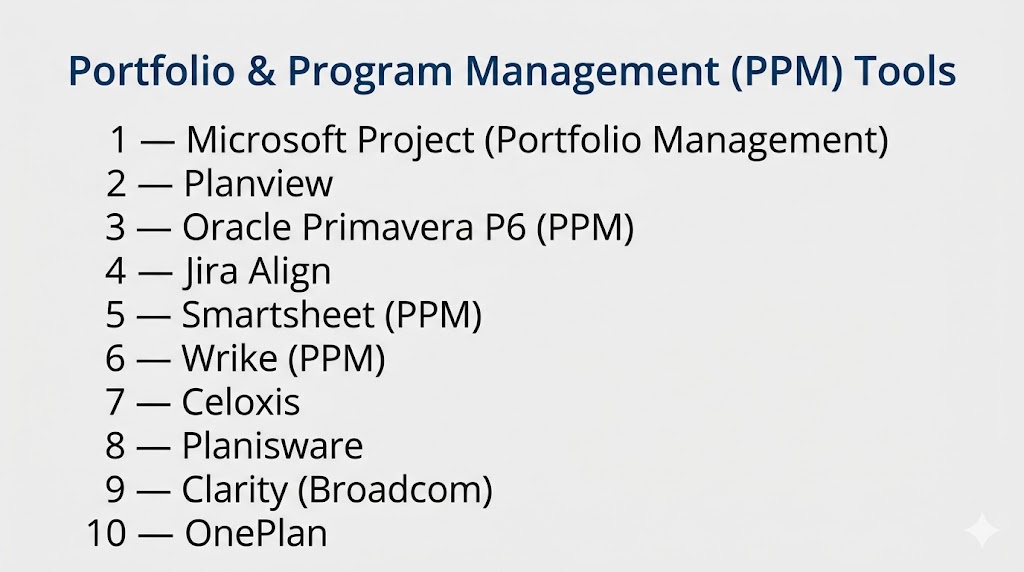
Top 10 Portfolio & Program Management (PPM) Tools
#1 — Microsoft Project (Portfolio Management)
Short description: A widely adopted enterprise PPM solution for managing projects, resources, and portfolios.
Key Features
- Portfolio planning and prioritization
- Resource allocation and forecasting
- Gantt charts and scheduling
- Budget and cost tracking
- Reporting dashboards
- Integration with enterprise tools
Pros
- Industry-standard platform
- Strong integration ecosystem
Cons
- Steep learning curve
- Pricing can be high
Platforms / Deployment
Web / Windows
Cloud / Self-hosted
Security & Compliance
SSO, RBAC, audit logs
Compliance: Not publicly stated
Integrations & Ecosystem
- Microsoft 365
- Power BI
- Teams
Support & Community
Extensive documentation and global community.
#2 — Planview
Short description: Enterprise-grade PPM platform focused on strategic alignment and portfolio governance.
Key Features
- Strategic planning and prioritization
- Resource and capacity management
- Financial tracking
- Scenario planning
- Portfolio dashboards
- Workflow automation
Pros
- Strong strategic alignment features
- Enterprise scalability
Cons
- Complex setup
- Requires training
Platforms / Deployment
Web
Cloud / Hybrid
Security & Compliance
Encryption, RBAC
Compliance: Not publicly stated
Integrations & Ecosystem
- ERP systems
- CRM tools
- DevOps platforms
Support & Community
Enterprise support and consulting services.
#3 — Oracle Primavera P6 (PPM)
Short description: Enterprise solution for managing large-scale programs and project portfolios.
Key Features
- Advanced scheduling and planning
- Resource and cost management
- Risk analysis
- Portfolio tracking
- Reporting dashboards
- Multi-project management
Pros
- Ideal for large-scale projects
- Powerful scheduling engine
Cons
- Complex interface
- Requires training
Platforms / Deployment
Web / Windows
Cloud / Self-hosted
Security & Compliance
Encryption, RBAC
Compliance: Not publicly stated
Integrations & Ecosystem
- ERP systems
- Engineering tools
- Analytics platforms
Support & Community
Enterprise-level support.
#4 — Jira Align
Short description: Enterprise Agile PPM tool that connects strategy with execution across teams.
Key Features
- Portfolio roadmaps
- Agile scaling support
- Strategy alignment
- Resource tracking
- Reporting dashboards
- Dependency management
Pros
- Strong Agile portfolio management
- Excellent for large enterprises
Cons
- Complex setup
- Expensive
Platforms / Deployment
Web
Cloud
Security & Compliance
SSO, RBAC
Compliance: Not publicly stated
Integrations & Ecosystem
- Jira Software
- DevOps tools
- Collaboration platforms
Support & Community
Large community and documentation.
#5 — Smartsheet (PPM)
Short description: Spreadsheet-style platform with strong portfolio and reporting capabilities.
Key Features
- Portfolio dashboards
- Resource tracking
- Gantt charts
- Workflow automation
- Reporting tools
Pros
- Easy to use
- Flexible interface
Cons
- Limited deep portfolio analytics
- Pricing scales with usage
Platforms / Deployment
Web / Windows / macOS
Cloud
Security & Compliance
Encryption, RBAC
Compliance: Not publicly stated
Integrations & Ecosystem
- Microsoft 365
- Google Workspace
- CRM tools
Support & Community
Strong documentation and support.
#6 — Wrike (PPM)
Short description: Work management platform with portfolio-level tracking and reporting.
Key Features
- Portfolio dashboards
- Task and project tracking
- Resource management
- Reporting and analytics
- Workflow automation
Pros
- Strong reporting
- Scalable
Cons
- Complex UI
- Pricing tiers
Platforms / Deployment
Web / Desktop / Mobile
Cloud
Security & Compliance
SSO, encryption
Compliance: Not publicly stated
Integrations & Ecosystem
- Enterprise tools
- CRM platforms
Support & Community
Enterprise support and documentation.
#7 — Celoxis
Short description: All-in-one PPM solution with strong financial and resource management capabilities.
Key Features
- Portfolio and project tracking
- Resource management
- Financial tracking
- Risk analysis
- Workflow automation
- Reporting dashboards
Pros
- Strong financial visibility
- Enterprise-ready
Cons
- Smaller ecosystem
- Learning curve
Platforms / Deployment
Web
Cloud / Self-hosted
Security & Compliance
Encryption, RBAC
Compliance: Not publicly stated
Integrations & Ecosystem
- ERP systems
- CRM tools
Support & Community
Strong documentation and support.
#8 — Planisware
Short description: Enterprise PPM platform for strategic planning and resource management.
Key Features
- Portfolio planning
- Resource allocation
- Financial tracking
- Scenario analysis
- Reporting dashboards
Pros
- Strong enterprise features
- Good for large organizations
Cons
- Complex setup
- Requires expertise
Platforms / Deployment
Web
Cloud / Hybrid
Security & Compliance
Encryption
Compliance: Not publicly stated
Integrations & Ecosystem
- Enterprise systems
- Analytics tools
Support & Community
Enterprise support.
#9 — Clarity (Broadcom)
Short description: Enterprise PPM tool for managing large portfolios and investments.
Key Features
- Portfolio planning
- Financial management
- Resource allocation
- Risk management
- Reporting dashboards
Pros
- Strong financial tracking
- Enterprise-grade
Cons
- Complex interface
- High cost
Platforms / Deployment
Web
Cloud / Self-hosted
Security & Compliance
SSO, encryption
Compliance: Not publicly stated
Integrations & Ecosystem
- ERP systems
- Business tools
Support & Community
Enterprise-level support.
#10 — OnePlan
Short description: AI-driven PPM platform for strategic portfolio management and resource optimization.
Key Features
- Portfolio planning
- AI-driven prioritization
- Resource forecasting
- Financial tracking
- Integration hub
- Reporting dashboards
Pros
- Strong AI capabilities
- Flexible integrations
Cons
- Requires setup
- Pricing varies
Platforms / Deployment
Web
Cloud
Security & Compliance
Encryption, RBAC
Compliance: Not publicly stated
Integrations & Ecosystem
- Microsoft Project
- Jira
- Smartsheet
Support & Community
Good support and onboarding.
Comparison Table (Top 10)
| Tool Name | Best For | Platform(s) Supported | Deployment | Standout Feature | Public Rating |
|---|---|---|---|---|---|
| Microsoft Project | Enterprise planning | Windows/Web | Hybrid | Portfolio visibility | N/A |
| Planview | Strategic alignment | Web | Hybrid | Scenario planning | N/A |
| Primavera P6 | Large-scale portfolios | Multi-platform | Hybrid | Advanced scheduling | N/A |
| Jira Align | Agile enterprises | Web | Cloud | Strategy alignment | N/A |
| Smartsheet | Flexible teams | Multi-platform | Cloud | Spreadsheet UI | N/A |
| Wrike | Reporting | Multi-platform | Cloud | Analytics | N/A |
| Celoxis | Financial tracking | Web | Hybrid | Budget management | N/A |
| Planisware | Enterprise planning | Web | Hybrid | Scenario analysis | N/A |
| Clarity | Large enterprises | Web | Hybrid | Financial governance | N/A |
| OnePlan | AI-driven PPM | Web | Cloud | AI prioritization | N/A |
Evaluation & Scoring of Portfolio & Program Management (PPM) Tools
| Tool Name | Core | Ease | Integrations | Security | Performance | Support | Value | Weighted Total |
|---|---|---|---|---|---|---|---|---|
| MS Project | 9 | 6 | 9 | 8 | 9 | 8 | 6 | 8.0 |
| Planview | 9 | 6 | 8 | 9 | 8 | 8 | 6 | 7.9 |
| Primavera | 9 | 5 | 8 | 9 | 9 | 8 | 6 | 7.9 |
| Jira Align | 8 | 6 | 9 | 8 | 8 | 8 | 6 | 7.8 |
| Smartsheet | 8 | 8 | 8 | 8 | 8 | 8 | 7 | 8.0 |
| Wrike | 8 | 7 | 8 | 8 | 8 | 8 | 7 | 7.9 |
| Celoxis | 8 | 7 | 7 | 8 | 8 | 7 | 8 | 7.8 |
| Planisware | 9 | 5 | 7 | 8 | 8 | 8 | 6 | 7.7 |
| Clarity | 9 | 5 | 7 | 9 | 8 | 8 | 6 | 7.7 |
| OnePlan | 8 | 7 | 9 | 8 | 8 | 8 | 7 | 8.0 |
Scores are comparative and highlight strengths in enterprise features, usability, and strategic alignment.
Which Portfolio & Program Management Tool Is Right for You?
Solo / Freelancer
- Not ideal; use basic project tools
SMB
- Smartsheet, Wrike
Mid-Market
- Celoxis, OnePlan
Enterprise
- Microsoft Project, Planview, Primavera, Clarity
Budget vs Premium
- Budget: Smartsheet
- Premium: Planview, Primavera
Feature Depth vs Ease of Use
- Deep features: Clarity, Planview
- Easier tools: Smartsheet
Integrations & Scalability
- Best integrations: OnePlan, Microsoft Project
Security & Compliance Needs
- High: Primavera, Clarity
Frequently Asked Questions (FAQs)
What is PPM software?
PPM software helps organizations manage multiple projects and align them with strategic goals.
Why is PPM important?
It ensures resources are used efficiently and projects deliver business value.
How is PPM different from project management?
Project management focuses on individual projects, while PPM manages multiple projects collectively.
Can PPM tools integrate with other systems?
Yes, most integrate with ERP, CRM, and DevOps tools.
Do PPM tools support financial tracking?
Yes, many include budgeting and cost management features.
Are PPM tools suitable for Agile teams?
Yes, many support hybrid Agile and Waterfall approaches.
Can PPM tools handle large enterprises?
Yes, they are designed for complex, large-scale environments.
Do these tools support automation?
Yes, automation is a core feature in modern PPM platforms.
Is PPM software cloud-based?
Most tools offer cloud, hybrid, or on-premise deployment.
What is the biggest benefit of PPM?
It provides visibility and helps align projects with business strategy.
Conclusion
Portfolio & Program Management (PPM) tools are essential for organizations managing multiple projects and aligning them with strategic goals. They provide visibility, resource optimization, and decision-making support at scale. The right PPM tool depends on your organization’s complexity, integration needs, and strategic objectives. Shortlist a few tools, run pilot implementations, and evaluate how well they align with your workflows and long-term goals.
