Introduction
Waterfall Project Management Tools are platforms designed to support linear, phase-based project execution, where each stage—planning, design, development, testing, and delivery—follows a structured sequence. These tools emphasize clear timelines, defined deliverables, and predictable workflows, making them ideal for projects with fixed requirements and minimal expected changes.
Waterfall methodology remains widely used in industries like construction, engineering, manufacturing, and enterprise IT, where strict planning and documentation are essential. Tools built for this approach typically focus on Gantt charts, dependency tracking, and milestone management, helping teams stay aligned throughout the project lifecycle.
Real-world use cases:
- Managing construction and infrastructure projects
- Software development with fixed requirements
- Engineering and manufacturing workflows
- Government and compliance-heavy projects
- Large enterprise project planning
What buyers should evaluate:
- Gantt chart and timeline capabilities
- Task dependencies and milestone tracking
- Resource allocation and workload management
- Reporting and analytics
- Integration with enterprise tools
- Ease of use and onboarding
- Scalability for large projects
- Collaboration and documentation features
- Security and compliance controls
- Deployment flexibility
Best for: Project managers, engineers, enterprise teams, and industries requiring structured planning and predictable outcomes.
Not ideal for: Teams needing flexibility, rapid iteration, or Agile workflows where requirements frequently change.
Key Trends in Waterfall Project Management Tools
- Integration of AI for project forecasting and risk prediction
- Hybrid project management (Waterfall + Agile)
- Advanced Gantt chart visualization and automation
- Cloud-based and hybrid deployment models
- Real-time collaboration and reporting dashboards
- Integration with DevOps and enterprise systems
- Automated resource allocation and workload balancing
- Improved compliance tracking and documentation
- API-first architectures for extensibility
- Enhanced analytics for performance tracking
How We Selected These Tools (Methodology)
- Market adoption and enterprise usage
- Strength of Gantt chart and dependency features
- Performance and reliability for large projects
- Security and compliance capabilities
- Integration with enterprise ecosystems
- Suitability for different project sizes
- Reporting and analytics features
- Workflow automation capabilities
- Vendor support and documentation quality
- Overall value and scalability
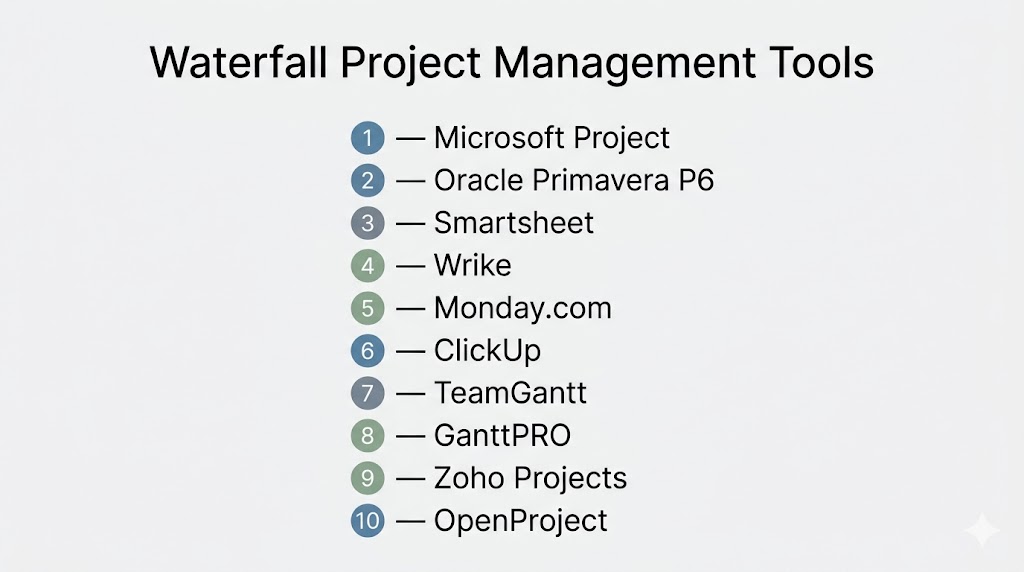
Top 10 Waterfall Project Management Tools
#1 — Microsoft Project
Short description: One of the most widely used Waterfall tools, built specifically for structured project planning and scheduling.
Key Features
- Advanced Gantt charts
- Task dependencies and scheduling
- Resource management
- Budget tracking
- Reporting dashboards
- Portfolio management
Pros
- Industry-standard tool
- Highly detailed project planning
Cons
- Steep learning curve
- Expensive licensing
Platforms / Deployment
Windows / Web
Cloud / Self-hosted
Security & Compliance
SSO, RBAC, audit logs
Compliance: Not publicly stated
Integrations & Ecosystem
- Microsoft 365
- Teams
- Power BI
Support & Community
Extensive documentation and global user base.
#2 — Oracle Primavera P6
Short description: Enterprise-grade tool for large-scale, complex projects, especially in construction and engineering.
Key Features
- Advanced scheduling and planning
- Resource and cost management
- Risk analysis
- Portfolio management
- Reporting dashboards
- Multi-project tracking
Pros
- Ideal for large enterprises
- Powerful scheduling engine
Cons
- Complex setup
- Requires training
Platforms / Deployment
Windows / Web
Cloud / Self-hosted
Security & Compliance
Encryption, RBAC
Compliance: Not publicly stated
Integrations & Ecosystem
- ERP systems
- Engineering tools
- Analytics platforms
Support & Community
Enterprise support and training programs.
#3 — Smartsheet
Short description: Spreadsheet-style project management tool with strong Gantt and Waterfall capabilities.
Key Features
- Gantt charts
- Task dependencies
- Collaboration tools
- Automation
- Reporting dashboards
Pros
- Easy to use
- Flexible interface
Cons
- Limited advanced scheduling
- Pricing scales with usage
Platforms / Deployment
Web / Windows / macOS
Cloud
Security & Compliance
Encryption, RBAC
Compliance: Not publicly stated
Integrations & Ecosystem
- Microsoft 365
- Google Workspace
- CRM tools
Support & Community
Strong documentation and support.
#4 — Wrike
Short description: Work management platform with strong reporting and Waterfall workflow support.
Key Features
- Gantt charts
- Task dependencies
- Workflow automation
- Reporting dashboards
- Collaboration tools
Pros
- Strong reporting
- Scalable
Cons
- Complex interface
- Pricing tiers
Platforms / Deployment
Web / Windows / macOS / iOS / Android
Cloud
Security & Compliance
SSO, encryption
Compliance: Not publicly stated
Integrations & Ecosystem
- CRM tools
- Enterprise apps
- Collaboration tools
Support & Community
Enterprise support and documentation.
#5 — Monday.com
Short description: Visual project management platform adaptable for Waterfall workflows.
Key Features
- Timeline and Gantt views
- Workflow automation
- Custom dashboards
- Collaboration tools
- Reporting
Pros
- User-friendly
- Highly customizable
Cons
- Expensive for large teams
- Requires setup
Platforms / Deployment
Web / Windows / macOS / iOS / Android
Cloud
Security & Compliance
SSO, encryption
Compliance: Not publicly stated
#6 — ClickUp
Short description: All-in-one project management tool with customizable Waterfall workflows.
Key Features
- Gantt charts
- Task dependencies
- Automation
- Reporting
- Time tracking
Pros
- Feature-rich
- Flexible
Cons
- Overwhelming UI
- Performance issues
Platforms / Deployment
Web / Desktop / Mobile
Cloud
Security & Compliance
Encryption
Compliance: Not publicly stated
#7 — TeamGantt
Short description: Gantt-focused tool designed specifically for Waterfall-style planning.
Key Features
- Visual timelines
- Task dependencies
- Resource management
- Collaboration tools
- Reporting
Pros
- Easy to use
- Gantt-first design
Cons
- Limited advanced features
- Smaller ecosystem
Platforms / Deployment
Web
Cloud
Security & Compliance
Encryption
Compliance: Not publicly stated
#8 — GanttPRO
Short description: Dedicated Gantt chart software for structured project planning.
Key Features
- Timeline planning
- Task dependencies
- Resource management
- Budget tracking
- Reporting
Pros
- Strong visualization
- Easy onboarding
Cons
- Limited integrations
- Not ideal for large enterprises
Platforms / Deployment
Web
Cloud
Security & Compliance
Encryption
Compliance: Not publicly stated
#9 — Zoho Projects
Short description: Affordable project management tool with Waterfall capabilities.
Key Features
- Gantt charts
- Task tracking
- Time tracking
- Collaboration tools
- Reporting
Pros
- Cost-effective
- Good for SMBs
Cons
- Limited advanced features
- UI improvements needed
Platforms / Deployment
Web / Mobile
Cloud
Security & Compliance
Encryption
Compliance: Not publicly stated
#10 — OpenProject
Short description: Open-source project management tool with strong Waterfall support.
Key Features
- Gantt charts
- Task dependencies
- Time tracking
- Collaboration
- Reporting
Pros
- Open-source flexibility
- Customizable
Cons
- Requires setup
- Limited UI polish
Platforms / Deployment
Web / Linux / Windows
Cloud / Self-hosted
Security & Compliance
RBAC, encryption
Compliance: Not publicly stated
Comparison Table (Top 10)
| Tool Name | Best For | Platform(s) Supported | Deployment | Standout Feature | Public Rating |
|---|---|---|---|---|---|
| Microsoft Project | Enterprise planning | Windows/Web | Hybrid | Advanced scheduling | N/A |
| Primavera P6 | Large-scale projects | Multi-platform | Hybrid | Resource planning | N/A |
| Smartsheet | Flexible teams | Multi-platform | Cloud | Spreadsheet-style UI | N/A |
| Wrike | Reporting | Multi-platform | Cloud | Analytics | N/A |
| Monday.com | Visual workflows | Multi-platform | Cloud | Custom dashboards | N/A |
| ClickUp | All-in-one tool | Multi-platform | Cloud | Feature-rich | N/A |
| TeamGantt | Gantt users | Web | Cloud | Timeline focus | N/A |
| GanttPRO | Visual planning | Web | Cloud | Simple Gantt charts | N/A |
| Zoho Projects | SMBs | Multi-platform | Cloud | Affordability | N/A |
| OpenProject | Open-source users | Multi-platform | Hybrid | Customization | N/A |
Evaluation & Scoring of Waterfall Project Management Tools
| Tool Name | Core | Ease | Integrations | Security | Performance | Support | Value | Weighted Total |
|---|---|---|---|---|---|---|---|---|
| MS Project | 9 | 6 | 9 | 8 | 9 | 8 | 6 | 8.0 |
| Primavera | 9 | 5 | 8 | 9 | 9 | 8 | 6 | 7.9 |
| Smartsheet | 8 | 8 | 8 | 8 | 8 | 8 | 7 | 8.0 |
| Wrike | 8 | 7 | 8 | 8 | 8 | 8 | 7 | 7.9 |
| Monday | 8 | 8 | 8 | 8 | 8 | 8 | 7 | 8.0 |
| ClickUp | 8 | 7 | 9 | 8 | 7 | 8 | 8 | 8.0 |
| TeamGantt | 7 | 9 | 6 | 7 | 7 | 7 | 8 | 7.6 |
| GanttPRO | 7 | 9 | 6 | 7 | 7 | 7 | 8 | 7.6 |
| Zoho | 7 | 8 | 7 | 7 | 7 | 7 | 9 | 7.7 |
| OpenProject | 7 | 6 | 7 | 8 | 7 | 7 | 9 | 7.6 |
Scores are comparative and reflect strengths across structured planning, usability, and value.
Which Waterfall Project Management Tool Is Right for You?
Solo / Freelancer
- Best: GanttPRO, TeamGantt
SMB
- Best: Zoho Projects, Smartsheet
Mid-Market
- Best: ClickUp, Monday.com
Enterprise
- Best: Microsoft Project, Primavera, Wrike
Budget vs Premium
- Budget: Zoho, OpenProject
- Premium: Microsoft Project, Primavera
Feature Depth vs Ease of Use
- Deep features: Primavera, MS Project
- Easy tools: TeamGantt, Smartsheet
Integrations & Scalability
- Best integrations: ClickUp, Wrike
Security & Compliance Needs
- High: MS Project, Primavera
Frequently Asked Questions (FAQs)
What is Waterfall project management?
It is a structured methodology where projects follow a sequential process from planning to delivery.
When should I use Waterfall tools?
Use them when project requirements are fixed and well-defined.
Are Waterfall tools better than Agile tools?
They are better for predictable projects but less flexible than Agile.
Do Waterfall tools support Gantt charts?
Yes, Gantt charts are a core feature of most Waterfall tools.
Can these tools integrate with other software?
Yes, most integrate with enterprise systems and collaboration tools.
Are Waterfall tools suitable for small teams?
Yes, but simpler tools may be more efficient for small projects.
Do these tools support automation?
Many modern tools include automation features.
Is Waterfall still relevant today?
Yes, especially in industries requiring strict planning and compliance.
Can Waterfall tools handle large projects?
Yes, enterprise tools are built for large-scale project management.
What is the main limitation of Waterfall?
It lacks flexibility and is not ideal for projects with changing requirements.
Conclusion
Waterfall project management tools remain essential for organizations that require structured planning, predictable timelines, and strict control over project phases. From enterprise-grade platforms like Microsoft Project and Primavera to flexible tools like Smartsheet and ClickUp, there are options for every team size and complexity level. The best tool depends on your project requirements, team size, and integration needs. Start by shortlisting a few tools, test them in real scenarios, and choose the one that aligns best with your workflow and long-term goals.
