Introduction
eSignature Software enables individuals and businesses to sign documents digitally without the need for physical paperwork. It replaces manual signatures with legally binding electronic signatures, streamlining document workflows and approvals.
Today, eSignature tools are no longer just about signing PDFs. They are integrated into broader business processes—contract management, workflow automation, compliance tracking, and identity verification. As organizations move toward paperless operations, eSignature solutions play a critical role in improving speed, efficiency, and security.
Why it matters now
- Businesses are shifting to digital-first operations
- Remote work requires secure, location-independent signing
- Faster contract cycles improve revenue and operations
- Compliance and auditability are becoming essential
Common use cases
- Sales contracts and agreements
- HR onboarding documents
- Vendor and procurement approvals
- Legal agreements and NDAs
- Financial and compliance documents
What buyers should evaluate
- Legal validity and compliance support
- Ease of use for senders and signers
- Workflow automation capabilities
- Integration with CRM, ERP, and document systems
- Security features (encryption, authentication)
- Audit trails and document tracking
- Pricing structure and scalability
- Mobile and cross-platform support
- Template and bulk sending capabilities
Best for: Sales teams, HR departments, legal teams, finance teams, and businesses of all sizes that require fast, secure document approvals.
Not ideal for: Individuals or organizations that rarely deal with formal agreements or those requiring highly customized legal workflows without digital infrastructure.
Key Trends in eSignature Software
- End-to-end contract lifecycle management: eSignature tools are expanding into full contract management platforms
- AI-powered document insights: Automated clause detection and risk analysis
- Embedded eSignatures: APIs allow signatures directly within apps and workflows
- Stronger identity verification: Multi-factor authentication and identity validation features
- Mobile-first experiences: Signing from any device is now standard
- Compliance-first design: Built-in audit trails and regulatory alignment
- Automation workflows: Conditional routing, approvals, and reminders
- Integration ecosystems: Deep integrations with CRM, HR, and finance tools
- Usage-based pricing: Flexible plans based on document volume or users
How We Selected These Tools (Methodology)
- Market leadership and widespread adoption
- Feature completeness (signing, workflows, templates)
- Ease of use for both senders and recipients
- Security and compliance readiness
- Integration capabilities and ecosystem
- Scalability across business sizes
- Reliability and performance
- Customer support and onboarding experience
- Flexibility in pricing and deployment
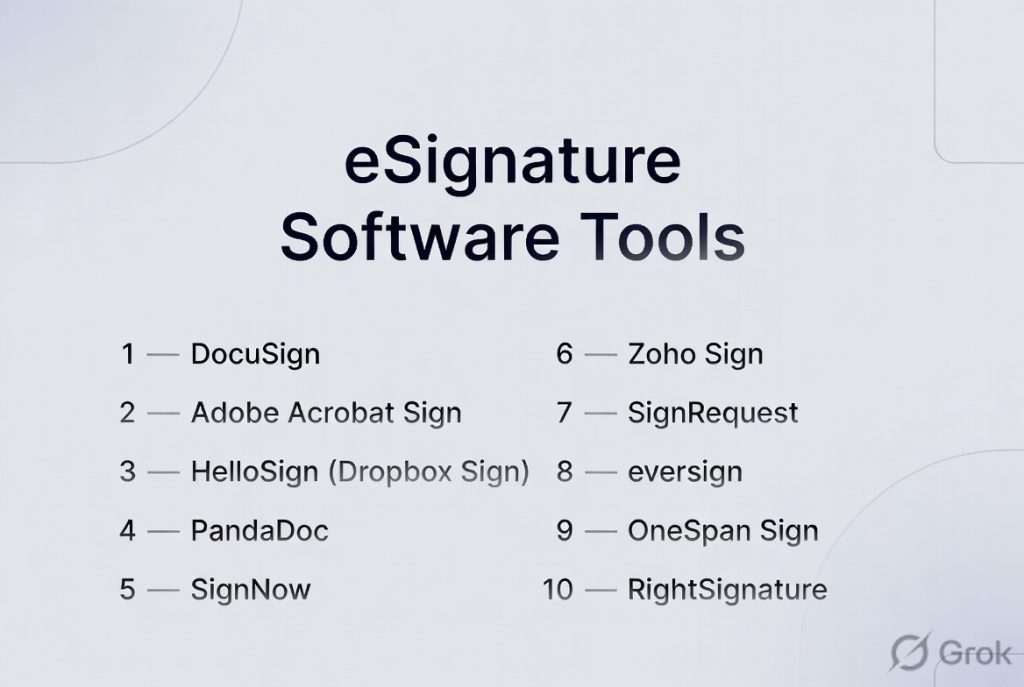
Top 10 eSignature Software Tools
#1 — DocuSign
Short description: One of the most widely used eSignature platforms, offering enterprise-grade features and global compliance.
Key Features
- Legally binding electronic signatures
- Advanced workflow automation
- Template and bulk sending
- Audit trails and tracking
- Mobile signing
- API for embedding
- Identity verification options
Pros
- Highly trusted and widely adopted
- Strong compliance capabilities
- Scalable for enterprises
Cons
- Expensive for small businesses
- Interface can feel complex
Platforms / Deployment
Web / Windows / macOS / iOS / Android
Cloud
Security & Compliance
Encryption, MFA, audit logs, RBAC
SOC 2, GDPR (commonly supported)
Integrations & Ecosystem
Deep integration ecosystem for business workflows.
- CRM systems
- ERP platforms
- APIs
- Business tools
Support & Community
Strong enterprise support and extensive documentation.
#2 — Adobe Acrobat Sign
Short description: A powerful eSignature tool integrated with document workflows, ideal for teams already using PDF tools.
Key Features
- Digital signature capabilities
- Workflow automation
- Document tracking
- Template creation
- Mobile support
- Integration with document tools
Pros
- Easy to use
- Strong document ecosystem
- Reliable performance
Cons
- Limited advanced automation compared to competitors
- Pricing may vary
Platforms / Deployment
Web / Windows / macOS / iOS / Android
Cloud
Security & Compliance
Encryption, access controls
Varies / Not publicly stated
Integrations & Ecosystem
Works within document and productivity ecosystems.
- Cloud storage
- Business apps
- APIs
Support & Community
Strong documentation and user base.
#3 — HelloSign (Dropbox Sign)
Short description: A user-friendly eSignature tool designed for small businesses and teams.
Key Features
- Simple signing workflows
- Template management
- API access
- Team collaboration
- Audit trails
- Mobile support
Pros
- Easy to use
- Affordable for SMBs
- Clean interface
Cons
- Limited advanced features
- Not ideal for large enterprises
Platforms / Deployment
Web / iOS / Android
Cloud
Security & Compliance
Encryption, audit logs
Varies / Not publicly stated
Integrations & Ecosystem
Focused on simple integrations.
- Cloud storage
- APIs
- Productivity tools
Support & Community
Good support and onboarding resources.
#4 — PandaDoc
Short description: A document automation and eSignature platform designed for sales teams and growing businesses.
Key Features
- Document creation and templates
- eSignature functionality
- Workflow automation
- Content library
- Analytics and tracking
- CRM integrations
Pros
- Strong sales-focused features
- Easy document creation
- Good automation
Cons
- Overkill for simple signing needs
- Pricing varies
Platforms / Deployment
Web / Mobile
Cloud
Security & Compliance
Varies / Not publicly stated
Integrations & Ecosystem
Designed for sales and marketing workflows.
- CRM systems
- APIs
- Business tools
Support & Community
Good support and onboarding.
#5 — SignNow
Short description: A cost-effective eSignature solution with strong workflow automation capabilities.
Key Features
- Digital signatures
- Workflow automation
- Bulk sending
- Document templates
- Mobile support
- API access
Pros
- Affordable pricing
- Easy to use
- Good automation features
Cons
- Limited advanced enterprise features
- UI could be improved
Platforms / Deployment
Web / iOS / Android
Cloud
Security & Compliance
Encryption, audit logs
Varies / Not publicly stated
Integrations & Ecosystem
Supports integration with business workflows.
- APIs
- CRM tools
- Cloud platforms
Support & Community
Good support for SMB users.
#6 — Zoho Sign
Short description: A budget-friendly eSignature solution integrated within a broader business software ecosystem.
Key Features
- Digital signatures
- Workflow automation
- Templates
- Audit trails
- Mobile support
- Integration with business apps
Pros
- Affordable
- Easy integration within ecosystem
- Simple interface
Cons
- Limited advanced features
- Not ideal for large enterprises
Platforms / Deployment
Web / Mobile
Cloud
Security & Compliance
Encryption, audit logs
Varies / Not publicly stated
Integrations & Ecosystem
Part of a larger business suite.
- CRM tools
- Business apps
- APIs
Support & Community
Good documentation and support.
#7 — SignRequest
Short description: A simple and lightweight eSignature tool designed for small teams.
Key Features
- Basic eSignature functionality
- Templates
- Audit logs
- Email notifications
- Integration support
Pros
- Easy to use
- Affordable
- Lightweight
Cons
- Limited features
- Not scalable for large teams
Platforms / Deployment
Web
Cloud
Security & Compliance
Varies / Not publicly stated
Integrations & Ecosystem
Supports basic integrations.
- APIs
- Business tools
Support & Community
Basic support resources.
#8 — eversign
Short description: A cloud-based eSignature platform offering automation and document tracking features.
Key Features
- Digital signatures
- Document templates
- Workflow automation
- Audit trails
- API access
Pros
- Easy to use
- Good automation
- Affordable
Cons
- Limited enterprise features
- UI could improve
Platforms / Deployment
Web
Cloud
Security & Compliance
Varies / Not publicly stated
Integrations & Ecosystem
Supports integrations with business tools.
- APIs
- Cloud services
Support & Community
Decent support and onboarding.
#9 — OneSpan Sign
Short description: Enterprise-grade eSignature solution focused on security and compliance.
Key Features
- Secure digital signatures
- Authentication options
- Workflow automation
- Audit trails
- API integration
Pros
- Strong security focus
- Suitable for regulated industries
- Scalable
Cons
- Complex setup
- Higher cost
Platforms / Deployment
Web
Cloud / Hybrid
Security & Compliance
Encryption, authentication controls
Varies / Not publicly stated
Integrations & Ecosystem
Designed for enterprise workflows.
- APIs
- Enterprise systems
Support & Community
Enterprise-level support.
#10 — RightSignature
Short description: A simple and efficient eSignature solution for small businesses and professionals.
Key Features
- Digital signatures
- Templates
- Document tracking
- Mobile support
- Email notifications
Pros
- Easy to use
- Quick setup
- Suitable for small teams
Cons
- Limited advanced features
- Not ideal for large enterprises
Platforms / Deployment
Web / Mobile
Cloud
Security & Compliance
Varies / Not publicly stated
Integrations & Ecosystem
Supports basic integrations.
- APIs
- Business tools
Support & Community
Good support for small users.
Comparison Table (Top 10)
| Tool Name | Best For | Platform(s) Supported | Deployment | Standout Feature | Public Rating |
|---|---|---|---|---|---|
| DocuSign | Enterprise | Web, Mobile | Cloud | Global compliance | N/A |
| Adobe Sign | Document workflows | Web, Desktop | Cloud | PDF integration | N/A |
| HelloSign | SMBs | Web, Mobile | Cloud | Ease of use | N/A |
| PandaDoc | Sales teams | Web, Mobile | Cloud | Document automation | N/A |
| SignNow | SMBs | Web, Mobile | Cloud | Affordability | N/A |
| Zoho Sign | Budget users | Web, Mobile | Cloud | Ecosystem integration | N/A |
| SignRequest | Small teams | Web | Cloud | Simplicity | N/A |
| eversign | SMBs | Web | Cloud | Automation | N/A |
| OneSpan Sign | Enterprise | Web | Hybrid | Security focus | N/A |
| RightSignature | Small business | Web, Mobile | Cloud | Ease of setup | N/A |
Evaluation & Scoring of eSignature Software
| Tool Name | Core (25%) | Ease (15%) | Integrations (15%) | Security (10%) | Performance (10%) | Support (10%) | Value (15%) | Weighted Total |
|---|---|---|---|---|---|---|---|---|
| DocuSign | 9 | 7 | 9 | 9 | 9 | 9 | 7 | 8.6 |
| Adobe Sign | 8 | 8 | 8 | 8 | 8 | 8 | 7 | 8.0 |
| HelloSign | 7 | 9 | 7 | 7 | 8 | 7 | 8 | 7.7 |
| PandaDoc | 8 | 8 | 8 | 7 | 8 | 8 | 7 | 7.9 |
| SignNow | 8 | 8 | 7 | 7 | 8 | 7 | 8 | 7.8 |
| Zoho Sign | 7 | 8 | 7 | 7 | 7 | 7 | 9 | 7.6 |
| SignRequest | 6 | 9 | 6 | 6 | 7 | 6 | 8 | 7.0 |
| eversign | 7 | 8 | 7 | 7 | 7 | 7 | 8 | 7.5 |
| OneSpan | 9 | 6 | 8 | 9 | 8 | 8 | 6 | 8.0 |
| RightSignature | 6 | 8 | 6 | 6 | 7 | 7 | 8 | 7.0 |
How to interpret scores:
- Scores are relative comparisons across tools
- Higher scores indicate stronger overall performance
- Enterprise tools score higher in security and integrations
- Simpler tools score higher in ease of use and value
Which eSignature Software Tool Is Right for You?
Solo / Freelancer
- Best: HelloSign, RightSignature
- Focus on simplicity and affordability
SMB
- Best: PandaDoc, SignNow, Zoho Sign
- Balance between cost and functionality
Mid-Market
- Best: PandaDoc, DocuSign
- Need automation and integrations
Enterprise
- Best: DocuSign, OneSpan Sign
- Focus on compliance, scalability, and security
Budget vs Premium
- Budget: Zoho Sign, SignRequest
- Premium: DocuSign, OneSpan
Feature Depth vs Ease of Use
- Feature-rich: DocuSign, PandaDoc
- Easy to use: HelloSign, SignRequest
Integrations & Scalability
- Best: DocuSign, PandaDoc
Security & Compliance Needs
- High compliance: DocuSign, OneSpan
- Standard needs: Zoho Sign, eversign
Frequently Asked Questions (FAQs)
What is eSignature software?
It allows users to sign documents digitally with legal validity.
Are eSignatures legally valid?
Yes, most platforms comply with global electronic signature laws.
Is eSignature secure?
Most tools provide encryption, authentication, and audit trails.
What is the pricing model?
Typically subscription-based or usage-based.
Can I use eSignature on mobile?
Yes, most tools support mobile devices.
How long does setup take?
Most cloud tools can be set up quickly.
Can it integrate with CRM?
Yes, most tools offer integrations and APIs.
What are common mistakes?
Choosing tools without considering integrations and scalability.
Is it suitable for small businesses?
Yes, many tools are designed for SMBs.
Can I automate workflows?
Yes, many tools offer workflow automation features.
Conclusion
eSignature Software has become essential for modern business operations, enabling faster, more secure, and fully digital document workflows. From simple signing tools to advanced contract automation platforms, the options available cater to a wide range of needs.
