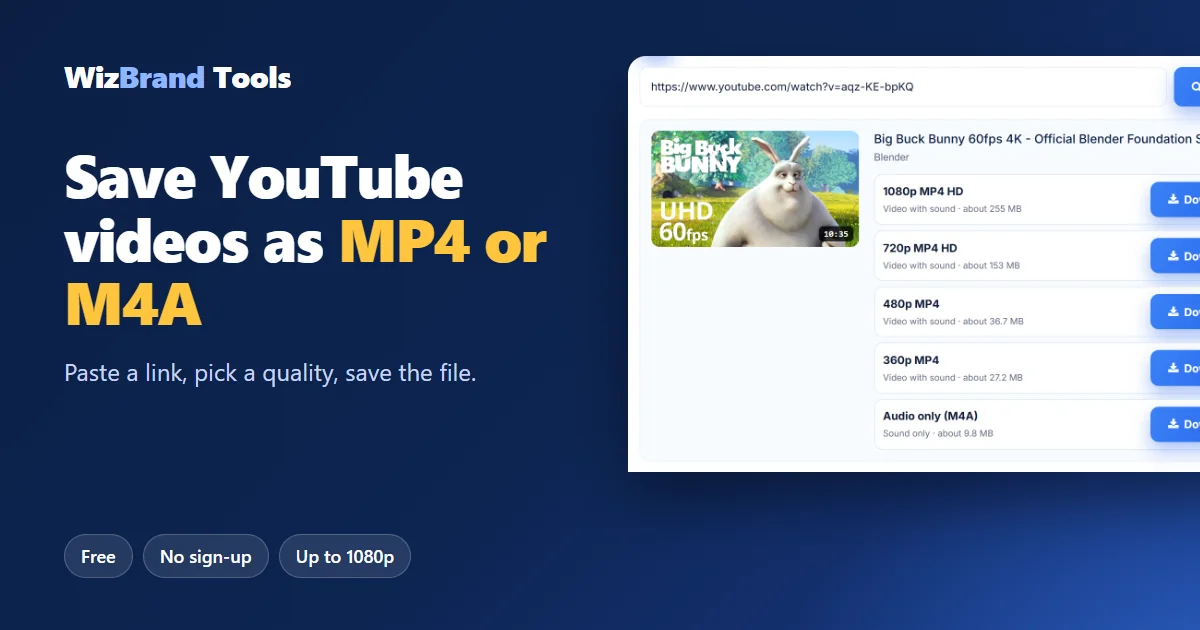
Want to know how to download YouTube videos without installing an app or creating an account? Maybe you need a backup of your own upload, a Creative Commons clip for a project, or a lecture you have permission to keep for a long train ride.
This guide shows the whole process with real screenshots. You will learn which quality to pick, how much space each file takes, and why some videos can’t be saved at all.
Open the YouTube Video Downloader →
First, check that you’re allowed to save the video
A video being public doesn’t mean you can reuse it. Before you download, make sure it is one of these:
- Your own upload. Useful for backups or for re-editing your old videos.
- Released under a licence that allows it, such as Creative Commons.
- A video you have the creator’s permission to save.
YouTube’s terms don’t allow downloading other videos without permission. For everything else, use YouTube’s own offline feature in its app.
How to Download YouTube Videos in 3 Steps
The example below uses Big Buck Bunny, an open short film from the Blender Foundation.
Step 1: Copy the video link and paste it
In the YouTube app, tap Share, then Copy link. On a computer, copy the address from the browser. Paste it into the YouTube video downloader and press Get video.

Normal youtube.com/watch links, short youtu.be links and /shorts/ links all work.
Step 2: Pick a quality
You’ll see the title, the length and every version available for that video, each with its approximate file size.
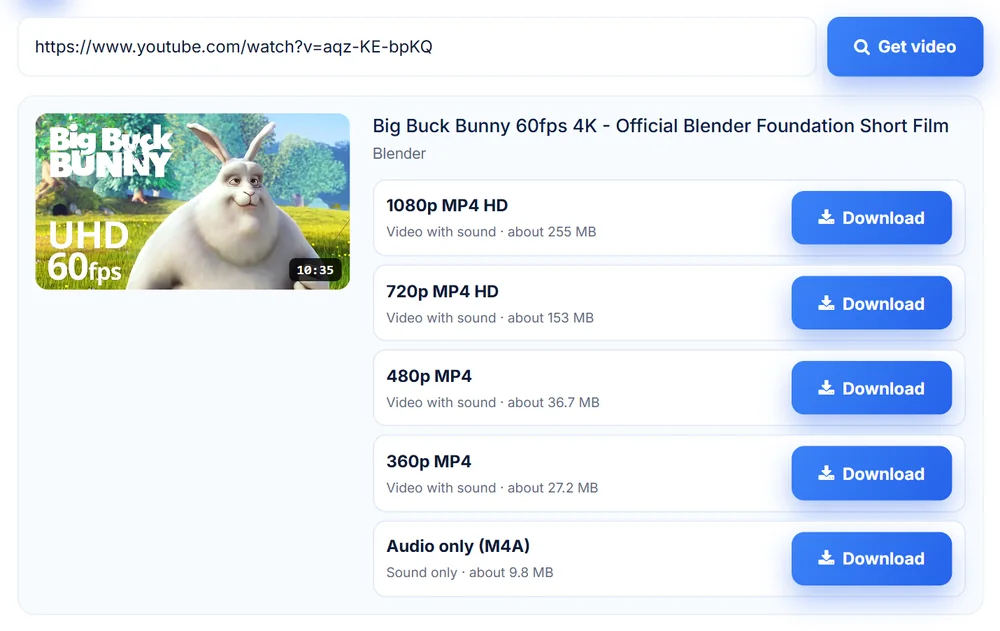
Big Buck Bunny © Blender Foundation, licensed under CC BY 3.0.
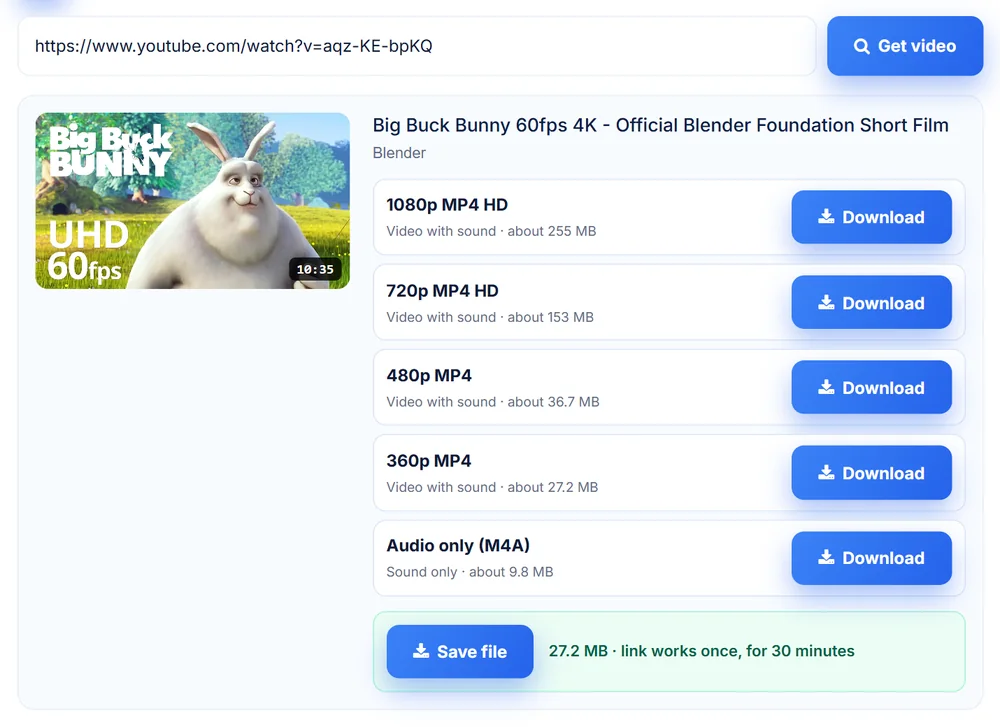
Step 3: Save the file
Press Download next to the quality you want. The file is prepared on our server, which can take a moment for longer videos. When it’s ready, press Save file.
Which quality should you choose?
Here are the real options for the 10-minute 35-second video above. Your file sizes will depend on the length and type of video.
| Option | File size in this example | Best for |
|---|---|---|
| 1080p MP4 HD | About 255 MB | Editing, or watching on a laptop or TV |
| 720p MP4 HD | About 153 MB | A good balance of quality and size |
| 480p MP4 | About 36.7 MB | Watching on a phone |
| 360p MP4 | About 27.2 MB | Quick sharing and low storage |
| Audio only (M4A) | About 9.8 MB | Talks, lectures and podcasts |
Older videos may only show lower qualities, because that’s all YouTube has for them.
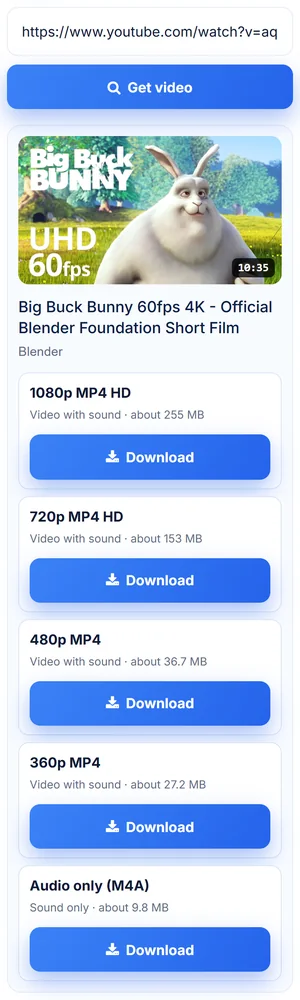
How to download YouTube Shorts and use it on a phone
The tool runs in your phone’s browser, so there’s nothing to install. Copy the Shorts link, paste it the same way as a normal video, and save the file.
Why a video can’t be downloaded
Only public, finished videos can be saved. The tool never logs in to any account, so an owner’s privacy settings stay in place. If a video can’t be saved, you’ll see the reason instead of a failed download.

| Video type | Why it’s refused |
|---|---|
| Private | Only people the owner allows can watch it. |
| Unlisted | It’s only for people the owner shared the link with. |
| Members-only or paid | It’s only for paying viewers. |
| Age-restricted | YouTube only shows it to signed-in users. |
| Live or upcoming | There’s no finished file yet. Try again after it ends. |
| Removed | YouTube or the owner has taken it down. |
Can you download long videos?
Yes. Videos up to 6 hours long are supported, and each file can be up to 300 MB. For a long video, you’ll only see the versions that fit. If 1080p is too large, a lower quality such as 360p, or audio only, may still be available.
What happens to your file?
Your download link is private. It works once and expires after 30 minutes, and the file is then deleted automatically. You don’t need an account, and no watermark is added.
Frequently asked questions
Is this YouTube downloader free?
Yes. There is no sign-up, no watermark and nothing to install.
Is it legal to download YouTube videos?
Download only your own videos, videos with a licence that allows it, or videos you have permission to save. YouTube’s terms don’t allow other downloads without permission, and the rules can differ by country.
Can I save just the audio?
Yes. Choose Audio only (M4A). It’s the smallest option and suits talks and podcasts you’re allowed to keep.
Why does my video show only low quality options?
Either YouTube doesn’t have a higher version of that video, or the higher versions are over the 300 MB limit.
Can I download a private or unlisted video?
No. These videos are refused so that the owner’s privacy is respected, even if you have the link.
Where is the file saved?
It goes to your browser’s normal Downloads folder, on a computer or a phone.
Save your first video now
Paste a link, pick a quality and save the file as MP4 or M4A. It’s free, and there’s nothing to install.
Try the YouTube Video Downloader →
