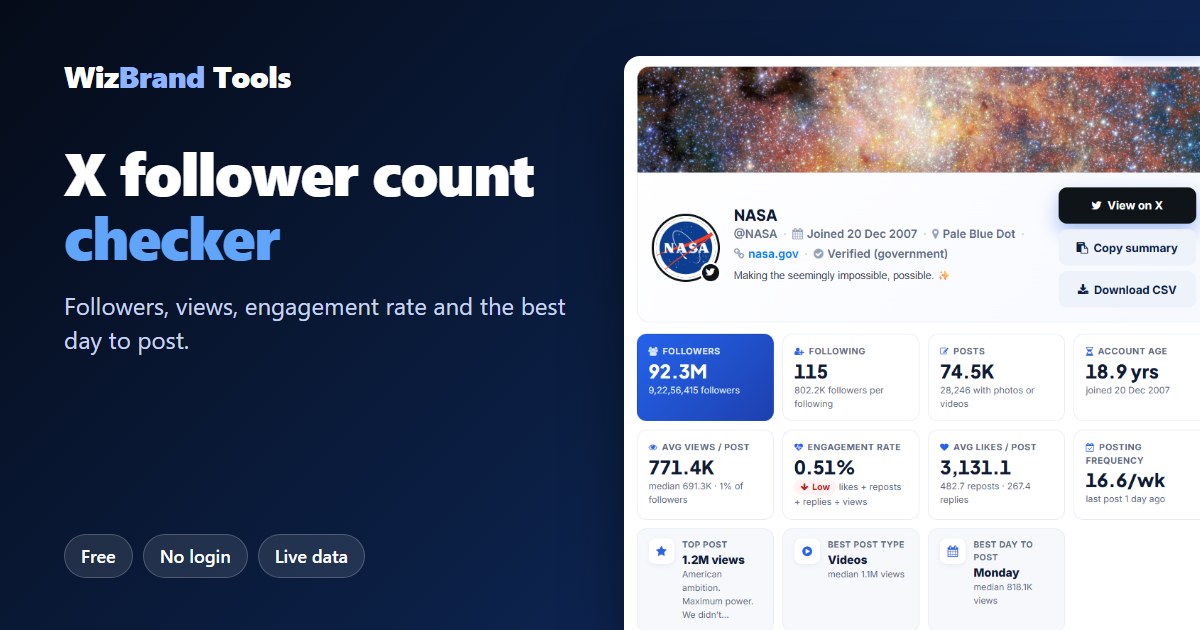
How many followers does an X account really have – and do they actually engage?
A big follower number looks impressive. But if you are choosing an influencer, studying a competitor or tracking your own brand on X (formerly Twitter), the follower count alone tells you very little. What matters is how many people actually see the posts, and how many like, repost or reply.
The free X Follower Count checker by WizBrand shows you both. Type any public @username and in a few seconds you get the live follower count plus a full report on the account’s latest posts: average views, engagement rate, top posts, the best type of post and even the best day to post.
No login, no X account and no payment needed. In this guide we show you exactly how it works, using a real check of the @NASA account.
What the X follower count checker shows
| Metric | What it tells you |
|---|---|
| Followers | The live follower count, shortened (92.3M) and in full. |
| Following | How many accounts they follow, and how many followers they have for each one. |
| Posts | Total posts, and how many of them have photos or videos. |
| Account age | How long the account has been on X. |
| Average and median views per post | How many people really see a typical post. |
| Engagement rate | Likes, reposts, replies and quotes divided by views, with a grade from Low to Excellent. |
| Average likes, reposts and replies | What a normal post earns. |
| Posting frequency | How many posts per week, and when they last posted. |
| Top post, best post type and best day | What works best for this account. |
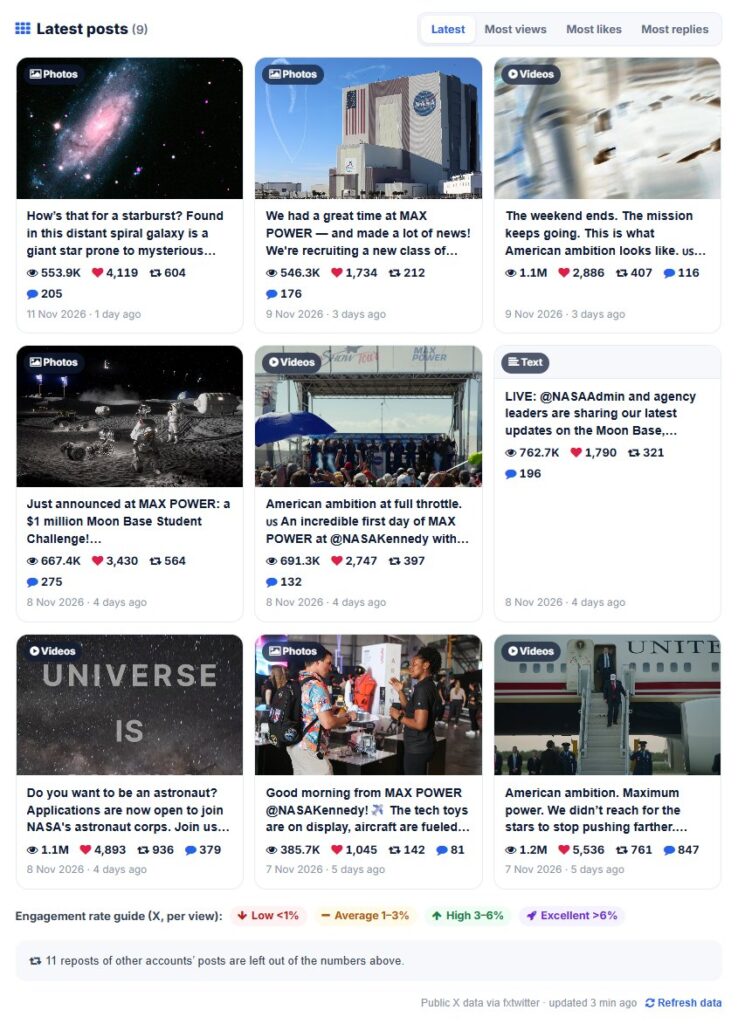
| Latest posts | Each recent post with its views, likes, reposts and replies, which you can sort or export to CSV. |
How to check X followers (3 easy steps)
Step 1: Enter the username or profile link
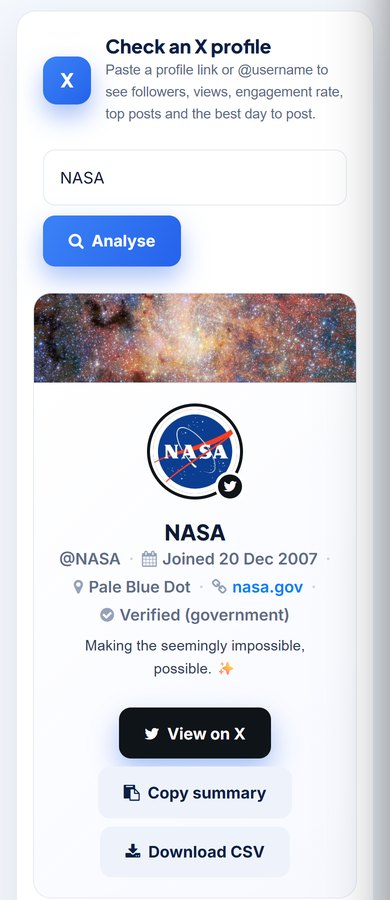
Open the X Follower Count tool. Type the @username, for example NASA, or paste the full profile link such as https://x.com/NASA. Old twitter.com links work too.
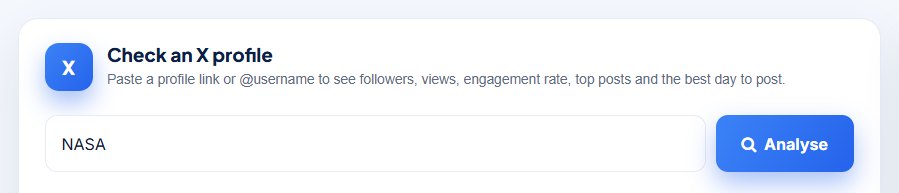
Step 2: Click Analyse
Click Analyse. The tool fetches the live public profile and its latest posts. Within a few seconds you see the profile card with the follower count, following, posts and account age, then the engagement numbers.
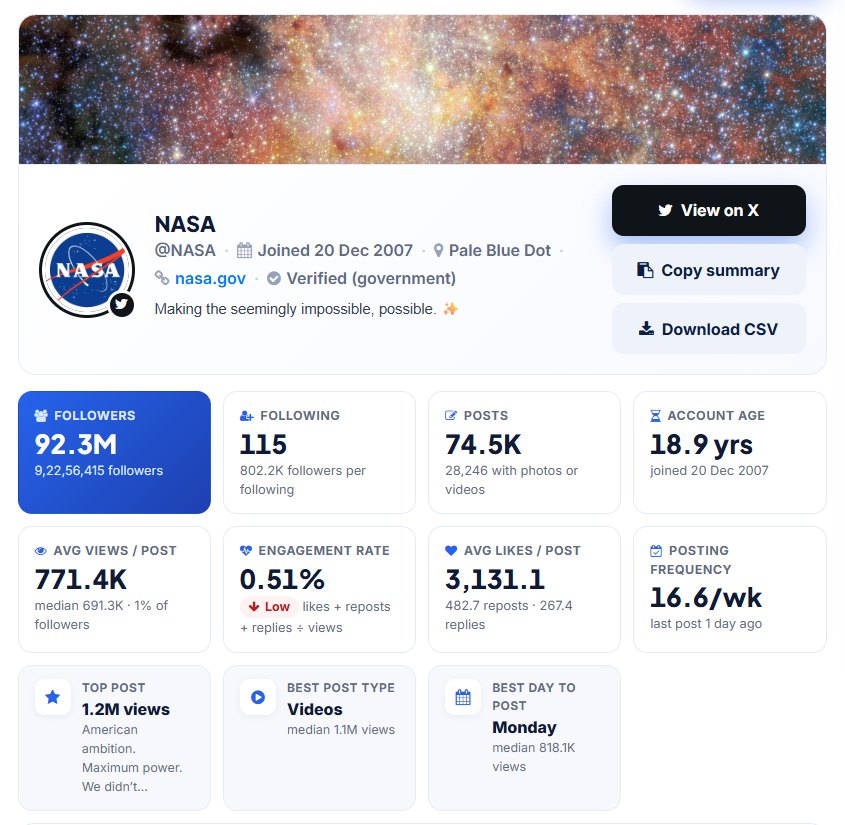
Step 3: Read the full report
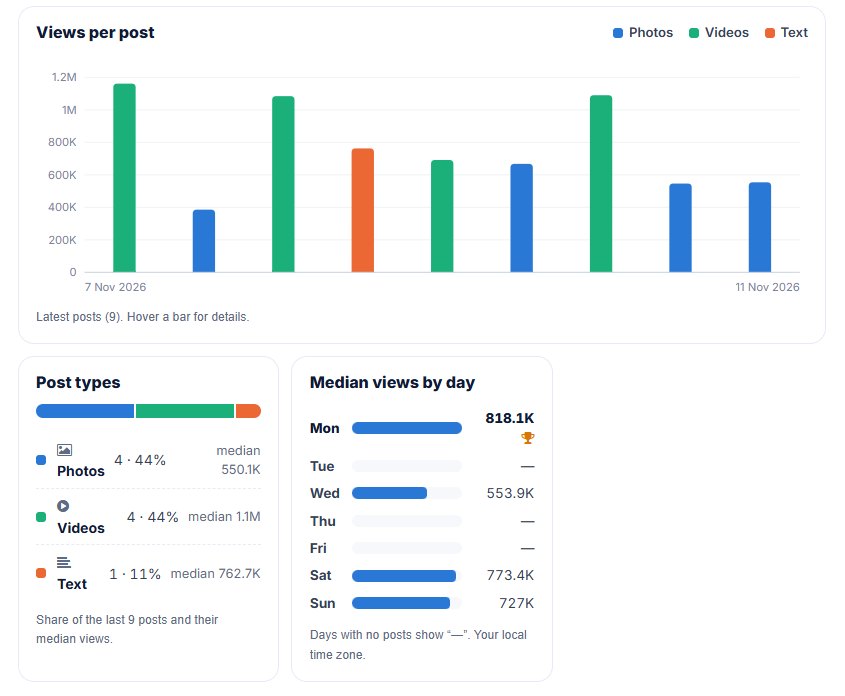
Scroll down for the charts and posts: views per post, the mix of photos, videos and text posts, median views by weekday, the top recent posts and the full list of latest posts. You can sort the latest posts by Latest, Most views, Most likes or Most replies.

Real example: what we found for @NASA
We ran the tool on NASA’s public X account on 12 November 2026. Here are the real results.
| Metric | @NASA result |
|---|---|
| Followers | 92.3M (92,256,415) |
| Following | 115 – about 802.2K followers for every account they follow |
| Posts | 74.5K (28,246 with photos or videos) |
| Account age | 18.9 years (joined 20 December 2007) |
| Average views per post | 771.4K (median 691.3K) – about 1% of followers |
| Engagement rate | 0.51% (graded Low) |
| Average likes per post | 3,131, plus 482.7 reposts and 267.4 replies |
| Posting frequency | 16.6 posts per week |
| Top recent post | 1.2M views |
| Best post type | Videos – median 1.1M views |
| Best day to post | Monday – median 818.1K views |
What these numbers mean
- Followers are not reach. NASA has 92.3 million followers, but a typical post is seen by about 0.7 to 0.8 million people, roughly 1%. This is why views per post matter more than the follower count.
- Engagement looks “low” on very large accounts. At 0.51%, NASA is in the Low band of our scale. Huge accounts are seen by many casual viewers who scroll past, so they often score lower than small, close-knit accounts. Compare accounts of a similar size.
- Video wins for this account. NASA’s recent videos had a median of 1.1M views, about twice the 550.1K median of its photo posts.
- Timing matters. Among its recent posts, Monday posts had the highest median views (818.1K). Days with no posts show “—”, so the result reflects when the account actually posts.
The report counts only the account’s own posts. In NASA’s case, 11 reposts of other accounts’ posts were left out, so the numbers show NASA’s own content.
How the engagement rate is calculated
The tool adds the likes, reposts, replies and quotes of the account’s latest posts and divides by their views:
Engagement rate = (likes + reposts + replies + quotes) ÷ views × 100
Using views instead of followers makes the number fairer. It measures how people react to the posts they actually saw. The grade uses this scale:
| Engagement rate (per view) | Grade |
|---|---|
| Under 1% | Low |
| 1% – 3% | Average |
| 3% – 6% | High |
| Above 6% | Excellent |
The best day to post compares the median views of recent posts for each weekday. With the median, one viral post cannot decide the result on its own.
Sort posts, copy the summary or download a CSV
Under the charts you get every recent post with its views, likes, reposts and replies. Sort them to find the most viewed or most discussed posts. Use Copy summary to paste the key numbers into a report or chat. Use Download CSV to open all posts in Excel or Google Sheets. Click Refresh data any time for the latest numbers.
Who should use an X follower count checker?
- Brands and marketers – check an influencer’s real views and engagement before paying for a promotion.
- Social media managers – benchmark your account against competitors and see which post types work in your niche.
- Creators – track your own growth and find your best day and best format.
- Agencies – export posts to CSV for client reports in seconds.
- Journalists and researchers – get quick public numbers for any account.
Works on your phone too
The report works in any mobile browser. Check an account on the go, on Android or iPhone, without installing an app.
Tips to grow your X followers and engagement
- Post the format that wins. Check your own “Best post type”. If videos get twice the views, post more videos.
- Post on your best day. Use the “Median views by day” chart and schedule your most important posts for the strongest day.
- Stay consistent. Posting frequency matters. Pick a rhythm you can keep, such as one post a day.
- Start conversations. Replies count towards engagement. Ask questions and answer the people who reply.
- Learn from your top posts. Look at your top three posts and repeat what they have in common: topic, format and length.
- Grow real followers. Bought followers do not view or engage, so they pull your engagement rate down. Organic growth always wins.
Frequently asked questions
Is the X follower count checker free?
Yes. It is completely free. You do not need an account, login or credit card.
Can I enter a link instead of a username?
Yes. A profile link such as https://x.com/username or https://twitter.com/username works, and so does the @username on its own.
Are the follower numbers live?
Yes. Data is fetched when you search and kept for at most 15 minutes. Click “Refresh data” under the report for the latest numbers.
How is the engagement rate calculated?
Likes, reposts, replies and quotes of the latest posts, divided by their views. Under 1% is low, 1–3% average, 3–6% high and above 6% excellent.
How do you find the best day to post?
We compare the median views of the account’s recent posts by the weekday they were published, so one viral post cannot decide the result.
Can I check private (protected) X accounts?
Only their follower, following and post counts. X shows a protected account’s posts to approved followers only, so there are no post analytics.
Does the tool need my X login?
No. It only reads public profile data. You never connect your X account.
Can I download the data?
Yes. Click “Download CSV” to save every recent post with its views, likes, reposts and replies, or “Copy summary” to copy the key numbers.
Conclusion: look beyond the follower count
A follower count is only the start. To know whether an X account really reaches people, you need views, engagement rate and what kind of posts work. As the NASA example shows, even 92 million followers turn into about 0.7 to 0.8 million views per post, and video beats photos.
Check any account now with the free X Follower Count checker. It is live, free and needs no login.
More free social media tools
- Instagram Followers Count – followers, reels and engagement of any business or creator account
- YouTube Subscriber Count – live subscribers, views and top videos
- Threads Followers Count – check Threads profiles
- Facebook Page Followers Count – page followers and post engagement
- Reddit Stats – subreddit members and top posts
- Pinterest Followers – followers, pins and saves
