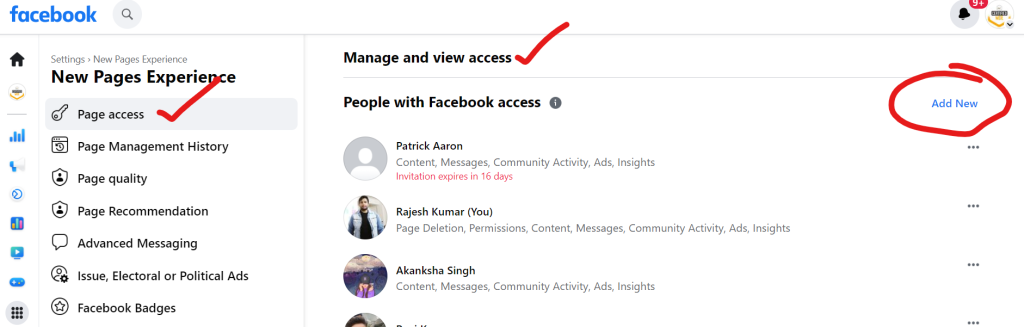
Shortcut – Just after switching to page, just access this url – https://www.facebook.com/settings?tab=profile_access
Step 1 – First login to Facebook
Step 2 – Switch to Facebook Page
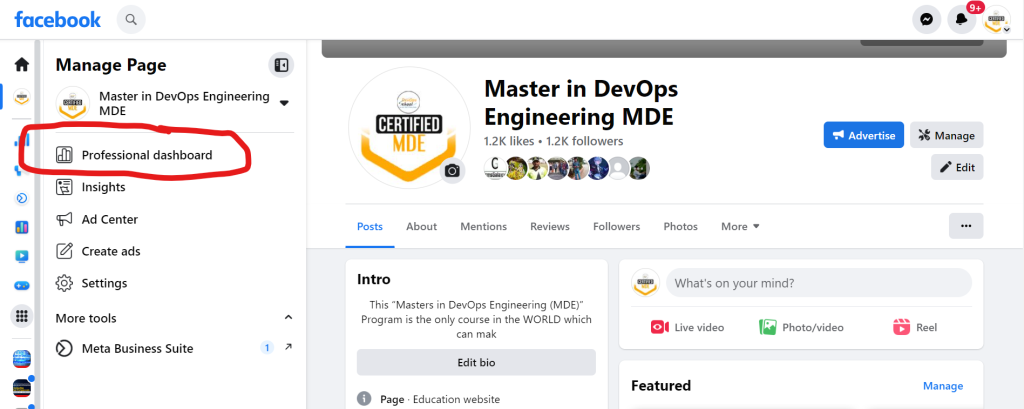
Step 3 – Click on the professional dashboard
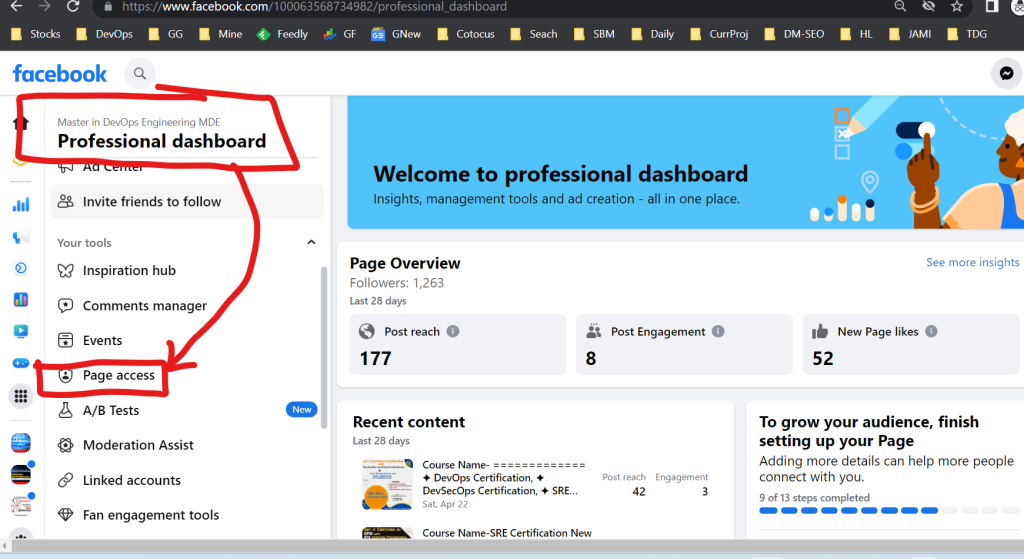
Step 4 – Click on Page Access

I’m a DevOps/SRE/DevSecOps/Cloud Expert passionate about sharing knowledge and experiences. I am working at Cotocus. I blog tech insights at DevOps School, travel stories at Holiday Landmark, stock market tips at Stocks Mantra, health and fitness guidance at My Medic Plus, product reviews at I reviewed , and SEO strategies at Wizbrand.
Please find my social handles as below;
Rajesh Kumar Personal Website
Rajesh Kumar at YOUTUBE
Rajesh Kumar at INSTAGRAM
Rajesh Kumar at X
Rajesh Kumar at FACEBOOK
Rajesh Kumar at LINKEDIN
Rajesh Kumar at PINTEREST
Rajesh Kumar at QUORA
Rajesh Kumar at WIZBRAND
I found this article very helpful and easy to follow. It clearly explains how you can give other people access to your Facebook Page without sharing your personal login details. The steps are simple and make it clear how to add someone, choose the right role, and let them help manage the page. I also liked that it explains why this is useful, especially when you want help with posting, moderating comments, or checking messages from followers. Even if you are new to Facebook Pages, this guide makes the whole process feel easy and safe. After reading this, I feel more confident about letting my team help me manage our page.