Introduction
Website builders are platforms that allow individuals and businesses to create, design, and publish websites without requiring deep technical knowledge or coding skills. These tools simplify the process of building an online presence by offering drag-and-drop editors, templates, hosting, and built-in integrations.
As digital presence becomes essential across industries, website builders play a critical role in enabling businesses to launch faster, iterate quickly, and maintain control over their online identity. From small business websites to complex portfolios and eCommerce stores, modern website builders cater to a wide range of needs.
Common Use Cases
- Creating business websites and portfolios
- Launching blogs and content-driven platforms
- Building eCommerce stores
- Developing landing pages for marketing campaigns
- Creating personal or freelance portfolios
What Buyers Should Evaluate
- Ease of use and learning curve
- Template quality and customization options
- Built-in features (SEO, analytics, eCommerce)
- Integration with third-party tools
- Performance and page speed
- Mobile responsiveness
- Hosting and domain management
- Scalability for growing businesses
- Pricing and long-term value
Best for: Entrepreneurs, small businesses, freelancers, agencies, and marketers who need to quickly build and manage websites without relying heavily on developers.
Not ideal for: Complex applications requiring deep backend logic, highly customized enterprise systems, or projects needing full control over infrastructure.
Key Trends in Website Builders
- AI-powered website generation: Automated design and content suggestions
- No-code and low-code development: Faster website creation for non-technical users
- Integrated eCommerce capabilities: Built-in store features becoming standard
- Performance optimization focus: Faster loading and improved user experience
- Mobile-first design approach: Optimized layouts for mobile users
- Reusable design components: Blocks and templates for faster workflows
- Advanced customization options: Combining visual editing with code access
- All-in-one ecosystems: Hosting, SEO, analytics, and marketing tools in one platform
- Collaboration features: Multi-user editing and team workflows
How We Selected These Tools (Methodology)
- High adoption across industries and user segments
- Strong feature sets for website creation and management
- Ease of use for beginners and flexibility for advanced users
- Performance and reliability signals
- Integration ecosystem with marketing and analytics tools
- Scalability for different business sizes
- Template quality and customization depth
- Support, documentation, and community presence
- Continuous innovation and product updates
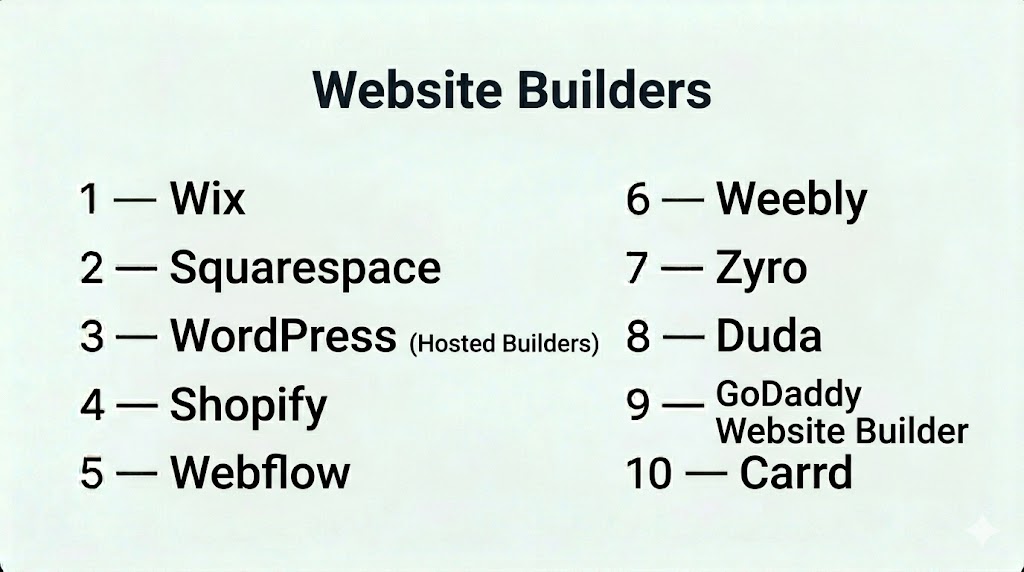
Top 10 Website Builders
#1 — Wix
Short description: A highly popular website builder known for its ease of use and wide range of templates.
Key Features
- Drag-and-drop editor
- AI website builder
- App marketplace
- Built-in SEO tools
- eCommerce functionality
- Hosting included
Pros
- Very beginner-friendly
- Large template library
Cons
- Limited flexibility after template selection
- Can become expensive with add-ons
Platforms / Deployment
Web / Cloud
Security & Compliance
Encryption and standard security features. Additional details: Not publicly stated
Integrations & Ecosystem
- App marketplace
- Marketing tools
- Payment integrations
- APIs
Support & Community
Extensive documentation and large user community
#2 — Squarespace
Short description: A design-focused website builder offering elegant templates and strong content tools.
Key Features
- High-quality templates
- Drag-and-drop editor
- Blogging tools
- eCommerce features
- Analytics
- Hosting included
Pros
- Excellent design quality
- All-in-one platform
Cons
- Less flexible customization
- Slight learning curve
Platforms / Deployment
Web / Cloud
Security & Compliance
Not publicly stated
Integrations & Ecosystem
- Marketing tools
- Payment platforms
- APIs
Support & Community
Strong documentation and support
#3 — WordPress (Hosted Builders)
Short description: A flexible platform with extensive customization through themes and plugins.
Key Features
- Thousands of themes
- Plugin ecosystem
- Blogging capabilities
- SEO tools
- eCommerce via plugins
- Custom code support
Pros
- Highly customizable
- Large ecosystem
Cons
- Requires learning
- Maintenance responsibility
Platforms / Deployment
Cloud / Self-hosted
Security & Compliance
Varies depending on hosting and setup
Integrations & Ecosystem
- Extensive plugin ecosystem
- APIs
- Third-party integrations
Support & Community
Large global community and resources
#4 — Shopify
Short description: A leading platform focused on building and managing eCommerce websites.
Key Features
- eCommerce tools
- Payment processing
- Inventory management
- App store
- Templates
- Hosting included
Pros
- Excellent for online stores
- Scalable
Cons
- Limited non-eCommerce flexibility
- Transaction fees
Platforms / Deployment
Web / Cloud
Security & Compliance
Standard security features. Details: Not publicly stated
Integrations & Ecosystem
- Payment gateways
- Marketing tools
- APIs
Support & Community
Strong support and ecosystem
#5 — Webflow
Short description: A design-centric platform offering advanced customization and developer-level control.
Key Features
- Visual editor
- CMS
- Responsive design
- Hosting
- Animations
- Code export
Pros
- High design flexibility
- Developer-friendly
Cons
- Steeper learning curve
- Not beginner-focused
Platforms / Deployment
Web / Cloud
Security & Compliance
Not publicly stated
Integrations & Ecosystem
- APIs
- CMS integrations
- Third-party tools
Support & Community
Strong design community
#6 — Weebly
Short description: A simple website builder aimed at small businesses and beginners.
Key Features
- Drag-and-drop builder
- Templates
- eCommerce features
- Hosting
- SEO tools
Pros
- Easy to use
- Affordable
Cons
- Limited advanced features
- Less flexible
Platforms / Deployment
Web / Cloud
Security & Compliance
Not publicly stated
Integrations & Ecosystem
- Payment tools
- Marketing tools
Support & Community
Basic support and documentation
#7 — Zyro
Short description: A fast and affordable website builder with AI-powered tools.
Key Features
- AI content generator
- Templates
- Drag-and-drop builder
- Hosting
- eCommerce features
Pros
- Affordable
- Fast setup
Cons
- Limited customization
- Smaller ecosystem
Platforms / Deployment
Web / Cloud
Security & Compliance
Not publicly stated
Integrations & Ecosystem
- Marketing tools
- Payment integrations
Support & Community
Growing support resources
#8 — Duda
Short description: A website builder designed for agencies and professionals managing multiple sites.
Key Features
- Drag-and-drop editor
- White-label tools
- Client management
- Templates
- Hosting
- SEO tools
Pros
- Great for agencies
- Collaboration features
Cons
- Pricing higher for individuals
- Learning curve
Platforms / Deployment
Web / Cloud
Security & Compliance
Not publicly stated
Integrations & Ecosystem
- APIs
- Marketing tools
Support & Community
Strong agency-focused support
#9 — GoDaddy Website Builder
Short description: A simple builder integrated with domain and hosting services.
Key Features
- Drag-and-drop editor
- Templates
- Marketing tools
- Hosting
- Analytics
Pros
- Easy setup
- Integrated services
Cons
- Limited customization
- Basic features
Platforms / Deployment
Web / Cloud
Security & Compliance
Not publicly stated
Integrations & Ecosystem
- Marketing tools
- Payment systems
Support & Community
Good support resources
#10 — Carrd
Short description: A minimal website builder for single-page sites and landing pages.
Key Features
- One-page builder
- Templates
- Responsive design
- Hosting
- Form integrations
Pros
- Very affordable
- Simple to use
Cons
- Limited scalability
- Basic features
Platforms / Deployment
Web / Cloud
Security & Compliance
Not publicly stated
Integrations & Ecosystem
- Form tools
- Payment tools
Support & Community
Basic support
Comparison Table (Top 10)
| Tool Name | Best For | Platform(s) Supported | Deployment | Standout Feature | Public Rating |
|---|---|---|---|---|---|
| Wix | Beginners | Web | Cloud | AI builder | N/A |
| Squarespace | Designers | Web | Cloud | Premium templates | N/A |
| WordPress | Flexibility | Web | Hybrid | Plugin ecosystem | N/A |
| Shopify | eCommerce | Web | Cloud | Store management | N/A |
| Webflow | Designers | Web | Cloud | Visual + code control | N/A |
| Weebly | SMB | Web | Cloud | Simplicity | N/A |
| Zyro | Budget users | Web | Cloud | AI tools | N/A |
| Duda | Agencies | Web | Cloud | White-label features | N/A |
| GoDaddy | Beginners | Web | Cloud | Easy setup | N/A |
| Carrd | Solo users | Web | Cloud | One-page sites | N/A |
Evaluation & Scoring of Website Builders
| Tool Name | Core | Ease | Integrations | Security | Performance | Support | Value | Weighted Total |
|---|---|---|---|---|---|---|---|---|
| Wix | 8 | 9 | 8 | 7 | 8 | 8 | 8 | 8.2 |
| Squarespace | 8 | 8 | 7 | 7 | 8 | 8 | 7 | 7.8 |
| WordPress | 9 | 6 | 9 | 7 | 8 | 9 | 9 | 8.5 |
| Shopify | 9 | 8 | 9 | 8 | 9 | 9 | 7 | 8.6 |
| Webflow | 8 | 6 | 8 | 7 | 9 | 8 | 7 | 7.9 |
| Weebly | 7 | 9 | 6 | 6 | 7 | 7 | 8 | 7.6 |
| Zyro | 7 | 9 | 6 | 6 | 7 | 7 | 9 | 7.7 |
| Duda | 8 | 7 | 8 | 7 | 8 | 8 | 7 | 7.9 |
| GoDaddy | 7 | 9 | 6 | 6 | 7 | 8 | 8 | 7.7 |
| Carrd | 6 | 10 | 6 | 6 | 7 | 6 | 10 | 7.6 |
How to interpret scores:
- Scores are relative comparisons across tools
- Higher scores indicate stronger overall performance
- Enterprise-grade tools score higher in features
- Beginner tools score higher in ease of use
- Choose based on your needs rather than rankings
Which Website Builder Is Right for You?
Solo / Freelancer
- Best: Carrd, Wix
- Focus on simplicity and cost
SMB
- Best: Wix, Weebly, Zyro
- Balance between ease and features
Mid-Market
- Best: Squarespace, Webflow
- Need design flexibility and scalability
Enterprise
- Best: WordPress, Shopify
- Advanced customization and scalability
Budget vs Premium
- Budget: Carrd, Zyro
- Premium: Shopify, Squarespace
Feature Depth vs Ease of Use
- Deep features: WordPress, Webflow
- Easy to use: Wix, GoDaddy
Integrations & Scalability
- Strong integrations: WordPress, Shopify
- Moderate: Wix, Squarespace
Security & Compliance Needs
- Enterprise-ready: Shopify
- Basic: Carrd, Weebly
Frequently Asked Questions (FAQs)
What is a website builder?
A tool that allows users to create websites without coding using visual editors.
Do I need coding skills?
No, most builders are designed for non-technical users.
Are website builders good for SEO?
Many include built-in SEO tools.
Can I build an online store?
Yes, many builders offer eCommerce features.
Do they include hosting?
Most website builders include hosting.
Can I use my own domain?
Yes, custom domains are supported.
Are website builders secure?
Security features vary by platform.
Can I switch builders later?
Migration can be challenging depending on the platform.
Are they scalable?
Some are highly scalable, others are limited.
When should I use a website builder?
When you need a fast, simple way to launch a website.
Conclusion
Website builders have become essential tools for creating and managing an online presence efficiently. They enable users to build professional websites quickly without technical complexity, making them ideal for businesses of all sizes.
The best choice depends on your needs—design flexibility, eCommerce capabilities, ease of use, or scalability. Platforms like Shopify and WordPress are ideal for advanced use cases, while Wix and Carrd offer simplicity and speed.
