Introduction
Task Management Tools are software platforms designed to help individuals and teams plan, organize, track, and complete tasks efficiently. These tools centralize workflows, assign responsibilities, set deadlines, and provide visibility into progress—ensuring that work gets done on time and with clarity.
In today’s fast-paced and remote-first work environment, managing tasks through spreadsheets or emails is no longer effective. Task management tools provide real-time collaboration, automation, and structured workflows, helping teams stay aligned and productive across projects.
Common use cases include:
- Team task tracking and collaboration
- Project planning and execution
- Personal productivity management
- Agile and sprint management
- Workflow automation
What buyers should evaluate:
- Task creation and organization features
- Collaboration and communication tools
- Workflow automation capabilities
- Integration with other tools
- Reporting and analytics
- Ease of use
- Scalability
- Mobile accessibility
- Customization options
- Pricing
Best for: Teams, startups, enterprises, project managers, and individuals looking to improve productivity.
Not ideal for: Users who need only simple note-taking or minimal task tracking without collaboration.
Key Trends in Task Management Tools for 2026 and Beyond
- AI-powered task prioritization and suggestions
- Automation of repetitive workflows
- Real-time collaboration and updates
- Integration with communication tools
- Mobile-first and remote work support
- Visual workflows (Kanban, Gantt charts)
- Low-code customization
- Cross-platform synchronization
- Embedded analytics and reporting
How We Selected These Tools (Methodology)
- Evaluated market popularity and adoption
- Assessed task and workflow management capabilities
- Reviewed collaboration features
- Considered integration ecosystems
- Analyzed performance and scalability
- Included tools for SMB and enterprise use cases
- Prioritized actively evolving platforms
- Ensured coverage across different workflows
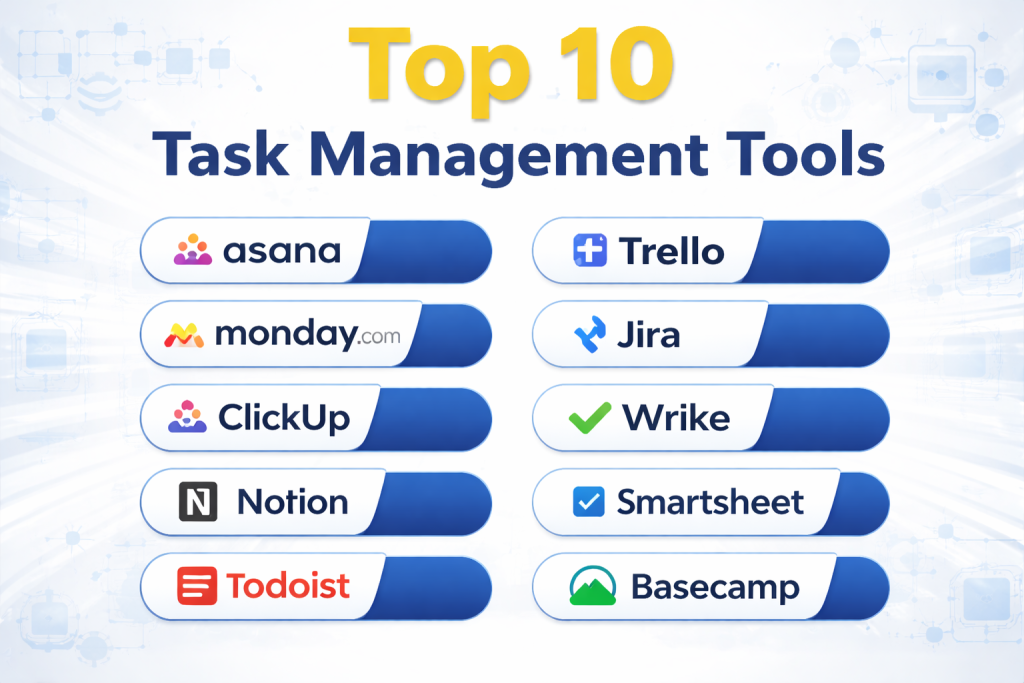
Top 10 Task Management Tools
#1 — Asana
Short description: A widely used task and project management platform for teams of all sizes.
Key Features
- Task tracking and assignment
- Timeline and workflow views
- Automation rules
- Collaboration tools
- Reporting dashboards
- Integration capabilities
Pros
- Easy to use
- Strong collaboration features
Cons
- Advanced features require premium plans
- Can get complex for large projects
Platforms / Deployment
Web / Windows / macOS / iOS / Android
Cloud
Security & Compliance
SSO, encryption, access controls
Integrations & Ecosystem
- Slack
- Google Workspace
- Microsoft Teams
- APIs
Support & Community
Strong documentation and global user base.
#2 — Trello
Short description: A visual task management tool based on Kanban boards.
Key Features
- Drag-and-drop boards
- Task cards
- Automation (Butler)
- Collaboration features
- Integration support
Pros
- Very easy to use
- Visual workflow
Cons
- Limited advanced features
- Not ideal for complex projects
Platforms / Deployment
Web / Mobile
Cloud
Security & Compliance
Encryption, access controls
Integrations & Ecosystem
- Slack
- Google Drive
- APIs
Support & Community
Large user community.
#3 — Monday.com
Short description: A flexible work management platform with customizable workflows.
Key Features
- Task tracking
- Workflow automation
- Visual dashboards
- Collaboration tools
- Integration support
Pros
- Highly customizable
- Visual interface
Cons
- Pricing can be high
- Learning curve
Platforms / Deployment
Web / Mobile
Cloud
Security & Compliance
Enterprise-grade security
Integrations & Ecosystem
- CRM tools
- APIs
- Communication tools
Support & Community
Strong support.
#4 — ClickUp
Short description: An all-in-one productivity platform combining task, project, and document management.
Key Features
- Task management
- Docs and collaboration
- Automation
- Goal tracking
- Time tracking
Pros
- Feature-rich
- Affordable
Cons
- Interface can feel cluttered
- Learning curve
Platforms / Deployment
Web / Desktop / Mobile
Cloud
Security & Compliance
Encryption, access controls
Integrations & Ecosystem
- Slack
- GitHub
- APIs
Support & Community
Active community.
#5 — Jira
Short description: A task and issue tracking tool widely used for software development and agile workflows.
Key Features
- Issue tracking
- Agile boards
- Sprint planning
- Reporting
- Workflow automation
Pros
- Strong for agile teams
- Highly customizable
Cons
- Complex setup
- Not beginner-friendly
Platforms / Deployment
Web / Desktop
Cloud / On-premise
Security & Compliance
Enterprise-grade security
Integrations & Ecosystem
- Dev tools
- APIs
Support & Community
Large developer community.
#6 — Notion
Short description: A flexible workspace combining notes, tasks, and databases.
Key Features
- Task management
- Notes and docs
- Database views
- Collaboration tools
- Templates
Pros
- Highly flexible
- All-in-one workspace
Cons
- Learning curve
- Can become complex
Platforms / Deployment
Web / Desktop / Mobile
Cloud
Security & Compliance
Not publicly stated
Integrations & Ecosystem
- APIs
- Productivity tools
Support & Community
Strong user community.
#7 — Wrike
Short description: A project and task management tool designed for enterprise teams.
Key Features
- Task tracking
- Workflow automation
- Gantt charts
- Reporting
- Collaboration
Pros
- Strong enterprise features
- Advanced reporting
Cons
- Expensive
- Complex interface
Platforms / Deployment
Web / Mobile
Cloud
Security & Compliance
Enterprise-grade security
Integrations & Ecosystem
- CRM tools
- APIs
Support & Community
Enterprise support.
#8 — Smartsheet
Short description: A spreadsheet-style task management tool with automation features.
Key Features
- Task tracking
- Workflow automation
- Reporting
- Collaboration
- Templates
Pros
- Familiar interface
- Strong reporting
Cons
- Less visual
- Pricing
Platforms / Deployment
Web / Mobile
Cloud
Security & Compliance
Enterprise-grade security
Integrations & Ecosystem
- Microsoft tools
- APIs
Support & Community
Good support.
#9 — Todoist
Short description: A simple and effective task management tool for personal productivity.
Key Features
- Task lists
- Reminders
- Labels and filters
- Collaboration
- Cross-platform sync
Pros
- Easy to use
- Lightweight
Cons
- Limited advanced features
- Not ideal for large teams
Platforms / Deployment
Web / Desktop / Mobile
Cloud
Security & Compliance
Not publicly stated
Integrations & Ecosystem
- Productivity apps
- APIs
Support & Community
Strong user base.
#10 — Basecamp
Short description: A collaboration and task management tool focused on simplicity.
Key Features
- Task lists
- Messaging
- File sharing
- Scheduling
- Team collaboration
Pros
- Simple interface
- Easy onboarding
Cons
- Limited advanced features
- Less customization
Platforms / Deployment
Web / Mobile
Cloud
Security & Compliance
Not publicly stated
Integrations & Ecosystem
- APIs
- Productivity tools
Support & Community
Good support.
Comparison Table (Top 10)
| Tool Name | Best For | Platform(s) Supported | Deployment | Standout Feature | Public Rating |
|---|---|---|---|---|---|
| Asana | Teams | Web, Desktop, Mobile | Cloud | Collaboration | N/A |
| Trello | Beginners | Web, Mobile | Cloud | Kanban boards | N/A |
| Monday.com | Custom workflows | Web, Mobile | Cloud | Flexibility | N/A |
| ClickUp | All-in-one | Web, Desktop, Mobile | Cloud | Features | N/A |
| Jira | Developers | Web, Desktop | Cloud/On-prem | Agile | N/A |
| Notion | Flexible workspace | Web, Desktop, Mobile | Cloud | All-in-one | N/A |
| Wrike | Enterprises | Web, Mobile | Cloud | Reporting | N/A |
| Smartsheet | Spreadsheet users | Web, Mobile | Cloud | Sheets | N/A |
| Todoist | Individuals | Web, Desktop, Mobile | Cloud | Simplicity | N/A |
| Basecamp | Small teams | Web, Mobile | Cloud | Simplicity | N/A |
Evaluation & Scoring of Task Management Tools
| Tool Name | Core (25%) | Ease (15%) | Integrations (15%) | Security (10%) | Performance (10%) | Support (10%) | Value (15%) | Weighted Total |
|---|---|---|---|---|---|---|---|---|
| Asana | 9 | 9 | 9 | 8 | 9 | 9 | 8 | 8.8 |
| Trello | 7 | 10 | 8 | 7 | 8 | 8 | 9 | 8.3 |
| Monday.com | 9 | 8 | 9 | 9 | 9 | 9 | 7 | 8.6 |
| ClickUp | 9 | 8 | 9 | 8 | 8 | 8 | 9 | 8.6 |
| Jira | 9 | 6 | 10 | 9 | 9 | 9 | 7 | 8.5 |
| Notion | 8 | 8 | 7 | 6 | 8 | 8 | 9 | 7.9 |
| Wrike | 9 | 7 | 8 | 9 | 9 | 9 | 7 | 8.3 |
| Smartsheet | 8 | 7 | 8 | 9 | 8 | 8 | 7 | 7.9 |
| Todoist | 7 | 10 | 7 | 6 | 8 | 7 | 9 | 7.9 |
| Basecamp | 7 | 9 | 6 | 6 | 8 | 7 | 8 | 7.5 |
How to interpret scores:
These scores are relative comparisons within this category. Higher scores indicate stronger capabilities overall, while ease and value scores highlight user-friendliness and cost-effectiveness. Choose based on team size, workflow complexity, and integration needs.
Which Task Management Tool Is Right for You?
Solo / Freelancer
Todoist and Notion are best for personal productivity.
SMB
Trello and ClickUp provide simplicity and flexibility.
Mid-Market
Monday.com and Asana offer balanced features and scalability.
Enterprise
Jira, Wrike, and Asana are best for large-scale operations.
Budget vs Premium
Todoist and Trello are budget-friendly, while Monday.com and Wrike are premium.
Feature Depth vs Ease of Use
ClickUp offers depth, while Trello offers simplicity.
Integrations & Scalability
Jira and Asana provide strong integrations.
Security & Compliance Needs
Jira and Wrike are best for enterprise compliance.
Frequently Asked Questions (FAQs)
What are task management tools?
They help organize and track tasks efficiently.
Why use task management software?
To improve productivity and collaboration.
Are these tools cloud-based?
Most tools are cloud-based platforms.
Do they support automation?
Yes, many tools offer workflow automation.
Are they secure?
Enterprise tools provide strong security features.
Can they integrate with other tools?
Yes, most tools support integrations.
What industries use them?
All industries, including IT, marketing, and operations.
Are they expensive?
Pricing varies based on features and scale.
Can individuals use them?
Yes, many tools support personal use.
What is the best tool?
It depends on your needs and team size.
Conclusion
Task Management Tools are essential for improving productivity, collaboration, and workflow efficiency across teams and organizations. Whether you need a simple task tracker or a full-scale project management solution, there are tools available for every use case. The best choice depends on your team size, workflow complexity, and integration requirements. Start by identifying your needs, shortlist a few tools, and test them to find the perfect fit for your workflow and productivity goals.
