Introduction
Project Management Software helps teams plan, execute, and track projects efficiently from start to finish. These tools provide structured workflows, task assignments, timelines, collaboration features, and reporting dashboards—all in one centralized platform.
In today’s fast-paced and distributed work environment, managing projects through emails or spreadsheets is inefficient and error-prone. Project management tools enable real-time collaboration, visibility, and automation, helping teams stay aligned, meet deadlines, and deliver results consistently.
Common use cases include:
- Project planning and scheduling
- Task assignment and tracking
- Agile and sprint management
- Resource allocation
- Collaboration and communication
What buyers should evaluate:
- Task and workflow management features
- Timeline and Gantt chart capabilities
- Collaboration tools
- Integration with other software
- Reporting and analytics
- Scalability
- Ease of use
- Customization options
- Security and compliance
- Pricing
Best for: Teams, startups, enterprises, project managers, developers, and cross-functional teams.
Not ideal for: Individuals needing simple task tracking or note-taking tools.
How We Selected These Tools (Methodology)
- Evaluated market popularity and adoption
- Assessed project management capabilities
- Reviewed collaboration and workflow features
- Considered integration ecosystems
- Analyzed scalability and performance
- Included tools for SMB and enterprise use cases
- Prioritized actively evolving platforms
- Ensured coverage across different project types
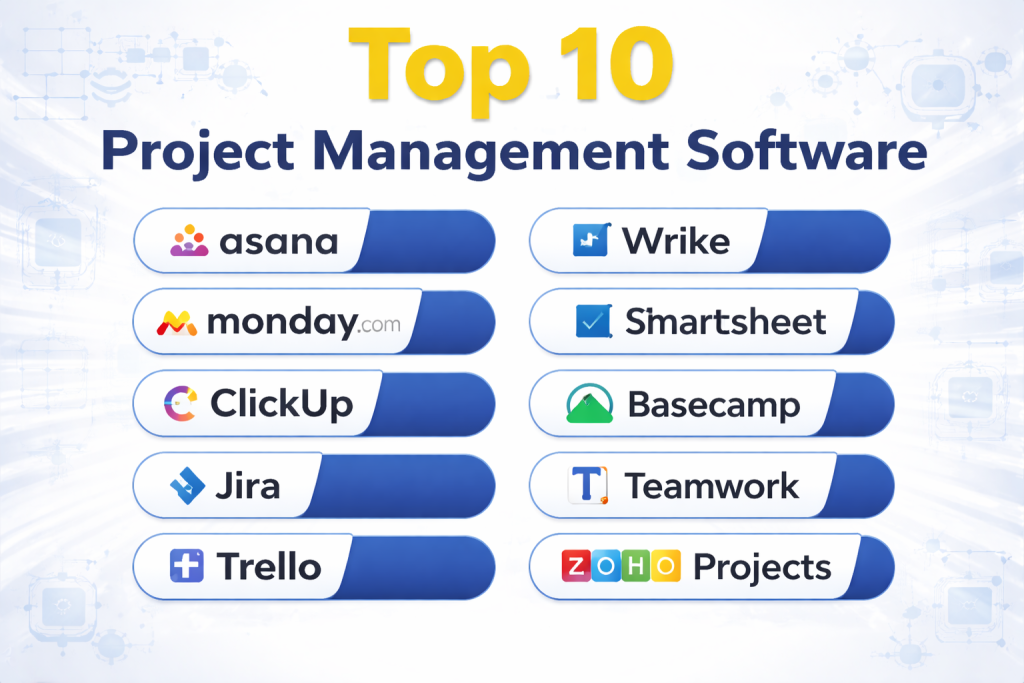
Top 10 Project Management Software
#1 — Asana
Short description: A popular project management tool for organizing tasks, workflows, and team collaboration.
Key Features
- Task and project tracking
- Timeline and workflow views
- Automation rules
- Collaboration tools
- Reporting dashboards
Pros
- Easy to use
- Strong collaboration features
Cons
- Advanced features cost extra
- Can be complex at scale
Platforms / Deployment
Web / Desktop / Mobile
Cloud
Security & Compliance
SSO, encryption, access controls
Integrations & Ecosystem
- Slack
- Google Workspace
- Microsoft Teams
- APIs
Support & Community
Strong global community.
#2 — Monday.com
Short description: A flexible work management platform with customizable workflows.
Key Features
- Task management
- Workflow automation
- Visual dashboards
- Collaboration tools
- Integration capabilities
Pros
- Highly customizable
- Visual interface
Cons
- Expensive
- Learning curve
Platforms / Deployment
Web / Mobile
Cloud
Security & Compliance
Enterprise-grade security
Integrations & Ecosystem
- CRM tools
- APIs
Support & Community
Strong support.
#3 — ClickUp
Short description: An all-in-one productivity platform combining tasks, docs, and project management.
Key Features
- Task tracking
- Docs and collaboration
- Automation
- Goal tracking
- Time tracking
Pros
- Feature-rich
- Affordable
Cons
- Cluttered interface
- Learning curve
Platforms / Deployment
Web / Desktop / Mobile
Cloud
Security & Compliance
Encryption, access control
Integrations & Ecosystem
- Slack
- GitHub
- APIs
Support & Community
Active community.
#4 — Jira
Short description: A powerful project management tool designed for agile and software development teams.
Key Features
- Agile boards
- Sprint planning
- Issue tracking
- Reporting
- Workflow automation
Pros
- Strong for agile teams
- Highly customizable
Cons
- Complex for beginners
- Requires setup
Platforms / Deployment
Web / Desktop
Cloud / On-premise
Security & Compliance
Enterprise-grade security
Integrations & Ecosystem
- Dev tools
- APIs
Support & Community
Large developer community.
#5 — Trello
Short description: A visual project management tool using Kanban boards for simplicity.
Key Features
- Boards and cards
- Drag-and-drop interface
- Automation
- Collaboration
- Integrations
Pros
- Very easy to use
- Visual workflow
Cons
- Limited advanced features
- Not ideal for complex projects
Platforms / Deployment
Web / Mobile
Cloud
Security & Compliance
Encryption, access control
Integrations & Ecosystem
- Slack
- Google Drive
- APIs
Support & Community
Large user base.
#6 — Wrike
Short description: An enterprise-grade project management tool with advanced reporting and workflows.
Key Features
- Task management
- Workflow automation
- Gantt charts
- Reporting
- Collaboration
Pros
- Strong reporting
- Scalable
Cons
- Expensive
- Complex interface
Platforms / Deployment
Web / Mobile
Cloud
Security & Compliance
Enterprise security
Integrations & Ecosystem
- CRM tools
- APIs
Support & Community
Enterprise support.
#7 — Smartsheet
Short description: A spreadsheet-style project management tool with automation features.
Key Features
- Task tracking
- Workflow automation
- Reporting
- Collaboration
- Templates
Pros
- Familiar interface
- Strong reporting
Cons
- Less visual
- Pricing
Platforms / Deployment
Web / Mobile
Cloud
Security & Compliance
Enterprise-grade security
Integrations & Ecosystem
- Microsoft tools
- APIs
Support & Community
Good support.
#8 — Basecamp
Short description: A simple and effective project management and collaboration tool.
Key Features
- Task lists
- Messaging
- File sharing
- Scheduling
- Team collaboration
Pros
- Simple interface
- Easy onboarding
Cons
- Limited advanced features
- Less customization
Platforms / Deployment
Web / Mobile
Cloud
Security & Compliance
Not publicly stated
Integrations & Ecosystem
- APIs
Support & Community
Good support.
#9 — Teamwork
Short description: A project management platform focused on client work and team collaboration.
Key Features
- Task management
- Time tracking
- Collaboration tools
- Reporting
- Workflow automation
Pros
- Great for client work
- Strong reporting
Cons
- Learning curve
- Pricing
Platforms / Deployment
Web / Mobile
Cloud
Security & Compliance
Not publicly stated
Integrations & Ecosystem
- CRM tools
- APIs
Support & Community
Strong support.
#10 — Zoho Projects
Short description: A project management tool integrated into the Zoho ecosystem.
Key Features
- Task tracking
- Gantt charts
- Automation
- Collaboration
- Reporting
Pros
- Affordable
- Good integration
Cons
- Limited advanced features
- UI complexity
Platforms / Deployment
Web / Mobile
Cloud
Security & Compliance
Not publicly stated
Integrations & Ecosystem
- Zoho ecosystem
- APIs
Support & Community
Moderate support.
Comparison Table (Top 10)
| Tool Name | Best For | Platform(s) Supported | Deployment | Standout Feature | Public Rating |
|---|---|---|---|---|---|
| Asana | Teams | Web, Desktop, Mobile | Cloud | Collaboration | N/A |
| Monday.com | Custom workflows | Web, Mobile | Cloud | Flexibility | N/A |
| ClickUp | All-in-one | Web, Desktop, Mobile | Cloud | Features | N/A |
| Jira | Developers | Web, Desktop | Cloud/On-prem | Agile | N/A |
| Trello | Beginners | Web, Mobile | Cloud | Kanban | N/A |
| Wrike | Enterprises | Web, Mobile | Cloud | Reporting | N/A |
| Smartsheet | Spreadsheet users | Web, Mobile | Cloud | Sheets | N/A |
| Basecamp | Small teams | Web, Mobile | Cloud | Simplicity | N/A |
| Teamwork | Client work | Web, Mobile | Cloud | Time tracking | N/A |
| Zoho Projects | SMB | Web, Mobile | Cloud | Integration | N/A |
Evaluation & Scoring of Project Management Software
| Tool Name | Core (25%) | Ease (15%) | Integrations (15%) | Security (10%) | Performance (10%) | Support (10%) | Value (15%) | Weighted Total |
|---|---|---|---|---|---|---|---|---|
| Asana | 9 | 9 | 9 | 8 | 9 | 9 | 8 | 8.8 |
| Monday.com | 9 | 8 | 9 | 9 | 9 | 9 | 7 | 8.6 |
| ClickUp | 9 | 8 | 9 | 8 | 8 | 8 | 9 | 8.6 |
| Jira | 9 | 6 | 10 | 9 | 9 | 9 | 7 | 8.5 |
| Trello | 7 | 10 | 8 | 7 | 8 | 8 | 9 | 8.3 |
| Wrike | 9 | 7 | 8 | 9 | 9 | 9 | 7 | 8.3 |
| Smartsheet | 8 | 7 | 8 | 9 | 8 | 8 | 7 | 7.9 |
| Basecamp | 7 | 9 | 6 | 6 | 8 | 7 | 8 | 7.5 |
| Teamwork | 8 | 7 | 8 | 7 | 8 | 8 | 7 | 7.8 |
| Zoho Projects | 8 | 8 | 7 | 6 | 7 | 7 | 9 | 7.8 |
How to interpret scores:
These scores compare tools within this category. Higher scores indicate better overall capabilities, while ease and value scores highlight usability and affordability. Choose based on project complexity and team size.
Which Project Management Software Is Right for You?
Solo / Freelancer
Trello and Zoho Projects are ideal for simple workflows.
SMB
ClickUp and Asana offer flexibility and value.
Mid-Market
Monday.com and Teamwork provide strong features and scalability.
Enterprise
Jira, Wrike, and Asana are best for large teams.
Budget vs Premium
Zoho Projects is budget-friendly, while Monday.com and Wrike are premium.
Feature Depth vs Ease of Use
ClickUp offers depth, while Trello offers simplicity.
Integrations & Scalability
Jira and Asana provide strong integrations.
Security & Compliance Needs
Jira and Wrike are best for enterprise compliance.
Frequently Asked Questions (FAQs)
What is project management software?
It helps plan, track, and manage projects efficiently.
Why use project management tools?
To improve collaboration and productivity.
Are these tools cloud-based?
Most tools are cloud-based.
Do they support automation?
Yes, many tools offer workflow automation.
Are they secure?
Enterprise tools provide strong security.
Can they integrate with other tools?
Yes, most support integrations.
What industries use them?
All industries including IT, marketing, and operations.
Are they expensive?
Pricing varies based on features.
Can individuals use them?
Yes, many tools support personal use.
What is the best tool?
Depends on your needs and team size.
Conclusion
Project Management Software plays a crucial role in helping teams plan, execute, and deliver projects efficiently. From simple tools for small teams to advanced platforms for enterprises, there is a wide range of options available. The best choice depends on your workflow complexity, team size, and integration needs. Start by identifying your requirements, test a few tools, and choose the one that best aligns with your project goals and productivity needs.
