Introduction
Social Media Management Tools are platforms that help businesses and individuals plan, schedule, publish, monitor, and analyze content across multiple social media channels from one place. Instead of switching between apps, these tools centralize workflows—saving time and improving consistency.
In simple terms, they are the backbone behind content calendars, automated posting, engagement tracking, and performance analytics.
Why it matters now
- Social media has become a primary channel for brand visibility and customer engagement
- Managing multiple platforms manually is inefficient
- AI and automation are transforming content creation and scheduling
- Teams need collaboration, approvals, and analytics in one place
Common use cases
- Scheduling posts across platforms
- Managing comments, mentions, and DMs
- Social listening and brand monitoring
- Performance tracking and reporting
- Team collaboration and content approvals
What buyers should evaluate
- Multi-platform support (Instagram, LinkedIn, X, etc.)
- Scheduling and automation capabilities
- Analytics and reporting depth
- Collaboration and approval workflows
- Social listening features
- AI content assistance
- Integration with CRM, analytics, and design tools
- Ease of use vs feature complexity
- Pricing and scalability
Best for: Marketing teams, agencies, content creators, SaaS companies, and enterprises managing multiple social accounts.
Not ideal for: Individuals posting occasionally or businesses needing only basic native scheduling tools.
Key Trends in Social Media Management Tools
- AI-powered content creation: Caption generation, post ideas, and optimization
- Unified inbox systems: Managing all comments and messages in one place
- Short-form video workflows: Tools adapting to reels, shorts, and video-first content
- Advanced analytics: Moving beyond likes to conversions and ROI tracking
- Collaboration workflows: Approvals, role-based access, and team coordination
- Omnichannel publishing: Managing multiple platforms seamlessly
- Content libraries: Centralized media and asset management
- Security improvements: Role-based access and audit logs
- No-code automation: Visual workflow builders for marketers
How We Selected These Tools (Methodology)
- Market adoption and industry reputation
- Feature completeness (scheduling, analytics, engagement)
- Ease of use for different user types
- Integration ecosystem
- Scalability across SMB to enterprise
- Performance and reliability
- Security and access control features
- Innovation (AI, automation, workflows)
- Customer support and documentation
Top 10 Social Media Management Tools
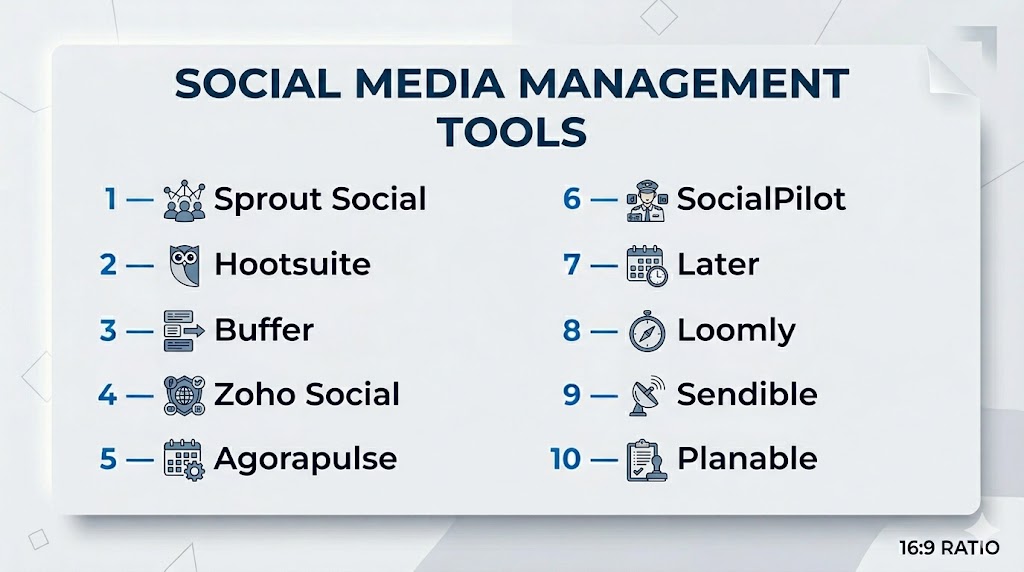
#1 — Sprout Social
Short description: A premium, enterprise-grade platform focused on analytics, engagement, and reporting.
Key Features
- Unified social inbox
- Advanced analytics and reporting
- Social listening tools
- Content scheduling
- Team collaboration workflows
- AI-powered posting insights
Pros
- Excellent reporting and insights
- Strong team collaboration
- Clean UI
Cons
- Expensive
- Advanced features gated in higher plans
Platforms / Deployment
Web
Cloud
Security & Compliance
SOC 2, GDPR, SSO, MFA
Integrations & Ecosystem
- CRM tools
- Analytics platforms
- APIs
- Marketing tools
Support & Community
Enterprise-level support and training resources.
#2 — Hootsuite
Short description: One of the most widely used platforms for scheduling, monitoring, and analytics.
Key Features
- Multi-platform scheduling
- Stream-based monitoring dashboard
- AI caption generator
- Bulk scheduling
- Analytics and reporting
- Social listening
Pros
- Comprehensive feature set
- Large integration ecosystem
- Scalable
Cons
- Complex UI
- Expensive at scale
Platforms / Deployment
Web / Mobile
Cloud
Security & Compliance
SSO, role-based access
Varies / Not publicly stated
Integrations & Ecosystem
- 150+ integrations
- CRM tools
- Design tools
Support & Community
Large community and documentation.
#3 — Buffer
Short description: A simple and user-friendly tool focused on scheduling and basic analytics.
Key Features
- Queue-based scheduling
- Content calendar
- Analytics dashboard
- Browser extensions
- Engagement tracking
- Team collaboration
Pros
- Easy to use
- Affordable
- Clean interface
Cons
- Limited advanced features
- Basic analytics
Platforms / Deployment
Web / Mobile
Cloud
Security & Compliance
Varies / Not publicly stated
Integrations & Ecosystem
- APIs
- CMS tools
- Marketing tools
Support & Community
Strong community support.
#4 — Zoho Social
Short description: A social media management tool tightly integrated with Zoho ecosystem.
Key Features
- Scheduling and publishing
- CRM integration
- Analytics
- Monitoring dashboard
- Team collaboration
- Custom reports
Pros
- Affordable
- Strong CRM integration
- Good for SMBs
Cons
- Limited advanced features
- UI can feel dated
Platforms / Deployment
Web / Mobile
Cloud
Security & Compliance
Varies / Not publicly stated
Integrations & Ecosystem
- Zoho CRM
- APIs
- Business tools
Support & Community
Good support for SMB users.
#5 — Agorapulse
Short description: A tool focused on inbox management and social engagement workflows.
Key Features
- Unified inbox
- Scheduling
- Analytics
- Social listening
- Team workflows
- Reporting
Pros
- Excellent inbox management
- Good reporting
- Easy collaboration
Cons
- Pricing can be high
- Limited customization
Platforms / Deployment
Web / Mobile
Cloud
Security & Compliance
Varies / Not publicly stated
Integrations & Ecosystem
- CRM tools
- APIs
- Marketing tools
Support & Community
Strong customer support.
#6 — SocialPilot
Short description: A cost-effective solution for agencies and SMBs managing multiple accounts.
Key Features
- Bulk scheduling
- Client management
- Analytics
- Content calendar
- Team collaboration
- White-label reports
Pros
- Affordable
- Agency-friendly
- Easy scheduling
Cons
- Limited advanced analytics
- UI could improve
Platforms / Deployment
Web
Cloud
Security & Compliance
Varies / Not publicly stated
Integrations & Ecosystem
- APIs
- Marketing tools
- Social platforms
Support & Community
Good SMB support.
#7 — Later
Short description: A visual-first platform designed for Instagram and content planning.
Key Features
- Visual content calendar
- Drag-and-drop scheduling
- Link-in-bio tools
- Analytics
- Media library
- Content planning
Pros
- Great for visual platforms
- Easy to use
- Strong Instagram focus
Cons
- Limited for non-visual platforms
- Basic analytics
Platforms / Deployment
Web / Mobile
Cloud
Security & Compliance
Varies / Not publicly stated
Integrations & Ecosystem
- Ecommerce tools
- APIs
- Social platforms
Support & Community
Good for creators.
#8 — Loomly
Short description: A collaboration-focused tool for teams and agencies managing content workflows.
Key Features
- Content calendar
- Post ideas and suggestions
- Collaboration workflows
- Approval system
- Analytics
- Multi-platform publishing
Pros
- Great for teams
- Easy collaboration
- Clean UI
Cons
- Limited advanced analytics
- Pricing varies
Platforms / Deployment
Web
Cloud
Security & Compliance
Varies / Not publicly stated
Integrations & Ecosystem
- APIs
- Marketing tools
- Social platforms
Support & Community
Good documentation.
#9 — Sendible
Short description: A platform designed for agencies managing multiple clients.
Key Features
- Multi-client dashboards
- Scheduling and publishing
- Analytics
- Social listening
- White-label reports
- Collaboration tools
Pros
- Agency-focused
- Strong reporting
- Custom branding
Cons
- Learning curve
- Pricing varies
Platforms / Deployment
Web
Cloud
Security & Compliance
Varies / Not publicly stated
Integrations & Ecosystem
- CRM tools
- APIs
- Marketing tools
Support & Community
Good agency support.
#10 — Planable
Short description: A collaboration-first tool designed for content planning and approvals.
Key Features
- Visual content planning
- Real-time collaboration
- Multi-level approvals
- Content calendar
- Media library
- Social inbox
Pros
- Excellent collaboration
- Easy content review
- Intuitive UI
Cons
- Limited analytics
- Less advanced features
Platforms / Deployment
Web
Cloud
Security & Compliance
Varies / Not publicly stated
Integrations & Ecosystem
- APIs
- Marketing tools
- Social platforms
Support & Community
Good onboarding experience.
Comparison Table (Top 10)
| Tool Name | Best For | Platform(s) Supported | Deployment | Standout Feature | Public Rating |
|---|---|---|---|---|---|
| Sprout Social | Enterprise | Web | Cloud | Advanced analytics | N/A |
| Hootsuite | Large teams | Web/Mobile | Cloud | Monitoring dashboard | N/A |
| Buffer | Beginners | Web/Mobile | Cloud | Simplicity | N/A |
| Zoho Social | SMB | Web/Mobile | Cloud | CRM integration | N/A |
| Agorapulse | Engagement | Web/Mobile | Cloud | Inbox management | N/A |
| SocialPilot | Agencies | Web | Cloud | Bulk scheduling | N/A |
| Later | Creators | Web/Mobile | Cloud | Visual planner | N/A |
| Loomly | Teams | Web | Cloud | Collaboration workflows | N/A |
| Sendible | Agencies | Web | Cloud | White-label reports | N/A |
| Planable | Collaboration | Web | Cloud | Approval workflows | N/A |
Evaluation & Scoring of Social Media Management Tools
| Tool Name | Core (25%) | Ease (15%) | Integrations (15%) | Security (10%) | Performance (10%) | Support (10%) | Value (15%) | Weighted Total |
|---|---|---|---|---|---|---|---|---|
| Sprout Social | 10 | 8 | 9 | 9 | 9 | 9 | 6 | 8.8 |
| Hootsuite | 9 | 7 | 10 | 8 | 9 | 8 | 7 | 8.5 |
| Buffer | 7 | 10 | 7 | 7 | 8 | 7 | 9 | 8.0 |
| Zoho Social | 8 | 8 | 8 | 7 | 8 | 7 | 9 | 8.1 |
| Agorapulse | 9 | 8 | 8 | 7 | 8 | 9 | 7 | 8.3 |
| SocialPilot | 8 | 9 | 7 | 7 | 8 | 7 | 9 | 8.1 |
| Later | 7 | 9 | 7 | 7 | 8 | 7 | 8 | 7.9 |
| Loomly | 8 | 9 | 7 | 7 | 8 | 7 | 8 | 8.0 |
| Sendible | 8 | 7 | 8 | 7 | 8 | 8 | 7 | 7.9 |
| Planable | 7 | 9 | 7 | 7 | 8 | 7 | 8 | 7.9 |
How to interpret scores:
- Enterprise tools rank higher in features and scalability
- SMB tools score higher in ease and value
- Scores are comparative, not absolute
- Choose based on workflow fit, not just numbers
Which Social Media Management Tool Is Right for You?
Solo / Freelancer
- Best: Buffer, Later
- Focus on simplicity and cost
SMB
- Best: Zoho Social, SocialPilot
- Balance affordability and features
Mid-Market
- Best: Agorapulse, Loomly
- Strong collaboration and analytics
Enterprise
- Best: Sprout Social, Hootsuite
- Advanced analytics, workflows, and scale
Budget vs Premium
- Budget: Buffer, SocialPilot
- Premium: Sprout Social, Hootsuite
Feature Depth vs Ease of Use
- Advanced: Sprout Social
- Easy: Buffer, Later
Integrations & Scalability
- Best: Hootsuite, Sprout Social
Security & Compliance Needs
- High: Enterprise tools
- Standard: SMB tools
Frequently Asked Questions (FAQs)
What is a social media management tool?
Software that helps schedule, publish, and analyze social media content.
Do I need one?
If you manage multiple platforms or accounts, yes.
Are free tools enough?
For basic scheduling, yes. For analytics and workflows, paid tools are better.
Can these tools post automatically?
Yes, scheduling and automation are core features.
Do they support all platforms?
Most support major platforms, but coverage varies.
Are they beginner-friendly?
Some (like Buffer) are, while others are more complex.
Do they include analytics?
Yes, most offer performance tracking and reports.
Can teams collaborate?
Yes, many tools include approval workflows and roles.
Are they secure?
Most offer role-based access and security features.
What is the biggest mistake?
Choosing a tool that is too complex for your needs.
Conclusion
Social Media Management Tools are essential for scaling content, improving engagement, and maintaining consistency across platforms. They help teams move faster, collaborate better, and make data-driven decisions.
