Introduction
Conversion Rate Optimization (CRO) tools help businesses increase the percentage of visitors who complete a desired action—such as making a purchase, signing up, or submitting a form. Instead of focusing only on bringing more traffic, CRO tools help you maximize the value of the traffic you already have.
CRO has become essential as customer acquisition costs rise and competition intensifies across digital channels. Businesses now prioritize improving user experience, reducing friction, and making data-driven decisions to boost conversions.
Common Use Cases
- Running A/B tests on landing pages to improve conversion rates
- Personalizing website content based on user behavior
- Identifying drop-off points in funnels and checkout flows
- Analyzing user behavior through heatmaps and session recordings
- Testing product or UX changes before full rollout
What Buyers Should Evaluate
- Ease of use for creating and managing experiments
- Depth of testing capabilities (A/B, multivariate, server-side)
- Personalization and targeting features
- Data accuracy and reporting clarity
- Integration with analytics, CRM, and marketing tools
- Impact on website performance
- Security and compliance capabilities
- Scalability as traffic grows
- Support and onboarding quality
Best for: Marketers, product managers, growth teams, SaaS companies, and eCommerce businesses aiming to improve conversions and user experience.
Not ideal for: Very low-traffic websites or businesses that do not rely on digital user interactions for conversions.
Key Trends in Conversion Rate Optimization (CRO) Tools
- AI-powered experimentation: Tools increasingly automate test creation and suggest optimization strategies.
- Privacy-first tracking: Shift toward compliant data collection methods with reduced reliance on cookies.
- Real-time personalization: Dynamic content tailored to user behavior and intent.
- Server-side experimentation: Improved reliability and reduced performance impact.
- No-code interfaces: Empowering non-technical users to run experiments independently.
- Integrated analytics: CRO tools embedding behavioral analytics like heatmaps and session recordings.
- Cross-platform optimization: Support for web, mobile, and app experiences.
- Experimentation governance: Role-based access and audit logs for better control.
- Flexible pricing models: Usage-based pricing aligned with traffic and testing needs.
How We Selected These Tools (Methodology)
- Strong adoption and industry recognition
- Comprehensive feature sets across testing, analytics, and personalization
- Proven reliability and scalability
- Indicators of security and enterprise readiness
- Integration capabilities with modern tech stacks
- Suitability across different business sizes
- Ease of use for both technical and non-technical users
- Continuous product innovation and feature updates
- Quality of customer support and documentation
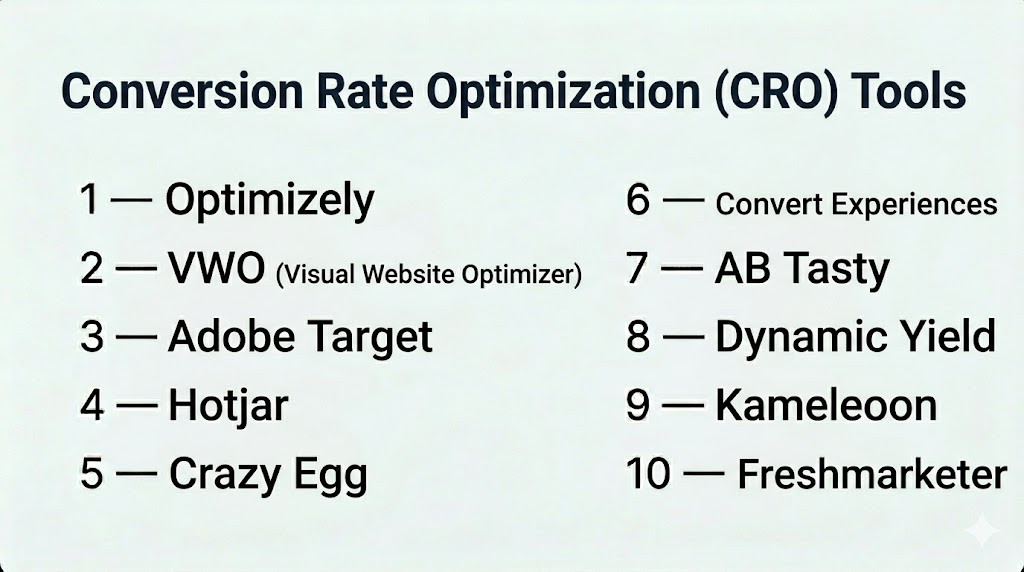
Top 10 Conversion Rate Optimization (CRO) Tools
#1 — Optimizely
Short description: A widely used experimentation platform offering advanced testing and personalization for enterprise teams.
Key Features
- A/B and multivariate testing
- Server-side and client-side experimentation
- Personalization engine
- Feature flagging and rollout management
- Advanced analytics and reporting
- AI-driven experiment insights
Pros
- Highly scalable and enterprise-ready
- Strong experimentation governance
Cons
- High cost for smaller teams
- Requires technical expertise for advanced features
Platforms / Deployment
Cloud
Security & Compliance
SSO/SAML, RBAC, encryption. Additional certifications: Not publicly stated
Integrations & Ecosystem
Extensive integrations with analytics and marketing platforms:
- Google Analytics
- Adobe Analytics
- Salesforce
- APIs for custom integrations
Support & Community
Strong enterprise support, onboarding assistance, and detailed documentation
#2 — VWO (Visual Website Optimizer)
Short description: An all-in-one CRO platform combining testing, analytics, and personalization for a wide range of businesses.
Key Features
- Visual A/B testing editor
- Heatmaps and session recordings
- Funnel and form analytics
- Personalization campaigns
- Server-side testing
- Behavioral insights
Pros
- Comprehensive feature set in one platform
- User-friendly interface
Cons
- Advanced features available in higher tiers
- Reporting complexity for beginners
Platforms / Deployment
Cloud
Security & Compliance
SSO, encryption. GDPR compliance. Other details: Not publicly stated
Integrations & Ecosystem
- Google Analytics
- HubSpot
- Shopify
- APIs available
Support & Community
Strong documentation and onboarding support
#3 — Adobe Target
Short description: A personalization and testing platform designed for large organizations requiring advanced targeting and automation.
Key Features
- A/B and multivariate testing
- AI-driven personalization
- Automated targeting
- Customer segmentation
- Real-time decisioning
- Deep analytics integration
Pros
- Powerful personalization capabilities
- Strong enterprise-grade features
Cons
- Complex setup
- Premium pricing
Platforms / Deployment
Cloud
Security & Compliance
Enterprise-grade controls. Specific certifications: Not publicly stated
Integrations & Ecosystem
- Adobe Analytics
- Adobe Experience Manager
- APIs
Support & Community
Enterprise-level support and onboarding
#4 — Hotjar
Short description: A behavioral analytics tool focused on understanding user interactions through visual insights.
Key Features
- Heatmaps
- Session recordings
- Surveys and feedback tools
- Funnel tracking
- User behavior insights
Pros
- Easy to implement
- Excellent UX insights
Cons
- Limited experimentation capabilities
- Not a full CRO platform
Platforms / Deployment
Cloud
Security & Compliance
GDPR-focused. Additional details: Not publicly stated
Integrations & Ecosystem
- Google Analytics
- HubSpot
- Slack
- APIs
Support & Community
Strong learning resources and active user community
#5 — Crazy Egg
Short description: A simple and affordable tool for heatmaps and basic A/B testing.
Key Features
- Heatmaps and scrollmaps
- A/B testing
- User session recordings
- Visual editor
- Reporting dashboards
Pros
- Easy to use
- Budget-friendly
Cons
- Limited advanced features
- Not suitable for large enterprises
Platforms / Deployment
Cloud
Security & Compliance
Not publicly stated
Integrations & Ecosystem
- Google Analytics
- Shopify
- WordPress
Support & Community
Basic support and documentation
#6 — Convert Experiences
Short description: A privacy-focused experimentation platform designed for compliant testing environments.
Key Features
- A/B and multivariate testing
- Privacy-first tracking
- Advanced targeting
- Full-stack experimentation
- API access
Pros
- Strong privacy focus
- Flexible experimentation options
Cons
- Less intuitive interface
- Smaller ecosystem
Platforms / Deployment
Cloud
Security & Compliance
GDPR-focused. Other details: Not publicly stated
Integrations & Ecosystem
- Google Analytics
- Segment
- APIs
Support & Community
Responsive support with smaller community
#7 — AB Tasty
Short description: A CRO platform combining experimentation and personalization with a marketer-friendly interface.
Key Features
- A/B testing
- Personalization campaigns
- Feature flags
- AI recommendations
- Visual editor
Pros
- Balanced capabilities
- Good usability
Cons
- Pricing not transparent
- Learning curve for advanced features
Platforms / Deployment
Cloud
Security & Compliance
Not publicly stated
Integrations & Ecosystem
- Salesforce
- Google Analytics
- APIs
Support & Community
Strong support for mid-market and enterprise users
#8 — Dynamic Yield
Short description: A personalization-focused platform with strong AI-driven recommendations.
Key Features
- Personalization engine
- A/B testing
- Product recommendations
- Customer segmentation
- AI optimization
Pros
- Advanced personalization capabilities
- Strong AI features
Cons
- Expensive
- Best suited for eCommerce
Platforms / Deployment
Cloud
Security & Compliance
Not publicly stated
Integrations & Ecosystem
- eCommerce platforms
- CRM tools
- APIs
Support & Community
Enterprise-level support
#9 — Kameleoon
Short description: An AI-powered experimentation platform with predictive targeting and personalization.
Key Features
- A/B testing
- Predictive analytics
- AI-based targeting
- Personalization
- Feature experimentation
Pros
- Strong AI insights
- Enterprise-ready features
Cons
- Requires onboarding time
- Pricing not transparent
Platforms / Deployment
Cloud
Security & Compliance
Not publicly stated
Integrations & Ecosystem
- Google Analytics
- CRM tools
- APIs
Support & Community
Good documentation and enterprise support
#10 — Freshmarketer
Short description: A CRO and marketing automation tool designed for SMBs with integrated analytics and engagement features.
Key Features
- A/B testing
- Heatmaps
- Funnel analysis
- Session replay
- Personalization tools
Pros
- Affordable and easy to use
- Good for SMBs
Cons
- Limited advanced experimentation
- Not ideal for large-scale enterprises
Platforms / Deployment
Cloud
Security & Compliance
Not publicly stated
Integrations & Ecosystem
- CRM tools
- Marketing automation platforms
- APIs
Support & Community
Good onboarding and documentation
Comparison Table (Top 10)
| Tool Name | Best For | Platform(s) Supported | Deployment | Standout Feature | Public Rating |
|---|---|---|---|---|---|
| Optimizely | Enterprise | Web | Cloud | Full-stack experimentation | N/A |
| VWO | SMB + Enterprise | Web | Cloud | All-in-one CRO suite | N/A |
| Adobe Target | Enterprise | Web | Cloud | AI personalization | N/A |
| Hotjar | UX insights | Web | Cloud | Heatmaps & recordings | N/A |
| Crazy Egg | SMB | Web | Cloud | Simple heatmaps | N/A |
| Convert | Privacy-focused | Web | Cloud | GDPR-focused experimentation | N/A |
| AB Tasty | Mid-market | Web | Cloud | Balanced CRO features | N/A |
| Dynamic Yield | eCommerce | Web | Cloud | AI recommendations | N/A |
| Kameleoon | Enterprise | Web | Cloud | Predictive targeting | N/A |
| Freshmarketer | SMB | Web | Cloud | Built-in marketing tools | N/A |
Evaluation & Scoring of Conversion Rate Optimization (CRO) Tools
| Tool Name | Core | Ease | Integrations | Security | Performance | Support | Value | Weighted Total |
|---|---|---|---|---|---|---|---|---|
| Optimizely | 9 | 7 | 9 | 8 | 9 | 9 | 6 | 8.2 |
| VWO | 8 | 8 | 8 | 7 | 8 | 8 | 8 | 8.0 |
| Adobe Target | 9 | 6 | 9 | 8 | 9 | 9 | 6 | 8.1 |
| Hotjar | 6 | 9 | 7 | 6 | 7 | 8 | 9 | 7.5 |
| Crazy Egg | 6 | 9 | 6 | 6 | 7 | 7 | 9 | 7.3 |
| Convert | 7 | 7 | 7 | 8 | 8 | 7 | 7 | 7.4 |
| AB Tasty | 8 | 7 | 8 | 7 | 8 | 8 | 7 | 7.8 |
| Dynamic Yield | 9 | 7 | 8 | 7 | 9 | 8 | 6 | 8.0 |
| Kameleoon | 8 | 7 | 8 | 7 | 8 | 8 | 7 | 7.8 |
| Freshmarketer | 7 | 8 | 7 | 6 | 7 | 8 | 8 | 7.5 |
How to interpret scores:
- Scores are comparative, not absolute
- Higher scores indicate better balance across categories
- Enterprise tools often score higher in features but lower in value
- SMB tools typically excel in usability and pricing
- Always choose based on your specific needs
Which Conversion Rate Optimization (CRO) Tools Tool Is Right for You?
Solo / Freelancer
- Best options: Hotjar, Crazy Egg
- Focus on affordability and ease of use
SMB
- Best options: VWO, Freshmarketer
- Balanced features and cost
Mid-Market
- Best options: AB Tasty, Convert
- Need scalability and compliance
Enterprise
- Best options: Optimizely, Adobe Target, Kameleoon
- Advanced experimentation and governance
Budget vs Premium
- Budget: Crazy Egg, Hotjar
- Premium: Optimizely, Adobe Target
Feature Depth vs Ease of Use
- Deep features: Optimizely, Adobe Target
- Easy to use: VWO, Hotjar
Integrations & Scalability
- Strong integrations: Optimizely, Adobe
- Moderate: VWO, AB Tasty
Security & Compliance Needs
- Privacy-focused: Convert
- Enterprise-grade: Adobe, Optimizely
Frequently Asked Questions (FAQs)
What are CRO tools?
CRO tools help improve conversion rates by testing and optimizing user experiences on digital platforms.
How do CRO tools work?
They analyze user behavior, run experiments, and provide insights to improve performance.
Are CRO tools expensive?
Pricing varies widely depending on features and traffic. Some tools are affordable for small businesses.
Do I need coding skills?
Many tools offer no-code options, but advanced use cases may require developers.
How long does it take to see results?
It depends on traffic volume and test complexity, but typically a few weeks.
Are CRO tools secure?
Most tools offer standard security features, but specifics vary by provider.
Can CRO tools affect site speed?
Some client-side tools may slightly impact performance.
Can I run multiple experiments at once?
Yes, but it requires careful planning to avoid data conflicts.
What’s the difference between CRO and analytics tools?
Analytics tools measure performance; CRO tools actively optimize it.
When should I start using CRO tools?
Once you have consistent traffic and clear conversion goals.
Conclusion
Conversion Rate Optimization tools have evolved into powerful platforms that combine testing, analytics, and personalization. Businesses are increasingly focusing on maximizing existing traffic rather than simply acquiring more users.
There is no single best solution—the right tool depends on your business size, technical resources, and optimization goals. Enterprise teams may prefer advanced platforms like Optimizely or Adobe Target, while smaller teams can achieve strong results with tools like VWO or Hotjar.
A practical next step is to shortlist a few tools, run controlled experiments, and evaluate performance, usability, and integration fit before making a long-term decision.
