Introduction
eDiscovery software helps organizations identify, collect, process, review, and produce electronic data for legal, regulatory, and investigative purposes. This includes emails, documents, chat logs, cloud data, and more. In today’s data-driven world, where businesses rely heavily on digital communication and storage, eDiscovery has become essential for compliance, litigation readiness, and risk management.
With increasing data volumes and stricter privacy regulations, modern eDiscovery tools now incorporate AI, automation, and advanced analytics to reduce manual effort and improve accuracy. Whether it’s internal investigations, regulatory audits, or litigation support, eDiscovery tools streamline complex workflows.
Common use cases include:
- Legal litigation and case preparation
- Regulatory compliance audits
- Internal investigations (fraud, misconduct)
- Data breach response
- Corporate governance and risk management
Key evaluation criteria:
- Data collection capabilities
- AI-powered review and analytics
- Scalability and performance
- Security and compliance features
- Integration with enterprise systems
- Ease of use and workflow automation
- Cost structure and licensing flexibility
- Reporting and audit capabilities
Best for: Legal teams, compliance officers, large enterprises, law firms, and regulated industries such as finance and healthcare.
Not ideal for: Small teams with minimal data compliance needs or organizations without legal/regulatory requirements—lighter document management tools may suffice.
Key Trends in eDiscovery Software
- AI-driven document review reducing manual workload
- Predictive coding and machine learning for faster case insights
- Cloud-native platforms replacing traditional deployments
- Data privacy compliance automation
- Integration with collaboration tools like email and chat
- Automation of legal workflows and case management
- Scalable storage and processing for massive datasets
- Real-time analytics and reporting dashboards
- Zero-trust security models and encryption standards
- Flexible pricing models including usage-based billing
How We Selected These Tools (Methodology)
- Strong market presence and adoption across industries
- Comprehensive feature sets covering full eDiscovery lifecycle
- Proven performance and scalability in enterprise environments
- Reliable security and compliance capabilities
- Robust integration ecosystems
- Positive usability and workflow efficiency signals
- Support for both legal and IT teams
- Flexibility for different organization sizes
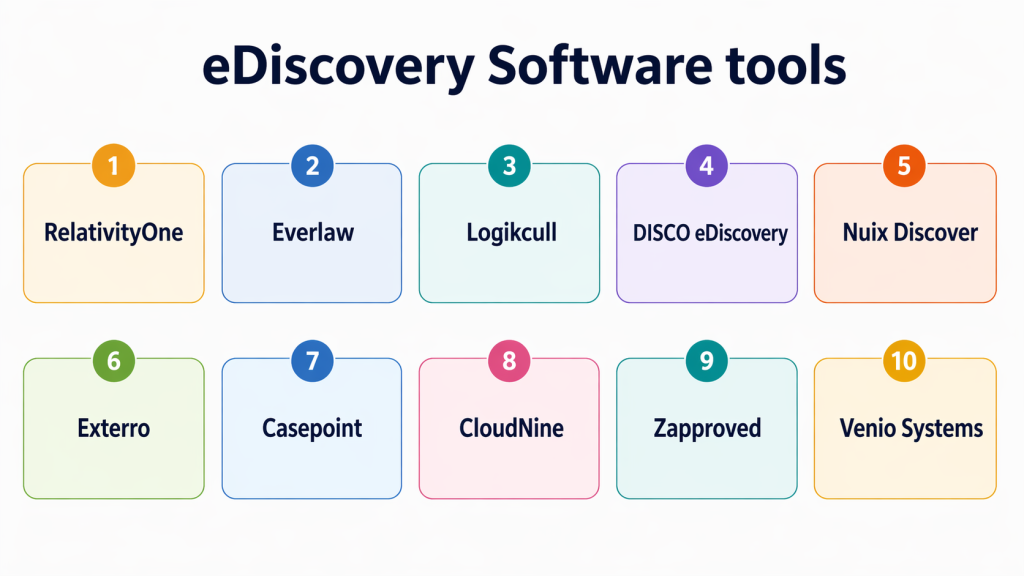
Top 10 eDiscovery Software Tools
#1 — RelativityOne
Short description: A leading cloud-based eDiscovery platform used by enterprises and law firms. It offers advanced analytics, AI-assisted review, and scalable data processing for complex legal workflows.
Key Features
- AI-powered document review
- Advanced search and analytics
- Scalable cloud infrastructure
- Case management workflows
- Data visualization tools
- Collaboration features
Pros
- Highly scalable for large datasets
- Strong analytics and automation
Cons
- Complex setup and learning curve
- Premium pricing
Platforms / Deployment
Cloud
Security & Compliance
Encryption, RBAC, audit logs; Not publicly stated
Integrations & Ecosystem
Integrates with legal tools and enterprise systems
- API access
- Email platforms
- Cloud storage
- Case management tools
Support & Community
Strong enterprise support with extensive documentation and training
#2 — Everlaw
Short description: A modern cloud-native eDiscovery platform focused on usability and powerful analytics. It helps legal teams streamline review and collaboration processes.
Key Features
- AI-assisted document review
- Visual analytics
- Real-time collaboration
- Automated workflows
- Case timeline tools
Pros
- User-friendly interface
- Strong collaboration features
Cons
- Limited customization
- May not suit highly complex cases
Platforms / Deployment
Cloud
Security & Compliance
Encryption, SSO; Not publicly stated
Integrations & Ecosystem
Supports integrations with cloud ecosystems
- Microsoft tools
- Google Workspace
- APIs
Support & Community
Responsive support with onboarding assistance
#3 — Logikcull
Short description: A simple and cost-effective eDiscovery tool designed for smaller teams. It focuses on automation and quick setup without requiring deep technical expertise.
Key Features
- Automated data processing
- Drag-and-drop uploads
- Search and tagging
- Legal hold management
- Reporting tools
Pros
- Easy to use
- Affordable pricing
Cons
- Limited advanced analytics
- Not ideal for large enterprises
Platforms / Deployment
Cloud
Security & Compliance
Encryption; Not publicly stated
Integrations & Ecosystem
Basic integrations with storage platforms
- Google Drive
- Dropbox
- Email systems
Support & Community
Good support for SMB users
#4 — OpenText Axcelerate
Short description: An enterprise-grade eDiscovery platform offering predictive coding and advanced analytics. Suitable for organizations handling large volumes of data.
Key Features
- Predictive coding
- Advanced analytics
- Data processing engine
- Case management
- Workflow automation
Pros
- Strong AI capabilities
- Enterprise scalability
Cons
- Complex implementation
- Requires training
Platforms / Deployment
Cloud / Hybrid
Security & Compliance
Encryption, audit logs; Not publicly stated
Integrations & Ecosystem
Integrates with enterprise data systems
- Email servers
- Document management
- APIs
Support & Community
Enterprise-level support
#5 — Nuix Discover
Short description: A high-performance eDiscovery solution focused on rapid data processing and forensic analysis. Ideal for investigations and large-scale legal cases.
Key Features
- Rapid data processing
- Forensic analysis tools
- AI-based classification
- Data visualization
- Investigation workflows
Pros
- Extremely fast processing
- Strong forensic capabilities
Cons
- Expensive
- Complex interface
Platforms / Deployment
Cloud / On-premise
Security & Compliance
Encryption; Not publicly stated
Integrations & Ecosystem
Broad integrations with enterprise tools
- Data sources
- APIs
- Security tools
Support & Community
Strong enterprise support
#6 — DISCO eDiscovery
Short description: A cloud-based platform combining AI-powered review with a modern interface. Designed for speed and efficiency in legal workflows.
Key Features
- AI document review
- Automated workflows
- Visual dashboards
- Case collaboration
- Search and filtering
Pros
- Fast deployment
- Intuitive UI
Cons
- Limited customization
- Pricing may scale with usage
Platforms / Deployment
Cloud
Security & Compliance
Encryption, access control; Not publicly stated
Integrations & Ecosystem
Integrates with legal and cloud tools
- APIs
- Document storage
- Email systems
Support & Community
Good onboarding and support
#7 — Casepoint
Short description: A comprehensive eDiscovery platform offering end-to-end capabilities from data collection to production. Known for flexibility and scalability.
Key Features
- End-to-end workflow
- AI analytics
- Data ingestion tools
- Review and production tools
- Reporting
Pros
- Full lifecycle coverage
- Scalable platform
Cons
- Learning curve
- Requires configuration
Platforms / Deployment
Cloud
Security & Compliance
Encryption, audit logs; Not publicly stated
Integrations & Ecosystem
Supports integrations with enterprise systems
- APIs
- Data connectors
- Cloud storage
Support & Community
Enterprise support available
#8 — Zapproved
Short description: A user-friendly eDiscovery solution designed for corporate legal teams. It focuses on legal hold management and workflow simplicity.
Key Features
- Legal hold management
- Data collection
- Workflow automation
- Reporting tools
- Compliance tracking
Pros
- Easy to implement
- Strong legal hold features
Cons
- Limited analytics
- Not ideal for complex litigation
Platforms / Deployment
Cloud
Security & Compliance
Encryption; Not publicly stated
Integrations & Ecosystem
Integrates with enterprise systems
- Email tools
- Cloud storage
- APIs
Support & Community
Good customer support
#9 — Exterr
Short description: A unified platform combining eDiscovery, privacy, and compliance management. Ideal for organizations handling regulatory risks.
Key Features
- eDiscovery workflows
- Privacy management
- Data mapping
- AI analytics
- Risk assessment
Pros
- All-in-one platform
- Strong compliance features
Cons
- Complex setup
- Higher cost
Platforms / Deployment
Cloud / Hybrid
Security & Compliance
Encryption, RBAC; Not publicly stated
Integrations & Ecosystem
Supports enterprise integrations
- APIs
- Data sources
- Compliance tools
Support & Community
Strong enterprise support
#10 — CloudNine
Short description: A flexible eDiscovery platform supporting multiple deployment models. Designed for law firms and enterprises needing customization.
Key Features
- Data processing
- Review tools
- Legal hold
- Analytics
- Flexible deployment
Pros
- Deployment flexibility
- Suitable for varied use cases
Cons
- UI could be improved
- Limited advanced AI
Platforms / Deployment
Cloud / On-premise
Security & Compliance
Encryption; Not publicly stated
Integrations & Ecosystem
Supports integration with enterprise tools
- APIs
- Data ingestion tools
- Storage systems
Support & Community
Varies by plan
Comparison Table (Top 10)
| Tool Name | Best For | Platform(s) Supported | Deployment | Standout Feature | Public Rating |
|---|---|---|---|---|---|
| RelativityOne | Enterprise legal teams | Web | Cloud | Advanced analytics | N/A |
| Everlaw | Modern legal teams | Web | Cloud | Visual analytics | N/A |
| Logikcull | SMBs | Web | Cloud | Ease of use | N/A |
| OpenText Axcelerate | Enterprises | Web | Cloud/Hybrid | Predictive coding | N/A |
| Nuix Discover | Large investigations | Web | Cloud/On-prem | Fast processing | N/A |
| DISCO | Fast deployments | Web | Cloud | AI review | N/A |
| Casepoint | Full lifecycle | Web | Cloud | End-to-end workflows | N/A |
| Zapproved | Corporate legal teams | Web | Cloud | Legal hold | N/A |
| Exterro | Compliance + legal | Web | Cloud/Hybrid | Unified platform | N/A |
| CloudNine | Flexible use cases | Web | Cloud/On-prem | Deployment flexibility | N/A |
Evaluation & Scoring of eDiscovery Software
| Tool Name | Core (25%) | Ease (15%) | Integrations (15%) | Security (10%) | Performance (10%) | Support (10%) | Value (15%) | Weighted Total (0–10) |
|---|---|---|---|---|---|---|---|---|
| RelativityOne | 9 | 7 | 9 | 8 | 9 | 9 | 6 | 8.3 |
| Everlaw | 8 | 9 | 7 | 7 | 8 | 8 | 7 | 7.9 |
| Logikcull | 6 | 9 | 6 | 6 | 7 | 7 | 9 | 7.3 |
| OpenText Axcelerate | 9 | 6 | 8 | 8 | 9 | 8 | 6 | 8.0 |
| Nuix Discover | 9 | 6 | 8 | 8 | 9 | 8 | 6 | 8.0 |
| DISCO | 8 | 9 | 7 | 7 | 8 | 8 | 7 | 7.9 |
| Casepoint | 8 | 7 | 8 | 8 | 8 | 8 | 7 | 7.8 |
| Zapproved | 7 | 8 | 7 | 7 | 7 | 7 | 8 | 7.4 |
| Exterro | 9 | 6 | 8 | 9 | 8 | 8 | 6 | 8.1 |
| CloudNine | 7 | 7 | 7 | 7 | 7 | 7 | 7 | 7.0 |
These scores provide a comparative benchmark across tools based on features, usability, and overall value. Higher scores indicate stronger capabilities, but the best choice depends on your specific requirements. Organizations should treat this as a directional guide and validate through real-world testing and pilot programs.
Which eDiscovery Software Tool Is Right for You?
Solo / Freelancer
Simple tools like Logikcull work best due to low complexity and affordability.
SMB
Everlaw and DISCO provide a balance of usability and capability.
Mid-Market
Casepoint and Zapproved offer structured workflows and scalability.
Enterprise
RelativityOne, Nuix Discover, and OpenText Axcelerate deliver advanced analytics and performance.
Budget vs Premium
Budget tools prioritize ease of use, while premium tools provide deeper analytics and scalability.
Feature Depth vs Ease of Use
Advanced tools offer more control but require training; simpler tools reduce onboarding effort.
Integrations & Scalability
Choose tools that align with your existing systems and can scale with data growth.
Security & Compliance Needs
Organizations in regulated industries should prioritize strong compliance and audit capabilities.
Frequently Asked Questions (FAQs)
1. What is eDiscovery software used for?
eDiscovery software is used to collect, process, review, and produce digital data for legal and compliance purposes. It helps organizations manage large volumes of electronic information efficiently during investigations or litigation.
2. How much does eDiscovery software cost?
Pricing varies depending on features, data volume, and deployment model. Some vendors use subscription-based pricing, while others charge based on usage or data processed.
3. Is eDiscovery software only for large enterprises?
No, there are tools available for organizations of all sizes. SMB-focused tools emphasize simplicity and affordability, while enterprise tools provide advanced analytics and scalability.
4. How long does implementation take?
Cloud-based tools can be deployed quickly, often within a few days. Enterprise-grade platforms may require longer implementation depending on complexity and customization.
5. What are common mistakes when choosing a tool?
Common mistakes include underestimating data volume, ignoring integration requirements, and selecting tools without considering scalability and compliance needs.
6. Does eDiscovery software support AI features?
Yes, most modern eDiscovery platforms include AI capabilities such as predictive coding, document classification, and automated review workflows to improve efficiency.
7. How secure is eDiscovery software?
Most tools offer encryption, role-based access control, and audit logs. Organizations should evaluate compliance requirements and verify vendor security features before adoption.
8. Can eDiscovery tools integrate with cloud platforms?
Yes, many tools integrate with cloud storage, email systems, and enterprise applications to streamline data collection and processing.
9. Can I switch eDiscovery tools easily?
Switching tools can be complex due to data migration and workflow differences. Planning and vendor support are important for a smooth transition.
10. Are there alternatives to eDiscovery software?
Basic document management tools can be used for smaller needs, but they lack advanced legal, compliance, and analytics capabilities required for eDiscovery workflows.
Conclusion
eDiscovery software has become essential for organizations managing legal, compliance, and investigative data in a digital-first environment. With increasing data complexity and regulatory expectations, choosing the right solution is no longer optional but a strategic necessity.
Modern platforms now combine AI, automation, and scalable infrastructure to streamline workflows and reduce manual effort. However, not every organization needs the most advanced tool—requirements vary significantly based on data size, legal exposure, and internal capabilities.
Enterprise users may prioritize scalability and analytics, while smaller teams benefit from simplicity and cost efficiency. The key is to match the tool’s strengths with your specific use case rather than chasing feature-heavy solutions.
Before making a decision, shortlist a few tools, run a pilot, evaluate integrations, and verify security requirements. A structured evaluation process will help ensure long-term success and avoid costly rework.
