Introduction
IP Address Management (IPAM) Tools are solutions designed to plan, track, allocate, and manage IP address space across networks. They help organizations maintain visibility into IP usage, prevent conflicts, and ensure efficient allocation of both IPv4 and IPv6 addresses.
As networks expand across on-premises, cloud, and hybrid environments, manually managing IP addresses becomes complex and error-prone. IPAM tools automate discovery, tracking, and allocation while integrating with DNS and DHCP systems to create a unified network management layer.
Common Use Cases
- Tracking and managing IP address space across networks
- Preventing IP conflicts and duplication issues
- Automating IP allocation and provisioning
- Managing DNS and DHCP integration (DDI)
- Network visibility and reporting
What Buyers Should Evaluate
- Automated IP discovery and tracking
- IPv4 and IPv6 support
- DNS and DHCP integration (DDI capabilities)
- Role-based access control and audit logs
- Scalability across hybrid and cloud environments
- API support and automation features
- Reporting and analytics capabilities
- Ease of deployment and usability
- Compliance and security features
Best for: Network engineers, IT administrators, DevOps teams, and enterprises managing large or distributed networks.
Not ideal for: Very small networks with limited devices or environments where IP management is handled entirely by cloud providers.
Key Trends in IP Address Management (IPAM) Tools
- DDI integration (DNS, DHCP, IPAM unified platforms)
- Automation-first IP allocation and tracking
- Cloud-native IPAM solutions for hybrid environments
- AI-driven conflict detection and optimization
- API-first architectures for DevOps integration
- Centralized visibility across multi-cloud networks
- Security-focused IP tracking and auditing
- Real-time monitoring and reporting dashboards
- Infrastructure-as-Code integration for network management
How We Selected These Tools (Methodology)
- Strong market adoption and enterprise usage
- Comprehensive IP tracking and management capabilities
- Integration with DNS, DHCP, and cloud environments
- Proven performance and scalability
- Availability of automation and APIs
- Security features like RBAC and audit logs
- Support across SMB to enterprise use cases
- Quality of documentation and support ecosystem
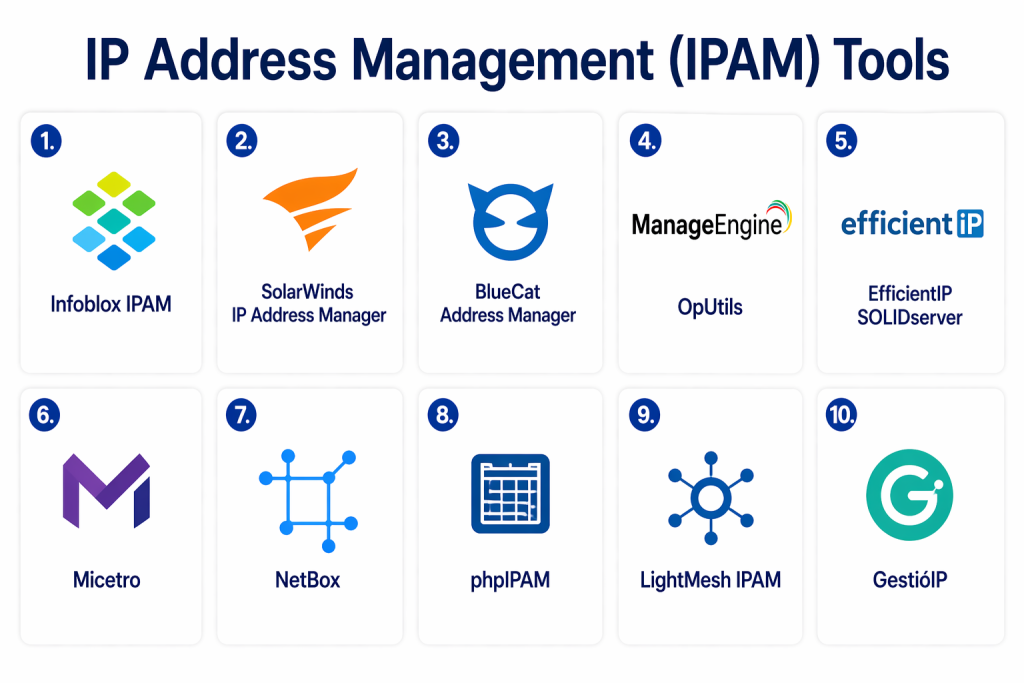
Top 10 IP Address Management (IPAM) Tools
#1 — SolarWinds IP Address Manager
Short description:
A widely used IPAM solution offering deep visibility, automation, and integration with DNS/DHCP systems for enterprise networks.
Key Features
- Automated IP tracking and allocation
- Conflict detection and resolution
- Subnet management
- DNS and DHCP integration
- Real-time alerts
- Reporting and analytics
Pros
- Comprehensive feature set
- Strong visualization and reporting
Cons
- Higher pricing
- Requires setup expertise
Platforms / Deployment
Windows / On-premises
Security & Compliance
RBAC, audit logs, encryption (certifications not publicly stated)
Integrations & Ecosystem
Integrates with network monitoring and IT tools.
- DNS/DHCP systems
- APIs
- Network monitoring platforms
Support & Community
Strong enterprise support
#2 — ManageEngine OpUtils (IPAM)
Short description:
A robust IPAM solution that combines IP tracking, switch port mapping, and network monitoring.
Key Features
- IP address tracking
- Subnet management
- Switch port mapping
- Network scanning
- Centralized dashboard
Pros
- Easy to deploy
- Strong visibility
Cons
- Limited advanced automation
- UI can improve
Platforms / Deployment
Windows / Linux / Cloud
Security & Compliance
RBAC, encryption (certifications not publicly stated)
Integrations & Ecosystem
Supports integration with IT management tools.
Support & Community
Reliable vendor support
#3 — Infoblox IPAM
Short description:
An enterprise-grade DDI platform providing centralized IP management with automation and security features.
Key Features
- Unified DDI platform
- Automated IP allocation
- Network discovery
- Role-based access control
- High availability
Pros
- Industry-leading solution
- Strong automation and security
Cons
- Expensive
- Enterprise-focused
Platforms / Deployment
Appliance / Cloud / Hybrid
Security & Compliance
RBAC, audit logs, DNS security features
Integrations & Ecosystem
Integrates with enterprise networking and cloud tools.
Support & Community
Enterprise-level support
#4 — BlueCat Address Manager
Short description:
A powerful DDI solution offering automation, visibility, and control for enterprise networks.
Key Features
- IPAM + DNS + DHCP integration
- Automation workflows
- Network modeling
- Centralized control
- Security features
Pros
- Strong enterprise capabilities
- High scalability
Cons
- Complex setup
- Premium pricing
Platforms / Deployment
Cloud / On-premises
Security & Compliance
RBAC, access control
Integrations & Ecosystem
Integrates with enterprise systems and APIs
Support & Community
Enterprise support
#5 — EfficientIP SOLIDserver
Short description:
A centralized DDI platform focused on automation, security, and cloud integration.
Key Features
- DNS, DHCP, and IPAM integration
- Automation and orchestration
- Real-time monitoring
- Security features
- API support
Pros
- Strong automation
- Cloud-ready
Cons
- Learning curve
- Enterprise pricing
Platforms / Deployment
Cloud / Hybrid
Security & Compliance
RBAC, encryption
Integrations & Ecosystem
Supports cloud and DevOps integrations
Support & Community
Enterprise support
#6 — phpIPAM
Short description:
An open-source IPAM solution offering lightweight and flexible IP management.
Key Features
- IPv4 and IPv6 support
- VLAN management
- REST API
- Subnet tracking
- User management
Pros
- Free and open-source
- Flexible and customizable
Cons
- Requires manual setup
- Limited enterprise features
Platforms / Deployment
Linux / On-premises
Security & Compliance
Not publicly stated
Integrations & Ecosystem
API-based integrations
Support & Community
Strong open-source community
#7 — NetBox
Short description:
An infrastructure resource modeling tool that includes IPAM capabilities for modern DevOps environments.
Key Features
- IPAM and data center modeling
- API-first architecture
- Configuration tracking
- Visualization tools
- Automation support
Pros
- Highly flexible
- DevOps-friendly
Cons
- Requires setup expertise
- Not dedicated solely to IPAM
Platforms / Deployment
Linux / Cloud / On-premises
Security & Compliance
RBAC (certifications not publicly stated)
Integrations & Ecosystem
Strong API and automation integrations
Support & Community
Active community
#8 — GestióIP
Short description:
An open-source IPAM tool focused on automation and simplicity.
Key Features
- Automated IP discovery
- Subnet management
- Reporting tools
- SNMP support
- Multi-user access
Pros
- Free to use
- Lightweight
Cons
- Limited advanced features
- Smaller ecosystem
Platforms / Deployment
Linux
Security & Compliance
Not publicly stated
Integrations & Ecosystem
Basic integration support
Support & Community
Moderate community support
#9 — LightMesh IPAM
Short description:
A cloud-based IPAM solution offering centralized management and automation for growing networks.
Key Features
- IP tracking and allocation
- Cloud-based management
- API integration
- Reporting tools
- Automation
Pros
- Easy to use
- Cloud-native
Cons
- Limited enterprise features
- Smaller ecosystem
Platforms / Deployment
Cloud
Security & Compliance
Not publicly stated
Integrations & Ecosystem
API-driven integrations
Support & Community
Moderate support
#10 — Men & Mice Micetro
Short description:
An enterprise DDI platform offering centralized control and automation for DNS, DHCP, and IPAM.
Key Features
- Centralized DDI management
- Automation workflows
- Role-based access
- Reporting and analytics
- Multi-vendor support
Pros
- Strong enterprise capabilities
- Flexible deployment
Cons
- Complex setup
- Premium pricing
Platforms / Deployment
Cloud / On-premises / Hybrid
Security & Compliance
RBAC, audit logs
Integrations & Ecosystem
Integrates with DNS/DHCP platforms and APIs
Support & Community
Enterprise support
Comparison Table (Top 10)
| Tool Name | Best For | Platform(s) Supported | Deployment | Standout Feature | Public Rating |
|---|---|---|---|---|---|
| SolarWinds IPAM | Enterprise | Windows | On-prem | Conflict detection | N/A |
| OpUtils | SMB/Enterprise | Windows/Linux | Hybrid | IP tracking | N/A |
| Infoblox | Enterprise | Appliance | Hybrid | DDI platform | N/A |
| BlueCat | Enterprise | Multi-platform | Hybrid | Automation | N/A |
| EfficientIP | Enterprise | Multi-platform | Hybrid | Cloud integration | N/A |
| phpIPAM | Open-source | Linux | On-prem | Free flexibility | N/A |
| NetBox | DevOps teams | Linux | Hybrid | API-first design | N/A |
| GestióIP | Small networks | Linux | On-prem | Lightweight | N/A |
| LightMesh | Cloud users | Web | Cloud | Ease of use | N/A |
| Micetro | Enterprise | Multi-platform | Hybrid | Centralized control | N/A |
Evaluation & Scoring of IPAM Tools
| Tool Name | Core | Ease | Integrations | Security | Performance | Support | Value | Weighted Total |
|---|---|---|---|---|---|---|---|---|
| SolarWinds | 9 | 6 | 8 | 7 | 9 | 8 | 6 | 7.9 |
| OpUtils | 8 | 7 | 7 | 7 | 8 | 7 | 8 | 7.7 |
| Infoblox | 9 | 6 | 9 | 9 | 9 | 9 | 6 | 8.5 |
| BlueCat | 9 | 6 | 8 | 9 | 9 | 8 | 6 | 8.3 |
| EfficientIP | 9 | 6 | 8 | 9 | 9 | 8 | 6 | 8.3 |
| phpIPAM | 7 | 6 | 7 | 6 | 7 | 7 | 10 | 7.3 |
| NetBox | 8 | 6 | 9 | 7 | 8 | 8 | 9 | 8.0 |
| GestióIP | 6 | 7 | 6 | 6 | 7 | 6 | 9 | 6.8 |
| LightMesh | 7 | 8 | 7 | 6 | 7 | 6 | 8 | 7.2 |
| Micetro | 9 | 6 | 8 | 9 | 9 | 8 | 6 | 8.3 |
Interpretation:
Scores reflect relative strengths across features, usability, and value. Enterprise DDI platforms rank higher in security and scalability, while open-source tools excel in cost efficiency and flexibility.
Which IPAM Tool Is Right for You?
Solo / Freelancer
- phpIPAM, GestióIP
- Lightweight and free solutions
SMB
- OpUtils, LightMesh
- Easy deployment and affordability
Mid-Market
- NetBox, EfficientIP
- Balanced scalability and automation
Enterprise
- Infoblox, BlueCat, SolarWinds
- Advanced automation and compliance
Budget vs Premium
- Budget: phpIPAM, GestióIP
- Premium: Infoblox, BlueCat
Feature Depth vs Ease of Use
- Deep features: Infoblox
- Ease of use: OpUtils
Integrations & Scalability
- Strongest: NetBox, Infoblox
Security & Compliance Needs
- Best: Infoblox, BlueCat
Frequently Asked Questions (FAQs)
1. What is IP Address Management (IPAM)?
IPAM is the process of planning, tracking, and managing IP address space within a network to ensure efficient allocation and avoid conflicts.
2. Why is IPAM important?
It improves network visibility, prevents IP conflicts, and simplifies management of large-scale infrastructures.
3. What is DDI?
DDI stands for DNS, DHCP, and IPAM integration, providing centralized network management.
4. Can IPAM tools automate IP allocation?
Yes, most modern IPAM tools automate allocation and tracking.
5. Are open-source IPAM tools reliable?
Yes, but they may require technical expertise and lack enterprise support.
6. Do IPAM tools support cloud environments?
Yes, many tools support hybrid and multi-cloud environments.
7. What are common IPAM features?
Subnet management, IP tracking, automation, and reporting.
8. How do IPAM tools improve security?
They provide visibility, access control, and audit logs.
9. Can IPAM integrate with DevOps tools?
Yes, many tools support APIs and automation workflows.
10. What mistakes should be avoided?
Avoid tools that lack scalability or integration capabilities.
Conclusion
IP Address Management tools are essential for maintaining control, visibility, and efficiency across modern network infrastructures. As networks expand across hybrid and multi-cloud environments, manual IP tracking becomes unsustainable, making automation and centralized management critical for success.
The right IPAM solution depends on your organization’s scale, technical expertise, and operational priorities. Open-source tools offer flexibility and cost savings, while enterprise-grade platforms provide advanced automation, security, and compliance capabilities. Each option serves a different purpose, and there is no single solution that fits all scenarios.
Instead of choosing based on popularity alone, focus on how well the tool aligns with your infrastructure, integrates with existing systems, and supports future growth. A practical approach is to shortlist a few tools, test them in real environments, and validate their automation and visibility capabilities before making a final decision.
