Introduction
Employee Scheduling Software helps businesses plan, manage, and optimize employee shifts, ensuring the right people are available at the right time. These tools automate scheduling processes, reduce manual errors, and improve workforce efficiency. Instead of relying on spreadsheets or manual coordination, organizations can create dynamic schedules, manage time-off requests, and communicate shifts in real time.
With modern workplaces becoming more distributed and dynamic, scheduling has become increasingly complex. Employee scheduling tools help handle rotating shifts, multiple locations, compliance requirements, and last-minute changes efficiently. They also integrate with payroll and time tracking systems, making them essential for workforce management. These systems commonly include features like shift planning, notifications, and approvals to streamline operations.
Common use cases include:
- Shift scheduling and workforce planning
- Managing employee availability and time-off requests
- Real-time schedule updates and notifications
- Labor cost optimization
- Multi-location workforce management
What buyers should evaluate:
- Ease of schedule creation and editing
- Automation and smart scheduling features
- Mobile accessibility
- Integration with payroll and HR systems
- Scalability
- Compliance and labor law support
- Reporting and analytics
- Security and data protection
Best for: HR teams, operations managers, retail businesses, hospitality, healthcare, and enterprises with shift-based employees.
Not ideal for: Very small teams with minimal scheduling complexity.
Key Trends in Employee Scheduling Software
- AI-driven shift optimization and forecasting
- Automation of recurring schedules
- Mobile-first scheduling and notifications
- Integration with payroll and HR systems
- Real-time updates for distributed teams
- Workforce analytics and labor cost tracking
- Compliance automation for labor laws
- Cloud-based workforce scheduling systems
How We Selected These Tools (Methodology)
- High market adoption and popularity
- Feature completeness for scheduling and workforce planning
- Reliability and performance
- Integration ecosystem strength
- Security and compliance readiness
- Ease of use for managers and employees
- Innovation in automation and analytics
- Customer feedback and usability
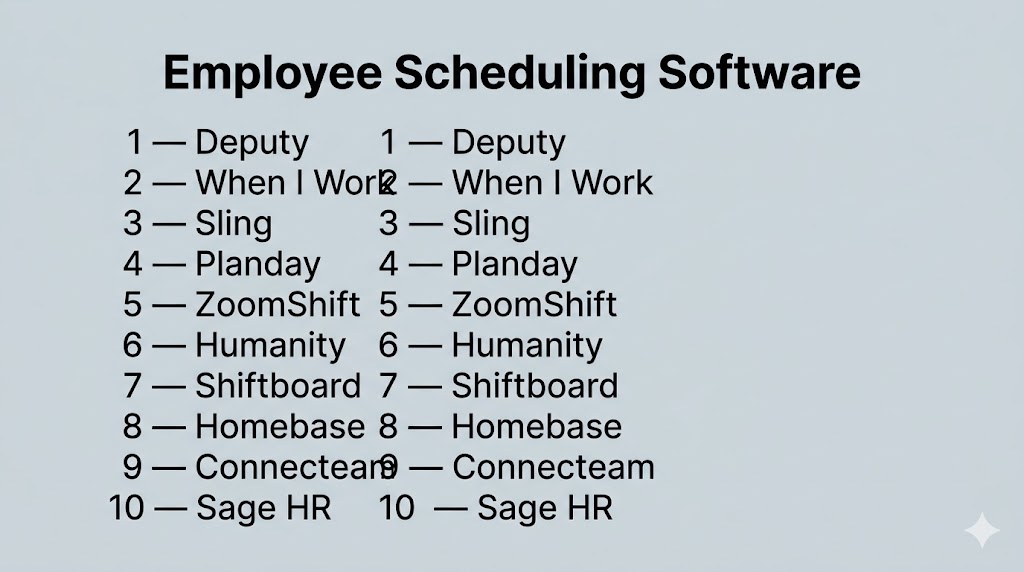
Top 10 Employee Scheduling Software
#1 — Deputy
Short description: Workforce scheduling tool focused on shift planning and real-time team management.
Key Features
- Shift scheduling
- Time tracking
- Leave management
- Compliance tools
- Mobile scheduling
Pros
- Easy to use
- Strong scheduling features
Cons
- Limited reporting depth
- Pricing tiers
Platforms / Deployment
Web / Mobile / Cloud
Security & Compliance
Not publicly stated
Integrations & Ecosystem
- Payroll tools
- APIs
Support & Community
Good support
#2 — When I Work
Short description: Popular scheduling platform designed for hourly teams and shift-based businesses.
Key Features
- Employee scheduling
- Time tracking
- Shift swapping
- Mobile access
- Notifications
Pros
- Simple interface
- Strong mobile experience
Cons
- Limited advanced analytics
- Feature limitations at lower tiers
Platforms / Deployment
Web / Mobile / Cloud
Security & Compliance
Not publicly stated
Integrations & Ecosystem
- Payroll tools
- APIs
Support & Community
Reliable support
#3 — Sling
Short description: Scheduling and communication tool for small to medium businesses.
Key Features
- Shift scheduling
- Team communication
- Task management
- Labor cost tracking
- Notifications
Pros
- Affordable
- Easy to set up
Cons
- Limited enterprise features
- Basic reporting
Platforms / Deployment
Web / Mobile / Cloud
Security & Compliance
Not publicly stated
Integrations & Ecosystem
- Business tools
- APIs
Support & Community
Moderate support
#4 — Planday
Short description: Workforce scheduling platform designed for multi-location businesses.
Key Features
- Shift planning
- Employee grouping
- Scheduling templates
- Reporting
- Communication tools
Pros
- Strong multi-location support
- Flexible scheduling
Cons
- Learning curve
- Pricing tiers
Platforms / Deployment
Web / Mobile / Cloud
Security & Compliance
Not publicly stated
Integrations & Ecosystem
- Payroll tools
- APIs
Support & Community
Professional support
#5 — ZoomShift
Short description: Simple employee scheduling tool for small businesses and hourly teams.
Key Features
- Shift scheduling
- Time tracking
- Availability management
- Notifications
- Reporting
Pros
- Easy to use
- Affordable
Cons
- Limited advanced features
- Basic analytics
Platforms / Deployment
Web / Mobile / Cloud
Security & Compliance
Not publicly stated
Integrations & Ecosystem
- Payroll tools
- APIs
Support & Community
Good support
#6 — Humanity
Short description: Advanced scheduling software with forecasting and automation capabilities.
Key Features
- Shift planning
- Forecasting tools
- Automation
- Reporting
- Mobile scheduling
Pros
- Strong automation
- Scalable
Cons
- Complex setup
- Higher cost
Platforms / Deployment
Web / Mobile / Cloud
Security & Compliance
Not publicly stated
Integrations & Ecosystem
- HR tools
- APIs
Support & Community
Enterprise support
#7 — Shiftboard
Short description: Enterprise scheduling platform for complex workforce environments.
Key Features
- Advanced scheduling
- Workforce analytics
- Compliance tools
- Automation
- Reporting
Pros
- Highly scalable
- Strong compliance features
Cons
- Complex interface
- Expensive
Platforms / Deployment
Web / Cloud
Security & Compliance
Not publicly stated
Integrations & Ecosystem
- Enterprise systems
- APIs
Support & Community
Enterprise support
#8 — Homebase
Short description: All-in-one scheduling and time tracking solution for small businesses.
Key Features
- Scheduling
- Time tracking
- Hiring tools
- Payroll integration
- Communication
Pros
- Free plan available
- Easy onboarding
Cons
- Limited advanced features
- Upgrade required for scaling
Platforms / Deployment
Web / Mobile / Cloud
Security & Compliance
Not publicly stated
Integrations & Ecosystem
- Payroll tools
- APIs
Support & Community
Strong support
#9 — Connecteam
Short description: Workforce management platform with scheduling and employee communication features.
Key Features
- Scheduling
- Task management
- Time tracking
- Communication
- Reporting
Pros
- All-in-one solution
- Mobile-first design
Cons
- Learning curve
- Pricing tiers
Platforms / Deployment
Web / Mobile / Cloud
Security & Compliance
Not publicly stated
Integrations & Ecosystem
- Business tools
- APIs
Support & Community
Good support
#10 — Sage HR
Short description: HR platform with integrated scheduling and workforce management features.
Key Features
- Shift scheduling
- Leave management
- Reporting
- Employee records
- Automation
Pros
- Strong HR integration
- Easy to use
Cons
- Limited advanced scheduling features
- Pricing tiers
Platforms / Deployment
Web / Mobile / Cloud
Security & Compliance
Not publicly stated
Integrations & Ecosystem
- HR systems
- APIs
Support & Community
Reliable support
Comparison Table (Top 10)
| Tool Name | Best For | Platform(s) Supported | Deployment | Standout Feature | Public Rating |
|---|---|---|---|---|---|
| Deputy | Scheduling | Web/Mobile | Cloud | Shift management | N/A |
| When I Work | Hourly teams | Web/Mobile | Cloud | Mobile scheduling | N/A |
| Sling | SMB | Web/Mobile | Cloud | Team communication | N/A |
| Planday | Multi-location | Web/Mobile | Cloud | Workforce structure | N/A |
| ZoomShift | Small teams | Web/Mobile | Cloud | Simplicity | N/A |
| Humanity | Enterprise | Web/Mobile | Cloud | Forecasting | N/A |
| Shiftboard | Large orgs | Web | Cloud | Compliance | N/A |
| Homebase | SMB | Web/Mobile | Cloud | Free plan | N/A |
| Connecteam | Remote teams | Web/Mobile | Cloud | Mobile-first | N/A |
| Sage HR | HR teams | Web/Mobile | Cloud | HR integration | N/A |
Evaluation & Scoring of Employee Scheduling Software
| Tool Name | Core (25%) | Ease (15%) | Integrations (15%) | Security (10%) | Performance (10%) | Support (10%) | Value (15%) | Weighted Total |
|---|---|---|---|---|---|---|---|---|
| Deputy | 8 | 8 | 7 | 7 | 8 | 7 | 7 | 7.8 |
| When I Work | 8 | 9 | 7 | 6 | 8 | 7 | 8 | 7.9 |
| Sling | 7 | 8 | 6 | 6 | 7 | 6 | 8 | 7.2 |
| Planday | 8 | 7 | 7 | 7 | 8 | 7 | 7 | 7.6 |
| ZoomShift | 7 | 8 | 6 | 6 | 7 | 7 | 8 | 7.3 |
| Humanity | 9 | 7 | 8 | 7 | 8 | 8 | 7 | 8.0 |
| Shiftboard | 9 | 6 | 8 | 8 | 9 | 8 | 6 | 8.1 |
| Homebase | 8 | 9 | 7 | 6 | 8 | 8 | 8 | 8.0 |
| Connecteam | 8 | 8 | 7 | 7 | 8 | 7 | 7 | 7.8 |
| Sage HR | 8 | 8 | 7 | 7 | 8 | 7 | 7 | 7.8 |
Scores are comparative and reflect overall balance across usability, features, and value.
Which Employee Scheduling Software Is Right for You?
Solo / Freelancer
Homebase
SMB
Sling or ZoomShift
Mid-Market
Deputy or When I Work
Enterprise
Shiftboard or Humanity
Budget vs Premium
Budget tools focus on simplicity; premium tools offer automation
Feature Depth vs Ease of Use
Simple tools are easy; advanced tools require training
Integrations & Scalability
Enterprise tools offer better integrations
Security & Compliance Needs
Large teams should prioritize compliance-focused tools
Frequently Asked Questions (FAQs)
What is employee scheduling software?
It helps businesses plan and manage employee work schedules.
Why is it important?
It improves efficiency and reduces scheduling errors.
Can employees swap shifts?
Yes, many tools support shift swapping.
Are these tools mobile-friendly?
Most tools offer mobile apps.
Do they integrate with payroll?
Yes, many tools support payroll integration.
Are they expensive?
Pricing varies depending on features.
Can they handle multiple locations?
Yes, many tools support multi-location businesses.
Are they secure?
Security varies by platform.
Can small businesses use them?
Yes, many tools are designed for SMBs.
What are alternatives?
Manual scheduling or spreadsheets.
Conclusion
Employee scheduling software has become essential for organizations that need to manage shifts efficiently, reduce manual errors, and improve workforce productivity. While advanced platforms like Shiftboard and Humanity provide powerful automation and scalability, tools like Sling and Homebase offer simplicity and affordability for smaller teams. The right solution depends on your workforce size, operational complexity, and integration needs rather than a single universal option. It is important to evaluate tools based on usability, automation, and scalability before making a decision. Testing a few tools in real scenarios can help identify the best fit for your organization. A well-chosen scheduling tool ultimately ensures better workforce management and smoother operations.
