Introduction
Document Automation Tools are software platforms that automate the creation, processing, and management of documents using templates, rules, and data inputs. Instead of manually drafting repetitive documents like contracts, invoices, or reports, these tools generate them dynamically by pulling data from systems and applying predefined logic.
At a fundamental level, document automation reduces manual effort by assembling documents from structured data and conditional rules, minimizing errors and improving efficiency.
In today’s digital workflows, these tools have become critical due to increasing document volume, remote work, and the need for faster, compliant processes. Modern platforms now combine AI, OCR, and workflow automation to handle everything from document creation to approval and storage.
Common Use Cases
- Contract creation and approval workflows
- Sales proposals and quote generation
- HR onboarding documents
- Invoice and financial document processing
- Compliance and audit documentation
What Buyers Should Evaluate
- Template management and flexibility
- Workflow automation capabilities
- AI/OCR data extraction accuracy
- Integration with CRM, ERP, and APIs
- Collaboration and approval workflows
- Security and compliance features
- Ease of use (no-code vs developer tools)
- Scalability and performance
- Deployment (cloud vs on-premise)
- Pricing and ROI
Best for: Legal teams, sales operations, finance departments, HR teams, and enterprises handling high-volume document workflows.
Not ideal for: Individuals or small teams with minimal document generation needs, where basic templates may suffice.
Key Trends in Document Automation Tools
- AI-driven document generation and summarization
- Intelligent document processing (IDP) using OCR + NLP
- No-code/low-code workflow builders
- Integration with RPA platforms for end-to-end automation
- Real-time collaboration and e-signature workflows
- API-first architectures for custom automation
- Template-less document processing (AI-based extraction)
- Cloud-native deployment with remote access
- Compliance-focused automation (audit logs, governance)
- Increasing use of generative AI in document drafting
How We Selected These Tools (Methodology)
- Market adoption across industries
- Feature completeness (generation, processing, automation)
- AI and OCR capabilities
- Integration ecosystem (CRM, ERP, APIs)
- Ease of use (no-code vs developer-heavy)
- Security and compliance readiness
- Scalability and performance
- Innovation in automation and AI
- Suitability across SMB, mid-market, enterprise
- Vendor reliability and community support
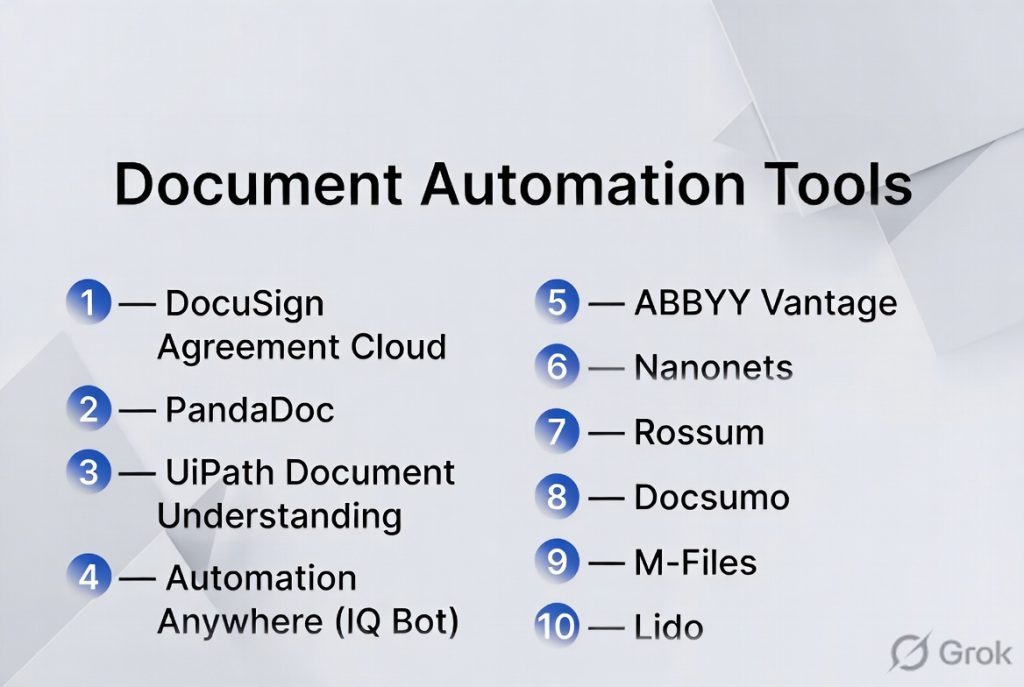
Top 10 Document Automation Tools Tools
#1 — DocuSign Agreement Cloud
Short description: A leading document automation and contract lifecycle platform focused on digital agreements and e-signatures.
Key Features
- Template-based document generation
- E-signature workflows
- Automated approvals and routing
- Audit trails and compliance tracking
- Integration with CRM systems
- Real-time document tracking
Pros
- Strong compliance and security
- Widely adopted enterprise solution
Cons
- Expensive for advanced features
- Requires setup for workflows
Platforms / Deployment
Web / Mobile
Cloud
Security & Compliance
SSO, encryption, SOC 2, GDPR, ISO (varies by plan)
Integrations & Ecosystem
Strong enterprise ecosystem.
- Salesforce
- Microsoft 365
- Google Workspace
Support & Community
Extensive documentation and enterprise support.
#2 — PandaDoc
Short description: A document automation platform focused on sales documents, proposals, and contracts.
Key Features
- Drag-and-drop document builder
- Templates and content library
- E-signatures
- Workflow automation
- Analytics and tracking
- CRM integrations
Pros
- Easy to use
- Strong for sales teams
Cons
- Limited advanced automation
- Not a full enterprise ECM
Platforms / Deployment
Web
Cloud
Security & Compliance
Not publicly stated
Integrations & Ecosystem
- CRM tools
- Payment gateways
- Business apps
Support & Community
Strong SMB and sales adoption.
#3 — UiPath Document Understanding
Short description: An enterprise-grade document automation solution integrated with RPA workflows.
Key Features
- AI-powered document processing
- OCR and data extraction
- Workflow automation via RPA
- Integration with enterprise systems
- Machine learning models
- End-to-end automation
Pros
- Highly scalable
- Strong automation ecosystem
Cons
- Requires technical expertise
- Complex implementation
Platforms / Deployment
Web / Enterprise
Cloud / Hybrid
Security & Compliance
Enterprise-grade controls (varies)
Integrations & Ecosystem
- ERP systems
- CRM platforms
- RPA ecosystem
Support & Community
Large enterprise community.
#4 — Automation Anywhere (IQ Bot)
Short description: A cognitive document automation tool combined with RPA capabilities.
Key Features
- Intelligent document capture
- AI-based classification
- Workflow automation
- Integration with RPA
- Data extraction
- Process orchestration
Pros
- Strong enterprise automation
- Handles complex workflows
Cons
- Expensive
- Requires RPA setup
Platforms / Deployment
Web / Enterprise
Cloud / Hybrid
Security & Compliance
Varies / N/A
Integrations & Ecosystem
- Enterprise systems
- Automation tools
Support & Community
Strong enterprise support.
#5 — ABBYY Vantage
Short description: An AI-powered document processing platform known for high OCR accuracy.
Key Features
- Advanced OCR
- Document classification
- Data extraction
- AI skills marketplace
- Workflow automation
- Pre-trained models
Pros
- High accuracy
- Mature platform
Cons
- Expensive
- Setup complexity
Platforms / Deployment
Web
Cloud / Hybrid
Security & Compliance
Varies / N/A
Integrations & Ecosystem
- APIs
- Enterprise integrations
Support & Community
Strong enterprise adoption.
#6 — Nanonets
Short description: A no-code AI platform for automating document workflows and data extraction.
Key Features
- OCR-based data extraction
- Workflow automation
- Custom AI models
- API integrations
- Template-based processing
- Real-time processing
Pros
- Easy to implement
- Strong AI capabilities
Cons
- Pricing can scale quickly
- Requires tuning for accuracy
Platforms / Deployment
Web
Cloud
Security & Compliance
Varies / N/A
Integrations & Ecosystem
- 5000+ integrations
- APIs
Support & Community
Growing adoption.
#7 — Rossum
Short description: A cloud-native document automation platform focused on invoice and transaction processing.
Key Features
- AI-based data extraction
- Template-less processing
- Workflow automation
- Validation tools
- Integration APIs
- Document analytics
Pros
- Handles varied document formats
- Good for finance workflows
Cons
- Limited general-purpose use
- Enterprise pricing
Platforms / Deployment
Web
Cloud
Security & Compliance
Not publicly stated
Integrations & Ecosystem
- ERP systems
- Accounting tools
Support & Community
Enterprise-focused.
#8 — Docsumo
Short description: An AI-powered document automation tool for extracting data from unstructured documents.
Key Features
- OCR and AI extraction
- Pre-trained models
- API integration
- Workflow automation
- Document validation
- Real-time processing
Pros
- Good for unstructured data
- Developer-friendly
Cons
- Limited UI features
- Requires setup
Platforms / Deployment
Web
Cloud
Security & Compliance
Not publicly stated
Integrations & Ecosystem
- APIs
- Business systems
Support & Community
Growing adoption.
#9 — M-Files
Short description: A metadata-driven document management system with automation capabilities.
Key Features
- Workflow automation
- AI classification
- Metadata-based organization
- Version control
- Compliance tracking
- Integration tools
Pros
- Strong governance
- Reduces duplication
Cons
- Learning curve
- Premium pricing
Platforms / Deployment
Windows / Web
Cloud / Hybrid
Security & Compliance
SSO, audit logs (varies)
Integrations & Ecosystem
- Microsoft ecosystem
- CRM/ERP systems
Support & Community
Strong enterprise support.
#10 — Lido
Short description: An AI-driven document automation tool that converts documents into structured data without templates.
Key Features
- Template-less processing
- AI document extraction
- Spreadsheet output
- Batch processing
- Multi-format support
- Automation workflows
Pros
- No setup required
- Works with varied layouts
Cons
- Newer platform
- Limited enterprise features
Platforms / Deployment
Web
Cloud
Security & Compliance
Not publicly stated
Integrations & Ecosystem
- Spreadsheet tools
- APIs
Support & Community
Emerging adoption.
Comparison Table (Top 10)
| Tool Name | Best For | Platform(s) Supported | Deployment | Standout Feature | Public Rating |
|---|---|---|---|---|---|
| DocuSign | Contracts | Web/Mobile | Cloud | E-signatures | N/A |
| PandaDoc | Sales docs | Web | Cloud | Templates | N/A |
| UiPath | Enterprise automation | Enterprise | Hybrid | RPA integration | N/A |
| Automation Anywhere | RPA users | Enterprise | Hybrid | Cognitive automation | N/A |
| ABBYY | OCR accuracy | Web | Hybrid | OCR engine | N/A |
| Nanonets | AI automation | Web | Cloud | No-code AI | N/A |
| Rossum | Finance | Web | Cloud | Template-less AI | N/A |
| Docsumo | Data extraction | Web | Cloud | Unstructured data | N/A |
| M-Files | Governance | Cross-platform | Hybrid | Metadata system | N/A |
| Lido | Simplicity | Web | Cloud | No templates | N/A |
Evaluation & Scoring of Document Automation Tools
| Tool Name | Core (25%) | Ease (15%) | Integrations (15%) | Security (10%) | Performance (10%) | Support (10%) | Value (15%) | Weighted Total |
|---|---|---|---|---|---|---|---|---|
| DocuSign | 9 | 8 | 9 | 9 | 9 | 9 | 7 | 8.6 |
| PandaDoc | 8 | 9 | 8 | 7 | 8 | 8 | 8 | 8.1 |
| UiPath | 10 | 6 | 10 | 9 | 9 | 9 | 7 | 8.7 |
| Automation Anywhere | 9 | 6 | 9 | 9 | 9 | 9 | 6 | 8.4 |
| ABBYY | 9 | 7 | 8 | 8 | 9 | 8 | 7 | 8.2 |
| Nanonets | 8 | 8 | 8 | 7 | 8 | 7 | 8 | 7.9 |
| Rossum | 8 | 8 | 7 | 7 | 8 | 7 | 7 | 7.7 |
| Docsumo | 8 | 7 | 8 | 7 | 8 | 7 | 8 | 7.8 |
| M-Files | 9 | 7 | 8 | 9 | 9 | 8 | 7 | 8.3 |
| Lido | 7 | 9 | 7 | 6 | 8 | 7 | 9 | 7.8 |
How to interpret scores:
- Enterprise tools score higher on integrations and security
- No-code tools score higher on ease of use
- AI-native tools excel in automation but may lack maturity
- Choose based on workflow complexity and team capability
Which Document Automation Tool Is Right for You?
Solo / Freelancer
- Best: PandaDoc, Lido
- Focus on ease of use and quick setup
SMB
- Best: PandaDoc, Nanonets
- Balance automation and affordability
Mid-Market
- Best: DocuSign, M-Files
- Need workflows and compliance
Enterprise
- Best: UiPath, Automation Anywhere, ABBYY
- Require full automation and integrations
Budget vs Premium
- Budget: Lido, Nanonets
- Premium: DocuSign, UiPath
Feature Depth vs Ease of Use
- Advanced: UiPath, Automation Anywhere
- Easy: PandaDoc, Lido
Integrations & Scalability
- Strong: UiPath, DocuSign
- Moderate: others
Security & Compliance Needs
- Strong: DocuSign, M-Files
- Others: Varies
Frequently Asked Questions (FAQs)
What is document automation?
It is software that generates and processes documents automatically using templates and data.
How does it work?
It uses rules, templates, and data inputs to assemble documents dynamically.
What industries use it?
Legal, finance, HR, healthcare, and sales teams.
Is AI used in document automation?
Yes, AI helps with data extraction and document classification.
What is OCR?
OCR extracts text from scanned documents.
Are these tools secure?
Most offer encryption and access control features.
Can I integrate with CRM?
Yes, most tools support CRM integrations.
Do I need coding skills?
Many tools offer no-code options.
What are common mistakes?
Poor template setup and lack of integration planning.
Can small businesses use these tools?
Yes, many tools are designed for SMBs.
Conclusion
Document Automation Tools are essential for organizations looking to reduce manual work, improve accuracy, and scale document workflows efficiently. From simple template-based tools to advanced AI-powered platforms, the category offers solutions for every business size.
