Introduction
Construction Estimating Software helps contractors, project managers, and builders accurately estimate project costs, manage budgets, and streamline bidding processes. These tools replace manual spreadsheets and paper-based calculations with automated workflows, real-time cost databases, and reporting, allowing for more accurate project planning and profitability. In construction today, these solutions are essential for managing complex projects, reducing errors, and improving bid accuracy.
Real-world use cases include:
- Contractors preparing bids for residential, commercial, or infrastructure projects.
- Project managers tracking material, labor, and equipment costs.
- Estimators using historical data to predict project expenses.
- Construction firms integrating estimates with project management and accounting tools.
- Engineers reviewing cost implications during design phases.
Evaluation criteria for buyers:
- Accuracy of cost estimation and historical data usage.
- Integration with project management, accounting, and ERP systems.
- Customizable templates for different project types.
- Real-time collaboration for team estimators.
- Reporting and analytics for budgeting and forecasting.
- Mobile accessibility for field personnel.
- Support for material, labor, and equipment cost tracking.
- Ease of use and learning curve.
- Scalability for small projects to large construction portfolios.
- Pricing, licensing, and value for money.
Best for: Contractors, construction firms, estimators, and project managers across residential, commercial, and civil construction projects.
Not ideal for: Very small projects or teams that rely on simple spreadsheets and manual estimation.
Key Trends in Construction Estimating Software
- Integration with BIM (Building Information Modeling) and CAD systems.
- Cloud-based solutions enabling multi-location access and collaboration.
- AI and machine learning for predictive cost estimation.
- Real-time cost database updates for labor, material, and equipment.
- Mobile accessibility for field estimators.
- Automated report generation for bids and client proposals.
- Integration with accounting, ERP, and project management systems.
- Scalable subscription and SaaS pricing models.
- Customizable templates for specialized construction sectors.
- Enhanced security and role-based access for sensitive project data.
How We Selected These Tools (Methodology)
- Reviewed market adoption and customer reviews across construction sectors.
- Evaluated feature completeness including cost databases, templates, and integrations.
- Assessed collaboration and real-time estimation capabilities.
- Considered mobile app usability for field estimators.
- Verified security, role-based access, and compliance for sensitive project data.
- Examined integration with accounting, ERP, and project management platforms.
- Analyzed scalability from small contractors to large enterprise projects.
- Reviewed reporting, analytics, and predictive capabilities.
- Assessed ease of implementation and learning curve.
- Compared pricing and total cost of ownership.
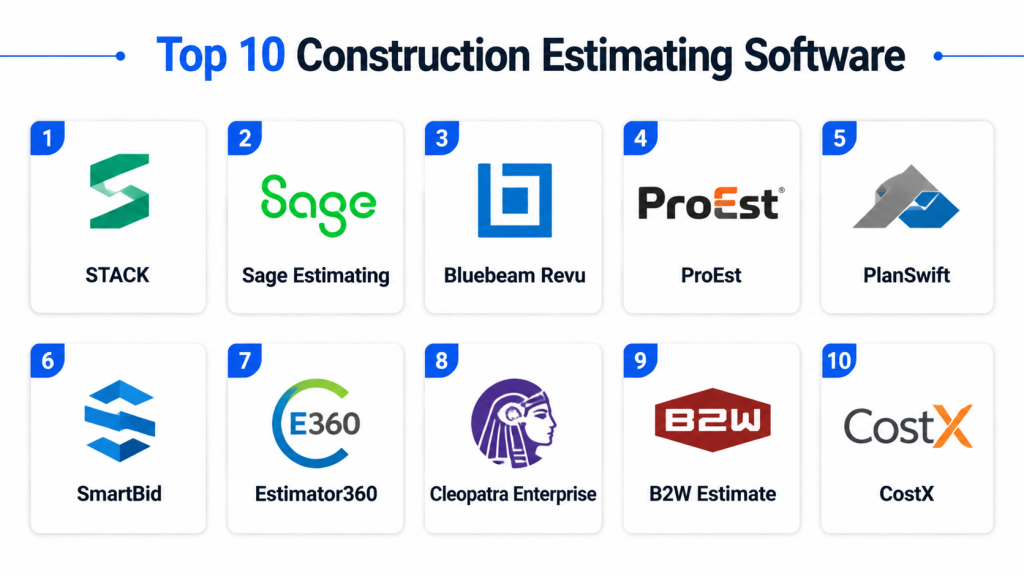
Top 10 Construction Estimating Software
#1 — Procore
Short description: Procore is an integrated construction management platform that includes robust estimating capabilities for large-scale projects, providing real-time cost tracking and bid management.
Key Features
- Cost estimation and budget tracking
- Bid management and subcontractor integration
- Real-time collaboration for project teams
- Reporting and analytics dashboards
- Integration with project management and accounting systems
Pros
- Enterprise-grade features for large projects
- Strong collaboration tools
- Real-time cost updates
Cons
- Premium pricing may be high for small contractors
- Complex for first-time users
- Requires training for full functionality
Platforms / Deployment
- Web, iOS, Android
- Cloud
Security & Compliance
- Encryption, SSO, audit logs
- Not publicly stated
Integrations & Ecosystem
- ERP, accounting, project management systems
- API access for custom workflows
- Real-time reporting dashboards
Support & Community
- Documentation, webinars, live support
- Active enterprise community
#2 — Buildertrend
Short description: Buildertrend offers estimating, project management, and scheduling features for residential and commercial construction projects, enabling accurate bids and streamlined communication.
Key Features
- Estimating and budget tracking
- Bid proposals and client management
- Mobile app for field estimators
- Reporting dashboards
- Integration with accounting and CRM systems
Pros
- User-friendly interface
- Mobile accessibility for field teams
- Integrated client communication
Cons
- Limited advanced analytics for enterprise
- Subscription costs for full features
- Best suited for residential and small commercial projects
Platforms / Deployment
- Web, iOS, Android
- Cloud
Security & Compliance
- Encryption and role-based access
- Not publicly stated
Integrations & Ecosystem
- QuickBooks, Xero, CRM platforms
- API access
- Automated reporting
Support & Community
- Documentation, email and chat support
- Community forums
#3 — Sage Estimating
Short description: Sage Estimating provides detailed cost estimating tools with integration to Sage 300 and accounting software, focusing on commercial construction and enterprise projects.
Key Features
- Cost database management
- Detailed material and labor estimation
- Integration with accounting and ERP systems
- Reporting and forecasting
- Historical cost comparison
Pros
- Accurate and comprehensive cost estimation
- Strong integration with accounting systems
- Suitable for large projects
Cons
- Learning curve for new users
- Premium pricing for smaller firms
- Limited mobile features
Platforms / Deployment
- Windows, Web
- Cloud / On-prem
Security & Compliance
- Encryption, user access controls
- Not publicly stated
Integrations & Ecosystem
- ERP, Sage 300, project management tools
- API access
- Reporting dashboards
Support & Community
- Documentation, training, enterprise support
- Community forums
#4 — PlanSwift
Short description: PlanSwift is a takeoff and estimating software enabling digital quantity takeoffs with integrated cost estimation for construction projects.
Key Features
- Digital quantity takeoff
- Material and labor estimation
- Integration with Excel and accounting software
- Visual measurement tools
- Reporting and analysis
Pros
- Efficient digital takeoffs
- Reduces manual errors
- Cost estimation integrated with takeoff
Cons
- Limited mobile support
- Learning curve for complex projects
- Integrations require configuration
Platforms / Deployment
- Windows
- On-prem / Cloud
Security & Compliance
- Encryption, access controls
- Not publicly stated
Integrations & Ecosystem
- Excel, accounting software, ERP
- Custom API integration
Support & Community
- Documentation, email support
- Moderate user community
#5 — CoConstruct
Short description: CoConstruct is a project and estimating tool for custom home builders and remodelers, providing budget tracking and client communication.
Key Features
- Estimating and budgeting
- Client and bid management
- Mobile app for field access
- Reporting and analytics
- Integration with accounting systems
Pros
- Ideal for custom residential projects
- Real-time client updates
- Mobile access for estimators
Cons
- Limited enterprise integrations
- Subscription cost for full features
- Less suited for commercial projects
Platforms / Deployment
- Web, iOS, Android
- Cloud
Security & Compliance
- Encryption, role-based access
- Not publicly stated
Integrations & Ecosystem
- QuickBooks, Xero, API access
- Cloud reporting
- Bid management integration
Support & Community
- Documentation, webinars, email support
- Community forums
#6 — HeavyBid
Short description: HeavyBid provides detailed bid estimating for heavy civil and infrastructure construction projects, integrating labor, materials, and equipment costs.
Key Features
- Multi-phase project estimating
- Material, labor, and equipment databases
- Historical cost comparison
- Bid management tools
- Reporting dashboards
Pros
- Comprehensive for large civil projects
- Accurate historical data for bidding
- Supports complex project workflows
Cons
- Desktop-focused; limited mobile
- Learning curve for new users
- Premium pricing
Platforms / Deployment
- Windows
- On-prem / Cloud
Security & Compliance
- Encryption, role-based access
- Not publicly stated
Integrations & Ecosystem
- ERP and accounting software
- API access
- Bid reporting dashboards
Support & Community
- Documentation and enterprise support
- Community forums
#7 — Clear Estimates
Short description: Clear Estimates is an estimating tool aimed at residential contractors, focusing on quick bid creation and cost transparency.
Key Features
- Preloaded cost databases
- Customizable templates for residential projects
- Integration with QuickBooks
- Reporting and bid analytics
- Mobile app support
Pros
- Simple and fast for small contractors
- Affordable pricing
- Integration with accounting tools
Cons
- Limited commercial project features
- Basic analytics
- Less suitable for large enterprise projects
Platforms / Deployment
- Web, iOS, Android
- Cloud
Security & Compliance
- Encryption and access controls
- Not publicly stated
Integrations & Ecosystem
- QuickBooks, Excel export
- API access for custom workflows
Support & Community
- Documentation and email support
- Moderate community resources
#8 — BidScreen XL
Short description: BidScreen XL is designed for quantity takeoff and estimating with Excel-based functionality, focusing on construction cost estimation efficiency.
Key Features
- Quantity takeoff integration
- Material and labor cost estimation
- Excel-based interface
- Reporting and analytics
- Historical cost databases
Pros
- Familiar Excel environment
- Efficient takeoff integration
- Flexible for multiple project types
Cons
- Limited mobile functionality
- Interface less modern
- Integrations require configuration
Platforms / Deployment
- Windows
- On-prem / Cloud
Security & Compliance
- Encryption and access controls
- Not publicly stated
Integrations & Ecosystem
- Excel, ERP systems, API access
- Reporting dashboards
Support & Community
- Documentation, email support
- Small user community
#9 — STACK
Short description: STACK is a cloud-based takeoff and estimating software designed for commercial and residential projects, offering digital measurements and cost estimation.
Key Features
- Cloud-based takeoffs
- Digital measurement tools
- Cost estimating templates
- Collaboration and reporting
- Mobile app for field measurements
Pros
- Cloud accessibility
- Collaboration across teams
- Supports multiple project types
Cons
- Subscription costs can be high
- Learning curve for new users
- Advanced integrations require setup
Platforms / Deployment
- Web, iOS, Android
- Cloud
Security & Compliance
- Encryption and role-based access
- Not publicly stated
Integrations & Ecosystem
- CRM, ERP, cloud reporting
- API access for workflows
- Collaboration tools
Support & Community
- Documentation, tutorials, email support
- Community forums
#10 — STACK Takeoff
Short description: A specialized takeoff and estimating solution for contractors, providing digital plan measurements and material quantity calculations.
Key Features
- Plan digitization and measurement
- Material quantity calculation
- Cost estimating and templates
- Collaboration and reporting
- Mobile app support
Pros
- Accurate digital takeoff
- Cloud collaboration
- Mobile accessibility
Cons
- Focused on takeoff; less comprehensive project management
- Subscription cost
- Learning curve for complex projects
Platforms / Deployment
- Web, iOS, Android
- Cloud
Security & Compliance
- Encryption and role-based access
- Not publicly stated
Integrations & Ecosystem
- ERP, accounting software, API access
- Reporting dashboards
- Collaborative workflow integration
Support & Community
- Documentation and email support
- Community forums
Comparison Table (Top 10)
| Tool Name | Best For | Platform(s) Supported | Deployment | Standout Feature | Public Rating |
|---|---|---|---|---|---|
| Procore | Large enterprise projects | Web, iOS, Android | Cloud | Integrated estimating & PM | N/A |
| Buildertrend | Residential & commercial projects | Web, iOS, Android | Cloud | Client communication + estimates | N/A |
| Sage Estimating | Commercial & enterprise | Windows, Web | Cloud/On-prem | Accounting integration | N/A |
| PlanSwift | Quantity takeoff | Windows | On-prem/Cloud | Digital measurements | N/A |
| CoConstruct | Custom residential projects | Web, iOS, Android | Cloud | Bid + client management | N/A |
| HeavyBid | Infrastructure & civil projects | Windows | On-prem/Cloud | Multi-phase cost estimation | N/A |
| Clear Estimates | Small contractors | Web, iOS, Android | Cloud | Quick residential bids | N/A |
| BidScreen XL | Excel-based estimating | Windows | On-prem/Cloud | Excel takeoff integration | N/A |
| STACK | Commercial & residential projects | Web, iOS, Android | Cloud | Cloud takeoff & collaboration | N/A |
| STACK Takeoff | Contractors & field estimators | Web, iOS, Android | Cloud | Digital plan measurement | N/A |
Evaluation & Scoring of Construction Estimating Software
| Tool Name | Core (25%) | Ease (15%) | Integrations (15%) | Security (10%) | Performance (10%) | Support (10%) | Value (15%) | Weighted Total |
|---|---|---|---|---|---|---|---|---|
| Procore | 9 | 7 | 9 | 7 | 8 | 8 | 7 | 7.9 |
| Buildertrend | 8 | 8 | 7 | 7 | 8 | 7 | 7 | 7.5 |
| Sage Estimating | 9 | 6 | 8 | 7 | 8 | 7 | 7 | 7.6 |
| PlanSwift | 8 | 7 | 7 | 7 | 8 | 7 | 7 | 7.4 |
| CoConstruct | 8 | 8 | 7 | 7 | 7 | 7 | 7 | 7.3 |
| HeavyBid | 9 | 6 | 8 | 7 | 8 | 7 | 7 | 7.6 |
| Clear Estimates | 7 | 8 | 6 | 6 | 7 | 7 | 7 | 6.9 |
| BidScreen XL | 7 | 7 | 6 | 6 | 7 | 6 | 7 | 6.7 |
| STACK | 8 | 7 | 7 | 7 | 8 | 7 | 7 | 7.4 |
| STACK Takeoff | 8 | 7 | 7 | 7 | 8 | 7 | 7 | 7.4 |
Interpretation: Weighted scores provide a comparative view of estimating software performance, usability, integrations, and value. Higher scores indicate robust capability for large and complex projects.
Which Construction Estimating Software Tool Is Right for You?
Solo / Freelancer
Clear Estimates or STACK Takeoff provide affordable, simple estimating tools for small contractors.
SMB
CoConstruct and Buildertrend suit mid-size projects, offering easy client communication and bid management.
Mid-Market
PlanSwift and STACK offer robust takeoff and cost estimation for larger teams with multiple projects.
Enterprise
Procore, Sage Estimating, and HeavyBid provide enterprise-grade features, integration, and analytics for complex commercial and infrastructure projects.
Budget vs Premium
Smaller contractors can start with Clear Estimates or STACK Takeoff for cost-effective solutions. Enterprises gain maximum benefit from Procore or Sage Estimating.
Feature Depth vs Ease of Use
STACK and Buildertrend balance usability and feature set, whereas Procore and HeavyBid offer more complex functionality requiring training.
Integrations & Scalability
Enterprise tools like Procore and Sage Estimating integrate with ERP, accounting, and project management platforms and scale across multiple projects and teams.
Security & Compliance Needs
Construction projects with sensitive budgets or contracts should prioritize tools with encryption, audit trails, and role-based access.
Frequently Asked Questions
1. What pricing models do construction estimating tools use?
Most tools use subscription-based plans, often tiered by number of users or features. Some desktop tools have perpetual licensing options.
2. Can these tools integrate with project management software?
Yes, most integrate with PM, accounting, and ERP systems to align cost estimation with project execution.
3. Are mobile apps available for field estimators?
Many platforms, including Buildertrend and CoConstruct, offer mobile apps for onsite access to estimates and project data.
4. How accurate are cost estimations?
Accuracy depends on the tool’s cost database, historical data, and input from estimators. Enterprise tools with AI and historical tracking offer higher precision.
5. Can templates and takeoffs be customized?
Yes, most platforms provide templates for materials, labor, and equipment, with options to customize for project type.
6. How do these tools support collaboration?
Team members can access shared estimates, track revisions, and approve bids through collaborative dashboards.
7. Are reports and analytics included?
Yes, reporting dashboards provide budget tracking, bid performance, and project forecasting.
8. Do these tools support both residential and commercial projects?
Some tools like Buildertrend and STACK cater to residential and commercial, while HeavyBid and Sage Estimating focus on commercial and infrastructure.
9. How scalable are these platforms?
Cloud-based and enterprise solutions can scale from small contractors to multi-location large projects.
10. What should be considered before selecting a tool?
Evaluate project type, team size, integration needs, offline access, cost, and support availability before committing.
Conclusion
Construction Estimating Software empowers contractors and project managers to create accurate estimates, streamline bidding, and manage project budgets efficiently. Small teams can benefit from tools like Clear Estimates and STACK Takeoff for cost-effective and easy-to-use solutions, while mid-market and enterprise projects require robust platforms like Procore, Sage Estimating, or HeavyBid for advanced features and integrations. Consider project complexity, mobile access, and integration requirements when evaluating tools. Conduct a pilot with 2–3 platforms to assess usability, accuracy, and cost-effectiveness before full deployment, ensuring optimized project planning, better bids, and improved profitability.

Very informative and well-structured blog on construction estimating software. The comparison of features, pros, and cons is clear and practical, making it easier to understand different estimating solutions for construction projects.