Introduction
Scheduling Assistants are software tools designed to automate the process of arranging meetings, appointments, and events. These platforms help users coordinate calendars, propose time slots, manage availability, and reduce back‑and‑forth communication. By integrating with calendars, messaging apps, and productivity tools, Scheduling Assistants make scheduling more efficient and minimize conflicts, no‑shows, and administrative overhead.
In modern workplaces, teams and individuals face increasing demands on time, cross‑time‑zone coordination, and complex calendars. Scheduling Assistants address these challenges by offering intelligent scheduling suggestions, real‑time availability checks, automated reminders, and integration with digital calendars and communication platforms.
Real‑world use cases include:
- Coordinating meetings with internal and external stakeholders
- Automating customer appointment bookings
- Managing interview schedules for recruiting teams
- Handling high‑volume sales or support calls
- Reducing manual scheduling workload for executives and assistants
Evaluation criteria for buyers:
- Calendar connectivity and synchronization
- Intelligent time suggestions and conflict detection
- Availability sharing and link booking experience
- Integration with calendars, meetings, and messaging apps
- Time zone management and group scheduling
- Automated reminders and follow‑ups
- Customizable booking pages
- Security and compliance controls
- Ease of use and adoption
- Scalability for teams and enterprises
Best for: Sales teams, HR and recruiting functions, consultants, executive assistants, customer‑facing teams, and organizations seeking to streamline scheduling at scale.
Not ideal for: Individuals with very light scheduling needs who are comfortable arranging meetings manually through existing email and calendar tools.
Key Trends in Scheduling Assistants
- AI‑powered availability suggestions and automated scheduling
- Deep integrations with calendars, video conferencing, and CRM systems
- Group scheduling optimized for team events and round‑robins
- Natural language scheduling with chat and email assistants
- Real‑time conflict detection and resolution
- Embedded booking widgets for websites and customer portals
- Time zone optimization for global teams
- Custom availability windows and buffer time controls
- Automated reminders and follow‑up messaging
- Enhanced privacy and compliance for enterprise deployments
How We Selected These Tools
- Calendar integration breadth and reliability
- Feature depth for automated scheduling and meeting optimization
- Quality of user experience and adoption ease
- Integration ecosystem with meetings, CRM, and communication tools
- Support for group and round‑robin scheduling
- Security, access control, and compliance capabilities
- Scalability for teams of all sizes
- Mobile and cross‑platform support
- Analytics and reporting for scheduling efficiency
- Vendor support, training resources, and long‑term viability
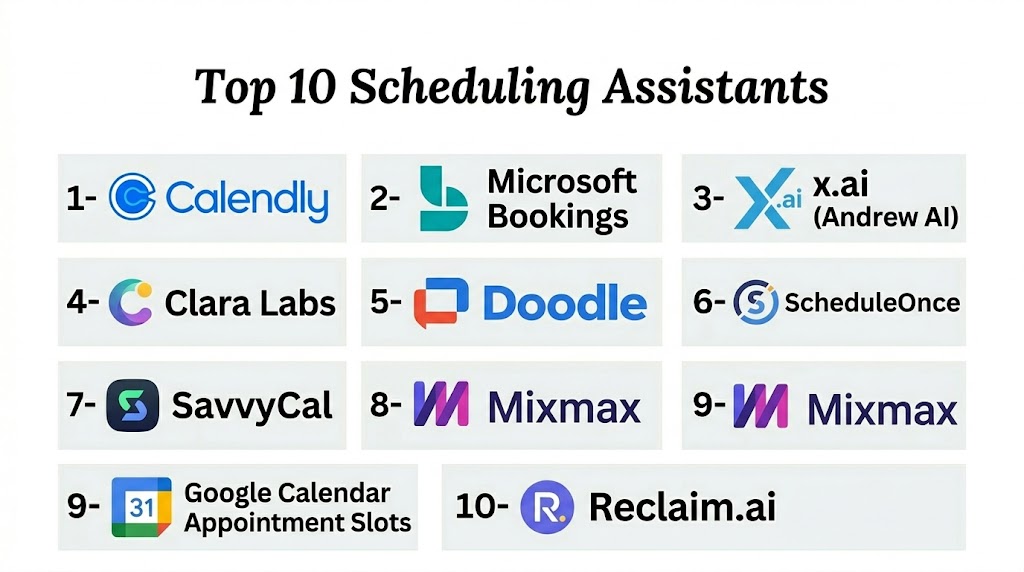
Top 10 Scheduling Assistants
#1 — Calendly
Short description: Calendly is a leading scheduling assistant that enables users to share availability, automate bookings, and reduce scheduling friction for individuals and teams.
Key Features
- Personalized scheduling links
- Calendar integrations with major digital calendars
- Group and round‑robin scheduling
- Buffer times and minimum scheduling notice
- Automated reminders and follow‑ups
- Team pages and pooled availability
Pros
- Extremely easy setup and use
- Broad integration ecosystem
- Strong team scheduling features
- Customizable booking experience
Cons
- Advanced features require higher‑tier plans
- Branding limitations on lower tiers
- Limited AI‑driven suggestions outside availability
Platforms / Deployment
- Web / Android / iOS
- Cloud
Security & Compliance
- Encryption in transit and at rest
- GDPR support
- Access controls
Integrations & Ecosystem
- Google Calendar
- Microsoft Exchange and Outlook
- Zoom
- Microsoft Teams
- CRM and productivity tools
Support & Community
- Email and chat support
- Documentation and tutorials
- Community forums
#2 — Microsoft FindTime
Short description: Microsoft FindTime simplifies scheduling within the Microsoft 365 ecosystem by identifying optimal meeting times based on attendee availability.
Key Features
- Outlook and Microsoft 365 integration
- Polling and consensus scheduling
- Automatic time suggestions
- Time zone awareness
- Integrated email scheduling experience
Pros
- Deep Microsoft ecosystem support
- Familiar workflow for Outlook users
- Consensus scheduling features
- No additional booking pages to manage
Cons
- Limited standalone features outside Microsoft 365
- Less flexible branding and public booking links
- Basic analytics
Platforms / Deployment
- Web / Windows / macOS / Outlook add‑in
- Cloud
Security & Compliance
- Microsoft compliance standards
- Encryption and access control
- Governance policies
Integrations & Ecosystem
- Microsoft Outlook
- Microsoft Teams
- Exchange calendars
Support & Community
- Microsoft support tiers
- Help documentation
- Enterprise community resources
#3 — Doodle
Short description: Doodle offers polling and scheduling tools that make group event coordination simple through shared availability voting and automated time selection.
Key Features
- Group polling for availability
- Calendar sync
- Booking pages and group scheduling
- Time zone settings
- Reminders and notifications
Pros
- Simple group scheduling workflows
- Effective for cross‑team polling
- Easy availability sharing
- Minimal setup required
Cons
- Limited advanced automation features
- Manual polling may be cumbersome at scale
- Branding customization limited
Platforms / Deployment
- Web / Android / iOS
- Cloud
Security & Compliance
- Encryption and access control
- GDPR support
Integrations & Ecosystem
- Google Calendar
- Outlook and Exchange
- iCal and other calendars
Support & Community
- Email support
- Knowledge base
- User guides
#4 — Google Calendar Scheduling
Short description: Google Calendar Scheduling assists users within the Google Workspace ecosystem by offering smart suggestions, appointment slots, and shared availability.
Key Features
- Appointment slots and booking pages
- Smart time suggestions
- Calendar integration with Gmail and Workspace
- Time zone support
- Automated calendar updates
Pros
- Embedded in Google Workspace
- Familiar interface
- No additional setup for basic scheduling
- Real‑time availability checks
Cons
- Fewer advanced features than dedicated tools
- Limited branding and customization
- Basic analytics
Platforms / Deployment
- Web / Android / iOS
- Cloud
Security & Compliance
- Workspace security controls
- Encryption and access control
- Compliance policies
Integrations & Ecosystem
- Gmail and Workspace apps
- Meet conferencing
- Calendar syncing
Support & Community
- Google support resources
- Help documentation
- Workspace community forums
#5 — X.ai
Short description: X.ai is an AI scheduling assistant that automates meeting coordination via conversational interfaces, email assistants, and calendar integration.
Key Features
- AI email scheduling assistant
- Natural language scheduling
- Smart availability suggestions
- Conflict detection and resolution
- Personalized assistant interactions
Pros
- AI‑driven scheduling automation
- Reduces manual email coordination
- Conversational interface
- Intelligent conflict handling
Cons
- Premium pricing for AI features
- Integration ecosystem smaller than some competitors
- Learning curve for conversational scheduling
Platforms / Deployment
- Web / Android / iOS
- Cloud
Security & Compliance
- Encryption
- Access controls
- Privacy settings
Integrations & Ecosystem
- Google Calendar
- Outlook calendars
- Video conferencing tools
Support & Community
- Documentation and onboarding
- Email support
- User community channels
#6 — Clara
Short description: Clara is a scheduling assistant that combines AI scheduling automation with human‑like interaction to coordinate meetings on behalf of users.
Key Features
- Natural language email scheduling
- Human‑like AI coordination
- Conflict detection and rescheduling
- Follow‑ups and reminders
Pros
- Personalized assistant feel
- Reduces scheduling workload dramatically
- Handles complex scheduling requests
Cons
- Higher cost for premium features
- Not suitable for basic scheduling needs
- Smaller integration breadth
Platforms / Deployment
- Web
- Cloud
Security & Compliance
- Encryption and access controls
- GDPR support
Integrations & Ecosystem
- Email systems
- Calendar syncing
Support & Community
- Support plans
- Onboarding guides
- Documentation
#7 — Assistant.to
Short description: Assistant.to provides simple inline scheduling within email clients, enabling users to propose times directly while composing emails.
Key Features
- Inline email scheduling
- Calendar connectivity
- Availability sharing
- One‑click time proposals
Pros
- Lightweight and easy to use
- Minimal setup
- Integrates into email workflows
Cons
- Limited advanced features
- Not suitable for large teams
- Basic analytics
Platforms / Deployment
- Web / Browser extension
- Cloud
Security & Compliance
- Encryption
- Access controls
Integrations & Ecosystem
- Gmail
- Google Calendar
Support & Community
- User guides
- Documentation
#8 — Rallly
Short description: Rallly offers group poll scheduling for teams and friends, allowing participants to vote on preferred meeting times.
Key Features
- Group poll creation
- Voting on availability
- Shared scheduling links
- Time zone handling
Pros
- Ideal for group consensus scheduling
- Simple user experience
- No accounts required for participants
Cons
- Limited automation
- Not enterprise‑grade
- Lack of advanced features
Platforms / Deployment
- Web
- Cloud
Security & Compliance
- Basic security controls
Integrations & Ecosystem
- Calendar export links
Support & Community
- Online guides
- Community contributions
#9 — Vyte
Short description: Vyte is a scheduling tool that simplifies meeting coordination by proposing times based on availability and offering public booking links.
Key Features
- Public booking pages
- Availability proposals
- Calendar syncing
- Group scheduling
- Reminders
Pros
- Easy public scheduling links
- Group availability proposals
- Intuitive interface
Cons
- Advanced features require upgrades
- Integration ecosystem limited
- Less enterprise focus
Platforms / Deployment
- Web / Android / iOS
- Cloud
Security & Compliance
- Encryption
- GDPR support
Integrations & Ecosystem
- Google and Outlook calendars
- Video conferencing tools
Support & Community
- Email support
- Knowledge base
#10 — Sync.Scheduling
Short description: Sync.Scheduling provides automated availability sharing and scheduling links aimed at small teams and individual professionals.
Key Features
- Public availability sharing
- Calendar integration
- Time zone support
- Booking pages
Pros
- Simple scheduling for small teams
- Affordable
- Quick setup
Cons
- Limited advanced automation
- Fewer integrations
- Not enterprise oriented
Platforms / Deployment
- Web / Mobile
- Cloud
Security & Compliance
- Basic security controls
Integrations & Ecosystem
- Calendar sync
Support & Community
- Documentation
Comparison Table
| Tool Name | Best For | Platforms Supported | Deployment | Standout Feature | Public Rating |
|---|---|---|---|---|---|
| Calendly | Teams and individual scheduling | Web / Mobile | Cloud | Team and round‑robin scheduling | N/A |
| Microsoft FindTime | Outlook/Microsoft 365 users | Web / Desktop | Cloud | Polling availability within Outlook | N/A |
| Doodle | Group consensus scheduling | Web / Mobile | Cloud | Group availability polling | N/A |
| Google Calendar Scheduling | Workspace users | Web / Mobile | Cloud | Native appointment slots | N/A |
| X.ai | AI scheduling automation | Web / Mobile | Cloud | AI scheduling assistant | N/A |
| Clara | AI + human‑like coordination | Web | Cloud | Conversational scheduling | N/A |
| Assistant.to | Inline email scheduling | Web / Browser | Cloud | Email‑centric scheduling | N/A |
| Rallly | Group polling | Web | Cloud | Simple vote‑based scheduling | N/A |
| Vyte | Public booking links | Web / Mobile | Cloud | Shared availability proposals | N/A |
| Sync.Scheduling | Small teams | Web / Mobile | Cloud | Simple availability links | N/A |
Evaluation & Scoring of Scheduling Assistants
| Tool Name | Core 25% | Ease 15% | Integrations 15% | Security 10% | Performance 10% | Support 10% | Value 15% | Weighted Total |
|---|---|---|---|---|---|---|---|---|
| Calendly | 9 | 9 | 9 | 8 | 9 | 8 | 8 | 8.7 |
| Microsoft FindTime | 8 | 7 | 8 | 9 | 8 | 7 | 8 | 7.9 |
| Doodle | 7 | 8 | 7 | 8 | 8 | 7 | 8 | 7.6 |
| Google Calendar Scheduling | 7 | 9 | 7 | 8 | 8 | 8 | 8 | 7.9 |
| X.ai | 8 | 8 | 7 | 8 | 8 | 7 | 7 | 7.6 |
| Clara | 7 | 7 | 6 | 8 | 7 | 7 | 6 | 7.0 |
| Assistant.to | 6 | 8 | 6 | 7 | 7 | 6 | 7 | 6.8 |
| Rallly | 5 | 7 | 5 | 7 | 7 | 6 | 8 | 6.6 |
| Vyte | 7 | 8 | 7 | 8 | 8 | 7 | 7 | 7.4 |
| Sync.Scheduling | 6 | 7 | 5 | 7 | 7 | 6 | 8 | 6.7 |
Which Scheduling Assistant Is Right for You?
Solo / Freelancer
Calendly, Vyte, and Sync.Scheduling offer simple scheduling links and easy setup for individual professionals.
SMB
Calendly, Google Calendar Scheduling, and Doodle provide a balanced feature set with group scheduling and public booking pages.
Mid‑Market
Microsoft FindTime, X.ai, and Vyte support team workflows, calendar coordination, and integrated assistants.
Enterprise
Calendly Enterprise, Microsoft FindTime within Microsoft 365, and X.ai offer broader integrations and AI‑assisted scheduling for complex environments.
Budget vs Premium
- Budget: Sync.Scheduling, Rallly
- Premium: Calendly, X.ai
Feature Depth vs Ease of Use
- Ease: Google Calendar Scheduling, Assistant.to
- Depth: Calendly, X.ai
Integrations & Scalability
Enterprises should prioritize tools with broad calendar, video conferencing, and communication integrations.
Security & Compliance Needs
Organizations with strict security needs should focus on tools with strong encryption, access controls, and enterprise governance features.
Frequently Asked Questions
1. What is a Scheduling Assistant?
A Scheduling Assistant is a tool that automates the coordination of meetings and appointments by checking availability, proposing times, and reducing manual communication.
2. How do Scheduling Assistants integrate with calendars?
Most tools connect directly with digital calendars like Google Calendar and Outlook to read availability and write scheduled events.
3. Can Scheduling Assistants handle group meetings?
Yes. Many tools support group scheduling, round‑robin availability, and polling to find optimal meeting times.
4. Do these tools support time zones?
Yes. Most scheduling platforms manage time zone differences automatically, especially for distributed teams.
5. Are reminders and follow‑ups automated?
Many tools include automated reminders and follow‑ups via email or calendar notifications.
6. Can customers book appointments directly?
Yes. Public booking links and hosted pages allow external parties to select available times without back‑and‑forth.
7. Do Scheduling Assistants work on mobile devices?
Yes. Most provide mobile access or apps for scheduling on the go.
8. Are there analytics or reporting capabilities?
Some tools offer analytics on bookings, no‑shows, and usage trends to help improve scheduling practices.
9. How secure are these tools?
Enterprise‑grade tools provide encryption, access controls, compliance support, and governance features to protect scheduling data.
10. What should buyers evaluate first?
Buyers should evaluate calendar integrations, automation features, group scheduling support, and ease of use relative to team size and workflow needs.
Conclusion
Scheduling Assistants streamline the appointment and meeting coordination process for individuals and teams, reducing manual communication and improving productivity. From lightweight tools like Sync.Scheduling and Rallly for simple availability sharing to enterprise‑grade assistants like Calendly and X.ai with AI‑enhanced capabilities, the right solution depends on organizational size, integration requirements, and workflow complexity. Start by identifying your scheduling needs, select tools aligned with your calendar ecosystem, and pilot automation features to measure time saved and user adoption. A well‑implemented scheduling assistant can significantly improve coordination, reduce administrative overhead, and enhance collaboration across teams.

This was a helpful comparison of scheduling assistants with a good balance of features, pros, and limitations. The article makes it easier to understand which tools can best simplify appointment and meeting coordination.