Introduction
Secure Messaging Apps are communication platforms designed to protect conversations, calls, files, and media using encryption, privacy-focused architecture, and advanced security controls. These apps help individuals, businesses, journalists, enterprises, and privacy-conscious users communicate securely without exposing sensitive information to unauthorized parties.
As cyber threats, surveillance concerns, phishing attacks, and data privacy regulations continue to grow, secure messaging has become essential for both personal and professional communication. Modern secure messaging apps now combine end-to-end encryption, disappearing messages, secure file sharing, decentralized networking, and identity verification to improve communication privacy across mobile and desktop devices. Signal is widely regarded as one of the strongest privacy-focused platforms because of its end-to-end encryption and limited metadata collection.
Real-world use cases include:
- Secure enterprise and team communication
- Private conversations for journalists and activists
- Encrypted voice and video calling
- Privacy-safe international messaging
- Secure file and media sharing across devices
Evaluation criteria for buyers:
- End-to-end encryption implementation
- Metadata collection policies
- Cross-platform availability
- Open-source transparency
- Voice and video security features
- Group chat and collaboration capabilities
- Enterprise administration controls
- Multi-device synchronization
- Compliance and governance capabilities
- Ease of onboarding and usability
Best for: Enterprises, remote teams, journalists, healthcare organizations, government agencies, privacy-focused individuals, and businesses handling sensitive communications.
Not ideal for: Users who only need basic casual messaging with no privacy or security concerns, or organizations already deeply locked into consumer-only ecosystems with limited security requirements.
Key Trends in Secure Messaging Apps
- Increased adoption of end-to-end encryption by default
- AI-powered spam and phishing detection features
- Growth of decentralized and metadata-resistant messaging networks
- Enterprise secure collaboration replacing traditional chat tools
- Stronger focus on privacy-first architecture and minimal data collection
- Integration with productivity and workflow platforms
- Multi-device encrypted synchronization improvements
- Secure messaging becoming part of zero-trust security strategies
- Greater regulatory focus on encrypted communications and compliance
- Expansion of secure messaging for healthcare, finance, and government sectors
How We Selected These Tools
- Global adoption and market trust
- Encryption architecture and transparency
- Metadata protection capabilities
- Cross-platform compatibility
- Enterprise and collaboration functionality
- Privacy reputation and independent security analysis
- Integration ecosystem and APIs
- Usability and onboarding experience
- Performance and reliability for messaging and calls
- Long-term ecosystem maturity and support quality
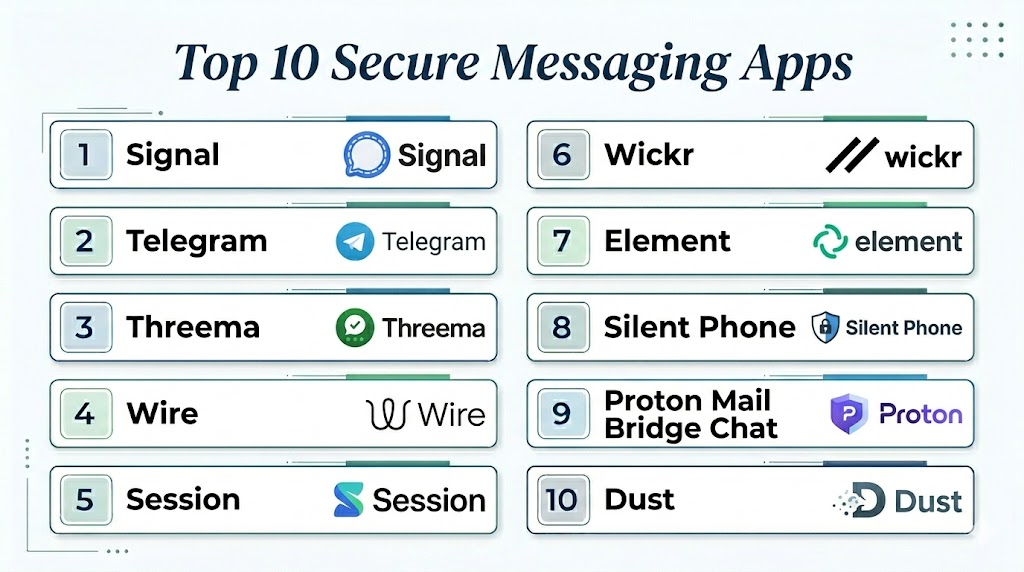
Top 10 Secure Messaging Apps
#1 — Signal
Short description: Signal is widely considered the gold standard for secure messaging because of its strong end-to-end encryption, open-source architecture, and minimal metadata collection policies. Experts frequently rank Signal among the most secure consumer messaging platforms available.
Key Features
- End-to-end encryption by default
- Open-source cryptographic protocol
- Encrypted voice and video calls
- Disappearing messages
- Secure group messaging
- Screen security and app lock
- Minimal metadata retention
Pros
- Strong privacy reputation
- Open-source transparency
- Very limited data collection
- Excellent encryption implementation
Cons
- Smaller user base than WhatsApp
- Limited business collaboration tools
- Phone number requirement still exists
Platforms / Deployment
- Android / iOS / Windows / macOS / Linux
- Cloud
Security & Compliance
- End-to-end encryption
- Open-source Signal Protocol
- Encrypted backups support
- Minimal metadata storage
Integrations & Ecosystem
Signal focuses more on secure communication than broad third-party integrations, prioritizing privacy and controlled functionality.
- Desktop synchronization
- Secure media sharing
- Encrypted calling features
- Limited external integrations by design
Support & Community
- Strong global privacy community
- Extensive public documentation
- Open-source contributor ecosystem
- Active security research interest
#2 — WhatsApp
Short description: WhatsApp is one of the most widely used messaging platforms globally and uses the Signal Protocol for end-to-end encryption. It combines strong encryption with broad consumer adoption and multi-device messaging support.
Key Features
- End-to-end encryption
- Voice and video calls
- Multi-device synchronization
- Group chats and communities
- Secure media sharing
- Business messaging capabilities
- Disappearing messages
Pros
- Massive global user base
- Easy onboarding and usability
- Reliable voice and video quality
- Strong mobile experience
Cons
- Metadata collection concerns
- Owned by Meta
- Privacy concerns among some users
- Backup security depends on configuration
Platforms / Deployment
- Android / iOS / Windows / macOS / Web
- Cloud
Security & Compliance
- Signal Protocol encryption
- Two-factor authentication
- Encrypted communication by default
Integrations & Ecosystem
- WhatsApp Business
- CRM integrations
- Cloud API ecosystem
- Enterprise messaging support
Support & Community
- Large global user community
- Business documentation ecosystem
- Extensive enterprise adoption
#3 — Telegram
Short description: Telegram is a feature-rich messaging app offering cloud-based messaging, large group support, and optional encrypted secret chats. It is popular among communities and organizations needing scalability and advanced messaging features. Telegram’s secret chats use end-to-end encryption, but standard chats are not encrypted end-to-end by default.
Key Features
- Secret chats with encryption
- Large-scale group messaging
- Channels and communities
- File sharing support
- Multi-device synchronization
- Bots and automation APIs
- Voice and video calls
Pros
- Extremely feature-rich platform
- Large community support
- Excellent scalability
- Flexible API ecosystem
Cons
- End-to-end encryption not default for all chats
- Metadata privacy concerns
- Privacy model less strict than Signal
Platforms / Deployment
- Android / iOS / Windows / macOS / Linux / Web
- Cloud
Security & Compliance
- Secret chat encryption
- Two-factor authentication
- Device management controls
Integrations & Ecosystem
- Bot APIs
- Automation platforms
- File-sharing integrations
- Developer ecosystem support
Support & Community
- Large global community
- Extensive developer ecosystem
- Strong automation community
#4 — Threema
Short description: Threema is a privacy-focused encrypted messaging app designed for anonymity and minimal data collection. It allows users to communicate without requiring a phone number.
Key Features
- End-to-end encryption
- Anonymous account creation
- Encrypted voice and video calls
- Polls and group chats
- Metadata minimization
- Secure file sharing
Pros
- Strong anonymity protections
- Minimal data collection
- Privacy-focused architecture
- No phone number required
Cons
- Paid application model
- Smaller user base
- Limited mainstream adoption
Platforms / Deployment
- Android / iOS / Windows / Web
- Cloud
Security & Compliance
- End-to-end encryption
- GDPR support
- Metadata minimization
Integrations & Ecosystem
- Enterprise messaging support
- Business APIs
- Secure collaboration tools
Support & Community
- Strong privacy-focused community
- Business support services
- Documentation and onboarding resources
#5 — Wire
Short description: Wire combines secure messaging with enterprise collaboration features, offering encrypted communication for teams and businesses.
Key Features
- End-to-end encrypted messaging
- Secure group collaboration
- Voice and video conferencing
- Secure file sharing
- Enterprise administration tools
- Multi-device support
Pros
- Enterprise collaboration capabilities
- Strong encryption architecture
- GDPR-focused design
- Multi-device synchronization
Cons
- Smaller consumer adoption
- Premium enterprise features
- Less extensive third-party ecosystem
Platforms / Deployment
- Android / iOS / Windows / macOS / Linux / Web
- Cloud / Self-hosted
Security & Compliance
- End-to-end encryption
- GDPR support
- SSO and RBAC
Integrations & Ecosystem
- Enterprise identity systems
- Collaboration workflows
- File-sharing systems
Support & Community
- Enterprise onboarding support
- Technical documentation
- Business collaboration ecosystem
#6 — Session
Short description: Session is a decentralized secure messaging platform designed to maximize anonymity and metadata protection using distributed routing infrastructure.
Key Features
- Decentralized messaging architecture
- No phone number requirement
- End-to-end encryption
- Metadata-resistant routing
- Open-source architecture
- Disappearing messages
Pros
- Excellent anonymity protections
- Minimal metadata exposure
- Decentralized infrastructure
- Strong privacy-first design
Cons
- Slower message delivery at times
- Smaller ecosystem
- Limited enterprise features
Platforms / Deployment
- Android / iOS / Windows / macOS / Linux
- Decentralized / Cloud
Security & Compliance
- End-to-end encryption
- Open-source platform
- Metadata protection architecture
Integrations & Ecosystem
- Privacy-focused ecosystem
- Open-source community tools
- Secure communication workflows
Support & Community
- Privacy-focused open-source community
- Documentation and tutorials
- Independent developer support
#7 — Element
Short description: Element is a secure messaging and collaboration platform built on the Matrix protocol, supporting decentralized and federated communication for enterprises and communities.
Key Features
- End-to-end encrypted messaging
- Matrix protocol federation
- Secure voice and video calls
- Self-hosting support
- Enterprise collaboration features
- Decentralized communication architecture
Pros
- Strong decentralization capabilities
- Flexible deployment models
- Enterprise collaboration support
- Open-source ecosystem
Cons
- Complex onboarding for beginners
- Interface can feel technical
- Federation management complexity
Platforms / Deployment
- Android / iOS / Windows / macOS / Linux / Web
- Cloud / Self-hosted / Hybrid
Security & Compliance
- End-to-end encryption
- Open-source architecture
- SSO and access controls
Integrations & Ecosystem
- Matrix integrations
- Enterprise collaboration systems
- Open-source communication ecosystem
Support & Community
- Strong open-source community
- Enterprise support tiers
- Extensive documentation
#8 — Wickr
Short description: Wickr provides secure enterprise messaging with encryption, disappearing messages, and collaboration features designed for organizations requiring protected communications.
Key Features
- End-to-end encryption
- Message expiration controls
- Screenshot detection
- Secure file sharing
- Team collaboration capabilities
- Administrative management tools
Pros
- Strong enterprise security features
- Secure collaboration environment
- Flexible retention policies
- Good administrative controls
Cons
- Smaller user ecosystem
- Enterprise focus limits casual adoption
- Some concerns after acquisition history
Platforms / Deployment
- Android / iOS / Windows / macOS
- Cloud
Security & Compliance
- End-to-end encryption
- Administrative governance controls
- Secure communication policies
Integrations & Ecosystem
- Enterprise collaboration workflows
- Secure file-sharing support
- Administrative integration capabilities
Support & Community
- Enterprise onboarding assistance
- Business-focused documentation
- Customer success support
#9 — iMessage
Short description: iMessage provides encrypted messaging within Apple’s ecosystem and is widely used for secure communication between Apple device users.
Key Features
- End-to-end encrypted messaging
- Secure media sharing
- Voice and video communication
- Device synchronization
- Group messaging
- Apple ecosystem integration
Pros
- Seamless Apple device integration
- Strong user experience
- Reliable encryption for Apple-to-Apple communication
- Excellent media support
Cons
- Limited cross-platform compatibility
- Android communication reduces security benefits
- Backup settings can impact privacy
Platforms / Deployment
- iOS / macOS / iPadOS
- Cloud
Security & Compliance
- End-to-end encryption
- Apple account security controls
- Device verification support
Integrations & Ecosystem
- Apple ecosystem services
- FaceTime integration
- Device synchronization features
Support & Community
- Large Apple ecosystem support
- Extensive consumer adoption
- Apple technical documentation
#10 — Viber
Short description: Viber offers encrypted messaging and calling with strong international communication capabilities and support for communities and group chats.
Key Features
- End-to-end encryption
- Voice and video calling
- Group messaging
- Communities and channels
- Cross-platform synchronization
- Media and sticker support
Pros
- Strong international communication support
- Reliable call quality
- Easy onboarding
- Broad cross-platform availability
Cons
- Ads in free experience
- Less transparency on metadata policies
- Smaller enterprise ecosystem
Platforms / Deployment
- Android / iOS / Windows / macOS / Linux
- Cloud
Security & Compliance
- End-to-end encryption
- Two-factor authentication
- Device verification features
Integrations & Ecosystem
- Community messaging features
- International communication tools
- Consumer messaging ecosystem
Support & Community
- Large global user base
- Documentation and support center
- Consumer-focused ecosystem
Comparison Table
| Tool Name | Best For | Platforms Supported | Deployment | Standout Feature | Public Rating |
|---|---|---|---|---|---|
| Signal | Privacy-focused users | Mobile / Desktop | Cloud | Minimal metadata collection | N/A |
| Mainstream secure messaging | Mobile / Desktop / Web | Cloud | Massive global adoption | N/A | |
| Telegram | Large communities | Mobile / Desktop / Web | Cloud | Large-scale group messaging | N/A |
| Threema | Anonymous communication | Mobile / Desktop | Cloud | No phone number requirement | N/A |
| Wire | Enterprise collaboration | Mobile / Desktop / Web | Cloud / Self-hosted | Secure business collaboration | N/A |
| Session | Maximum anonymity | Mobile / Desktop | Decentralized | Metadata-resistant architecture | N/A |
| Element | Decentralized enterprise communication | Mobile / Desktop / Web | Hybrid | Matrix federation support | N/A |
| Wickr | Enterprise secure communication | Mobile / Desktop | Cloud | Enterprise security controls | N/A |
| iMessage | Apple ecosystem users | Apple devices | Cloud | Native Apple integration | N/A |
| Viber | International communication | Mobile / Desktop | Cloud | Reliable encrypted calling | N/A |
Evaluation & Scoring of Secure Messaging Apps
| Tool Name | Core 25% | Ease 15% | Integrations 15% | Security 10% | Performance 10% | Support 10% | Value 15% | Weighted Total |
|---|---|---|---|---|---|---|---|---|
| Signal | 10 | 8 | 6 | 10 | 9 | 8 | 10 | 8.9 |
| 8 | 10 | 8 | 8 | 9 | 9 | 10 | 8.7 | |
| Telegram | 8 | 9 | 9 | 7 | 9 | 8 | 9 | 8.4 |
| Threema | 8 | 7 | 6 | 9 | 8 | 7 | 7 | 7.6 |
| Wire | 8 | 7 | 8 | 9 | 8 | 8 | 7 | 7.9 |
| Session | 8 | 6 | 5 | 10 | 7 | 7 | 8 | 7.5 |
| Element | 8 | 6 | 8 | 9 | 8 | 8 | 7 | 7.8 |
| Wickr | 8 | 7 | 7 | 9 | 8 | 8 | 7 | 7.8 |
| iMessage | 8 | 9 | 6 | 8 | 9 | 8 | 9 | 8.2 |
| Viber | 7 | 8 | 6 | 7 | 8 | 7 | 8 | 7.4 |
These scores are comparative and intended to help evaluate security, usability, integrations, and enterprise readiness. Buyers should prioritize the categories most relevant to their communication and compliance needs.
Which Secure Messaging App Is Right for You?
Solo / Freelancer
Signal, Telegram, and Session are strong choices for individuals wanting privacy-focused communication with minimal complexity.
SMB
WhatsApp, Wire, and Viber provide easy onboarding, reliable communication, and scalable collaboration for smaller teams and businesses.
Mid-Market
Wire, Element, and Telegram offer stronger collaboration features, integrations, and administrative controls for growing organizations.
Enterprise
Wire, Wickr, Element, and Signal are best suited for enterprises requiring secure collaboration, governance controls, and encrypted communications.
Budget vs Premium
- Budget-friendly: Signal, Telegram, Session
- Premium enterprise: Wire, Wickr, Element
Feature Depth vs Ease of Use
- Easiest onboarding: WhatsApp, Signal, Viber
- Most advanced enterprise features: Wire, Element, Wickr
Integrations & Scalability
Organizations requiring integrations with identity systems, collaboration workflows, and governance controls should prioritize enterprise-focused solutions.
Security & Compliance Needs
Highly regulated industries should focus on open-source transparency, minimal metadata collection, encryption strength, and governance controls.
Frequently Asked Questions
1. What makes a messaging app secure?
A secure messaging app typically uses end-to-end encryption, strong authentication, minimal metadata collection, and secure infrastructure to protect communication privacy.
2. Which secure messaging app is considered the safest?
Signal is widely regarded as one of the safest messaging apps because of its open-source encryption model and strong privacy protections.
3. Is WhatsApp fully private?
WhatsApp encrypts message contents using the Signal Protocol, but it still collects metadata related to communication patterns.
4. Does Telegram use end-to-end encryption by default?
No. Telegram only enables end-to-end encryption in Secret Chats, while regular chats are cloud-based and not encrypted end-to-end by default.
5. Are open-source messaging apps safer?
Open-source apps allow independent researchers to inspect code and verify security claims, which generally improves transparency and trust.
6. Can secure messaging apps protect against phishing?
Modern secure messaging apps increasingly include spam detection, link verification, and account security features, though user awareness remains critical.
7. Are secure messaging apps suitable for enterprises?
Yes. Many platforms provide enterprise administration, governance controls, encrypted collaboration, and compliance-focused features.
8. What is metadata in messaging apps?
Metadata includes information like who communicated, when messages were sent, device details, and communication patterns, even if message contents remain encrypted.
9. Can encrypted messaging apps still leak information?
Research has shown some apps may leak metadata or notification-related information through external services despite encrypted message content.
10. What should organizations evaluate before choosing a secure messaging platform?
Organizations should evaluate encryption implementation, metadata policies, compliance support, integrations, administrative controls, scalability, and usability.
Conclusion
Secure Messaging Apps have become critical tools for protecting communication privacy across personal, business, and enterprise environments. From privacy-first platforms like Signal and Session to enterprise collaboration solutions such as Wire and Element, organizations now have a wide range of options based on their security, usability, and governance requirements. The right platform depends on communication scale, compliance obligations, collaboration needs, and desired privacy protections. Start by identifying your primary communication risks, shortlist two or three platforms aligned with your ecosystem, and run pilot deployments focused on encryption, usability, and administrative workflows. A well-chosen secure messaging platform can significantly strengthen communication privacy, operational security, and long-term digital trust.
