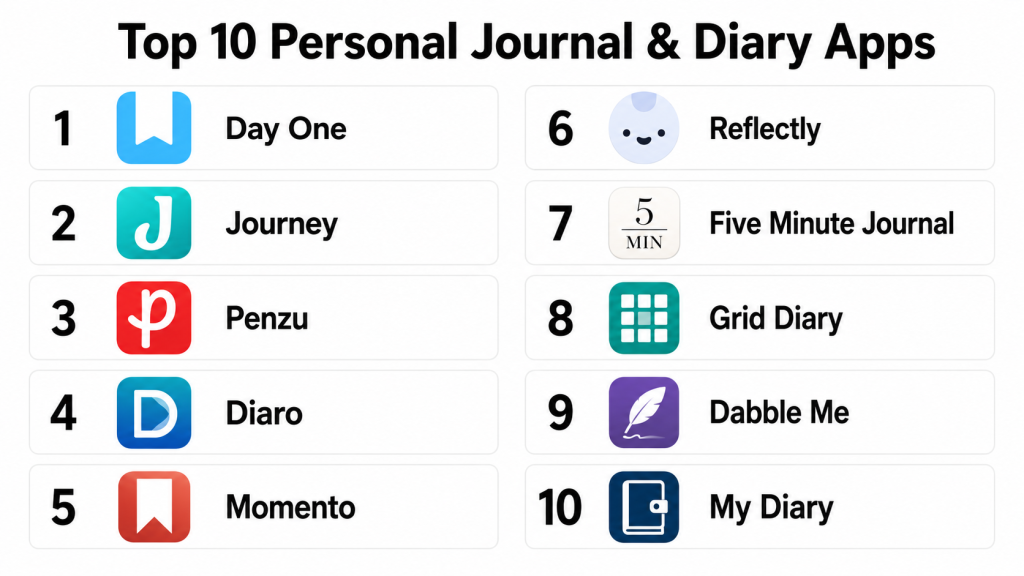
Introduction
Personal Journal & Diary Apps are digital platforms that help users record thoughts, experiences, moods, goals, and daily reflections in a structured and secure way. These tools often offer multimedia support, mood tracking, prompts, privacy features, cross‑device sync, and journaling templates. Personal journaling supports mental health, self‑reflection, habit tracking, and creative writing.
Real‑world use cases include reflecting on daily experiences, tracking mood and habits over time, recording goals and progress, capturing creative ideas or gratitude notes, and tracking mental wellness through mood analytics. Buyers should evaluate privacy and encryption features, ease of writing, multimedia support, reminders and prompts, cross‑device sync, export capabilities, customization, community or sharing options, pricing, and support.
Best for: individuals focused on self‑reflection, mental health tracking, habit formation, creative journaling, and daily reflection routines.
Not ideal for: users who prefer pen‑and‑paper journals, or those uninterested in digital or structured tracking.
Key Trends in Personal Journal & Diary Apps
- End‑to‑end encryption and privacy controls
- AI‑assisted prompts and content suggestions
- Mood and habit tracking with analytics
- Multimedia journal entries with photos and audio
- Cross‑device sync across mobile, web, and desktop
- Reminders and routine scheduling
- Customizable journal templates
- Voice‑to‑text entry support
- Integration with wellness and health platforms
- Export and backup options for offline archives
How We Selected These Tools
- Reviewed popularity and adoption among journaling users
- Assessed privacy, encryption, and secure entry features
- Evaluated writing experience and ease of use
- Considered multimedia and mood tracking capabilities
- Checked reminder, prompting, and routine support
- Measured cross‑device sync and backup options
- Compared export formats and offline access
- Considered AI or guided journaling features
- Assessed subscription value and pricing models
- Reviewed support resources and documentation
Top 10 Personal Journal & Diary Apps
#1 — Day One
Short description: Day One is one of the most popular journaling apps, known for its elegant interface, strong privacy features, cross‑device sync, and multimedia support. It’s suited for personal reflections, photo journaling, and long‑term habit tracking.
Key Features
- End‑to‑end encryption
- Photo and audio support
- Rich text formatting
- Reminders and prompts
- Cross‑device sync and backups
Pros
- Beautiful and intuitive UI
- Strong privacy and security
- Multimedia journal entries
- Great reminders and prompts
Cons
- Premium subscription required for full features
- Advanced analytics limited
- No collaborative entries
- Costly compared to simple note apps
Platforms / Deployment
- iOS / Android / macOS / Web
- Cloud
Security & Compliance
- End‑to‑end encryption available
- Passcode and biometric lock
Integrations & Ecosystem
Day One integrates with wellness tools and supports automated backups.
- Health data linking
- Photo import
- Export to PDF/Markdown
- Reminder sync
- Tagging and templates
Support & Community
Robust help documentation, active user community, and support resources.
#2 — Journey
Short description: Journey is a versatile journaling app with mood tracking, calendar views, and multimedia support. It’s ideal for users who want daily reflection with performance and mood insights.
Key Features
- Multimedia entries
- Mood and habit tracking
- Calendar and timeline views
- Privacy lock options
- Cross‑device sync
Pros
- Easy mood tracking
- Multiple device sync
- Flexible entry options
- Templates and prompts
Cons
- Some advanced features need subscription
- Analytics can be basic
- Export formats limited
- UI not as polished as some competitors
Platforms / Deployment
- iOS / Android / macOS / Windows / Web
- Cloud
Security & Compliance
- Passcode/biometric lock support
- Not publicly stated full encryption details
Integrations & Ecosystem
Journey integrates with calendar workflows and supports export.
- Calendar view
- Photo support
- Sync across devices
- Export to PDF
Support & Community
Documentation, help center, and tutorials available.
#3 — Penzu
Short description: Penzu is a secure, private journal and diary app with strong encryption options. It’s aimed at users who prioritize privacy, password protection, and secure daily writing.
Key Features
- Military‑grade encryption
- Password protection
- Custom journaling sections
- Reminders and tags
- Email reminders
Pros
- Strong encryption options
- Easy privacy controls
- Simple and focused journaling
- Good classic diary layout
Cons
- Premium subscription for encryption
- Limited multimedia features
- Sync limited compared with top competitors
- UI feels dated
Platforms / Deployment
- iOS / Android / Web
- Cloud
Security & Compliance
- Military‑grade encryption (premium)
- Password and email reminders
Integrations & Ecosystem
Penzu focuses on privacy and classic writing.
- Secure entries
- Tagging
- Export options
- Reminders
Support & Community
Help resources and documentation available online.
#4 — Diaro
Short description: Diaro is a journaling app with strong organizational tools, tags, folders, photo attachments, and mood tracking options. It’s well‑suited for lifelogging and daily reflections.
Key Features
- Tags and folders
- Photo attachments
- Search and filters
- Mood tracking
- Cross‑device sync
Pros
- Powerful organization
- Cross‑device sync
- Searchable entries
- Photo support
Cons
- Premium required for full sync
- UI feels utilitarian
- Limited templates
- No advanced analytics
Platforms / Deployment
- iOS / Android / Web
- Cloud
Security & Compliance
- Passcode/biometric lock optional
- Encryption status varies by plan
Integrations & Ecosystem
Diaro focuses on organizational journaling.
- Tags and folders
- Search tools
- Sync
- Filters
Support & Community
Support documentation and tutorials.
#5 — Daylio
Short description: Daylio is a mood‑first micro‑journal that lets users log daily moods, create activity entries, and view trends. It’s ideal for mood tracking and habit recording without extensive writing.
Key Features
- Mood tracking
- Micro‑journaling entries
- Trend graphs
- Reminders
- Customizable activities
Pros
- Quick mood and activity logging
- Trend analysis
- Reminders
- Lightweight and simple
Cons
- Not suited for long text entries
- Limited privacy controls
- No multimedia support
- Sync requires subscription
Platforms / Deployment
- iOS / Android
- Cloud
Security & Compliance
- Passcode lock optional
- Encryption not publicly stated
Integrations & Ecosystem
Daylio emphasizes mood and habit tracking.
- Mood graphs
- Activity templates
- Trend insights
- Reminders
Support & Community
Help guides and FAQs.
#6 — Reflectly
Short description: Reflectly uses AI‑driven prompts to help users journal about mood, thoughts, and personal growth. Its guided questions and analytics make it ideal for users seeking mental wellness routines.
Key Features
- AI prompts and suggestions
- Mood tracking
- Gratitude templates
- Daily reminders
- Visual analytics
Pros
- Guided journaling prompts
- Focus on mental wellness
- Visual feedback
- Easy to start daily entries
Cons
- Subscription needed for full access
- Less free text flexibility
- Limited multimedia support
- Sync options vary
Platforms / Deployment
- iOS / Android
- Cloud
Security & Compliance
- Not publicly stated
Integrations & Ecosystem
Reflectly centers around guided reflection.
- AI prompts
- Mood graphs
- Daily reminders
- Templates
Support & Community
Documentation and support articles.
#7 — Momento
Short description: Momento is a private journaling app that imports social feeds, photos, and entries into a personal diary. It blends life logging with journaling for a multimedia record.
Key Features
- Social feed import
- Photo and media support
- Tags and moments
- Timeline views
- Cross‑device sync
Pros
- Multimedia life logging
- Imports social data
- Tagging rich metadata
- Timeline browsing
Cons
- Subscription needed for social imports
- Privacy depends on connected feeds
- Complex setup for new users
- Not focused solely on writing
Platforms / Deployment
- iOS / macOS
- Cloud
Security & Compliance
- Passcode lock available
- Encryption not publicly stated
Integrations & Ecosystem
Momento pulls data from multiple sources.
- Social feeds
- Photo albums
- Timeline view
- Tags
Support & Community
Documentation and FAQs.
#8 — Grid Diary
Short description: Grid Diary uses a unique grid layout with guided prompts to help users journal consistently. It is ideal for structured reflection and goal tracking.
Key Features
- Grid entry format
- Guided prompts
- Habit tracking
- Reminders
- Export options
Pros
- Structured journaling
- Habit and reflection prompts
- Export to text/PDF
- Encourages routine
Cons
- Not ideal for long‑form text
- Multimedia support minimal
- Sync requires subscription
- Less visual richness
Platforms / Deployment
- iOS / Android
- Cloud
Security & Compliance
- Passcode lock optional
- Encryption not publicly stated
Integrations & Ecosystem
Grid Diary fits structured workflows.
- Guided prompts
- Habit tracking
- Export options
Support & Community
Help documentation and guides.
#9 — Journey
Short description: Journey is a comprehensive journaling and life journaling platform that tracks emotions, photos, and locations, and offers calendar and timeline views. It’s ideal for users who want deep personal tracking and reflection.
Key Features
- Multimedia entries
- Location tagging
- Calendar and timeline views
- Mood tracking
- Export and backup
Pros
- Strong all‑around journaling
- Multimedia and geo‑tags
- Calendar insights
- Export options
Cons
- Some advanced features need subscription
- Analytics basic
- Can feel complex for simple writers
- Not privacy‑first like others
Platforms / Deployment
- iOS / Android / Web / Windows / macOS
- Cloud
Security & Compliance
- Passcode/biometric lock optional
- Encryption varies by plan
Integrations & Ecosystem
Journey supports rich personal data.
- Timeline view
- Photo support
- Mood trends
- Export
Support & Community
Documentation and knowledge base.
#10 — Evernote (Journal Focus)
Short description: Evernote is a note‑taking and journaling tool that doubles as a personal diary when organized with tags and notebooks. It’s great for users who want a flexible writing and organization workspace.
Key Features
- Notebooks and tags
- Multimedia notes
- Reminders
- Search and filters
- Cross‑device sync
Pros
- Highly flexible
- Works as journal and organizer
- Strong search
- Attach photos and files
Cons
- Not designed solely for journaling
- Requires setup for journal workflows
- Some features behind premium
- Less mood or prompt focus
Platforms / Deployment
- iOS / Android / Web / Windows / macOS
- Cloud
Security & Compliance
- Encryption limited to certain fields
- Standard data security
Integrations & Ecosystem
Evernote connects writing with broader productivity tasks.
- Task lists
- Notebooks
- Tags
- File attachments
Support & Community
Strong documentation, forums, and tutorials.
Comparison Table
| Tool Name | Best For | Platforms Supported | Deployment | Standout Feature | Public Rating |
|---|---|---|---|---|---|
| Day One | Privacy‑focused journaling | iOS, Android, macOS, Web | Cloud | End‑to‑end encryption | N/A |
| Journey | Reflection + multimedia | iOS, Android, Web, Windows, macOS | Cloud | Multi‑device reflection | N/A |
| Penzu | Secure diary writing | iOS, Android, Web | Cloud | Military‑grade encryption | N/A |
| Diaro | Organized journal workflows | iOS, Android, Web | Cloud | Tags and filters | N/A |
| Daylio | Mood tracking & micro | iOS, Android | Cloud | Mood trends | N/A |
| Reflectly | Guided prompts | iOS, Android | Cloud | AI‑based prompts | N/A |
| Momento | Life logging | iOS, macOS | Cloud | Social feed import | N/A |
| Grid Diary | Structured reflection | iOS, Android | Cloud | Grid prompts | N/A |
| Evernote | Flexible journaling | iOS, Android, Web, Windows, macOS | Cloud | Notes + journals | N/A |
| Journey | Comprehensive reflection | iOS, Android, Web | Cloud | Calendar & timeline | N/A |
Evaluation & Scoring
| Tool Name | Core | Ease | Integrations | Security | Performance | Support | Value | Weighted Total |
|---|---|---|---|---|---|---|---|---|
| Day One | 9 | 9 | 8 | 9 | 9 | 8 | 8 | 8.90 |
| Journey | 8 | 8 | 8 | 7 | 8 | 8 | 8 | 8.15 |
| Penzu | 7 | 8 | 7 | 9 | 7 | 8 | 7 | 7.75 |
| Diaro | 8 | 8 | 7 | 7 | 8 | 8 | 7 | 7.75 |
| Daylio | 7 | 9 | 7 | 7 | 7 | 7 | 8 | 7.65 |
| Reflectly | 8 | 8 | 7 | 7 | 8 | 7 | 7 | 7.50 |
| Momento | 7 | 7 | 8 | 7 | 8 | 7 | 7 | 7.40 |
| Grid Diary | 7 | 8 | 7 | 7 | 7 | 7 | 7 | 7.25 |
| Evernote | 8 | 8 | 9 | 7 | 8 | 8 | 8 | 8.10 |
Which Personal Journal & Diary App Is Right for You
Daily Personal Reflection
Day One and Journey excel for individuals seeking rich journal workflows with privacy, multimedia, and trend insights. Day One is ideal if privacy is a priority.
Mood & Habit Tracking
Users focused on mental wellness and habit insights should explore Daylio and Reflectly, which emphasize mood recording and trend visualizations.
Secure and Classic Journaling
Penzu fits users who want classic diary pages with strong encryption and password protection. Diaro offers organizational depth with tags and filters.
Life Logging & Mixed Media
Momento blends social feeds, photos, and journaling for users who want a unified life log. Evernote provides flexible workspace for hybrid journal and productivity workflows.
Structured Reflection
Grid Diary’s unique grid prompts assist routine reflection and goal tracking for users who prefer guided formats.
Budget vs Premium
Free tiers offer solid basics, but premium subscriptions unlock advanced privacy, prompts, multimedia, and sync features on most platforms like Day One, Journey, and Reflectly.
Feature Depth vs Ease of Use
Day One and Evernote balance deep features with accessible UIs. Simpler apps like Daylio and Grid Diary are great for quick entries and trend tracking.
Integrations & Scalability
Users invested in wellness ecosystems should choose apps with health integrations and cross‑device sync to maintain consistent journaling habits.
Frequently Asked Questions
1. What is a Personal Journal & Diary App?
A Personal Journal & Diary App allows users to record thoughts, emotions, experiences, goals, and reflections digitally. They often include privacy, cross‑device sync, reminders, and multimedia support.
2. Can I use these apps for mood tracking?
Yes, several apps like Daylio and Reflectly focus specifically on mood recording and trend visualization to support mental wellness tracking.
3. Are journal entries secure?
Apps such as Day One and Penzu offer encryption and privacy controls to protect journal entries. Always review privacy settings before storing sensitive thoughts.
4. Do these tools sync across devices?
Most modern journal apps support cloud sync across phones, tablets, and web devices, enabling seamless journaling across contexts.
5. Can I export my journal?
Several apps provide export features to PDF, Markdown, text, or backup files so that users can archive or migrate entries offline.
6. Are there reminders for journaling?
Yes, many tools offer reminders and prompts to help users maintain consistent journaling routines.
7. Do these apps support multimedia entries?
Apps like Day One, Journey, and Momento support photos, audio clips, and media attachments to enrich entries.
8. Are there guided prompts for reflection?
Yes, tools like Reflectly and Grid Diary offer guided prompts to spark reflection and support structured writing.
9. Can I journal privately?
Yes, apps allow private journals with passcode or biometric locks to ensure privacy when needed.
10. Are these apps suitable for creative writing?
Yes, personal journal apps can be used for creative writing, story ideas, goal writing, and reflective essays alongside daily journaling.
Conclusion
Personal Journal & Diary Apps help users capture daily reflections, track moods, record habits, and support emotional well‑being through secure, private digital journals. Day One stands out for its privacy, multimedia support, and cross‑device sync, while Journey offers reflection with calendar and media tools. Daylio and Reflectly are excellent for mood tracking and habit trends. Classic journaling tools like Penzu provide strong encryption for private diaries, while Momento blends life logging with social and media feeds. Grid Diary adds structured prompts for routine reflection, and flexible tools like Evernote let users build hybrid journal workflows. The best choice depends on your journaling style, privacy needs, habit tracking goals, and device platforms; try a couple of apps to find one that fits your reflections and routine.

This article provides a helpful comparison of personal journal and diary apps, highlighting the features that support daily reflection and organization. The clear pros-and-cons breakdown makes it easier to find an app that matches different journaling preferences.