Introduction
Session Replay Tools are analytics platforms that record and reconstruct user interactions on websites and applications, allowing teams to “replay” sessions and understand how users actually experience a product. Instead of relying only on numbers and dashboards, these tools provide visual playback of clicks, scrolls, navigation paths, and interactions.
They work by capturing structured interaction data such as DOM changes, clicks, and scrolling behavior, then rebuilding it into a video-like experience for analysis. This makes them extremely valuable for debugging issues, improving UX, and optimizing conversions.
Real-world use cases include:
- Debugging user issues and bugs
- Improving website and app UX
- Analyzing conversion drop-offs
- Identifying usability problems
- Enhancing product and design decisions
What buyers should evaluate:
- Recording accuracy and playback quality
- Privacy and data masking features
- Integration with analytics and product tools
- Heatmaps and behavioral analytics
- Performance impact on applications
- Filtering and segmentation capabilities
- Scalability and data storage
- Pricing models
Best for: Product teams, UX designers, developers, marketers, and SaaS companies optimizing digital experiences.
Not ideal for: Businesses with minimal digital presence or those not analyzing user behavior deeply.
Key Trends in Session Replay Tools
- AI-driven session insights and anomaly detection
- Real-time replay and debugging tools
- Integration with product analytics platforms
- Advanced filtering and segmentation
- Privacy-first design with data masking
- Heatmaps combined with replay analytics
- Mobile and cross-platform replay support
- Lightweight data capture for performance optimization
- Developer-focused debugging integrations
- Behavioral analytics combined with funnels and journeys
How We Selected These Tools
- Evaluated market adoption and usage across SaaS and web products
- Assessed replay accuracy and behavioral analytics features
- Considered ease of use and onboarding
- Reviewed integration with analytics and development tools
- Analyzed scalability for large datasets
- Evaluated privacy and compliance features
- Considered performance impact on applications
- Assessed value and pricing flexibility
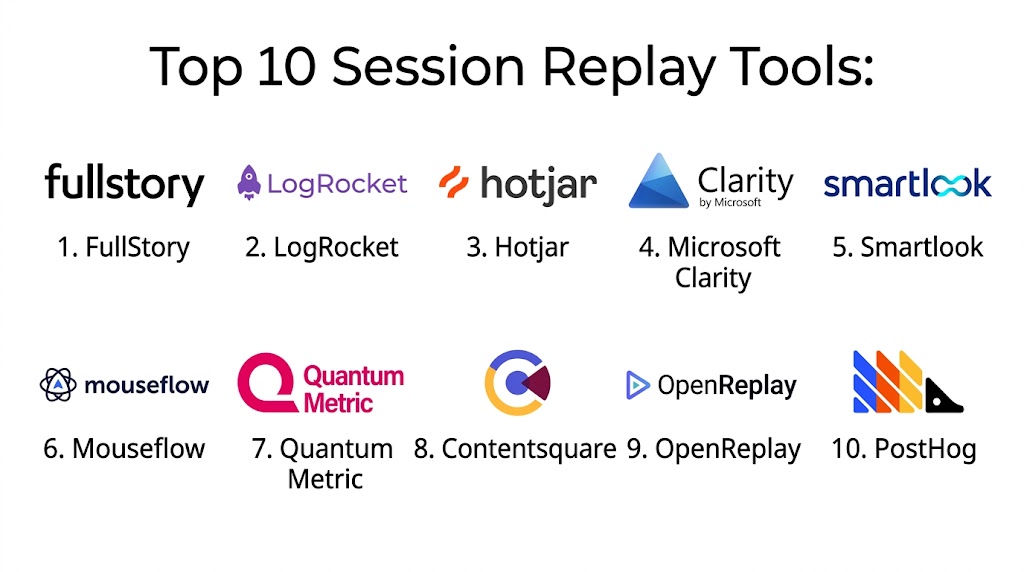
Top 10 Session Replay Tools
#1 — FullStory
Short description: FullStory is a leading session replay and digital experience analytics platform that provides deep insights into user behavior and interactions.
Key Features
- High-fidelity session replay
- AI-driven insights
- Heatmaps and funnels
- Error tracking
- User journey analysis
Pros
- Deep analytics capabilities
- High-quality replay data
- Strong debugging tools
Cons
- Expensive
- Complex setup
- Learning curve
Platforms / Deployment
- Web Mobile
- Cloud
Security & Compliance
- Data masking, encryption
- Not publicly stated
Integrations & Ecosystem
Integrates with product and analytics tools.
- CRM
- Analytics platforms
- APIs
Support & Community
Strong enterprise support and documentation.
#2 — LogRocket
Short description: LogRocket combines session replay with frontend monitoring, making it ideal for developers debugging issues.
Key Features
- Session replay
- Error tracking
- Performance monitoring
- Console logs
- Network tracking
Pros
- Developer-focused
- Strong debugging
- Real-time monitoring
Cons
- Technical setup required
- Pricing
- Not beginner-friendly
Platforms / Deployment
- Web
- Cloud
Security & Compliance
- Data masking
- Not publicly stated
Integrations & Ecosystem
Integrates with developer tools.
- Dev tools
- APIs
Support & Community
Strong developer community.
#3 — Hotjar
Short description: Hotjar provides session replay along with heatmaps and feedback tools for understanding user behavior.
Key Features
- Session recordings
- Heatmaps
- Surveys
- Feedback tools
- Funnels
Pros
- Easy to use
- Affordable
- Good for beginners
Cons
- Limited advanced analytics
- Basic segmentation
- Less developer-focused
Platforms / Deployment
- Web
- Cloud
Security & Compliance
- Data masking
- Not publicly stated
Integrations & Ecosystem
Integrates with analytics tools.
- CRM
- Analytics
Support & Community
Large community and resources.
#4 — Microsoft Clarity
Short description: Clarity is a free session replay tool offering heatmaps and behavioral analytics.
Key Features
- Session replay
- Heatmaps
- Filtering
- User insights
- Integration with analytics
Pros
- Free
- Easy to use
- Good performance
Cons
- Limited advanced features
- Basic reporting
- Smaller ecosystem
Platforms / Deployment
- Web
- Cloud
Security & Compliance
- Not publicly stated
Integrations & Ecosystem
Integrates with analytics platforms.
- Analytics tools
- APIs
Support & Community
Basic support with documentation.
#5 — Smartlook
Short description: Smartlook provides session replay for web and mobile apps with strong analytics features.
Key Features
- Session replay
- Heatmaps
- Event tracking
- Funnel analysis
- Mobile support
Pros
- Mobile analytics
- Easy setup
- Strong insights
Cons
- Limited enterprise features
- Pricing tiers
- Smaller ecosystem
Platforms / Deployment
- Web Mobile
- Cloud
Security & Compliance
- Not publicly stated
Integrations & Ecosystem
Supports integration with analytics tools.
- APIs
- Data tools
Support & Community
Good support resources.
#6 — Mouseflow
Short description: Mouseflow provides session replay combined with advanced heatmaps and analytics.
Key Features
- Session replay
- Heatmaps
- Funnel analysis
- Form analytics
- Behavior tracking
Pros
- Strong heatmaps
- Good analytics
- Easy to use
Cons
- Pricing
- Limited customization
- Learning curve
Platforms / Deployment
- Web
- Cloud
Security & Compliance
- Not publicly stated
Integrations & Ecosystem
Integrates with analytics tools.
- APIs
- CRM
Support & Community
Good support.
#7 — Quantum Metric
Short description: Quantum Metric is an enterprise-grade session replay platform focused on digital experience optimization.
Key Features
- Session replay
- AI insights
- Journey analytics
- Error detection
- Reporting
Pros
- Enterprise-level features
- Strong analytics
- Scalable
Cons
- Expensive
- Complex
- Requires expertise
Platforms / Deployment
- Web
- Cloud
Security & Compliance
- Enterprise controls
- Not publicly stated
Integrations & Ecosystem
Integrates with enterprise tools.
- CRM
- Analytics
Support & Community
Enterprise support.
#8 — Contentsquare
Short description: Contentsquare provides experience analytics and session replay with advanced behavior insights.
Key Features
- Session replay
- Heatmaps
- Journey analysis
- AI insights
- Analytics
Pros
- Advanced analytics
- Strong visualization
- Enterprise-ready
Cons
- Expensive
- Complex setup
- Learning curve
Platforms / Deployment
- Web
- Cloud
Security & Compliance
- Not publicly stated
Integrations & Ecosystem
Integrates with analytics platforms.
- CRM
- APIs
Support & Community
Strong support.
#9 — OpenReplay
Short description: OpenReplay is an open-source session replay tool offering flexibility and self-hosting options.
Key Features
- Session replay
- Open-source
- Dev tools integration
- Analytics
- Customization
Pros
- Self-hosted option
- Flexible
- Developer-friendly
Cons
- Requires setup
- Limited UI
- Smaller ecosystem
Platforms / Deployment
- Web
- Cloud Self-hosted
Security & Compliance
- Full control for self-hosting
- Not publicly stated
Integrations & Ecosystem
Supports developer integrations.
- APIs
- Dev tools
Support & Community
Open-source community.
#10 — PostHog
Short description: PostHog is a product analytics platform that includes session replay alongside feature flags and analytics.
Key Features
- Session replay
- Product analytics
- Feature flags
- Funnels
- Event tracking
Pros
- All-in-one platform
- Open-source option
- Strong analytics
Cons
- Complex
- Requires setup
- Learning curve
Platforms / Deployment
- Web
- Cloud Self-hosted
Security & Compliance
- Not publicly stated
Integrations & Ecosystem
Integrates with product tools.
- APIs
- Data platforms
Support & Community
Strong developer community.
Comparison Table
| Tool Name | Best For | Platform Supported | Deployment | Standout Feature | Public Rating |
|---|---|---|---|---|---|
| FullStory | Enterprise analytics | Web Mobile | Cloud | Deep replay analytics | N/A |
| LogRocket | Developers | Web | Cloud | Debugging tools | N/A |
| Hotjar | Beginners | Web | Cloud | Heatmaps + replay | N/A |
| Clarity | Free users | Web | Cloud | Free replay | N/A |
| Smartlook | Mobile apps | Web Mobile | Cloud | Mobile replay | N/A |
| Mouseflow | UX analysis | Web | Cloud | Heatmaps | N/A |
| Quantum Metric | Enterprise | Web | Cloud | AI insights | N/A |
| Contentsquare | Experience analytics | Web | Cloud | Journey analytics | N/A |
| OpenReplay | Developers | Web | Cloud Self-hosted | Open-source | N/A |
| PostHog | Product teams | Web | Cloud Self-hosted | All-in-one analytics | N/A |
Evaluation & Scoring of Session Replay Tools
| Tool Name | Core | Ease | Integrations | Security | Performance | Support | Value | Weighted Total |
|---|---|---|---|---|---|---|---|---|
| FullStory | 9 | 7 | 9 | 8 | 9 | 8 | 7 | 8.3 |
| LogRocket | 9 | 6 | 9 | 8 | 9 | 8 | 7 | 8.2 |
| Hotjar | 8 | 9 | 7 | 7 | 8 | 8 | 9 | 8.2 |
| Clarity | 7 | 9 | 6 | 7 | 8 | 7 | 10 | 8.0 |
| Smartlook | 8 | 8 | 7 | 7 | 8 | 7 | 8 | 7.8 |
| Mouseflow | 8 | 8 | 7 | 7 | 8 | 7 | 7 | 7.6 |
| Quantum Metric | 9 | 6 | 8 | 8 | 9 | 8 | 6 | 8.0 |
| Contentsquare | 9 | 6 | 8 | 8 | 9 | 8 | 6 | 8.0 |
| OpenReplay | 8 | 6 | 7 | 8 | 8 | 7 | 8 | 7.6 |
| PostHog | 8 | 6 | 8 | 8 | 8 | 7 | 8 | 7.8 |
Scores are comparative and help evaluate tools across usability, features, and value. The best tool depends on your team’s technical needs and scale.
Which Session Replay Tool Is Right for You
Solo / Freelancer
Hotjar or Clarity are simple and cost-effective.
SMB
Smartlook and Mouseflow provide balanced features.
Mid Market
FullStory and LogRocket offer advanced insights.
Enterprise
Quantum Metric and Contentsquare are ideal.
Budget vs Premium
Clarity is budget-friendly, FullStory is premium.
Feature Depth vs Ease of Use
FullStory for depth, Hotjar for ease.
Integrations & Scalability
LogRocket and PostHog are strong options.
Security & Compliance Needs
Enterprise tools offer stronger controls.
Frequently Asked Questions
1. What is session replay
Session replay is a technology that captures and reconstructs user interactions on websites and apps. It allows teams to watch sessions like a video. This helps understand user behavior clearly.
2. How do session replay tools work
They collect structured interaction data such as clicks and scrolls, then reconstruct it into a visual playback. This process recreates what users experienced. It does not record actual video.
3. Why are session replay tools important
They provide direct visibility into user behavior and help identify UX issues. Teams can quickly debug problems and improve performance. This leads to better user experience.
4. Are session replay tools secure
Most tools include data masking and encryption features. However, privacy must be carefully managed. Organizations should ensure compliance with data protection laws.
5. Do these tools impact performance
Modern tools are optimized to minimize performance impact. They use lightweight data capture and compression. This ensures smooth user experience.
6. Can these tools track mobile apps
Yes, many tools support mobile session replay. They capture gestures, taps, and navigation patterns. This helps improve mobile UX.
7. How long does implementation take
Implementation can take a few hours to a few days. It depends on the complexity of the application. Most tools provide easy setup guides.
8. Do session replay tools include analytics
Yes, most tools combine replay with analytics features like heatmaps and funnels. This provides deeper insights into user behavior.
9. What are common mistakes
Common mistakes include ignoring privacy concerns and collecting unnecessary data. Not analyzing sessions effectively is also a problem. Proper setup is important.
10. Are there alternatives to session replay tools
Alternatives include heatmaps and traditional analytics tools. However, they lack detailed visual insights. Session replay provides deeper understanding.
Conclusion
Session replay tools have become essential for understanding user behavior at a granular level and improving digital experiences. These platforms allow teams to see exactly how users interact with products, helping identify issues, optimize UX, and enhance performance. From beginner-friendly tools like Hotjar and Clarity to advanced platforms like FullStory and Quantum Metric, each tool offers unique capabilities depending on business needs. The best choice depends on your organization’s scale, technical requirements, and focus on analytics. Companies should prioritize usability, privacy, and integration capabilities when selecting a solution. It is always recommended to test a few tools with real user data to ensure they align with your product and experience goals.

A practical consideration is how teams turn session insights into actual improvements. Watching user behavior is valuable, but the biggest benefit comes from quickly identifying recurring friction points and acting on them.