Introduction
Sales Force Automation (SFA) Software helps organizations automate repetitive sales tasks like lead management, data entry, follow-ups, forecasting, and reporting, allowing sales teams to focus on closing deals and building relationships.
In modern sales environments, manual processes slow down productivity and create data inconsistencies. SFA tools solve this by providing real-time insights, automated workflows, and centralized customer data, making sales processes faster, more accurate, and scalable.
These platforms are often integrated with CRM systems and enhanced with AI to recommend next-best actions, improve conversion rates, and streamline the entire sales lifecycle.
Common use cases include:
- Lead and opportunity management
- Sales pipeline tracking and forecasting
- Automated follow-ups and task management
- Sales performance analytics
- CRM data management and reporting
What buyers should evaluate:
- Lead and pipeline management capabilities
- Automation and workflow features
- CRM and third-party integrations
- AI-driven insights and forecasting
- Ease of use and adoption
- Reporting and analytics
- Scalability across teams
- Mobile accessibility
- Security and compliance
Best for: Sales teams, RevOps, startups, SMBs, and enterprises aiming to improve sales productivity and pipeline visibility.
Not ideal for: Small teams with very simple sales processes that can be managed manually.
Key Trends in Sales Force Automation Software
- AI-driven sales recommendations: Predictive insights for closing deals
- Automated lead scoring: Prioritizing high-conversion prospects
- Real-time pipeline visibility: Instant tracking of deals
- CRM-first platforms: Deep integration with customer data
- Mobile-first sales tools: Manage sales on the go
- No-code automation: Easy workflow creation without developers
- Sales engagement automation: Automated emails and follow-ups
- Data-driven forecasting: Improved revenue predictions
- Unified sales platforms: Combining CRM, SFA, and analytics
- Automation replacing manual data entry: Reducing admin workload
How We Selected These Tools (Methodology)
- Evaluated market adoption and CRM ecosystem presence
- Assessed sales automation and pipeline management capabilities
- Reviewed AI and analytics features
- Analyzed integration ecosystem (CRM, marketing, finance)
- Considered ease of use and onboarding experience
- Checked security and compliance readiness
- Compared scalability across SMB to enterprise
- Reviewed performance and reliability indicators
- Ensured balanced mix of enterprise and SMB tools
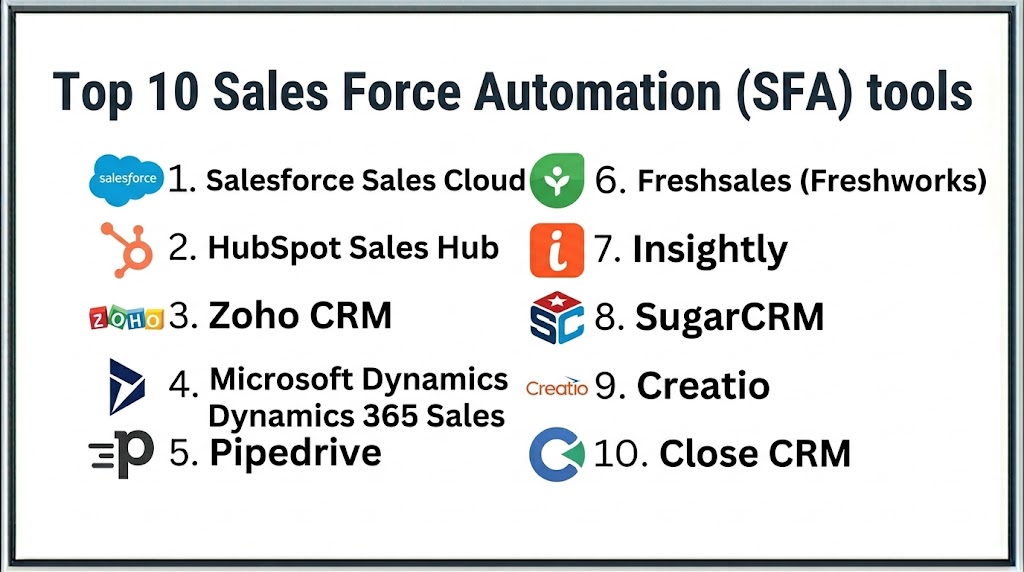
Top 10 Sales Force Automation Software
#1 — Salesforce Sales Cloud
Short description: Salesforce Sales Cloud is a leading SFA platform offering end-to-end sales automation, CRM integration, and AI-driven insights for enterprises.
Key Features
- Lead and opportunity management
- AI-powered forecasting
- Workflow automation
- Sales analytics dashboards
- Mobile access
- CRM integration
Pros
- Industry-leading platform
- Strong ecosystem
- Highly scalable
Cons
- Expensive
- Complex setup
- Requires training
Platforms / Deployment
Web / Mobile, Cloud
Security & Compliance
Encryption, RBAC, audit logs
Integrations & Ecosystem
Extensive ecosystem
- App marketplace
- API integrations
- Third-party tools
Support & Community
Very strong global support
#2 — HubSpot Sales Hub
Short description: HubSpot Sales Hub provides easy-to-use sales automation with CRM, email tracking, and pipeline management.
Key Features
- Lead tracking
- Email automation
- Pipeline management
- Reporting dashboards
- Workflow automation
Pros
- User-friendly
- Fast setup
- Good for SMBs
Cons
- Limited advanced features
- Pricing increases with scale
- Customization limits
Platforms / Deployment
Web / Mobile, Cloud
Security & Compliance
Encryption
Integrations & Ecosystem
Integrates with marketing and CRM tools
Support & Community
Strong support
#3 — Zoho CRM
Short description: Zoho CRM offers affordable sales automation with strong workflow capabilities and analytics for growing businesses.
Key Features
- Lead management
- Workflow automation
- Sales forecasting
- Reporting dashboards
- AI assistant
Pros
- Affordable
- Feature-rich
- Easy to use
Cons
- UI complexity
- Limited enterprise depth
- Setup required
Platforms / Deployment
Web / Mobile, Cloud
Security & Compliance
Encryption, MFA
Integrations & Ecosystem
Part of Zoho ecosystem
Support & Community
Strong documentation
#4 — Microsoft Dynamics 365 Sales
Short description: Microsoft Dynamics 365 Sales combines CRM and SFA with AI-driven insights and enterprise integrations.
Key Features
- Sales automation
- AI-driven insights
- Pipeline tracking
- Workflow automation
- Reporting dashboards
Pros
- Strong Microsoft integration
- Enterprise-ready
- Scalable
Cons
- Complex setup
- Expensive
- Learning curve
Platforms / Deployment
Cloud
Security & Compliance
Encryption, RBAC
Integrations & Ecosystem
Integrates with Microsoft ecosystem
Support & Community
Enterprise support
#5 — Pipedrive
Short description: Pipedrive is a simple and visual sales pipeline management tool designed for small and mid-sized businesses.
Key Features
- Pipeline management
- Lead tracking
- Workflow automation
- Reporting dashboards
- Activity tracking
Pros
- Easy to use
- Visual pipeline
- Affordable
Cons
- Limited advanced features
- Basic analytics
- Less scalable
Platforms / Deployment
Web / Mobile, Cloud
Security & Compliance
Not publicly stated
Integrations & Ecosystem
Integrates with CRM and sales tools
Support & Community
Good support
#6 — Freshsales (Freshworks)
Short description: Freshsales offers AI-powered sales automation with built-in CRM and communication tools.
Key Features
- Lead scoring
- Email tracking
- Pipeline management
- AI insights
- Workflow automation
Pros
- AI capabilities
- Easy to use
- Affordable
Cons
- Limited enterprise features
- Smaller ecosystem
- Customization limits
Platforms / Deployment
Cloud
Security & Compliance
Not publicly stated
Integrations & Ecosystem
Integrates with Freshworks ecosystem
Support & Community
Strong support
#7 — Insightly
Short description: Insightly combines CRM and project management with sales automation features for SMBs.
Key Features
- Lead management
- Workflow automation
- Pipeline tracking
- Reporting dashboards
- Project tracking
Pros
- Easy integration
- Good for SMBs
- Flexible
Cons
- Limited advanced features
- UI complexity
- Pricing varies
Platforms / Deployment
Cloud
Security & Compliance
Not publicly stated
Integrations & Ecosystem
Integrates with business tools
Support & Community
Good support
#8 — SugarCRM
Short description: SugarCRM provides customizable sales automation with strong analytics and workflow capabilities.
Key Features
- Lead management
- Workflow automation
- Reporting dashboards
- AI insights
- Customization tools
Pros
- Highly customizable
- Strong analytics
- Scalable
Cons
- Complex setup
- Learning curve
- Pricing varies
Platforms / Deployment
Cloud / Self-hosted
Security & Compliance
Not publicly stated
Integrations & Ecosystem
Integrates with enterprise tools
Support & Community
Strong support
#9 — Creatio
Short description: Creatio offers no-code sales automation with CRM and workflow automation capabilities.
Key Features
- No-code automation
- Lead management
- Workflow automation
- Reporting dashboards
- CRM integration
Pros
- Flexible
- No-code platform
- Scalable
Cons
- Setup complexity
- Pricing varies
- Learning curve
Platforms / Deployment
Cloud
Security & Compliance
Not publicly stated
Integrations & Ecosystem
Integrates with enterprise systems
Support & Community
Good support
#10 — Close CRM
Short description: Close CRM focuses on sales automation with built-in communication tools for sales teams.
Key Features
- Lead management
- Email and call automation
- Pipeline tracking
- Reporting dashboards
- Workflow automation
Pros
- Strong communication tools
- Easy to use
- Good for SMBs
Cons
- Limited enterprise features
- Smaller ecosystem
- Pricing varies
Platforms / Deployment
Cloud
Security & Compliance
Not publicly stated
Integrations & Ecosystem
Integrates with CRM tools
Support & Community
Good support
Comparison Table
| Tool Name | Best For | Platform(s) Supported | Deployment | Standout Feature | Public Rating |
|---|---|---|---|---|---|
| Salesforce | Enterprise | Web/Mobile | Cloud | AI-driven CRM | N/A |
| HubSpot | SMB | Web/Mobile | Cloud | Ease of use | N/A |
| Zoho CRM | SMB | Web/Mobile | Cloud | Affordability | N/A |
| Microsoft Dynamics | Enterprise | Web | Cloud | Microsoft ecosystem | N/A |
| Pipedrive | SMB | Web/Mobile | Cloud | Visual pipeline | N/A |
| Freshsales | SMB | Web | Cloud | AI insights | N/A |
| Insightly | SMB | Web | Cloud | CRM + projects | N/A |
| SugarCRM | Enterprise | Web | Cloud/Hybrid | Customization | N/A |
| Creatio | Mid/Enterprise | Web | Cloud | No-code automation | N/A |
| Close CRM | SMB | Web | Cloud | Communication tools | N/A |
Evaluation & Scoring of Sales Force Automation Software
| Tool | Core | Ease | Integrations | Security | Performance | Support | Value | Weighted Total |
|---|---|---|---|---|---|---|---|---|
| Salesforce | 9 | 6 | 10 | 9 | 9 | 9 | 6 | 8.6 |
| HubSpot | 8 | 9 | 8 | 7 | 8 | 8 | 8 | 8.2 |
| Zoho CRM | 8 | 8 | 8 | 7 | 8 | 7 | 9 | 8.1 |
| Microsoft | 9 | 6 | 9 | 9 | 9 | 8 | 6 | 8.4 |
| Pipedrive | 7 | 9 | 7 | 7 | 7 | 7 | 8 | 7.7 |
| Freshsales | 8 | 8 | 7 | 7 | 8 | 7 | 8 | 7.9 |
| Insightly | 7 | 8 | 7 | 7 | 7 | 7 | 8 | 7.6 |
| SugarCRM | 8 | 6 | 8 | 8 | 8 | 7 | 7 | 7.8 |
| Creatio | 8 | 7 | 8 | 7 | 8 | 7 | 7 | 7.8 |
| Close CRM | 7 | 8 | 7 | 7 | 7 | 7 | 8 | 7.6 |
How to interpret scores:
- Higher Core = deeper sales automation capabilities
- Higher Ease = faster adoption
- Higher Value = better ROI
- Enterprises prioritize Core + Security, SMBs focus on Ease + Value
Which Sales Force Automation Tool Is Right for You?
Solo / Freelancer
Basic CRM tools are sufficient.
SMB
HubSpot, Zoho CRM, and Pipedrive offer simplicity and affordability.
Mid-Market
Freshsales, Creatio, and Insightly provide balanced features.
Enterprise
Salesforce, Microsoft Dynamics, and SugarCRM deliver advanced capabilities.
Budget vs Premium
- Budget: Zoho CRM, Pipedrive
- Premium: Salesforce, Microsoft
Feature Depth vs Ease of Use
- Feature-rich: Salesforce, Microsoft
- Easy-to-use: HubSpot, Pipedrive
Integrations & Scalability
Choose tools with strong CRM and API integrations.
Security & Compliance Needs
Enterprises should prioritize platforms with strong compliance and audit features.
Frequently Asked Questions (FAQs)
1. What is Sales Force Automation software?
Sales Force Automation software automates repetitive sales tasks like lead management, data entry, and forecasting. It improves efficiency and reduces manual errors.
2. How is SFA different from CRM?
SFA focuses on automating sales processes, while CRM manages customer relationships. Both are often integrated.
3. What are the key features of SFA tools?
Lead management, pipeline tracking, automation, and reporting are key features. These tools also provide analytics and forecasting.
4. Who should use SFA software?
Sales teams, startups, SMBs, and enterprises benefit from SFA tools. They are especially useful for growing sales teams.
5. How do SFA tools improve sales performance?
They reduce manual work and provide insights for better decision-making. This helps teams focus on closing deals.
6. Are SFA tools cloud-based?
Most modern SFA platforms are cloud-based. This allows remote access and scalability.
7. Can SFA tools integrate with other systems?
Yes, they integrate with CRM, ERP, and marketing tools. This ensures seamless workflows.
8. How long does implementation take?
SMB tools can be deployed quickly, while enterprise tools take longer.
9. What pricing models are used?
Subscription-based pricing is common. Costs vary based on features and users.
10. What mistakes should be avoided?
Ignoring integrations and scalability is a common mistake. Businesses should also ensure user adoption.
Conclusion
Sales Force Automation Software plays a critical role in modern sales organizations by automating repetitive tasks, improving efficiency, and providing real-time insights into sales performance. As sales processes become more complex, relying on manual workflows limits productivity and increases the risk of errors. SFA tools enable teams to focus on high-value activities like customer engagement and deal closing while automating routine operations. From SMB-friendly solutions like HubSpot and Zoho CRM to enterprise platforms like Salesforce and Microsoft Dynamics, there are options for every business size. The right choice depends on your sales complexity, team size, and integration needs. Businesses should prioritize automation, ease of use, and scalability when selecting a tool. Security and compliance should also be considered. Instead of choosing based on popularity, organizations should evaluate how well a platform fits their workflows. Shortlisting a few tools and running pilot implementations is the best approach. This ensures improved sales performance, efficiency, and long-term growth.

One thing that often matters most in sales force automation is how well it reduces manual work for sales teams. When routine tasks are streamlined, reps can focus more on building relationships and closing deals instead of updating records.