Introduction
Payroll & Benefits Administration Software helps organizations automate employee salary processing, tax compliance, and benefits management (like insurance, retirement plans, and leave policies) in a unified system. These platforms eliminate manual calculations and paperwork by syncing payroll, HR data, and benefits eligibility into one workflow.
Modern businesses face increasing complexity in payroll due to changing labor laws, tax regulations, global workforce management, and employee benefit expectations. These tools ensure employees are paid accurately and on time while maintaining compliance. In fact, automated payroll systems significantly reduce errors and compliance risks compared to manual processes .
Common use cases include:
- Automated payroll processing and tax calculations
- Employee benefits enrollment and management
- Compliance with labor laws and tax regulations
- Time tracking and attendance integration
- Employee self-service portals
What buyers should evaluate:
- Payroll automation and tax compliance features
- Benefits administration capabilities
- Integration with HR, accounting, and ERP systems
- Multi-country payroll support
- Employee self-service experience
- Reporting and analytics
- Security and compliance controls
- Scalability and performance
- Ease of implementation
Best for: HR teams, finance teams, startups, SMBs, and enterprises managing employee payroll and benefits at scale.
Not ideal for: Freelancers or very small businesses with simple payroll needs.
Key Trends in Payroll & Benefits Administration Software
- AI-driven payroll automation: Reducing manual calculations and errors
- Global payroll platforms: Managing distributed workforce across countries
- Real-time compliance updates: Automatically adapting to legal changes
- Employee self-service portals: Employees manage payslips and benefits independently
- Integrated HR ecosystems: Payroll + HR + benefits in one platform
- Cloud-first deployment: Remote accessibility and scalability
- Automated tax filing: Reducing compliance workload
- Flexible benefits management: Custom employee benefits packages
- API-based integrations: Seamless connection with finance and HR systems
- Data-driven insights: Payroll analytics for decision-making
How We Selected These Tools (Methodology)
- Evaluated market adoption and HR tech popularity
- Assessed payroll automation and compliance capabilities
- Reviewed benefits management features
- Analyzed integration ecosystem and APIs
- Considered ease of use and onboarding experience
- Checked security and compliance readiness
- Compared scalability across SMB to enterprise
- Reviewed performance and reliability indicators
- Ensured coverage across global and regional solutions
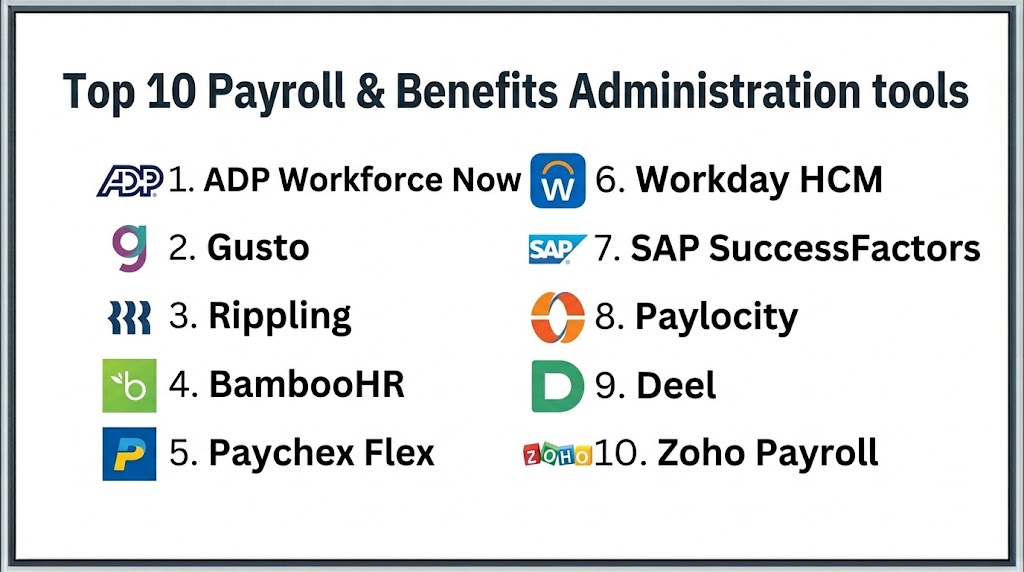
Top 10 Payroll & Benefits Administration Software
#1 — ADP Workforce Now
Short description: ADP Workforce Now is a comprehensive payroll and HR platform designed for businesses needing strong compliance and benefits administration.
Key Features
- Payroll automation
- Benefits administration
- Tax compliance management
- Time and attendance tracking
- Reporting dashboards
Pros
- Strong compliance capabilities
- Scalable
- Trusted global brand
Cons
- Expensive
- Complex implementation
- Learning curve
Platforms / Deployment
Cloud
Security & Compliance
Encryption, compliance tools; certifications not publicly stated
Integrations & Ecosystem
Integrates with HR, ERP, and accounting systems
Support & Community
Enterprise-level support
#2 — Gusto
Short description: Gusto is a payroll and benefits platform designed for SMBs with a focus on ease of use and automation.
Key Features
- Automated payroll runs
- Benefits administration
- Tax filing automation
- Employee self-service
- Time tracking
Pros
- User-friendly
- Strong automation
- Affordable
Cons
- Limited enterprise features
- Pricing increases with scale
- Regional limitations
Platforms / Deployment
Web / Mobile, Cloud
Security & Compliance
Encryption, MFA
Integrations & Ecosystem
Integrates with accounting and HR tools
Support & Community
Strong SMB support
#3 — Rippling
Short description: Rippling is an all-in-one HR platform combining payroll, benefits, IT management, and automation.
Key Features
- Payroll automation
- Benefits enrollment
- Compliance tracking
- Workflow automation
- Employee management
Pros
- Unified platform
- Strong automation
- Scalable
Cons
- Pricing varies
- Setup complexity
- Requires configuration
Platforms / Deployment
Cloud
Security & Compliance
Encryption; certifications not publicly stated
Integrations & Ecosystem
Integrates with business systems and apps
Support & Community
Strong support ecosystem
#4 — BambooHR
Short description: BambooHR offers HR and payroll features with strong benefits management for small and mid-sized businesses.
Key Features
- Payroll processing
- Benefits tracking
- Employee data management
- Reporting tools
- Workflow automation
Pros
- Easy to use
- Strong HR features
- Good onboarding
Cons
- Limited global payroll
- Pricing varies
- Customization limits
Platforms / Deployment
Cloud
Security & Compliance
Not publicly stated
Integrations & Ecosystem
Integrates with HR and payroll systems
Support & Community
Strong documentation
#5 — Paychex Flex
Short description: Paychex Flex provides payroll and HR solutions with strong compliance and automation capabilities.
Key Features
- Payroll processing
- Benefits management
- Tax compliance
- Reporting dashboards
- Employee self-service
Pros
- Reliable
- Strong compliance
- Scalable
Cons
- Pricing varies
- Interface complexity
- Limited customization
Platforms / Deployment
Cloud
Security & Compliance
Not publicly stated
Integrations & Ecosystem
Integrates with financial systems
Support & Community
Strong support
#6 — Workday HCM
Short description: Workday offers enterprise-level payroll and benefits management with advanced analytics and automation.
Key Features
- Payroll automation
- Benefits administration
- Workforce analytics
- Compliance management
- Reporting dashboards
Pros
- Enterprise-grade
- Highly scalable
- Strong analytics
Cons
- Expensive
- Complex implementation
- Requires expertise
Platforms / Deployment
Cloud
Security & Compliance
Encryption, RBAC
Integrations & Ecosystem
Integrates with enterprise systems
Support & Community
Enterprise support
#7 — SAP SuccessFactors
Short description: SAP SuccessFactors provides global payroll and benefits management with strong compliance and scalability.
Key Features
- Global payroll
- Benefits management
- Compliance automation
- Workforce analytics
- Employee self-service
Pros
- Global coverage
- Enterprise-ready
- Strong compliance
Cons
- Complex
- Expensive
- Learning curve
Platforms / Deployment
Cloud
Security & Compliance
Not publicly stated
Integrations & Ecosystem
Deep SAP integrations
Support & Community
Enterprise support
#8 — Paylocity
Short description: Paylocity offers payroll, HR, and benefits management tools for mid-sized businesses.
Key Features
- Payroll automation
- Benefits administration
- Employee engagement tools
- Reporting dashboards
- Compliance management
Pros
- Easy to use
- Good automation
- Scalable
Cons
- Limited enterprise features
- Pricing varies
- Customization limits
Platforms / Deployment
Cloud
Security & Compliance
Not publicly stated
Integrations & Ecosystem
Integrates with HR and finance tools
Support & Community
Good support
#9 — Deel
Short description: Deel is a global payroll platform designed for remote teams and international workforce management.
Key Features
- Global payroll
- Compliance management
- Contractor payments
- Benefits management
- Reporting dashboards
Pros
- Strong global support
- Easy onboarding
- Scalable
Cons
- Pricing varies
- Limited HR features
- Smaller ecosystem
Platforms / Deployment
Cloud
Security & Compliance
Not publicly stated
Integrations & Ecosystem
Integrates with HR and finance systems
Support & Community
Strong support
#10 — Zoho Payroll
Short description: Zoho Payroll offers payroll automation and compliance features for small and mid-sized businesses.
Key Features
- Payroll processing
- Tax calculations
- Compliance management
- Employee self-service
- Reporting tools
Pros
- Affordable
- Easy to use
- Good integration with Zoho suite
Cons
- Limited advanced features
- Regional limitations
- Customization constraints
Platforms / Deployment
Cloud
Security & Compliance
Not publicly stated
Integrations & Ecosystem
Part of Zoho ecosystem
Support & Community
Good support
Comparison Table
| Tool Name | Best For | Platform(s) Supported | Deployment | Standout Feature | Public Rating |
|---|---|---|---|---|---|
| ADP | Enterprise | Web | Cloud | Compliance | N/A |
| Gusto | SMB | Web/Mobile | Cloud | Ease of use | N/A |
| Rippling | SMB/Mid | Web | Cloud | All-in-one HR | N/A |
| BambooHR | SMB | Web | Cloud | HR integration | N/A |
| Paychex | SMB/Mid | Web | Cloud | Compliance | N/A |
| Workday | Enterprise | Web | Cloud | Analytics | N/A |
| SAP SuccessFactors | Enterprise | Web | Cloud | Global payroll | N/A |
| Paylocity | Mid-market | Web | Cloud | Automation | N/A |
| Deel | Global teams | Web | Cloud | Global payroll | N/A |
| Zoho Payroll | SMB | Web | Cloud | Affordable | N/A |
Evaluation & Scoring of Payroll & Benefits Software
| Tool | Core | Ease | Integrations | Security | Performance | Support | Value | Weighted Total |
|---|---|---|---|---|---|---|---|---|
| ADP | 9 | 6 | 9 | 8 | 9 | 8 | 6 | 8.1 |
| Gusto | 8 | 9 | 8 | 7 | 8 | 8 | 8 | 8.2 |
| Rippling | 9 | 8 | 9 | 7 | 8 | 7 | 7 | 8.1 |
| BambooHR | 7 | 9 | 7 | 7 | 7 | 7 | 8 | 7.6 |
| Paychex | 8 | 7 | 8 | 7 | 8 | 8 | 7 | 7.8 |
| Workday | 9 | 6 | 9 | 8 | 9 | 8 | 6 | 8.1 |
| SAP | 9 | 5 | 9 | 8 | 9 | 8 | 6 | 8.0 |
| Paylocity | 8 | 8 | 8 | 7 | 8 | 7 | 7 | 7.8 |
| Deel | 8 | 8 | 8 | 7 | 8 | 7 | 7 | 7.8 |
| Zoho | 7 | 9 | 7 | 7 | 7 | 7 | 9 | 7.9 |
Which Payroll & Benefits Tool Is Right for You?
Solo / Freelancer
Simple payroll tools or accounting software are sufficient.
SMB
Gusto, Zoho Payroll, and BambooHR offer ease of use and affordability.
Mid-Market
Rippling, Paylocity, and Paychex provide better automation and scalability.
Enterprise
ADP, Workday, and SAP SuccessFactors deliver advanced compliance and global capabilities.
Budget vs Premium
- Budget: Zoho Payroll, Gusto
- Premium: Workday, SAP
Feature Depth vs Ease of Use
- Feature-rich: Workday, SAP
- Easy-to-use: Gusto, Zoho
Integrations & Scalability
Choose tools with strong ERP and HR integrations.
Security & Compliance Needs
Enterprises should prioritize compliance-ready platforms with audit controls.
Frequently Asked Questions (FAQs)
1. What is payroll & benefits software?
It automates employee salary processing and benefits management. It ensures accurate payments and compliance. It reduces manual workload.
2. Who should use these tools?
Businesses with employees and payroll requirements benefit the most. HR and finance teams rely on them.
3. What features are most important?
Payroll automation, tax compliance, benefits management, and integrations are key features.
4. Are these tools secure?
Most offer encryption and access controls. Security varies by vendor.
5. Can they integrate with accounting systems?
Yes, most integrate with ERP and accounting tools.
6. How long does implementation take?
SMB tools can be implemented quickly, while enterprise tools take longer.
7. What pricing models are used?
Subscription-based pricing is common.
8. Can they handle global payroll?
Some tools support multi-country payroll and compliance.
9. What mistakes should be avoided?
Ignoring scalability and integration capabilities is a common mistake.
10. Are benefits included?
Yes, many tools include benefits administration features.
Conclusion
Payroll & Benefits Administration Software is essential for organizations aiming to streamline employee payments, ensure compliance, and manage benefits efficiently. As regulatory requirements become more complex and workforces become more distributed, manual payroll processes are no longer sustainable. These platforms automate payroll calculations, tax filings, and benefits management, reducing errors and improving efficiency. From SMB-friendly tools like Gusto and Zoho Payroll to enterprise solutions like Workday and SAP, there are options for every business size. The right choice depends on your workforce size, compliance requirements, and integration needs. Businesses should prioritize automation, accuracy, and scalability when selecting a solution. Security and compliance should also be key considerations. Instead of choosing based on popularity, organizations should evaluate how well a tool fits their workflows. Running pilot implementations is the best way to validate performance and usability. This ensures long-term efficiency, compliance, and employee satisfaction.
