Introduction
Network Configuration Management (NCM) tools help organizations automate, track, and control changes across network devices such as routers, switches, firewalls, and load balancers. These tools ensure that configurations remain consistent, compliant, and recoverable across complex IT environments.
As networks grow more distributed and dynamic, manual configuration management becomes error-prone and inefficient. NCM tools provide centralized control, version tracking, and automation capabilities to reduce downtime, improve security, and streamline operations. They are especially critical in environments where compliance, uptime, and rapid change management are priorities.
Common Use Cases
- Automating configuration changes across multiple network devices
- Tracking and versioning configurations for audit and rollback
- Ensuring compliance with internal and regulatory standards
- Backup and recovery of device configurations
- Standardizing configurations across environments
What Buyers Should Evaluate
- Automation and orchestration capabilities
- Multi-vendor device support
- Configuration backup and version control
- Compliance reporting and policy enforcement
- Integration with DevOps and ITSM tools
- Role-based access control and audit logs
- Scalability across distributed environments
- Ease of deployment and usability
- API and extensibility support
Best for: Network engineers, IT operations teams, DevOps teams, and enterprises managing large or complex network infrastructures.
Not ideal for: Small environments with minimal devices or teams that rely entirely on managed infrastructure services.
Key Trends in Network Configuration Management Tools
- Infrastructure as Code (IaC) adoption for network configurations
- Automation-first workflows reducing manual intervention
- Integration with CI/CD pipelines for network changes
- AI-driven configuration validation and anomaly detection
- Zero Trust alignment for secure configuration management
- Hybrid and multi-cloud support becoming standard
- Real-time compliance monitoring with automated remediation
- API-first platforms enabling extensibility
- Version-controlled configuration management similar to Git workflows
How We Selected These Tools (Methodology)
- Strong market adoption and credibility
- Comprehensive configuration management features
- Proven automation and orchestration capabilities
- Support for multi-vendor environments
- Integration with DevOps and ITSM ecosystems
- Availability of security and compliance features
- Scalability across SMB to enterprise environments
- Quality of documentation and support
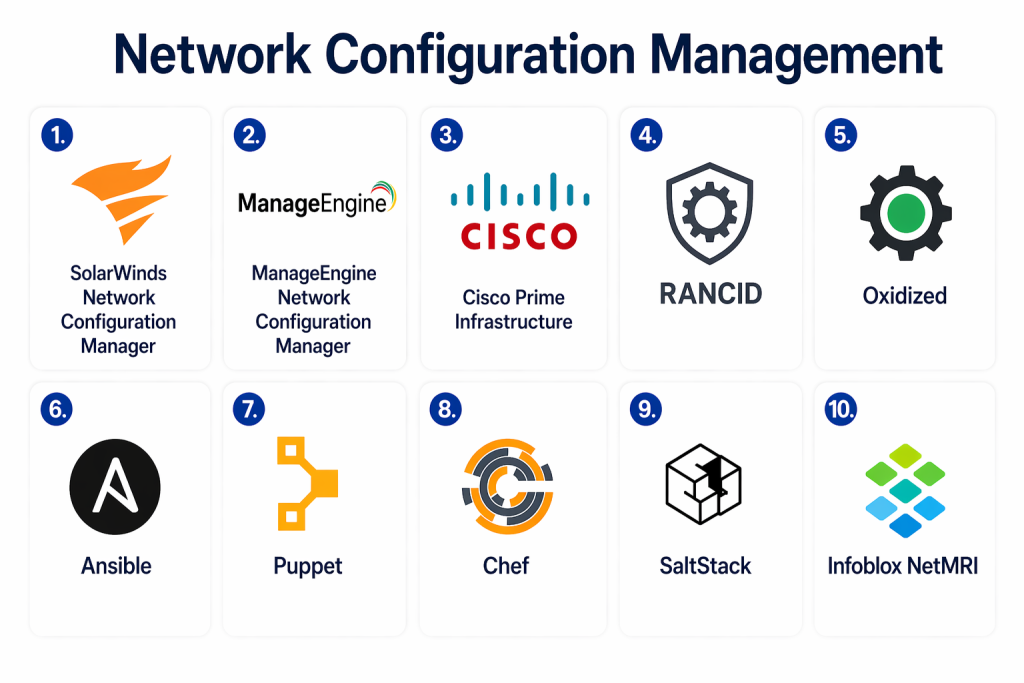
Top 10 Network Configuration Management Tools
#1 — SolarWinds Network Configuration Manager
Short description:
A widely used enterprise solution for managing and automating network device configurations with strong compliance and auditing features.
Key Features
- Automated configuration backups
- Change tracking and version control
- Compliance reporting
- Configuration comparison tools
- Multi-vendor support
- Role-based access control
- Firmware and patch management
Pros
- Mature and feature-rich platform
- Strong compliance capabilities
Cons
- Complex setup
- Higher licensing cost
Platforms / Deployment
Windows / On-premises
Security & Compliance
RBAC, audit logs, encryption (certifications not publicly stated)
Integrations & Ecosystem
Integrates with IT management and monitoring tools.
- Service management platforms
- Network monitoring tools
- APIs
Support & Community
Strong enterprise support and documentation
#2 — ManageEngine Network Configuration Manager
Short description:
A comprehensive NCM solution offering automation, compliance, and configuration management for networks of all sizes.
Key Features
- Configuration backup and restore
- Change management and tracking
- Compliance auditing
- Multi-vendor support
- Automation workflows
- Firmware management
Pros
- Easy to deploy
- Balanced feature set
Cons
- Limited advanced automation
- UI improvements needed
Platforms / Deployment
Windows / Linux / Cloud
Security & Compliance
RBAC, encryption (certifications not publicly stated)
Integrations & Ecosystem
Integrates with IT operations tools.
- ServiceDesk platforms
- APIs
Support & Community
Reliable vendor support
#3 — Cisco Prime Infrastructure
Short description:
A Cisco-focused network management solution designed for centralized control and configuration management.
Key Features
- Configuration management
- Network monitoring integration
- Device lifecycle management
- Policy enforcement
- Reporting and analytics
Pros
- Strong integration with Cisco devices
- Enterprise-grade capabilities
Cons
- Limited multi-vendor support
- Complex deployment
Platforms / Deployment
On-premises / Appliance-based
Security & Compliance
Not publicly stated
Integrations & Ecosystem
Primarily integrates with Cisco ecosystem.
Support & Community
Enterprise support available
#4 — RANCID
Short description:
An open-source tool for tracking network device configurations and changes over time.
Key Features
- Configuration backup
- Version tracking
- Change alerts
- Multi-device support
- Script-based automation
Pros
- Free and open-source
- Lightweight
Cons
- Limited UI
- Requires manual setup
Platforms / Deployment
Linux
Security & Compliance
Not publicly stated
Integrations & Ecosystem
Works with version control systems.
Support & Community
Strong open-source community
#5 — Oxidized
Short description:
A modern alternative to RANCID, offering configuration backup and Git-based version control.
Key Features
- Automated configuration backup
- Git integration
- Device support
- Logging and tracking
- Lightweight design
Pros
- Modern architecture
- Easy integration with Git
Cons
- Limited enterprise features
- Requires setup knowledge
Platforms / Deployment
Linux
Security & Compliance
Not publicly stated
Integrations & Ecosystem
Integrates with Git and automation tools.
Support & Community
Active community support
#6 — Ansible
Short description:
An automation platform used for configuration management and orchestration, including network devices.
Key Features
- Agentless automation
- Playbook-based configuration
- Multi-vendor support
- Integration with CI/CD
- Scalable automation
Pros
- Highly flexible
- Strong community support
Cons
- Requires scripting knowledge
- Not dedicated only to NCM
Platforms / Deployment
Linux / Cloud
Security & Compliance
RBAC, encryption (certifications not publicly stated)
Integrations & Ecosystem
Extensive integrations across DevOps tools.
- CI/CD pipelines
- Cloud platforms
- APIs
Support & Community
Large community and enterprise support
#7 — Puppet
Short description:
A configuration management tool widely used for infrastructure automation, including network configurations.
Key Features
- Infrastructure automation
- Policy enforcement
- Configuration management
- Reporting tools
- Scalability
Pros
- Enterprise-ready
- Strong automation capabilities
Cons
- Learning curve
- Complex setup
Platforms / Deployment
Linux / Cloud
Security & Compliance
RBAC, encryption (certifications not publicly stated)
Integrations & Ecosystem
Supports integrations with DevOps tools.
Support & Community
Strong community and enterprise support
#8 — Chef
Short description:
An automation platform focused on infrastructure as code for managing network and system configurations.
Key Features
- Code-based configuration
- Automation workflows
- Policy enforcement
- Integration with pipelines
- Scalability
Pros
- Flexible and powerful
- Strong DevOps integration
Cons
- Requires programming knowledge
- Complex setup
Platforms / Deployment
Linux / Cloud
Security & Compliance
RBAC, encryption (certifications not publicly stated)
Integrations & Ecosystem
Extensive DevOps integrations.
Support & Community
Active community
#9 — SaltStack
Short description:
A powerful automation and configuration management tool with real-time execution capabilities.
Key Features
- Event-driven automation
- Configuration management
- Remote execution
- Scalability
- API support
Pros
- Fast execution
- Highly scalable
Cons
- Complex setup
- Requires expertise
Platforms / Deployment
Linux / Cloud
Security & Compliance
RBAC, encryption (certifications not publicly stated)
Integrations & Ecosystem
Supports API integrations and automation tools.
Support & Community
Strong community
#10 — Infoblox NetMRI
Short description:
An enterprise-grade network automation and configuration management solution focused on compliance and performance.
Key Features
- Automated configuration management
- Compliance auditing
- Change tracking
- Network discovery
- Policy enforcement
Pros
- Strong compliance features
- Enterprise capabilities
Cons
- Expensive
- Requires training
Platforms / Deployment
Appliance / On-premises
Security & Compliance
RBAC, audit logs (certifications not publicly stated)
Integrations & Ecosystem
Integrates with enterprise IT tools.
Support & Community
Enterprise-level support
Comparison Table (Top 10)
| Tool Name | Best For | Platform(s) Supported | Deployment | Standout Feature | Public Rating |
|---|---|---|---|---|---|
| SolarWinds NCM | Enterprise | Windows | On-prem | Compliance reporting | N/A |
| ManageEngine NCM | SMB/Enterprise | Windows/Linux | Hybrid | Easy deployment | N/A |
| Cisco Prime | Cisco networks | Appliance | On-prem | Cisco integration | N/A |
| RANCID | Open-source | Linux | On-prem | Version tracking | N/A |
| Oxidized | Git-based users | Linux | On-prem | Git integration | N/A |
| Ansible | DevOps teams | Linux | Cloud/Hybrid | Automation | N/A |
| Puppet | Enterprise automation | Linux | Hybrid | Policy enforcement | N/A |
| Chef | DevOps | Linux | Hybrid | Infrastructure as code | N/A |
| SaltStack | Automation | Linux | Hybrid | Real-time execution | N/A |
| Infoblox NetMRI | Enterprise | Appliance | On-prem | Compliance | N/A |
Evaluation & Scoring of Network Configuration Management Tools
| Tool Name | Core | Ease | Integrations | Security | Performance | Support | Value | Weighted Total |
|---|---|---|---|---|---|---|---|---|
| SolarWinds | 9 | 6 | 8 | 7 | 9 | 8 | 6 | 7.9 |
| ManageEngine | 8 | 7 | 7 | 7 | 8 | 7 | 8 | 7.7 |
| Cisco Prime | 8 | 6 | 6 | 7 | 8 | 7 | 6 | 7.0 |
| RANCID | 7 | 5 | 6 | 6 | 7 | 7 | 10 | 7.2 |
| Oxidized | 7 | 6 | 7 | 6 | 7 | 7 | 9 | 7.3 |
| Ansible | 9 | 6 | 9 | 8 | 9 | 9 | 9 | 8.6 |
| Puppet | 8 | 6 | 8 | 8 | 8 | 8 | 7 | 7.8 |
| Chef | 8 | 6 | 8 | 8 | 8 | 8 | 7 | 7.8 |
| SaltStack | 9 | 6 | 8 | 8 | 9 | 8 | 8 | 8.2 |
| Infoblox | 9 | 6 | 7 | 8 | 9 | 8 | 6 | 7.9 |
Interpretation:
Scores reflect relative strengths across functionality, usability, and value. Tools like Ansible and SaltStack rank higher for automation and flexibility, while enterprise tools emphasize compliance and control.
Which Network Configuration Management Tool Is Right for You?
Solo / Freelancer
- RANCID, Oxidized
- Focus on lightweight and free solutions
SMB
- ManageEngine NCM
- Balance between usability and features
Mid-Market
- Ansible, SaltStack
- Automation and scalability
Enterprise
- SolarWinds, Infoblox
- Compliance and large-scale control
Budget vs Premium
- Budget: RANCID, Oxidized
- Premium: SolarWinds, Infoblox
Feature Depth vs Ease of Use
- Deep features: Ansible
- Ease of use: ManageEngine
Integrations & Scalability
- Strongest: Ansible, SaltStack
Security & Compliance Needs
- Choose tools with audit logs and RBAC
Frequently Asked Questions (FAQs)
1. What is Network Configuration Management?
It is the process of managing, tracking, and automating configurations across network devices to ensure consistency and compliance.
2. Why is NCM important?
It reduces errors, improves security, and ensures consistent configurations across devices.
3. Are open-source tools enough?
They are suitable for smaller setups but may lack enterprise features.
4. What is configuration drift?
It occurs when device configurations change unintentionally over time.
5. Can NCM tools automate tasks?
Yes, most tools support automation workflows.
6. Do these tools support multi-vendor environments?
Many tools support multiple vendors, but some are vendor-specific.
7. How do NCM tools improve security?
They enforce policies and track changes to prevent unauthorized modifications.
8. What is rollback capability?
It allows reverting to previous configurations.
9. Can NCM tools integrate with DevOps?
Yes, many tools integrate with CI/CD pipelines.
10. What should I avoid when choosing a tool?
Avoid tools that don’t scale or integrate well with your environment.
Conclusion
Network Configuration Management tools are essential for maintaining consistency, security, and efficiency across modern IT networks. As infrastructures become more dynamic and distributed, manual configuration management is no longer practical, making automation and centralized control critical for success.
Organizations must carefully evaluate their needs, balancing automation capabilities with usability and scalability. Open-source tools provide flexibility and cost advantages, while enterprise solutions offer advanced compliance and support features. The right choice depends on infrastructure complexity, team expertise, and long-term operational goals.
Rather than selecting a tool based on popularity alone, teams should focus on how well it integrates with existing workflows and supports future growth. Shortlisting a few tools, testing them in real environments, and validating their automation capabilities is the most effective way to make the right decision.
