Introduction
CI/CD Tools are software solutions that automate the process of building, testing, and deploying applications. Continuous Integration (CI) ensures that code changes are automatically built and tested, while Continuous Delivery/Deployment (CD) automates deployment to testing or production environments. Together, CI/CD pipelines accelerate development, reduce human error, and improve software quality.
In modern DevOps workflows, CI/CD tools are essential for enabling rapid releases, maintaining reliability, and supporting agile development practices. These tools help teams detect errors early, reduce deployment risks, and ensure consistent application delivery.
Common use cases include:
- Automating build and test processes
- Managing deployment pipelines across environments
- Enforcing quality gates for code changes
- Integrating with code repositories and test frameworks
- Supporting continuous delivery and deployment
Buyers should evaluate:
- Integration with version control systems
- Support for multiple programming languages
- Pipeline automation capabilities
- Scalability for large teams and complex projects
- Monitoring and reporting features
- Role-based access control and security
- Deployment environment flexibility
- Cloud vs on-premise support
- Cost and licensing
Best for: Developers, DevOps engineers, QA teams, and organizations practicing continuous integration and deployment.
Not ideal for: Small projects with infrequent releases or teams using manual deployment processes.
Key Trends in CI/CD Tools
- Kubernetes-native CI/CD pipelines
- GitOps and infrastructure-as-code integration
- AI-assisted pipeline optimization
- Low-code pipeline configuration
- Integration with automated testing and security scanning
- Cloud-based scalable pipelines
- Real-time monitoring and analytics
- Multi-cloud and hybrid deployment support
- Compliance and governance integration
- Containerized build and deployment environments
How We Selected These Tools (Methodology)
- Evaluated market adoption and popularity
- Assessed feature completeness for CI/CD automation
- Reviewed integration with version control, testing, and deployment tools
- Considered ease of use and learning curve
- Analyzed scalability for enterprise and cloud-native applications
- Included both open-source and commercial tools
- Evaluated monitoring, reporting, and analytics capabilities
- Reviewed security, access control, and compliance features
- Assessed workflow flexibility and customization
- Focused on reliability and performance in production pipelines
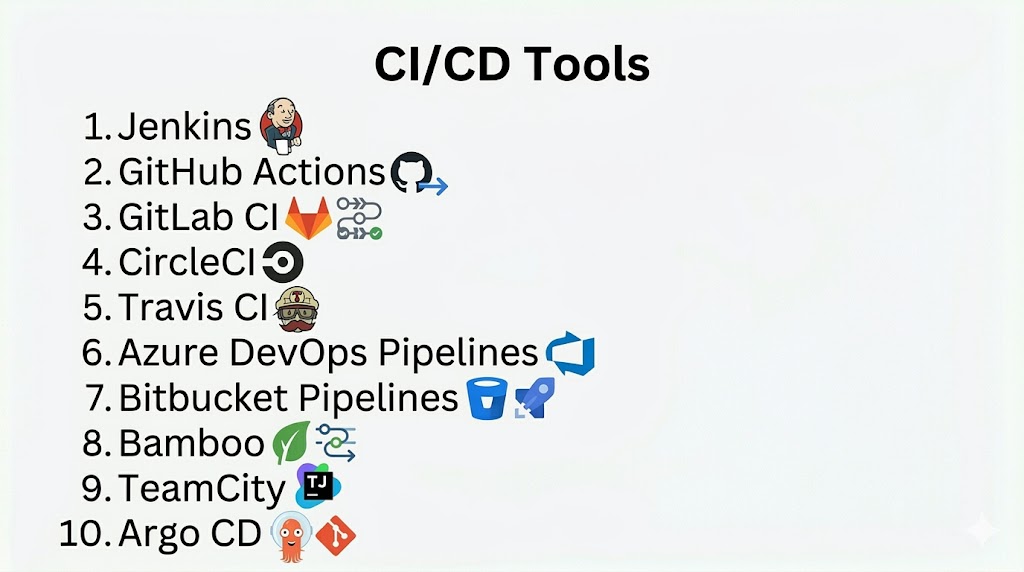
Top 10 CI/CD Tools
#1 — Jenkins
Short description: Open-source automation server widely used for CI/CD pipelines across languages and platforms.
Key Features
- Pipeline as code (Jenkinsfile)
- Plugin ecosystem
- Integration with SCM and test frameworks
- Distributed builds
- Automated deployment
- Reporting and monitoring
Pros
- Free and flexible
- Strong plugin ecosystem
Cons
- Complex setup
- Maintenance overhead
Platforms / Deployment
- Windows / macOS / Linux
- Self-hosted / Cloud
Security & Compliance
- Supports role-based access, plugins for security
Integrations & Ecosystem
- Git, SVN, CI/CD tools, cloud providers
Support & Community
Extensive open-source community and documentation.
#2 — GitHub Actions
Short description: Native CI/CD solution integrated with GitHub repositories for automated workflows.
Key Features
- Workflow automation using YAML
- Integrated with GitHub
- Marketplace actions for quick setups
- Continuous deployment support
- Matrix builds for multiple environments
- Monitoring and logs
Pros
- Native GitHub integration
- Easy to configure
Cons
- Limited to GitHub ecosystem
- Can be complex for enterprise pipelines
Platforms / Deployment
- Cloud
Security & Compliance
- Role-based access through GitHub permissions
Integrations & Ecosystem
- GitHub repositories, cloud deployments, container registries
Support & Community
Strong community with marketplace support.
#3 — GitLab CI
Short description: Complete DevOps platform with built-in CI/CD for version control and automation.
Key Features
- Integrated CI/CD pipelines
- Auto DevOps for predefined pipelines
- Container registry
- Git repository integration
- Deployment automation
- Monitoring dashboards
Pros
- Complete DevOps solution
- Supports Kubernetes pipelines
Cons
- Requires GitLab setup
- Paid plans for advanced features
Platforms / Deployment
- Cloud / Self-hosted
Security & Compliance
- Role-based access, audit logging
Integrations & Ecosystem
- Kubernetes, cloud providers, SCM tools
Support & Community
Active community and enterprise support.
#4 — CircleCI
Short description: Cloud-based CI/CD platform for automating builds, tests, and deployments.
Key Features
- YAML-based pipelines
- Parallel job execution
- Docker support
- GitHub and Bitbucket integration
- Real-time monitoring
- Workflow orchestration
Pros
- Fast cloud builds
- Container-native pipelines
Cons
- Paid for advanced usage
- Cloud dependency
Platforms / Deployment
- Cloud / Self-hosted
Security & Compliance
- Role-based access, encrypted storage
Integrations & Ecosystem
- GitHub, Bitbucket, cloud services, Docker
Support & Community
Commercial support with documentation.
#5 — Travis CI
Short description: CI/CD service for building and testing code hosted on GitHub.
Key Features
- Automated builds
- YAML-based configuration
- Multi-language support
- Integration with GitHub
- Build status notifications
- Deployment support
Pros
- Simple GitHub integration
- Free plan for open-source
Cons
- Limited concurrency on free plans
- Cloud only
Platforms / Deployment
- Cloud
Security & Compliance
- Not publicly stated
Integrations & Ecosystem
- GitHub, deployment services, notification tools
Support & Community
Moderate community support.
#6 — Azure DevOps Pipelines
Short description: Microsoft’s CI/CD solution integrated with Azure DevOps services.
Key Features
- YAML pipelines
- Multi-platform support
- Integration with Azure cloud services
- Deployment to multiple environments
- CI/CD automation
- Testing and monitoring
Pros
- Tight Azure integration
- Enterprise-ready
Cons
- Best suited for Azure users
- Paid plans for large teams
Platforms / Deployment
- Cloud / Self-hosted
Security & Compliance
- Role-based access, enterprise compliance
Integrations & Ecosystem
- Azure cloud, Git, CI/CD tools
Support & Community
Enterprise support with Microsoft documentation.
#7 — Bitbucket Pipelines
Short description: CI/CD service integrated with Bitbucket repositories for automated workflows.
Key Features
- YAML-based configuration
- Cloud-hosted pipelines
- Deployment automation
- Parallel steps
- Monitoring and logs
- Docker support
Pros
- Native Bitbucket integration
- Quick setup
Cons
- Limited to Bitbucket repositories
- Cloud dependency
Platforms / Deployment
- Cloud
Security & Compliance
- Git-based access control
Integrations & Ecosystem
- Bitbucket, cloud services, Docker
Support & Community
Community support via Atlassian.
#8 — Bamboo
Short description: Atlassian’s CI/CD server for build automation and deployment.
Key Features
- Build and deployment plans
- Integration with Jira and Bitbucket
- Automated testing support
- Parallel job execution
- Environment management
- Monitoring and reporting
Pros
- Tight Atlassian ecosystem integration
- Enterprise features
Cons
- Paid license
- On-premise setup complexity
Platforms / Deployment
- Self-hosted / Cloud
Security & Compliance
- Role-based access, audit logging
Integrations & Ecosystem
- Jira, Bitbucket, CI/CD tools
Support & Community
Commercial support from Atlassian.
#9 — TeamCity
Short description: JetBrains CI/CD solution for automated build and deployment pipelines.
Key Features
- Build automation
- VCS integration
- Parallel and distributed builds
- Deployment automation
- Reporting and notifications
- Extensible plugin ecosystem
Pros
- Strong IDE integrations
- Flexible configurations
Cons
- Paid for enterprise use
- Setup complexity
Platforms / Deployment
- Windows / macOS / Linux
Security & Compliance
- Role-based access, audit logging
Integrations & Ecosystem
- Git, Mercurial, cloud providers, plugins
Support & Community
Commercial support with documentation.
#10 — Argo CD
Short description: Kubernetes-native GitOps continuous deployment tool for cloud-native applications.
Key Features
- Declarative GitOps deployments
- Kubernetes-native
- Rollbacks and automated sync
- Multi-cluster support
- Monitoring dashboards
- Integration with CI tools
Pros
- Native Kubernetes support
- GitOps-based workflow
Cons
- Kubernetes knowledge required
- Focused on cloud-native apps
Platforms / Deployment
- Cloud / Kubernetes
Security & Compliance
- Role-based access, audit logging
Integrations & Ecosystem
- Git, CI tools, Kubernetes clusters
Support & Community
Open-source with community and enterprise support.
Comparison Table (Top 10)
| Tool Name | Best For | Platform(s) Supported | Deployment | Standout Feature | Public Rating |
|---|---|---|---|---|---|
| Jenkins | General CI/CD | Cross-platform | Cloud/Self-hosted | Plugin ecosystem | N/A |
| GitHub Actions | GitHub users | Cloud | Cloud | Native integration | N/A |
| GitLab CI | DevOps teams | Cloud/Self-hosted | Hybrid | Complete DevOps platform | N/A |
| CircleCI | Cloud-native | Cloud/Self-hosted | Hybrid | Fast cloud builds | N/A |
| Travis CI | GitHub projects | Cloud | Cloud | Simple setup | N/A |
| Azure DevOps | Microsoft ecosystem | Cloud/Self-hosted | Hybrid | Azure integration | N/A |
| Bitbucket Pipelines | Bitbucket users | Cloud | Cloud | Native integration | N/A |
| Bamboo | Atlassian users | Cross-platform | Cloud/Self-hosted | Enterprise features | N/A |
| TeamCity | JetBrains users | Cross-platform | Self-hosted | Flexible builds | N/A |
| Argo CD | Kubernetes-native | Cloud | Kubernetes | GitOps deployment | N/A |
Evaluation & Scoring of CI/CD Tools
| Tool Name | Core (25%) | Ease (15%) | Integrations (15%) | Security (10%) | Performance (10%) | Support (10%) | Value (15%) | Weighted Total (0–10) |
|---|---|---|---|---|---|---|---|---|
| Jenkins | 10 | 7 | 9 | 7 | 9 | 8 | 9 | 8.6 |
| GitHub Actions | 9 | 9 | 8 | 6 | 8 | 8 | 8 | 8.0 |
| GitLab CI | 9 | 8 | 9 | 7 | 9 | 8 | 8 | 8.3 |
| CircleCI | 9 | 8 | 8 | 6 | 8 | 7 | 8 | 7.9 |
| Travis CI | 8 | 8 | 7 | 6 | 7 | 7 | 8 | 7.5 |
| Azure DevOps | 9 | 7 | 8 | 7 | 8 | 8 | 7 | 7.9 |
| Bitbucket Pipelines | 8 | 8 | 7 | 6 | 7 | 7 | 7 | 7.3 |
| Bamboo | 9 | 7 | 8 | 7 | 8 | 8 | 7 | 7.9 |
| TeamCity | 9 | 7 | 8 | 7 | 8 | 8 | 7 | 7.9 |
| Argo CD | 9 | 7 | 8 | 7 | 8 | 7 | 7 | 7.8 |
Which CI/CD Tool Is Right for You?
Solo / Freelancer
GitHub Actions or Travis CI for small projects and simple pipelines.
SMB
CircleCI, Bitbucket Pipelines, or Jenkins for flexible pipeline setups.
Mid-Market
GitLab CI, Bamboo, or Azure DevOps for full DevOps integration.
Enterprise
Jenkins, Azure DevOps, GitLab CI, or Argo CD for large-scale, Kubernetes-native, or multi-cloud workflows.
Budget vs Premium
- Budget: GitHub Actions, Travis CI
- Premium: Jenkins, Azure DevOps, GitLab CI
Feature Depth vs Ease of Use
- Easy: GitHub Actions, Travis CI
- Advanced: Jenkins, GitLab CI, Argo CD
Integrations & Scalability
- Enterprise-grade: Jenkins, GitLab CI, Argo CD
Security & Compliance Needs
- Enterprise tools offer role-based access, audit logs, and compliance integrations.
Frequently Asked Questions (FAQs)
1. What is CI/CD?
CI/CD is the practice of automating build, test, and deployment workflows.
2. Why use CI/CD tools?
To speed up development, reduce errors, and deliver software reliably.
3. Are CI/CD tools free?
Many open-source tools exist, while enterprise platforms are paid.
4. Can these tools deploy to multiple environments?
Yes, most support multi-environment deployments including cloud and on-premise.
5. Do they support containers?
Yes, modern CI/CD tools integrate with Docker and Kubernetes.
6. What is GitOps?
A Git-driven approach to CI/CD where code changes trigger automated deployment.
7. Can CI/CD tools integrate with testing frameworks?
Yes, they integrate with unit, integration, and automated test frameworks.
8. Which tool is best for small teams?
GitHub Actions or Travis CI for simplicity and cost-effectiveness.
9. Are these tools cloud-based?
Many offer cloud options; some also provide self-hosted versions.
10. Can I use multiple CI/CD tools together?
Yes, hybrid pipelines can combine multiple tools for specific workflows.
Conclusion
CI/CD Tools are essential for accelerating software delivery, reducing deployment risks, and ensuring consistent application quality. From lightweight solutions like GitHub Actions and Travis CI to enterprise-grade platforms like Jenkins, GitLab CI, and Argo CD, there is a tool for every scale and complexity. Selecting the right CI/CD tool depends on your project size, tech stack, and deployment requirements. Teams should pilot a few options, assess integrations and scalability, and choose tools that align with their DevOps workflows.
