Introduction
Secure File Transfer (MFT) Tools help organizations exchange sensitive files safely, reliably, and in a controlled manner across internal teams, customers, suppliers, and business systems. In simple terms, these platforms replace insecure email attachments, unmanaged FTP servers, and manual transfer processes with encrypted, auditable, and automated file movement.
Modern businesses transfer contracts, payroll files, healthcare records, financial statements, customer data, and system integrations daily. Without proper controls, file transfers can create security risks, compliance failures, delays, and operational errors. That is why Managed File Transfer (MFT) tools are essential for enterprises, regulated industries, and growing businesses.
Today’s leading MFT solutions include encryption, workflow automation, scheduling, API integrations, audit trails, policy controls, secure portals, cloud connectivity, and compliance reporting. The best platform depends on transfer volume, regulatory needs, integration complexity, and budget.
Common use cases include:
- B2B partner file exchange
- Payroll and HR document transfers
- Banking and financial data movement
- Healthcare record exchange
- Automated system-to-system transfers
What buyers should evaluate:
- Supported protocols (SFTP, FTPS, HTTPS, AS2)
- Security and encryption
- Workflow automation
- Audit logging
- Compliance readiness
- Cloud and hybrid support
- Scalability
- Ease of administration
- Integrations / APIs
- Pricing and value
Best for: Enterprises, healthcare, finance, retail, logistics, government, MSPs, and compliance-driven organizations.
Not ideal for: Very small teams with occasional non-sensitive file sharing needs.
Key Trends in Secure File Transfer (MFT) Tools
- Zero Trust file transfer controls
- Cloud-native MFT platforms
- API-first transfer automation
- Ransomware-aware file workflows
- Better compliance reporting automation
- Self-service secure portals
- Hybrid cloud transfer orchestration
- AI anomaly detection for transfers
- Passwordless authentication options
- Consolidation of legacy FTP systems
How We Selected These Tools (Methodology)
- Strong market reputation
- Secure transfer reliability
- Broad protocol support
- Automation and workflow maturity
- Compliance readiness
- Ease of deployment and management
- Integration ecosystem quality
- Scalability across enterprises
- Reporting and monitoring strength
- Overall long-term value
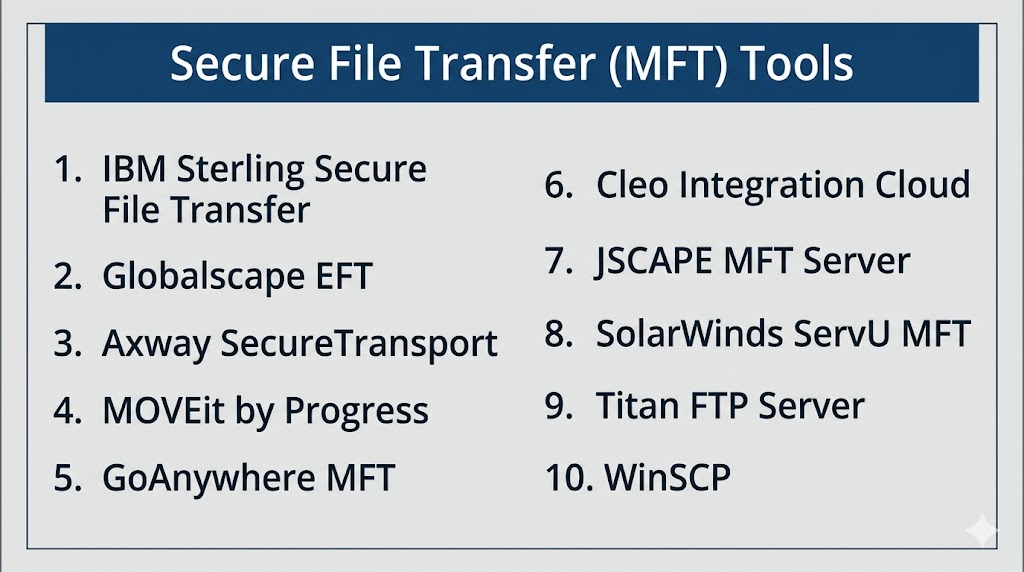
Top 10 Secure File Transfer (MFT) Tools
#1 — IBM Sterling Secure File Transfer
Short description: Enterprise-grade MFT platform trusted for high-volume, mission-critical B2B and internal file exchanges.
Key Features
- High-volume transfers
- Workflow automation
- Partner onboarding tools
- Audit trails
- Multi-protocol support
- Centralized management
Pros
- Excellent enterprise scalability
- Strong B2B capabilities
Cons
- Complex implementations possible
- Premium enterprise pricing
Platforms / Deployment
Windows / Linux / Web
Cloud / Self-hosted / Hybrid
Security & Compliance
Encryption, RBAC, enterprise controls available.
Integrations & Ecosystem
IBM ecosystem, APIs, enterprise apps, B2B systems.
Support & Community
Strong enterprise presence.
#2 — Globalscape EFT
Short description: Well-known MFT solution focused on secure automation and compliance workflows.
Key Features
- Secure transfers
- Workflow automation
- Auditing tools
- Secure web portals
- Scheduling
- Role-based controls
Pros
- Strong compliance support
- Mature feature set
Cons
- UI preferences vary
- Premium pricing tiers
Platforms / Deployment
Windows / Web
Cloud / Self-hosted
Security & Compliance
Encryption, policy controls, audit logs.
Integrations & Ecosystem
Business apps, scripts, APIs.
Support & Community
Established business user base.
#3 — Axway SecureTransport
Short description: Enterprise MFT platform designed for secure data movement across global organizations.
Key Features
- Multi-protocol transfers
- Partner file exchange
- Workflow automation
- Monitoring dashboards
- Compliance logs
- Scalability tools
Pros
- Strong enterprise fit
- Good B2B integrations
Cons
- Complex deployments possible
- Best for larger teams
Platforms / Deployment
Windows / Linux
Cloud / Hybrid
Security & Compliance
Enterprise-grade controls available.
Integrations & Ecosystem
Enterprise systems, APIs, partner networks.
Support & Community
Strong enterprise reputation.
#4 — MOVEit by Progress
Short description: Popular MFT platform for secure transfers, automation, and compliance-driven organizations.
Key Features
- Secure file automation
- Web transfer portal
- Centralized controls
- Audit reporting
- Scheduled workflows
- Policy management
Pros
- Strong business adoption
- Good usability balance
Cons
- Premium licensing possible
- Advanced setups require planning
Platforms / Deployment
Windows / Web
Cloud / Self-hosted
Security & Compliance
Encryption, audit logging, access controls.
Integrations & Ecosystem
Business systems, APIs, automation tools.
Support & Community
Strong market recognition.
#5 — GoAnywhere MFT
Short description: Flexible MFT platform known for automation, compliance, and broad protocol support.
Key Features
- Workflow automation
- SFTP/FTPS/HTTPS/AS2 support
- Secure forms
- Reporting dashboards
- File triggers
- Central admin console
Pros
- Broad feature coverage
- Strong compliance workflows
Cons
- Premium pricing tiers
- Learning curve for advanced automation
Platforms / Deployment
Windows / Linux
Cloud / Self-hosted / Hybrid
Security & Compliance
Encryption, policy controls, audit logs.
Integrations & Ecosystem
ERP, databases, APIs, scripts.
Support & Community
Strong enterprise-mid market presence.
#6 — Cleo Integration Cloud
Short description: Combines MFT with B2B integration and supply chain connectivity.
Key Features
- Managed transfers
- EDI integrations
- Partner onboarding
- Workflow automation
- Cloud connectivity
- Monitoring tools
Pros
- Strong supply chain use cases
- Good integration depth
Cons
- More than pure MFT platform
- Best for B2B-heavy organizations
Platforms / Deployment
Cloud / Hybrid
Security & Compliance
Enterprise controls available.
Integrations & Ecosystem
EDI, ERP, logistics systems, APIs.
Support & Community
Strong B2B market presence.
#7 — JSCAPE MFT Server
Short description: Cross-platform MFT platform known for protocol flexibility and automation.
Key Features
- Broad protocol support
- Automation workflows
- Trigger-based transfers
- Monitoring tools
- Cross-platform deployment
- Admin controls
Pros
- Good flexibility
- Strong protocol coverage
Cons
- Smaller brand visibility
- UI preferences vary
Platforms / Deployment
Windows / Linux / macOS
Cloud / Self-hosted
Security & Compliance
Encryption and admin controls available.
Integrations & Ecosystem
Scripts, APIs, enterprise apps.
Support & Community
Growing business presence.
#8 — SolarWinds Serv-U MFT
Short description: Business-friendly secure transfer platform for SMB and mid-market teams.
Key Features
- Secure FTP/SFTP
- Web sharing portal
- User management
- Transfer logging
- File sharing controls
- Simple administration
Pros
- Easier deployment
- Good SMB fit
Cons
- Less enterprise depth
- Fewer advanced workflows
Platforms / Deployment
Windows / Web
Security & Compliance
Encryption and admin controls available.
Integrations & Ecosystem
SolarWinds ecosystem.
Support & Community
Well-known IT brand.
#9 — Titan FTP Server
Short description: Reliable FTP/SFTP server platform for secure business file exchange.
Key Features
- SFTP/FTPS support
- Web access
- User permissions
- Audit logs
- File event notifications
- Admin console
Pros
- Good traditional server fit
- Easier administration
Cons
- Lighter enterprise automation
- Smaller ecosystem
Platforms / Deployment
Windows
Security & Compliance
Encryption and access controls available.
Integrations & Ecosystem
Business transfer workflows.
Support & Community
Established niche presence.
#10 — WinSCP
Short description: Popular file transfer client used for secure manual SFTP and automation scripting.
Key Features
- SFTP/SCP support
- GUI + scripting
- File synchronization
- Batch automation
- Transfer resume
- Lightweight deployment
Pros
- Free and widely trusted
- Excellent for admins and developers
Cons
- Not a full enterprise MFT suite
- Limited centralized governance
Platforms / Deployment
Windows
Security & Compliance
Secure protocol support available.
Integrations & Ecosystem
Scripts, automation workflows.
Support & Community
Large technical community.
Comparison Table (Top 10)
| Tool Name | Best For | Platform(s) Supported | Deployment | Standout Feature | Public Rating |
|---|---|---|---|---|---|
| IBM Sterling Secure File Transfer | Large enterprises | Cross-platform | Hybrid | High-volume B2B transfers | N/A |
| Globalscape EFT | Compliance teams | Windows/Web | Hybrid | Workflow automation | N/A |
| Axway SecureTransport | Global enterprises | Cross-platform | Hybrid | Enterprise B2B exchange | N/A |
| MOVEit by Progress | Mid-market/Enterprise | Windows/Web | Hybrid | Secure automation | N/A |
| GoAnywhere MFT | Flexible enterprises | Cross-platform | Hybrid | Broad protocol support | N/A |
| Cleo Integration Cloud | Supply chain firms | Cloud | Hybrid | MFT + EDI integration | N/A |
| JSCAPE MFT Server | Mixed environments | Cross-platform | Hybrid | Protocol flexibility | N/A |
| SolarWinds Serv-U MFT | SMB teams | Windows/Web | Self-hosted | Simplicity | N/A |
| Titan FTP Server | Traditional businesses | Windows | Self-hosted | Easy secure FTP | N/A |
| WinSCP | IT admins | Windows | Self-hosted | Free secure client | N/A |
Evaluation & Scoring of Secure File Transfer (MFT) Tools
| Tool Name | Core (25%) | Ease (15%) | Integrations (15%) | Security (10%) | Performance (10%) | Support (10%) | Value (15%) | Weighted Total |
|---|---|---|---|---|---|---|---|---|
| IBM Sterling Secure File Transfer | 10 | 6 | 9 | 9 | 9 | 8 | 6 | 8.1 |
| Globalscape EFT | 8 | 8 | 8 | 9 | 8 | 8 | 7 | 8.0 |
| Axway SecureTransport | 9 | 7 | 9 | 9 | 8 | 8 | 6 | 8.0 |
| MOVEit by Progress | 8 | 8 | 8 | 9 | 8 | 8 | 7 | 8.0 |
| GoAnywhere MFT | 9 | 8 | 8 | 9 | 8 | 8 | 8 | 8.4 |
| Cleo Integration Cloud | 8 | 7 | 9 | 8 | 8 | 8 | 7 | 7.9 |
| JSCAPE MFT Server | 8 | 8 | 7 | 8 | 8 | 7 | 8 | 7.8 |
| SolarWinds Serv-U MFT | 7 | 8 | 7 | 8 | 7 | 7 | 8 | 7.5 |
| Titan FTP Server | 7 | 8 | 6 | 8 | 7 | 7 | 8 | 7.3 |
| WinSCP | 6 | 9 | 6 | 8 | 8 | 8 | 10 | 7.8 |
How to interpret scores:
Enterprise suites score higher in governance and automation, while lighter tools often score better in affordability and simplicity.
Which Secure File Transfer (MFT) Tool Is Right for You?
Solo / Freelancer
WinSCP or Titan FTP Server.
SMB
Serv-U MFT, Titan FTP Server, WinSCP.
Mid-Market
MOVEit, GoAnywhere, Globalscape EFT.
Enterprise
IBM Sterling, Axway SecureTransport, GoAnywhere, Cleo.
Budget vs Premium
- Budget: WinSCP, Titan FTP Server
- Premium: IBM Sterling, Axway
Feature Depth vs Ease of Use
- Easy: Serv-U, MOVEit
- Deep: IBM Sterling, GoAnywhere
Integrations & Scalability
Cleo, IBM Sterling, Axway.
Security & Compliance Needs
GoAnywhere, MOVEit, IBM Sterling.
Frequently Asked Questions (FAQs)
What are MFT tools?
They securely automate business file transfers.
Are MFT tools better than FTP?
Yes, they add encryption, logging, and governance.
Do small businesses need MFT?
If sensitive files are exchanged regularly, yes.
What protocols do MFT tools support?
Usually SFTP, FTPS, HTTPS, AS2, and more.
Are these tools secure?
Leading vendors offer strong enterprise protections.
Can transfers be automated?
Yes, scheduling and workflow automation are common.
Are MFT tools cloud-based?
Many support cloud, on-prem, or hybrid deployment.
Which tool is best for enterprises?
IBM Sterling, Axway, GoAnywhere are strong choices.
How much do MFT tools cost?
Pricing varies by users, volume, and deployment.
How do I choose the best tool?
Compare security needs, integrations, scale, and budget.
Conclusion
Secure File Transfer (MFT) Tools are critical for organizations that move sensitive data regularly and need stronger control than traditional FTP or email attachments. The best solutions combine encryption, automation, compliance visibility, and reliable delivery. IBM Sterling and Axway are powerful enterprise options, GoAnywhere offers excellent balance and flexibility, MOVEit is widely recognized, while Serv-U and WinSCP are practical for smaller environments. The right choice depends on transfer volume, regulatory needs, integration complexity, and budget. Shortlist two or three tools, run a pilot, and validate automation, security controls, and operational ease before making a final decision.
