Introduction
Cloud Backup Tools help organizations protect files, servers, endpoints, SaaS apps, virtual machines, and business data by storing backup copies in secure cloud environments. In simple terms, these tools make sure important business data can be restored after accidental deletion, ransomware attacks, hardware failures, or disasters.
Modern companies rely on remote teams, cloud applications, hybrid infrastructure, and always-on digital operations. Traditional local-only backups are no longer enough. Cloud backup adds offsite resilience, scalability, easier management, and faster recovery options. That is why cloud backup has become a core requirement for IT teams, SMBs, enterprises, and MSPs.
Today’s best cloud backup platforms combine automated scheduling, ransomware protection, immutable storage, SaaS backup, endpoint protection, disaster recovery, reporting, and centralized management. The right solution depends on workloads, retention needs, recovery speed expectations, and budget.
Common use cases include:
- Microsoft 365 and Google Workspace backup
- Endpoint and laptop backup
- Server and VM backup
- Ransomware recovery readiness
- Offsite disaster recovery storage
What buyers should evaluate:
- Supported workloads
- Recovery speed
- Security and encryption
- Retention flexibility
- Ransomware resilience
- Ease of management
- Reporting dashboards
- Storage scalability
- Integrations
- Pricing and value
Best for: SMBs, enterprises, MSPs, healthcare, finance, education, SaaS companies, remote-first teams, and regulated industries.
Not ideal for: Very small teams with minimal data relying only on native sync tools.
Key Trends in Cloud Backup Tools
- Immutable cloud backups for ransomware defense
- SaaS application backup growth
- AI-driven anomaly detection
- Unified backup + DR platforms
- Consumption-based pricing models
- Cross-cloud recovery options
- Faster instant restore workflows
- Better endpoint backup for remote work
- Zero Trust backup access controls
- Automated recovery testing
How We Selected These Tools (Methodology)
- Strong market reputation
- Reliable backup and restore performance
- Broad workload support
- Cloud-native architecture quality
- Security and compliance readiness
- Ease of deployment and use
- Integration ecosystem maturity
- Scalability across environments
- Reporting and automation depth
- Overall long-term value
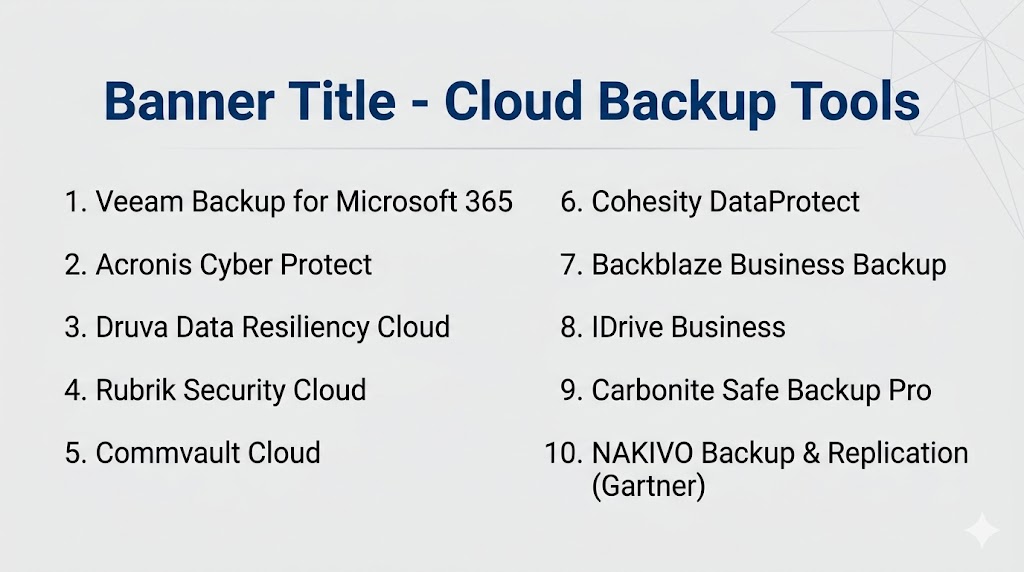
Top 10 Cloud Backup Tools
#1 — Veeam Backup for Microsoft 365
Short description: Leading cloud backup platform for Microsoft 365 data protection and business continuity.
Key Features
- Exchange backup
- OneDrive backup
- SharePoint backup
- Teams data protection
- Granular restore
- Centralized management
Pros
- Excellent Microsoft 365 coverage
- Strong enterprise trust
Cons
- Best for Microsoft workloads
- Broader workloads may need other Veeam products
Platforms / Deployment
Windows / Web | Cloud / Hybrid
Security & Compliance
Encryption, RBAC, enterprise controls available.
Integrations & Ecosystem
Microsoft ecosystem, storage targets, APIs.
Support & Community
Strong global community.
#2 — Acronis Cyber Protect
Short description: Cloud backup solution combining backup, recovery, and cybersecurity features.
Key Features
- Endpoint backup
- Server backup
- Anti-ransomware tools
- Disaster recovery
- Centralized dashboard
- Reporting tools
Pros
- Backup + security in one platform
- Strong SMB and MSP fit
Cons
- Some advanced enterprise needs may prefer specialists
- Pricing tiers vary
Platforms / Deployment
Cross-platform | Cloud / Self-hosted
Security & Compliance
Security-focused controls available.
Integrations & Ecosystem
Endpoints, MSP tools, cloud apps.
Support & Community
Strong global presence.
#3 — Druva Data Resiliency Cloud
Short description: Fully SaaS-delivered backup platform for endpoints, SaaS apps, and cloud workloads.
Key Features
- Endpoint backup
- SaaS backup
- Cloud workload protection
- Centralized policies
- Fast recovery workflows
- Reporting dashboards
Pros
- Fully cloud-native model
- Great for distributed teams
Cons
- Less ideal for heavy legacy on-prem estates
- Usage pricing varies
Platforms / Deployment
Cross-platform | Cloud
Security & Compliance
Enterprise-grade cloud controls.
Integrations & Ecosystem
Microsoft 365, endpoints, cloud platforms.
Support & Community
Strong modern adoption.
#4 — Rubrik Security Cloud
Short description: Modern cloud backup and cyber recovery platform focused on resilience and fast restoration.
Key Features
- Immutable backups
- Threat monitoring
- SaaS backup
- Policy automation
- Fast restore
- Analytics
Pros
- Strong ransomware readiness
- Modern user experience
Cons
- Premium pricing likely
- Best fit mid-market and enterprise
Platforms / Deployment
Cloud / Hybrid
Security & Compliance
Strong security-oriented controls.
Integrations & Ecosystem
Cloud apps, SaaS platforms, enterprise systems.
Support & Community
Strong market momentum.
#5 — Commvault Cloud
Short description: Enterprise-grade cloud backup platform with broad workload and governance support.
Key Features
- Multi-cloud backup
- SaaS backup
- Retention controls
- DR workflows
- Analytics
- Recovery automation
Pros
- Strong enterprise depth
- Broad workload coverage
Cons
- Complex for small teams
- Premium buying cycle
Platforms / Deployment
Cloud / Hybrid
Security & Compliance
Enterprise-grade controls available.
Integrations & Ecosystem
Cloud platforms, databases, enterprise apps.
Support & Community
Strong enterprise presence.
#6 — Cohesity DataProtect
Short description: Enterprise backup platform combining cloud protection with scale-out architecture.
Key Features
- Backup consolidation
- Instant recovery
- Immutable protection
- SaaS backup
- Policy automation
- Reporting tools
Pros
- Strong scalability
- Good hybrid cloud fit
Cons
- Premium enterprise focus
- Smaller SMB appeal
Platforms / Deployment
Cloud / Hybrid
Security & Compliance
Enterprise controls available.
Integrations & Ecosystem
Cloud systems, enterprise workloads, APIs.
Support & Community
Strong enterprise adoption.
#7 — Backblaze Business Backup
Short description: Affordable cloud backup platform focused on simple endpoint and workstation protection.
Key Features
- Automatic backups
- Unlimited endpoint backup plans
- File restore tools
- Remote management
- Version history
- Easy deployment
Pros
- Very simple to use
- Strong SMB value
Cons
- Less enterprise workload depth
- Advanced DR features limited
Platforms / Deployment
Windows / macOS | Cloud
Security & Compliance
Encryption available.
Integrations & Ecosystem
Endpoints, cloud storage workflows.
Support & Community
Popular SMB brand.
#8 — IDrive Business
Short description: Cost-effective cloud backup platform for endpoints, servers, and NAS devices.
Key Features
- Endpoint backup
- Server backup
- Disk image backup
- File sync options
- Centralized console
- Versioning tools
Pros
- Strong value pricing
- Broad SMB coverage
Cons
- Interface preferences vary
- Less enterprise depth
Platforms / Deployment
Cross-platform | Cloud
Security & Compliance
Encryption and admin controls available.
Integrations & Ecosystem
Endpoints, NAS, server environments.
Support & Community
Strong SMB awareness.
#9 — Carbonite Safe Backup Pro
Short description: Business cloud backup tool focused on simple protection for small businesses.
Key Features
- Automatic backup
- External drive backup
- File restore
- Centralized controls
- Endpoint protection
- Basic reporting
Pros
- Easy onboarding
- Good small business fit
Cons
- Less advanced enterprise features
- Limited large-scale workflows
Platforms / Deployment
Windows / macOS | Cloud
Security & Compliance
Business-grade controls available.
Integrations & Ecosystem
Endpoint-focused ecosystem.
Support & Community
Recognized SMB brand.
#10 — NAKIVO Backup & Replication
Short description: Strong-value cloud backup and recovery platform popular with SMB and mid-market teams.
Key Features
- VM backup
- Cloud backup targets
- Replication
- Recovery testing
- Ransomware features
- Reporting dashboards
Pros
- Excellent value for money
- Strong virtualization support
Cons
- Smaller ecosystem than leaders
- Less enterprise depth
Platforms / Deployment
Windows / Linux / NAS | Cloud / Self-hosted
Security & Compliance
Encryption and admin controls available.
Integrations & Ecosystem
VM platforms, NAS systems, cloud storage.
Support & Community
Strong SMB popularity.
Comparison Table (Top 10)
| Tool Name | Best For | Platform(s) Supported | Deployment | Standout Feature | Public Rating |
|---|---|---|---|---|---|
| Veeam Backup for Microsoft 365 | Microsoft users | Windows/Web | Hybrid | Native M365 backup | N/A |
| Acronis Cyber Protect | SMB / MSP | Cross-platform | Hybrid | Backup + security | N/A |
| Druva Data Resiliency Cloud | Remote/cloud teams | Cloud | Cloud | SaaS-native model | N/A |
| Rubrik Security Cloud | Cyber recovery | Cloud/Hybrid | Hybrid | Ransomware resilience | N/A |
| Commvault Cloud | Large enterprises | Cloud/Hybrid | Hybrid | Broad workload depth | N/A |
| Cohesity DataProtect | Enterprise scale | Cloud/Hybrid | Hybrid | Scale-out architecture | N/A |
| Backblaze Business Backup | SMB endpoints | Windows/macOS | Cloud | Simplicity | N/A |
| IDrive Business | Small businesses | Cross-platform | Cloud | Strong value | N/A |
| Carbonite Safe Backup Pro | SMB teams | Windows/macOS | Cloud | Easy onboarding | N/A |
| NAKIVO Backup & Replication | SMB-mid market | Cross-platform | Hybrid | Virtualization value | N/A |
Evaluation & Scoring of Cloud Backup Tools
| Tool Name | Core (25%) | Ease (15%) | Integrations (15%) | Security (10%) | Performance (10%) | Support (10%) | Value (15%) | Weighted Total |
|---|---|---|---|---|---|---|---|---|
| Veeam Backup for Microsoft 365 | 9 | 8 | 9 | 9 | 9 | 9 | 8 | 8.8 |
| Acronis Cyber Protect | 8 | 8 | 8 | 8 | 8 | 8 | 9 | 8.2 |
| Druva Data Resiliency Cloud | 8 | 9 | 8 | 8 | 8 | 8 | 8 | 8.2 |
| Rubrik Security Cloud | 9 | 9 | 8 | 9 | 9 | 8 | 7 | 8.5 |
| Commvault Cloud | 9 | 6 | 9 | 9 | 9 | 8 | 7 | 8.2 |
| Cohesity DataProtect | 9 | 8 | 8 | 9 | 9 | 8 | 7 | 8.3 |
| Backblaze Business Backup | 7 | 9 | 6 | 7 | 8 | 8 | 9 | 7.9 |
| IDrive Business | 7 | 8 | 6 | 7 | 7 | 7 | 9 | 7.5 |
| Carbonite Safe Backup Pro | 7 | 8 | 6 | 7 | 7 | 7 | 8 | 7.3 |
| NAKIVO Backup & Replication | 8 | 8 | 7 | 8 | 8 | 8 | 9 | 8.1 |
How to interpret scores:
These scores are comparative. Enterprise tools rank higher in workload depth and governance, while SMB-focused tools often score higher in usability and affordability.
Which Cloud Backup Tool Is Right for You?
Solo / Freelancer
Backblaze or IDrive for simple protection.
SMB
Acronis, Backblaze, NAKIVO.
Mid-Market
Veeam, Druva, Rubrik.
Enterprise
Veeam, Rubrik, Cohesity, Commvault.
Budget vs Premium
- Budget: Backblaze, IDrive
- Premium: Rubrik, Commvault
Feature Depth vs Ease of Use
- Easy: Backblaze, Druva
- Deep: Veeam, Commvault
Integrations & Scalability
Veeam, Cohesity, Rubrik.
Security & Compliance Needs
Rubrik, Veeam, Acronis.
Frequently Asked Questions (FAQs)
What are cloud backup tools?
They store backup copies of business data in the cloud.
Why use cloud backup?
It provides offsite resilience and easier recovery.
Is cloud backup secure?
Leading vendors offer encryption and access controls.
Can cloud backup stop ransomware?
It helps recovery, especially with immutable backups.
Can these tools back up Microsoft 365?
Many leading vendors support SaaS backup.
Is cloud backup expensive?
Costs vary by storage, workloads, and retention.
Can remote workers be protected?
Yes, many tools support endpoint backup anywhere.
How often should backups run?
Depends on data criticality and recovery goals.
Do small businesses need cloud backup?
Yes, especially if downtime would hurt operations.
How do I choose the best tool?
Compare workloads, restore speed, security, and budget.
Conclusion
Cloud Backup Tools are essential for organizations that need resilient, scalable, and modern data protection. The best platforms go beyond storage by offering rapid recovery, ransomware readiness, automation, and centralized visibility. Veeam remains a strong leader for Microsoft and hybrid environments, while Rubrik and Cohesity excel in enterprise resilience. Acronis, Backblaze, and IDrive provide excellent value for smaller businesses, while Druva stands out for cloud-native simplicity. The right choice depends on your workloads, recovery goals, compliance needs, and budget. Shortlist two or three tools, run a pilot, and validate restore speed, reporting, and day-to-day management before making a final decision.
