Introduction
Agile Project Management Tools are software platforms designed to help teams plan, execute, and deliver projects using agile methodologies such as Scrum, Kanban, and Lean. These tools enable iterative development, continuous feedback, and improved collaboration across teams.
In today’s fast-changing digital landscape, businesses need flexibility and speed. Agile tools support rapid development cycles, real-time collaboration, and adaptive planning, making them essential for software teams, product managers, and cross-functional organizations.
Common use cases include:
- Scrum and sprint management
- Kanban board tracking
- Product backlog management
- Agile reporting and analytics
- Continuous delivery workflows
What buyers should evaluate:
- Agile framework support (Scrum, Kanban)
- Sprint planning and backlog management
- Collaboration and communication features
- Integration with development tools
- Reporting and analytics
- Customization and workflows
- Ease of use
- Scalability
- Security and compliance
- Pricing
Best for: Software development teams, product managers, agile teams, startups, and enterprises.
Not ideal for: Teams using traditional waterfall models or simple task tracking tools.
How We Selected These Tools (Methodology)
- Evaluated market adoption and popularity
- Assessed agile-specific features (Scrum, Kanban)
- Reviewed integration with DevOps tools
- Considered scalability and performance
- Analyzed ease of use and onboarding
- Included tools for SMB and enterprise use
- Prioritized actively evolving platforms
- Ensured coverage across agile workflows
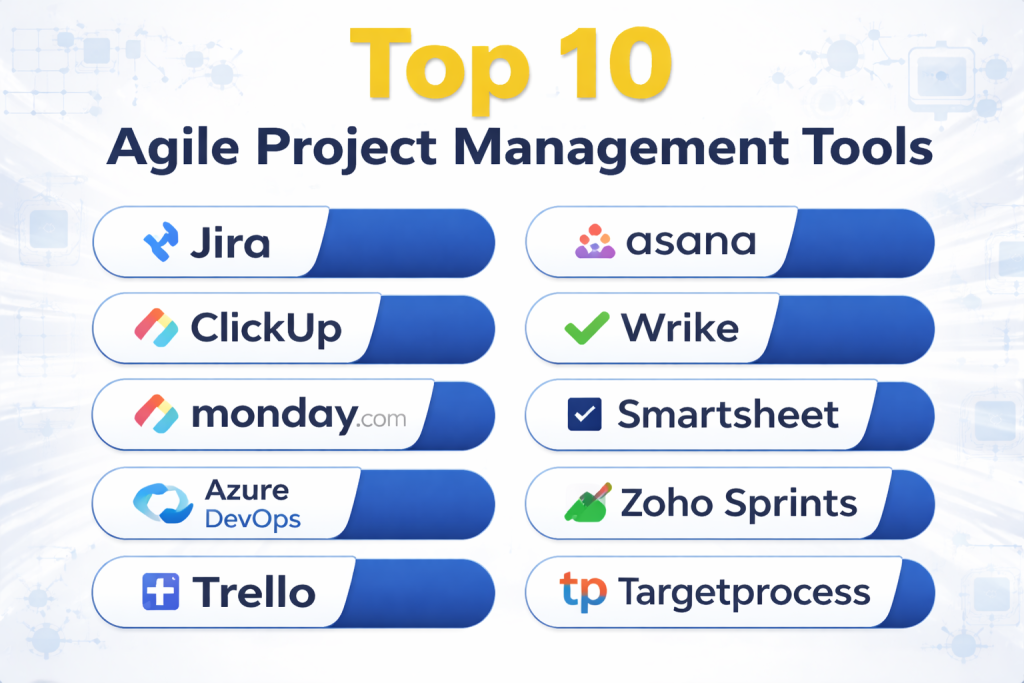
Top 10 Agile Project Management Tools
#1 — Jira
Short description: A leading agile project management tool widely used by software development teams.
Key Features
- Scrum and Kanban boards
- Sprint planning
- Backlog management
- Reporting and analytics
- Workflow customization
Pros
- Strong agile capabilities
- Highly customizable
Cons
- Complex for beginners
- Setup required
Platforms / Deployment
Web / Desktop
Cloud / On-premise
Security & Compliance
Enterprise-grade security
Integrations & Ecosystem
- DevOps tools
- APIs
Support & Community
Large developer community.
#2 — ClickUp
Short description: A versatile productivity platform supporting agile workflows and team collaboration.
Key Features
- Agile boards
- Task and sprint management
- Automation
- Docs and collaboration
- Time tracking
Pros
- Feature-rich
- Affordable
Cons
- Learning curve
- Interface clutter
Platforms / Deployment
Web / Desktop / Mobile
Cloud
Security & Compliance
Encryption, access control
Integrations & Ecosystem
- Slack
- GitHub
- APIs
Support & Community
Active community.
#3 — Monday.com
Short description: A flexible platform that supports agile workflows through customizable boards.
Key Features
- Agile boards
- Workflow automation
- Visual dashboards
- Collaboration tools
- Integration capabilities
Pros
- Highly customizable
- Visual interface
Cons
- Expensive
- Learning curve
Platforms / Deployment
Web / Mobile
Cloud
Security & Compliance
Enterprise-grade security
Integrations & Ecosystem
- CRM tools
- APIs
Support & Community
Strong support.
#4 — Azure DevOps
Short description: A Microsoft platform combining agile project management with DevOps capabilities.
Key Features
- Agile boards
- Sprint planning
- CI/CD integration
- Repos and pipelines
- Reporting
Pros
- Strong DevOps integration
- Scalable
Cons
- Complex setup
- Requires Microsoft ecosystem
Platforms / Deployment
Web
Cloud
Security & Compliance
Microsoft enterprise security
Integrations & Ecosystem
- Microsoft tools
- APIs
Support & Community
Strong support.
#5 — Trello
Short description: A simple Kanban-based tool for agile task tracking and collaboration.
Key Features
- Kanban boards
- Task cards
- Automation
- Collaboration
- Integrations
Pros
- Easy to use
- Visual workflow
Cons
- Limited advanced features
- Not ideal for complex agile workflows
Platforms / Deployment
Web / Mobile
Cloud
Security & Compliance
Encryption, access control
Integrations & Ecosystem
- Slack
- Google Drive
- APIs
Support & Community
Large user base.
#6 — Asana
Short description: A flexible project management tool that supports agile workflows.
Key Features
- Task and sprint tracking
- Timeline views
- Automation
- Collaboration
- Reporting
Pros
- Easy to use
- Strong collaboration
Cons
- Not purely agile-focused
- Advanced features cost extra
Platforms / Deployment
Web / Desktop / Mobile
Cloud
Security & Compliance
SSO, encryption
Integrations & Ecosystem
- Slack
- Google Workspace
- APIs
Support & Community
Strong community.
#7 — Wrike
Short description: An enterprise-grade tool supporting agile and hybrid workflows.
Key Features
- Agile workflows
- Task management
- Reporting
- Automation
- Collaboration
Pros
- Strong reporting
- Scalable
Cons
- Expensive
- Complex
Platforms / Deployment
Web / Mobile
Cloud
Security & Compliance
Enterprise security
Integrations & Ecosystem
- CRM tools
- APIs
Support & Community
Enterprise support.
#8 — Smartsheet
Short description: A spreadsheet-style tool supporting agile project tracking.
Key Features
- Task tracking
- Workflow automation
- Reporting
- Templates
- Collaboration
Pros
- Familiar interface
- Strong reporting
Cons
- Less visual for agile
- Pricing
Platforms / Deployment
Web / Mobile
Cloud
Security & Compliance
Enterprise-grade security
Integrations & Ecosystem
- Microsoft tools
- APIs
Support & Community
Good support.
#9 — Zoho Sprints
Short description: An agile project management tool focused on Scrum teams.
Key Features
- Sprint planning
- Backlog management
- Scrum boards
- Reporting
- Collaboration
Pros
- Affordable
- Agile-focused
Cons
- Limited integrations
- Smaller ecosystem
Platforms / Deployment
Web / Mobile
Cloud
Security & Compliance
Not publicly stated
Integrations & Ecosystem
- Zoho ecosystem
- APIs
Support & Community
Moderate support.
#10 — Targetprocess
Short description: An agile portfolio management tool designed for enterprise teams.
Key Features
- Agile planning
- Portfolio management
- Visual dashboards
- Reporting
- Custom workflows
Pros
- Strong enterprise features
- Visual insights
Cons
- Complex
- Expensive
Platforms / Deployment
Web
Cloud
Security & Compliance
Enterprise-grade compliance
Integrations & Ecosystem
- APIs
- Dev tools
Support & Community
Enterprise support.
Comparison Table (Top 10)
| Tool Name | Best For | Platform(s) Supported | Deployment | Standout Feature | Public Rating |
|---|---|---|---|---|---|
| Jira | Developers | Web, Desktop | Cloud/On-prem | Agile boards | N/A |
| ClickUp | All-in-one | Web, Desktop, Mobile | Cloud | Features | N/A |
| Monday.com | Custom workflows | Web, Mobile | Cloud | Flexibility | N/A |
| Azure DevOps | DevOps teams | Web | Cloud | CI/CD | N/A |
| Trello | Beginners | Web, Mobile | Cloud | Kanban | N/A |
| Asana | Teams | Web, Desktop, Mobile | Cloud | Collaboration | N/A |
| Wrike | Enterprises | Web, Mobile | Cloud | Reporting | N/A |
| Smartsheet | Spreadsheet users | Web, Mobile | Cloud | Sheets | N/A |
| Zoho Sprints | Scrum teams | Web, Mobile | Cloud | Scrum focus | N/A |
| Targetprocess | Enterprises | Web | Cloud | Portfolio mgmt | N/A |
Evaluation & Scoring of Agile Project Management Tools
| Tool Name | Core (25%) | Ease (15%) | Integrations (15%) | Security (10%) | Performance (10%) | Support (10%) | Value (15%) | Weighted Total |
|---|---|---|---|---|---|---|---|---|
| Jira | 10 | 6 | 10 | 9 | 9 | 9 | 7 | 8.6 |
| ClickUp | 9 | 8 | 9 | 8 | 8 | 8 | 9 | 8.6 |
| Monday.com | 9 | 8 | 9 | 9 | 9 | 9 | 7 | 8.6 |
| Azure DevOps | 9 | 6 | 10 | 9 | 9 | 9 | 7 | 8.5 |
| Trello | 7 | 10 | 8 | 7 | 8 | 8 | 9 | 8.3 |
| Asana | 8 | 9 | 8 | 8 | 8 | 8 | 8 | 8.2 |
| Wrike | 9 | 7 | 8 | 9 | 9 | 9 | 7 | 8.3 |
| Smartsheet | 8 | 7 | 8 | 9 | 8 | 8 | 7 | 7.9 |
| Zoho Sprints | 8 | 8 | 7 | 6 | 7 | 7 | 9 | 7.8 |
| Targetprocess | 9 | 6 | 8 | 9 | 9 | 9 | 6 | 8.1 |
How to interpret scores:
Higher scores indicate stronger agile capabilities and enterprise readiness. Tools with high ease scores are beginner-friendly, while high integration scores indicate strong ecosystem compatibility. Choose based on your team’s agile maturity.
Which Agile Project Management Tool Is Right for You?
Solo / Freelancer
Trello and ClickUp are best for simple agile workflows.
SMB
ClickUp and Zoho Sprints offer affordability and flexibility.
Mid-Market
Monday.com and Asana provide balanced features.
Enterprise
Jira, Azure DevOps, and Targetprocess are ideal for large-scale agile operations.
Budget vs Premium
Zoho Sprints is budget-friendly, while Jira and Monday.com are premium.
Feature Depth vs Ease of Use
Jira offers depth, while Trello offers simplicity.
Integrations & Scalability
Azure DevOps and Jira provide strong integrations.
Security & Compliance Needs
Jira and Azure DevOps are best for enterprise compliance.
Frequently Asked Questions (FAQs)
What are agile project management tools?
They help teams manage projects using agile methodologies.
Why use agile tools?
To improve flexibility, speed, and collaboration.
Are these tools cloud-based?
Most are cloud-based platforms.
Do they support Scrum and Kanban?
Yes, most tools support both frameworks.
Are they secure?
Enterprise tools provide strong security features.
Can they integrate with DevOps tools?
Yes, most tools support integrations.
What industries use them?
Software, IT, marketing, and product teams.
Are they expensive?
Pricing varies based on features.
Can beginners use them?
Yes, some tools are beginner-friendly.
What is the best tool?
Depends on your team and workflow needs.
Conclusion
Agile Project Management Tools play a crucial role in helping teams deliver projects faster and more efficiently. With features like sprint planning, backlog management, and real-time collaboration, these tools enable organizations to adapt quickly to changing requirements. The right tool depends on your team size, agile maturity, and integration needs. Start by identifying your workflow requirements, test a few tools, and choose the one that aligns best with your agile processes and productivity goals.
