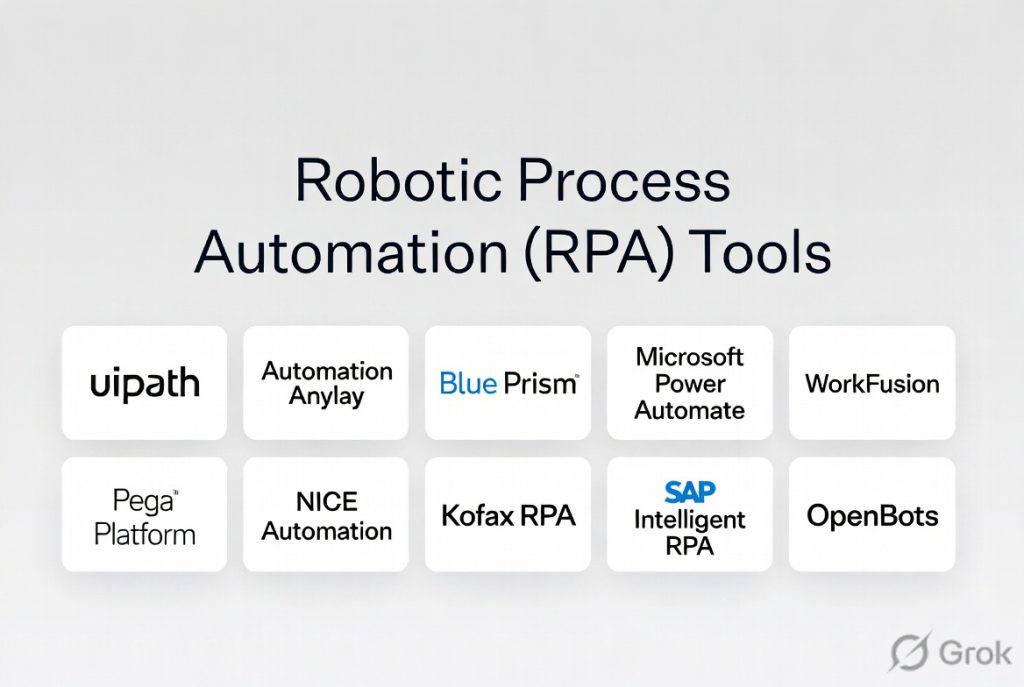
Introduction
Robotic Process Automation (RPA) is a technology that allows organizations to automate repetitive, rule-based tasks using software bots. In simple terms, RPA tools mimic human actions—like clicking, typing, copying data, and interacting with applications—so that manual processes can run automatically without human intervention.
RPA has become essential as businesses aim to improve efficiency, reduce operational costs, and eliminate human error. From finance and HR to IT and customer support, organizations are using RPA to automate workflows across legacy systems, modern applications, and cloud platforms.
Common Use Cases
- Automating data entry and form processing
- Invoice processing and financial reconciliation
- HR onboarding and payroll workflows
- IT service desk automation
- Customer support ticket handling
What Buyers Should Evaluate
- Ease of use (low-code/no-code capabilities)
- Bot scalability and orchestration
- Integration with enterprise applications
- AI/ML capabilities for intelligent automation
- Security and governance controls
- Monitoring and analytics dashboards
- Deployment flexibility (cloud/on-prem)
- Licensing and pricing model
- Support and training resources
- Community and ecosystem
Best for: Enterprises, business operations teams, IT departments, and organizations with repetitive manual workflows.
Not ideal for: Highly dynamic processes requiring human judgment or teams with minimal repetitive tasks.
Key Trends in Robotic Process Automation (RPA)
- Hyperautomation: Combining RPA with AI, ML, and process mining
- Low-code/no-code adoption: Business users building bots without developers
- Cloud-based RPA platforms: SaaS-first automation tools
- Intelligent document processing (IDP): Automating unstructured data
- Process discovery tools: Identifying automation opportunities
- AI copilots in automation: Assisting bot creation and optimization
- Integration with APIs and iPaaS platforms
- Bot orchestration and governance improvements
- Focus on ROI and cost optimization
- Expansion into end-to-end business workflows
How We Selected These Tools (Methodology)
- Evaluated market leaders and widely adopted RPA platforms
- Assessed automation capabilities and scalability
- Reviewed ease of use and low-code features
- Considered integration ecosystem and API support
- Evaluated AI and intelligent automation features
- Analyzed security and compliance capabilities
- Reviewed performance and reliability
- Considered support, training, and community
- Balanced enterprise and SMB solutions
- Focused on real-world business use cases
Top Robotic Process Automation (RPA) Tools
#1 — UiPath
Short description: One of the most popular RPA platforms offering end-to-end automation capabilities for enterprises.
Key Features
- Drag-and-drop automation builder
- AI and machine learning integration
- Process mining
- Bot orchestration
- Automation cloud platform
- Extensive integration library
Pros
- Strong ecosystem and community
- Powerful enterprise features
Cons
- Pricing can be high
- Learning curve for advanced features
Platforms / Deployment
Cloud / Self-hosted
Security & Compliance
RBAC, encryption; others Not publicly stated
Integrations & Ecosystem
- Enterprise apps
- APIs
- Cloud services
Support & Community
Large global community and strong support
#2 — Automation Anywhere
Short description: Enterprise RPA platform with strong cloud-native automation capabilities.
Key Features
- Cloud-native RPA
- Intelligent document processing
- Bot orchestration
- Analytics dashboard
- Automation marketplace
Pros
- Strong cloud capabilities
- Good AI integration
Cons
- Pricing complexity
- Requires training
Platforms / Deployment
Cloud
Security & Compliance
Not publicly stated
Integrations & Ecosystem
- SaaS apps
- APIs
- Enterprise systems
Support & Community
Strong enterprise support
#3 — Blue Prism
Short description: Enterprise-grade RPA platform focused on scalability and governance.
Key Features
- Digital workforce management
- Automation workflows
- Security and governance
- Integration capabilities
- Process automation
Pros
- Strong governance features
- Enterprise reliability
Cons
- Less user-friendly
- Higher cost
Platforms / Deployment
Self-hosted / Hybrid
Security & Compliance
RBAC, audit logs; others Not publicly stated
Integrations & Ecosystem
- Enterprise apps
- APIs
- Cloud tools
Support & Community
Enterprise-level support
#4 — Microsoft Power Automate
Short description: Low-code automation platform with RPA capabilities integrated into Microsoft ecosystem.
Key Features
- Workflow automation
- Desktop RPA
- AI integration
- Cloud flows
- Integration with Microsoft apps
Pros
- Easy to use
- Strong Microsoft integration
Cons
- Best within Microsoft ecosystem
- Limited advanced RPA features
Platforms / Deployment
Cloud / Windows
Security & Compliance
MFA, RBAC; others Not publicly stated
Integrations & Ecosystem
- Microsoft 365
- Azure
- APIs
Support & Community
Strong documentation and community
#5 — WorkFusion
Short description: Intelligent automation platform combining RPA with AI capabilities.
Key Features
- AI-driven automation
- Document processing
- Workflow automation
- Bot management
- Analytics
Pros
- Strong AI capabilities
- Good for complex processes
Cons
- Limited ecosystem
- Higher cost
Platforms / Deployment
Cloud
Security & Compliance
Not publicly stated
Integrations & Ecosystem
- APIs
- Enterprise tools
- Data platforms
Support & Community
Moderate support
#6 — Pega Platform
Short description: Business process automation platform with embedded RPA capabilities.
Key Features
- Workflow automation
- Case management
- AI-driven decisioning
- RPA bots
- Integration tools
Pros
- Strong BPM + RPA combo
- Enterprise-grade
Cons
- Complex implementation
- Expensive
Platforms / Deployment
Cloud / Hybrid
Security & Compliance
Not publicly stated
Integrations & Ecosystem
- Enterprise apps
- APIs
- CRM systems
Support & Community
Enterprise support
#7 — NICE Automation
Short description: RPA platform focused on attended automation and customer service workflows.
Key Features
- Attended automation
- Desktop automation
- Workflow orchestration
- Analytics
- Integration tools
Pros
- Strong customer service use cases
- Easy deployment
Cons
- Limited unattended automation
- Smaller ecosystem
Platforms / Deployment
Cloud / Desktop
Security & Compliance
Not publicly stated
Integrations & Ecosystem
- CRM
- Contact center tools
- APIs
Support & Community
Moderate support
#8 — Kofax RPA
Short description: Automation platform focusing on document processing and workflow automation.
Key Features
- Document automation
- Workflow automation
- Data extraction
- Bot management
- Integration tools
Pros
- Strong document automation
- Good enterprise features
Cons
- UI complexity
- Learning curve
Platforms / Deployment
Cloud / Hybrid
Security & Compliance
Not publicly stated
Integrations & Ecosystem
- Enterprise apps
- APIs
- Data systems
Support & Community
Enterprise support
#9 — SAP Intelligent RPA
Short description: RPA solution designed for SAP-centric environments.
Key Features
- SAP workflow automation
- Bot management
- Process automation
- Integration with SAP systems
- AI features
Pros
- Strong SAP integration
- Enterprise-ready
Cons
- Limited outside SAP ecosystem
- Complexity
Platforms / Deployment
Cloud
Security & Compliance
Not publicly stated
Integrations & Ecosystem
- SAP systems
- APIs
- Enterprise tools
Support & Community
SAP ecosystem support
#10 — OpenBots
Short description: Open-source RPA platform designed for cost-effective automation.
Key Features
- Open-source automation
- Bot development tools
- Workflow automation
- Integration support
- Orchestration
Pros
- Cost-effective
- Flexible
Cons
- Limited enterprise features
- Smaller community
Platforms / Deployment
Windows / Self-hosted
Security & Compliance
Not publicly stated
Integrations & Ecosystem
- APIs
- Custom integrations
- Enterprise apps
Support & Community
Growing community
Comparison Table (Top 10)
| Tool Name | Best For | Platform(s) Supported | Deployment | Standout Feature | Public Rating |
|---|---|---|---|---|---|
| UiPath | Enterprise automation | Web | Hybrid | End-to-end automation | N/A |
| Automation Anywhere | Cloud RPA | Web | Cloud | Cloud-native bots | N/A |
| Blue Prism | Governance | Windows | Hybrid | Digital workforce | N/A |
| Power Automate | SMB & Microsoft | Web | Cloud | Easy workflows | N/A |
| WorkFusion | AI automation | Web | Cloud | AI-driven RPA | N/A |
| Pega | BPM + RPA | Web | Hybrid | Case management | N/A |
| NICE | Customer service | Desktop | Cloud | Attended automation | N/A |
| Kofax | Document automation | Web | Hybrid | Data extraction | N/A |
| SAP RPA | SAP users | Web | Cloud | SAP integration | N/A |
| OpenBots | Open-source | Windows | Self-hosted | Cost-effective | N/A |
Robotic Process Automation (RPA)
| Tool Name | Core (25%) | Ease (15%) | Integrations (15%) | Security (10%) | Performance (10%) | Support (10%) | Value (15%) | Weighted Total |
|---|---|---|---|---|---|---|---|---|
| UiPath | 9 | 8 | 9 | 8 | 9 | 9 | 7 | 8.5 |
| Automation Anywhere | 8 | 8 | 8 | 8 | 8 | 8 | 7 | 8.0 |
| Blue Prism | 8 | 6 | 8 | 9 | 8 | 8 | 6 | 7.7 |
| Power Automate | 7 | 9 | 9 | 8 | 8 | 9 | 8 | 8.2 |
| WorkFusion | 8 | 7 | 7 | 8 | 8 | 7 | 7 | 7.6 |
| Pega | 8 | 6 | 8 | 8 | 8 | 8 | 6 | 7.6 |
| NICE | 7 | 8 | 7 | 7 | 7 | 7 | 7 | 7.2 |
| Kofax | 7 | 7 | 7 | 7 | 7 | 7 | 7 | 7.0 |
| SAP RPA | 7 | 6 | 7 | 8 | 7 | 7 | 6 | 6.9 |
| OpenBots | 7 | 7 | 6 | 6 | 7 | 6 | 9 | 7.0 |
How to interpret scores:
These scores are relative comparisons across the listed tools. Higher scores indicate stronger performance in the evaluated criteria. Enterprises should prioritize scalability and governance, while SMBs may focus on ease of use and value.
Which Robotic Process Automation (RPA) Tool Is Right for You?
Solo / Freelancer
- Best: OpenBots, Power Automate
- Focus on cost and simplicity
SMB
- Best: Power Automate, UiPath
- Balance ease of use and features
Mid-Market
- Best: Automation Anywhere, Kofax
- Focus on scalability and integration
Enterprise
- Best: UiPath, Blue Prism, Pega
- Focus on governance and scale
Budget vs Premium
- Budget: OpenBots
- Premium: UiPath, Pega
Feature Depth vs Ease of Use
- Advanced: UiPath, Pega
- Easy: Power Automate
Integrations & Scalability
- High: UiPath, Automation Anywhere
- Moderate: NICE, Kofax
Security & Compliance Needs
- High: Blue Prism, UiPath
- Moderate: Power Automate
Robotic Process Automation (RPA) FAQs
What is RPA?
RPA uses software bots to automate repetitive tasks across applications.
How does RPA work?
Bots mimic human actions like clicking, typing, and data transfer.
Is RPA expensive?
Costs vary from open-source tools to enterprise licensing.
Can RPA replace humans?
It automates repetitive tasks but does not replace decision-making roles.
How long does implementation take?
From days to months depending on complexity.
What are common mistakes?
Automating unstable processes or ignoring governance.
Can RPA integrate with APIs?
Yes, modern RPA tools support API integration.
Is RPA secure?
Most tools include enterprise security features.
What industries use RPA?
Finance, healthcare, retail, IT, and more.
What are alternatives to RPA?
iPaaS, workflow automation tools, and custom scripts.
Conclusion
Robotic Process Automation (RPA) continues to play a crucial role in helping organizations streamline operations, reduce manual effort, and improve efficiency across departments. From enterprise-grade platforms like UiPath and Blue Prism to flexible solutions like Power Automate and OpenBots, the RPA landscape offers a wide range of tools for different needs and budgets. The best choice depends on your automation maturity, technical expertise, and integration requirements. Instead of focusing only on features, prioritize scalability, ease of use, and long-term value. Start by identifying high-impact automation opportunities, test a few tools with pilot projects, and evaluate how effectively they deliver measurable business outcomes before scaling across your organization.
