Introduction
OCR (Optical Character Recognition) & Document Capture Software converts physical or digital documents—such as scanned PDFs, images, invoices, and forms—into structured, searchable, and editable data. In simple terms, it transforms unstructured text into usable information that systems and teams can act on.
This category has evolved far beyond simple text recognition. Modern solutions combine AI-driven data extraction, workflow automation, and validation layers to streamline document-heavy processes across industries.
Why it matters now
- Organizations are digitizing operations at scale
- Manual data entry is costly and error-prone
- Automation is becoming essential for efficiency
- Regulatory environments require structured, auditable data
Common use cases
- Invoice and expense processing
- Identity verification and onboarding workflows
- Contract and legal document digitization
- Healthcare record management
- Data extraction from forms and surveys
What buyers should evaluate
- OCR accuracy and data extraction quality
- AI capabilities (classification, validation, automation)
- Integration with existing systems (ERP, CRM, APIs)
- Scalability and processing speed
- Security and compliance readiness
- Ease of use and onboarding time
- Pricing model and ROI
- Deployment options (cloud, on-premise, hybrid)
- Support for multiple languages and formats
Best for: IT leaders, operations teams, finance departments, developers, and founders in document-intensive industries such as finance, healthcare, logistics, insurance, and legal services.
Not ideal for: Individuals or teams with minimal document processing needs or those requiring only basic PDF editing—simpler tools may be more practical.
Key Trends in OCR & Document Capture Software
- AI-first document processing: Deep learning models are improving accuracy for complex layouts and low-quality scans.
- Intelligent Document Processing (IDP): OCR is now part of broader automation workflows including validation and routing.
- API-first platforms: Developers increasingly embed OCR into applications using APIs.
- Real-time processing: Faster extraction enables instant decision-making workflows.
- Context-aware extraction: Systems understand document structure, not just text.
- Compliance-driven features: Enhanced logging, encryption, and governance capabilities.
- Hybrid deployment models: Organizations demand flexibility between cloud and on-premise setups.
- Vertical-specific solutions: Industry-focused tools tailored for finance, healthcare, and logistics.
- Usage-based pricing: Pay-per-document or consumption-based billing models are becoming common.
How We Selected These Tools (Methodology)
- Market adoption and industry recognition
- Breadth and depth of OCR and automation features
- Reliability and performance in real-world use
- Security and compliance readiness
- Integration capabilities and ecosystem strength
- Deployment flexibility (cloud, hybrid, on-premise)
- Suitability for different customer segments
- Developer accessibility and API availability
- Ease of onboarding and user experience
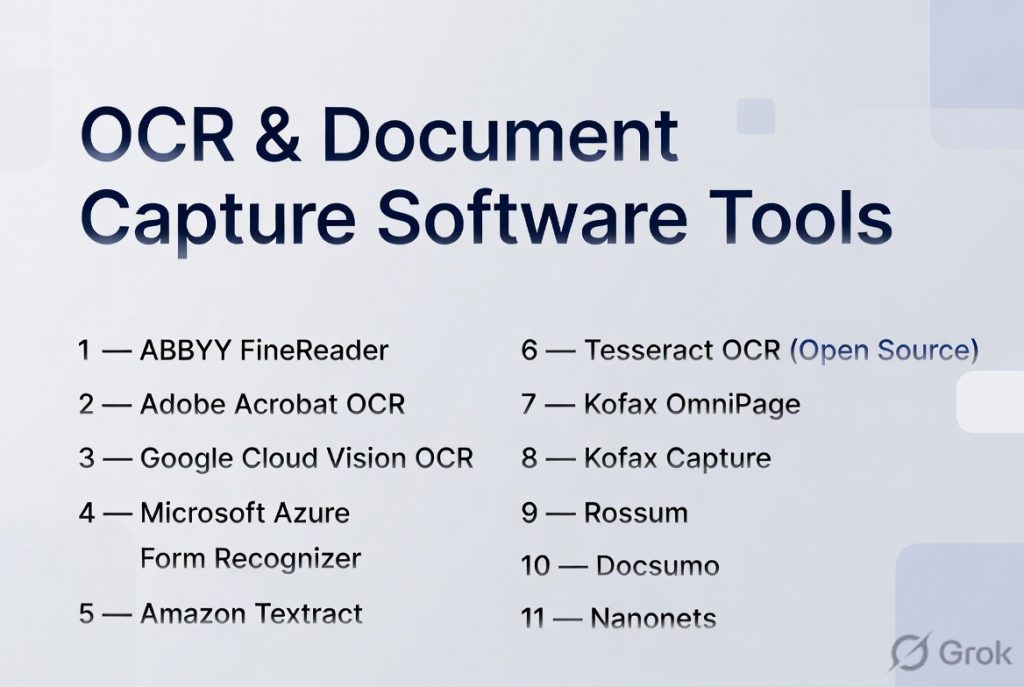
Top 10 OCR & Document Capture Software Tools
#1 — ABBYY FineReader / ABBYY Vantage
Short description: A highly advanced OCR and intelligent document processing platform designed for enterprises handling complex document workflows.
Key Features
- High-accuracy AI-based OCR
- Intelligent document classification
- Pre-trained document models
- Workflow automation capabilities
- Multi-language support
- API and SDK availability
- Flexible deployment options
Pros
- Exceptional OCR accuracy
- Strong automation capabilities
- Enterprise-grade scalability
Cons
- Steeper learning curve
- Higher cost for smaller teams
Platforms / Deployment
Windows / Web
Cloud / Self-hosted / Hybrid
Security & Compliance
SSO, encryption, RBAC
Varies / Not publicly stated
Integrations & Ecosystem
Supports integration with enterprise systems and automation tools.
- ERP systems
- RPA platforms
- REST APIs
- Business applications
Support & Community
Comprehensive enterprise support and onboarding resources.
#2 — Adobe Acrobat OCR
Short description: A widely used OCR solution built into Adobe Acrobat, ideal for individuals and teams working heavily with PDFs.
Key Features
- Built-in OCR for PDFs
- Document editing and conversion
- Batch processing
- Cloud storage support
- Cross-platform access
- Collaboration features
Pros
- Easy to use
- Strong document editing tools
- Widely adopted
Cons
- Limited automation capabilities
- Not ideal for large-scale workflows
Platforms / Deployment
Web / Windows / macOS / iOS / Android
Cloud
Security & Compliance
Encryption and access controls
Varies / Not publicly stated
Integrations & Ecosystem
Works well within document and productivity ecosystems.
- Cloud storage tools
- Productivity apps
- Document workflows
Support & Community
Extensive documentation and large user base.
#3 — Google Cloud Vision OCR
Short description: A scalable, developer-focused OCR API designed for building applications that require text extraction.
Key Features
- Text and image recognition
- Handwriting detection
- Multi-language support
- API-based integration
- Scalable infrastructure
- Machine learning models
Pros
- Highly scalable
- Strong AI capabilities
- Flexible for developers
Cons
- Requires development resources
- Usage-based pricing complexity
Platforms / Deployment
Cloud
Security & Compliance
Encryption, access control
Varies / Not publicly stated
Integrations & Ecosystem
Designed for integration within cloud-based architectures.
- APIs
- Developer tools
- Cloud services
Support & Community
Strong developer-focused documentation and support.
#4 — Microsoft Azure Form Recognizer
Short description: AI-powered document processing tool focused on extracting structured data from forms and documents.
Key Features
- Prebuilt models for common documents
- Custom model training
- Layout and text extraction
- API-based processing
- Integration with automation tools
Pros
- Flexible model customization
- Strong enterprise capabilities
- Good integration options
Cons
- Requires technical setup
- Platform dependency
Platforms / Deployment
Cloud
Security & Compliance
Encryption, RBAC
Varies / Not publicly stated
Integrations & Ecosystem
Part of a larger cloud ecosystem.
- Workflow automation tools
- APIs
- Enterprise systems
Support & Community
Robust documentation and enterprise support.
#5 — Amazon Textract
Short description: A cloud-based OCR service designed to extract structured data from documents at scale.
Key Features
- Table and form extraction
- Machine learning-based OCR
- Scalable processing
- API integration
- Document analysis capabilities
Pros
- Strong scalability
- Reliable performance
- Good for structured data
Cons
- Technical integration required
- Pricing can be complex
Platforms / Deployment
Cloud
Security & Compliance
Encryption and access control
Varies / Not publicly stated
Integrations & Ecosystem
Integrates with cloud-based workflows.
- APIs
- Automation tools
- Data pipelines
Support & Community
Strong developer and enterprise support.
#6 — Tesseract OCR (Open Source)
Short description: A widely used open-source OCR engine suitable for developers and custom implementations.
Key Features
- Free and open-source
- Multi-language support
- Custom training capability
- Lightweight processing engine
- Command-line interface
Pros
- No licensing cost
- Highly customizable
- Strong community support
Cons
- Requires technical expertise
- No built-in automation or UI
Platforms / Deployment
Windows / Linux / macOS
Self-hosted
Security & Compliance
Not publicly stated
Integrations & Ecosystem
Commonly used as a backend OCR engine.
- Developer libraries
- Custom integrations
Support & Community
Large open-source community.
#7 — Kofax OmniPage / Kofax Capture
Short description: Enterprise-level OCR and document capture platform focused on automation and compliance.
Key Features
- High-accuracy OCR
- Document classification
- Workflow automation
- Batch processing
- Enterprise integrations
Pros
- Strong enterprise features
- Reliable performance
- Scalable
Cons
- Higher cost
- Complex implementation
Platforms / Deployment
Windows / Web
Cloud / On-premise
Security & Compliance
Varies / Not publicly stated
Integrations & Ecosystem
Designed for enterprise workflows.
- ERP systems
- Automation tools
- APIs
Support & Community
Enterprise-grade support.
#8 — Rossum
Short description: AI-driven document processing tool focused on automating invoice and financial workflows.
Key Features
- AI-based data extraction
- Invoice processing automation
- Validation workflows
- Cloud platform
- API integration
Pros
- Easy to use
- Fast deployment
- Strong finance use case
Cons
- Limited general-purpose OCR
- Pricing varies
Platforms / Deployment
Web
Cloud
Security & Compliance
Varies / Not publicly stated
Integrations & Ecosystem
Supports business workflow integrations.
- ERP systems
- APIs
- Automation tools
Support & Community
Good support for business users.
#9 — Docsumo
Short description: A document processing platform designed for extracting structured data from financial and operational documents.
Key Features
- Data extraction capabilities
- Pre-trained AI models
- Workflow automation
- API access
- Real-time processing
Pros
- Easy onboarding
- Strong automation features
- Suitable for SMBs
Cons
- Limited advanced customization
- Pricing varies
Platforms / Deployment
Web
Cloud
Security & Compliance
Varies / Not publicly stated
Integrations & Ecosystem
Designed for modern business stacks.
- APIs
- CRM/ERP tools
- Workflow systems
Support & Community
Responsive support and onboarding.
#10 — Nanonets
Short description: An AI-powered OCR platform that enables automation of document workflows for growing businesses.
Key Features
- AI-based OCR models
- Custom model training
- Workflow automation
- API integration
- Real-time processing
Pros
- User-friendly
- Flexible customization
- Suitable for scaling teams
Cons
- Limited enterprise-level compliance features
- Still evolving compared to mature platforms
Platforms / Deployment
Web
Cloud
Security & Compliance
Varies / Not publicly stated
Integrations & Ecosystem
Supports integration with business tools.
- APIs
- Automation platforms
- Business applications
Support & Community
Good documentation and onboarding support.
Comparison Table (Top 10)
| Tool Name | Best For | Platform(s) Supported | Deployment | Standout Feature | Public Rating |
|---|---|---|---|---|---|
| ABBYY | Enterprise automation | Web, Windows | Hybrid | High OCR accuracy | N/A |
| Adobe Acrobat | PDF workflows | Web, Desktop, Mobile | Cloud | Ease of use | N/A |
| Google Vision | Developers | Cloud | Cloud | API scalability | N/A |
| Azure Form Recognizer | Enterprise AI | Cloud | Cloud | Custom models | N/A |
| Amazon Textract | Cloud workflows | Cloud | Cloud | Structured extraction | N/A |
| Tesseract | Developers | Desktop | Self-hosted | Open-source | N/A |
| Kofax | Enterprise capture | Desktop, Web | Hybrid | Workflow automation | N/A |
| Rossum | Finance teams | Web | Cloud | Invoice automation | N/A |
| Docsumo | SMB workflows | Web | Cloud | Easy onboarding | N/A |
| Nanonets | Startups | Web | Cloud | Custom AI models | N/A |
Evaluation & Scoring of OCR & Document Capture Software
| Tool Name | Core (25%) | Ease (15%) | Integrations (15%) | Security (10%) | Performance (10%) | Support (10%) | Value (15%) | Weighted Total |
|---|---|---|---|---|---|---|---|---|
| ABBYY | 9 | 7 | 8 | 8 | 9 | 8 | 7 | 8.2 |
| Adobe | 7 | 9 | 7 | 7 | 8 | 8 | 7 | 7.7 |
| Google Vision | 9 | 7 | 9 | 8 | 9 | 8 | 8 | 8.4 |
| Azure | 9 | 7 | 9 | 8 | 9 | 8 | 8 | 8.4 |
| Textract | 9 | 7 | 9 | 8 | 9 | 8 | 8 | 8.4 |
| Tesseract | 7 | 5 | 6 | 6 | 7 | 7 | 9 | 6.9 |
| Kofax | 8 | 6 | 8 | 7 | 8 | 8 | 6 | 7.5 |
| Rossum | 8 | 8 | 7 | 7 | 8 | 7 | 7 | 7.7 |
| Docsumo | 8 | 8 | 7 | 7 | 8 | 7 | 8 | 7.8 |
| Nanonets | 8 | 8 | 7 | 7 | 8 | 7 | 8 | 7.8 |
How to interpret scores:
- Scores are relative comparisons across tools
- Higher scores indicate stronger overall capability
- Developer tools excel in integrations but may lack ease of use
- Open-source tools offer value but require effort
Which OCR & Document Capture Software Tool Is Right for You?
Solo / Freelancer
- Best choices: Adobe Acrobat, Nanonets
- Focus on simplicity, affordability, and quick setup
SMB
- Best choices: Docsumo, Nanonets, Rossum
- Balance automation with ease of use and cost
Mid-Market
- Best choices: ABBYY, Rossum, Azure
- Need scalability, integrations, and automation
Enterprise
- Best choices: ABBYY, Kofax, Azure, Amazon Textract
- Focus on compliance, scalability, and workflow automation
Budget vs Premium
- Budget: Tesseract, Nanonets
- Premium: ABBYY, Kofax
Feature Depth vs Ease of Use
- Advanced features: ABBYY, Azure
- Ease of use: Adobe, Docsumo
Integrations & Scalability
- Best options: Google Vision, Azure, Amazon Textract
Security & Compliance Needs
- High compliance: ABBYY, Kofax
- Standard needs: Docsumo, Nanonets
Frequently Asked Questions (FAQs)
What is OCR software used for?
OCR software converts documents and images into editable and searchable text for automation and analysis.
How accurate is OCR?
Accuracy depends on document quality and tool capability, with modern AI-based tools performing very well.
Is OCR secure?
Most tools offer encryption and access control, but security features vary by provider.
What is Intelligent Document Processing?
It combines OCR with AI to automate document workflows, including validation and routing.
Can OCR read handwritten text?
Some advanced tools support handwriting recognition, though accuracy may vary.
How is OCR priced?
Typically subscription-based or usage-based depending on volume.
Is OCR suitable for small businesses?
Yes, many tools are designed specifically for SMB use cases.
How long does setup take?
Cloud tools can be deployed quickly, while enterprise setups may take longer.
Can OCR integrate with existing systems?
Most modern tools offer APIs and integration capabilities.
What are common mistakes when choosing OCR?
Ignoring integration needs, scalability, and accuracy requirements.
Conclusion
OCR & Document Capture Software has become a foundational technology for modern business operations. What began as simple text recognition has evolved into full-scale automation platforms capable of transforming how organizations handle data.
The right tool depends on your specific needs—whether that’s ease of use, scalability, cost, or compliance requirements. There is no universal solution that fits every scenario.
