Introduction
Document Generation Software refers to tools that automatically create structured documents—such as contracts, reports, invoices, and forms—using templates, dynamic data, and predefined rules. These platforms eliminate manual drafting by assembling documents from data sources like CRMs, databases, or user inputs.
Unlike general document automation tools, document generation software focuses specifically on producing accurate, consistent, and scalable outputs—often at high volume. These systems rely on logic-based templates, variable fields, and conditional rules to ensure documents are generated correctly every time.
In modern business environments, document generation is critical for speed, compliance, and operational efficiency. Organizations are increasingly adopting AI-enhanced generation tools to handle complex workflows and reduce turnaround times.
Common Use Cases
- Contract and agreement generation
- Invoice, billing, and financial document creation
- Insurance policies and legal forms
- Sales proposals and quotes
- Reports and compliance documentation
What Buyers Should Evaluate
- Template design flexibility
- Data integration capabilities (CRM, ERP, APIs)
- Conditional logic and rule engine
- Output formats (PDF, DOCX, HTML)
- Scalability for high-volume generation
- Workflow automation and approvals
- Ease of use (no-code vs developer-focused)
- Security and compliance features
- Performance and rendering speed
- Deployment options
Best for: Enterprises, legal teams, financial services, insurance, and any organization generating high volumes of structured documents.
Not ideal for: Teams needing only basic document editing or occasional document creation.
Key Trends in Document Generation Software
- AI-assisted document drafting and summarization
- Template-less document generation using AI
- API-first platforms for developer integration
- No-code/low-code template builders
- Real-time data-driven document generation
- Embedded document generation in SaaS apps
- Multi-format output (PDF, DOCX, HTML, JSON)
- Integration with workflow automation platforms
- Increased focus on compliance and auditability
- Hybrid AI + rule-based generation models
How We Selected These Tools (Methodology)
- Market adoption and industry usage
- Strength of document generation engines
- Flexibility of templates and logic systems
- Integration capabilities with enterprise tools
- Performance and scalability
- Security and compliance features
- Developer vs no-code accessibility
- Innovation (AI, API-first design)
- Suitability across industries
- Vendor support and ecosystem maturity
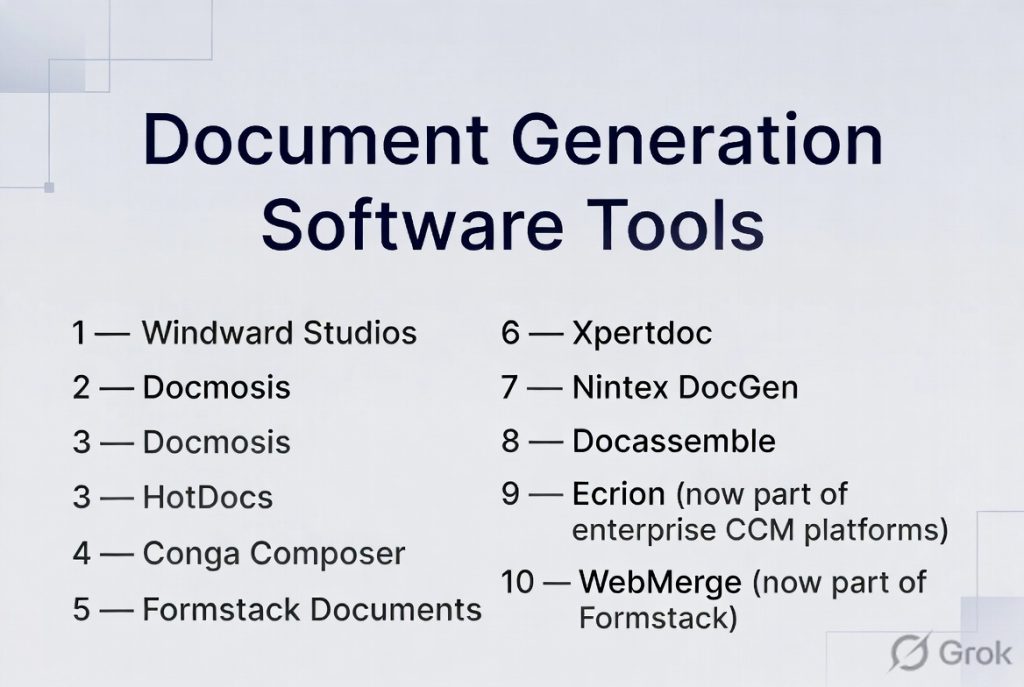
Top 10 Document Generation Software Tools
#1 — Windward Studios
Short description: A powerful document generation engine designed for developers and enterprises, supporting complex templates and data-driven document creation.
Key Features
- Microsoft Office-based template design
- Multi-format output (PDF, DOCX, HTML)
- Drag-and-drop template builder
- Query wizard for data integration
- Conditional logic and loops
- API-based document generation
Pros
- Highly flexible templates
- Strong developer control
Cons
- Limited outside Microsoft ecosystem
- Requires setup
Platforms / Deployment
Windows / Web
Cloud / On-premise
Security & Compliance
Varies / N/A
Integrations & Ecosystem
Supports integration with multiple data sources and enterprise systems.
- Salesforce
- Microsoft Dynamics
- SQL databases
- APIs
Support & Community
Enterprise-focused support with strong documentation.
#2 — Docmosis
Short description: A developer-friendly document generation tool that integrates easily with applications using multiple programming languages.
Key Features
- Template-based document generation
- Multi-language SDK support
- API integrations
- Multiple output formats
- Conditional logic
- Lightweight deployment
Pros
- Flexible integration
- Supports many languages
Cons
- Requires technical knowledge
- Limited UI
Platforms / Deployment
Web / Cross-platform
Cloud / On-premise
Security & Compliance
Not publicly stated
Integrations & Ecosystem
- Java, .NET, Python
- REST APIs
- Business systems
Support & Community
Developer-focused community.
#3 — HotDocs
Short description: A well-established document generation platform widely used in legal and financial industries.
Key Features
- Rule-based document assembly
- Conditional logic (IF/THEN rules)
- Template automation
- Form-based document creation
- Data-driven outputs
- Workflow integration
Pros
- Proven reliability
- Strong legal use cases
Cons
- Older interface
- Limited modern UX
Platforms / Deployment
Web / Windows
Cloud / On-premise
Security & Compliance
Varies / N/A
Integrations & Ecosystem
- Legal systems
- Enterprise tools
- APIs
Support & Community
Large legacy user base.
#4 — Conga Composer
Short description: A Salesforce-native document generation tool designed for sales and CRM workflows.
Key Features
- Salesforce integration
- Template-based document generation
- Automated workflows
- Batch document generation
- Multi-format output
- Data merging
Pros
- Excellent for CRM workflows
- Easy for Salesforce users
Cons
- Salesforce dependency
- Expensive
Platforms / Deployment
Web
Cloud
Security & Compliance
Varies / N/A
Integrations & Ecosystem
- Salesforce
- CRM tools
- APIs
Support & Community
Strong enterprise support.
#5 — Formstack Documents
Short description: A no-code document generation tool focused on ease of use and workflow automation.
Key Features
- Drag-and-drop template builder
- Workflow automation
- Data merging
- E-signature support
- API access
- Integration with forms
Pros
- Easy to use
- No-code friendly
Cons
- Limited advanced logic
- Scaling limitations
Platforms / Deployment
Web
Cloud
Security & Compliance
Not publicly stated
Integrations & Ecosystem
- CRM tools
- Form platforms
- APIs
Support & Community
Strong SMB adoption.
#6 — Xpertdoc
Short description: A document generation platform focused on compliance and enterprise workflows.
Key Features
- Template-based generation
- Workflow automation
- CRM integration
- Document lifecycle support
- Multi-format output
- Compliance tools
Pros
- Enterprise-ready
- Strong integration
Cons
- Complex setup
- Premium pricing
Platforms / Deployment
Web
Cloud / Hybrid
Security & Compliance
Varies / N/A
Integrations & Ecosystem
- Microsoft Dynamics
- CRM systems
- APIs
Support & Community
Enterprise-focused.
#7 — Nintex DocGen
Short description: A workflow automation platform with strong document generation capabilities.
Key Features
- Document generation templates
- Workflow automation
- CRM integration
- Multi-channel delivery
- Conditional logic
- Automation tools
Pros
- Strong automation
- Flexible workflows
Cons
- Requires setup
- Pricing complexity
Platforms / Deployment
Web
Cloud
Security & Compliance
Varies / N/A
Integrations & Ecosystem
- Microsoft 365
- Salesforce
- Cloud storage
Support & Community
Large enterprise user base.
#8 — Docassemble
Short description: An open-source document assembly platform focused on legal automation and guided workflows.
Key Features
- Guided interview workflows
- Conditional logic
- Multi-user workflows
- API integrations
- OCR support
- Multilingual support
Pros
- Highly customizable
- Open-source
Cons
- Requires technical setup
- Limited UI polish
Platforms / Deployment
Web
Cloud / Self-hosted
Security & Compliance
Varies / N/A
Integrations & Ecosystem
- Legal systems
- APIs
- Payment gateways
Support & Community
Active developer community.
#9 — Ecrion (now part of enterprise CCM platforms)
Short description: A customer communications and document generation platform for large-scale enterprises.
Key Features
- Document generation engine
- Workflow automation
- Template design
- Multi-channel output
- Data integration
- Compliance features
Pros
- Enterprise scalability
- Strong automation
Cons
- Complex implementation
- Expensive
Platforms / Deployment
Web
Cloud / Hybrid
Security & Compliance
Varies / N/A
Integrations & Ecosystem
- Enterprise systems
- APIs
Support & Community
Enterprise-level support.
#10 — WebMerge (now part of Formstack)
Short description: A document generation tool focused on integrating forms with automated document creation.
Key Features
- Data-to-document automation
- Form integrations
- Workflow automation
- Multi-format output
- Cloud storage integration
- API support
Pros
- Easy integration
- Good for workflows
Cons
- Limited advanced features
- Rebranded platform
Platforms / Deployment
Web
Cloud
Security & Compliance
Not publicly stated
Integrations & Ecosystem
- Zapier
- CRM tools
- APIs
Support & Community
SMB-focused support.
Comparison Table (Top 10)
| Tool Name | Best For | Platform(s) Supported | Deployment | Standout Feature | Public Rating |
|---|---|---|---|---|---|
| Windward | Developers | Windows/Web | Hybrid | Office templates | N/A |
| Docmosis | Dev teams | Cross-platform | Hybrid | Multi-language support | N/A |
| HotDocs | Legal | Windows/Web | Hybrid | Rule-based engine | N/A |
| Conga | Salesforce users | Web | Cloud | CRM integration | N/A |
| Formstack | SMB | Web | Cloud | No-code builder | N/A |
| Xpertdoc | Enterprise | Web | Hybrid | Compliance workflows | N/A |
| Nintex | Automation | Web | Cloud | Workflow engine | N/A |
| Docassemble | Open-source | Web | Self-hosted | Guided interviews | N/A |
| Ecrion | Enterprise | Web | Hybrid | CCM platform | N/A |
| WebMerge | SMB workflows | Web | Cloud | Form automation | N/A |
Evaluation & Scoring of Document Generation Software
| Tool Name | Core (25%) | Ease (15%) | Integrations (15%) | Security (10%) | Performance (10%) | Support (10%) | Value (15%) | Weighted Total |
|---|---|---|---|---|---|---|---|---|
| Windward | 10 | 7 | 9 | 8 | 9 | 8 | 7 | 8.5 |
| Docmosis | 9 | 7 | 9 | 7 | 8 | 7 | 8 | 8.0 |
| HotDocs | 9 | 6 | 8 | 8 | 8 | 8 | 7 | 7.9 |
| Conga | 8 | 8 | 9 | 8 | 8 | 8 | 7 | 8.1 |
| Formstack | 7 | 9 | 8 | 7 | 7 | 8 | 9 | 8.0 |
| Xpertdoc | 9 | 7 | 8 | 8 | 8 | 8 | 7 | 8.1 |
| Nintex | 9 | 7 | 9 | 8 | 8 | 8 | 7 | 8.2 |
| Docassemble | 8 | 6 | 8 | 7 | 8 | 7 | 9 | 7.9 |
| Ecrion | 9 | 6 | 8 | 8 | 9 | 8 | 6 | 8.0 |
| WebMerge | 7 | 9 | 7 | 7 | 7 | 7 | 9 | 7.8 |
How to interpret scores:
- Enterprise tools rank higher in scalability and integrations
- No-code tools score higher in ease of use
- Developer tools excel in flexibility and control
- Choose based on technical capability and document complexity
Which Document Generation Software Is Right for You?
Solo / Freelancer
- Best: Formstack, WebMerge
- Focus on simplicity
SMB
- Best: Formstack, Conga
- Balance ease and automation
Mid-Market
- Best: Nintex, Xpertdoc
- Need workflows and integrations
Enterprise
- Best: Windward, HotDocs, Ecrion
- Require scalability and compliance
Budget vs Premium
- Budget: Docassemble, Formstack
- Premium: Windward, Ecrion
Feature Depth vs Ease of Use
- Advanced: Windward, HotDocs
- Easy: Formstack, WebMerge
Integrations & Scalability
- Strong: Conga, Nintex
- Moderate: others
Security & Compliance Needs
- Strong: Enterprise tools
- Others: Varies
Frequently Asked Questions (FAQs)
What is document generation software?
It automatically creates documents using templates and data.
How is it different from document automation?
Generation focuses on creating documents, while automation includes workflows.
What industries use it?
Legal, finance, insurance, healthcare, and sales.
Can it handle large volumes?
Yes, enterprise tools are designed for scale.
Does it require coding?
Some tools are no-code, others are developer-focused.
What formats are supported?
Common formats include PDF, DOCX, HTML.
Can it integrate with CRM?
Yes, most tools support CRM integrations.
Is it secure?
Most tools offer encryption and access controls.
What are common mistakes?
Poor template design and lack of testing.
Is AI used in document generation?
Yes, increasingly for drafting and data extraction.
Conclusion
Document Generation Software plays a critical role in automating repetitive document creation while ensuring accuracy and consistency. From no-code tools for SMBs to enterprise-grade platforms with complex logic engines, the category offers a wide range of solutions.
