Introduction
Presentation software helps users create visual slide-based content to communicate ideas effectively. These tools combine text, images, charts, animations, and multimedia into structured slides that can be presented live or shared digitally.
Today, presentation tools are more than slide creators—they are collaboration platforms, storytelling tools, and AI-powered content generators. With remote work, digital communication, and content-driven business strategies, presentations are now central to sales, training, marketing, and internal communication.
Common Use Cases
- Business presentations and leadership updates
- Sales pitches and client proposals
- Training and onboarding sessions
- Educational lectures and workshops
- Investor presentations and storytelling
What Buyers Should Evaluate
- Ease of use and learning curve
- Template quality and design flexibility
- Collaboration and real-time editing
- AI-assisted content creation
- Multimedia and animation capabilities
- Integration with productivity tools
- Offline vs cloud functionality
- Export formats (PDF, video, PPT)
- Performance with large presentations
- Pricing and licensing
Best for: Business professionals, educators, marketers, startups, and teams creating frequent presentations.
Not ideal for: Users who only need simple document creation or static content without visual storytelling.
Key Trends in Presentation Software
- AI-powered slide generation and content suggestions
- Real-time collaboration and cloud-first workflows
- Integration with productivity ecosystems
- Interactive and non-linear presentations
- Automation of design and layout tasks
- Browser-based tools replacing desktop-only apps
- Data-driven presentations with live integrations
- Increased focus on brand consistency
- Hybrid presentation formats (video + slides)
- Mobile-first and cross-device editing
How We Selected These Tools (Methodology)
- Market adoption and widespread usage
- Feature completeness (design, presentation, sharing)
- Collaboration capabilities
- Performance and reliability
- Ease of use for different skill levels
- Integration ecosystem
- Platform availability
- Community and support
- Innovation (AI, automation, interactivity)
- Suitability across individuals to enterprises
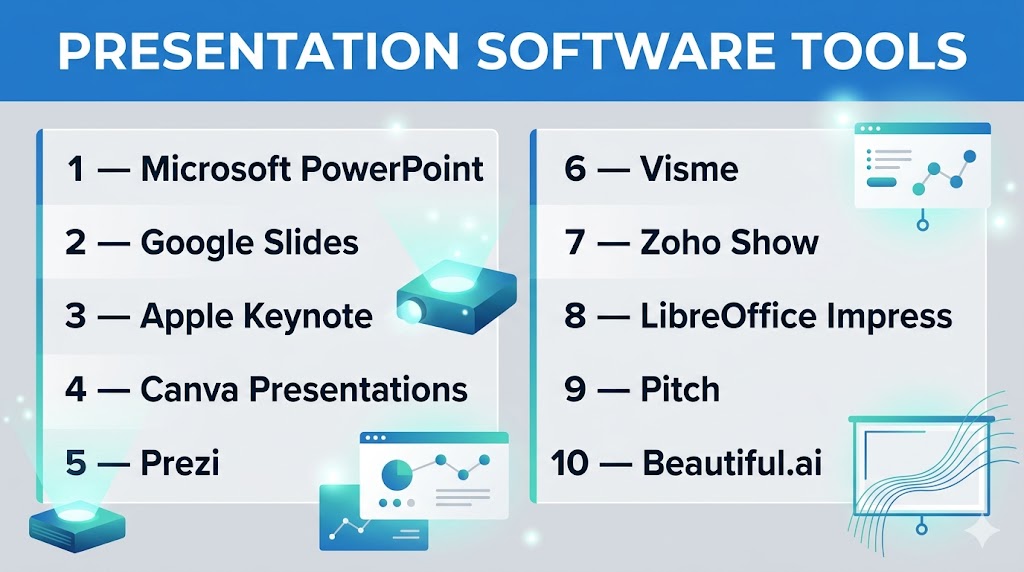
Top 10 Presentation Software Tools
#1 — Microsoft PowerPoint
Short description: The industry-standard presentation tool used globally for business, education, and professional communication.
Key Features
- Advanced slide design and layouts
- AI-powered design suggestions
- Animations and transitions
- Presenter view and notes
- Real-time collaboration
- Integration with office tools
Pros
- Widely accepted format
- Highly flexible and powerful
Cons
- Can be complex for beginners
- Subscription required for full features
Platforms / Deployment
Windows / macOS / Web
Cloud / Local
Security & Compliance
SSO, encryption, enterprise compliance (varies by deployment)
Integrations & Ecosystem
Strong integration within productivity ecosystems.
- Word, Excel integration
- Cloud storage
- Add-ins and plugins
Support & Community
Extensive documentation and global user base.
#2 — Google Slides
Short description: A cloud-based presentation tool designed for collaboration and accessibility.
Key Features
- Real-time collaboration
- Cloud storage
- Version history
- Easy sharing permissions
- Templates and themes
- Add-ons support
Pros
- Free and easy to use
- Excellent collaboration
Cons
- Limited advanced design features
- Requires internet for full functionality
Platforms / Deployment
Web / Mobile
Cloud
Security & Compliance
Encryption, access controls (varies by plan)
Integrations & Ecosystem
Integrated with productivity suites.
- Docs, Sheets integration
- Add-ons ecosystem
- Cloud storage
Support & Community
Large user base and support resources.
#3 — Apple Keynote
Short description: A visually polished presentation tool designed for Apple users.
Key Features
- High-quality templates
- Smooth animations
- Multimedia integration
- Presenter tools
- Export to multiple formats
- Cross-device sync
Pros
- Beautiful design output
- Free for Apple users
Cons
- Limited to Apple ecosystem
- Fewer integrations
Platforms / Deployment
macOS / iOS / iPadOS
Cloud / Local
Security & Compliance
Not publicly stated
Integrations & Ecosystem
Works within Apple ecosystem.
Support & Community
Strong Apple user community.
#4 — Canva Presentations
Short description: A user-friendly design platform with presentation capabilities focused on templates and ease of use.
Key Features
- Drag-and-drop editor
- Pre-built templates
- AI design tools
- Collaboration features
- Brand kits
- Media library
Pros
- Very easy for beginners
- Fast content creation
Cons
- Limited advanced customization
- Premium assets require subscription
Platforms / Deployment
Web / Mobile
Cloud
Security & Compliance
Not publicly stated
Integrations & Ecosystem
Integrates with marketing and social tools.
Support & Community
Large global community.
#5 — Prezi
Short description: A dynamic presentation tool that uses a zoomable canvas instead of traditional slides.
Key Features
- Non-linear presentation format
- Zooming interface
- Interactive storytelling
- Multimedia support
- Collaboration tools
Pros
- Highly engaging presentations
- Unique storytelling approach
Cons
- Learning curve
- Not ideal for traditional formats
Platforms / Deployment
Web / Windows / macOS
Cloud / Local
Security & Compliance
Not publicly stated
Integrations & Ecosystem
Supports multimedia and sharing workflows.
Support & Community
Active creative community.
#6 — Visme
Short description: A design-focused presentation tool for creating visually rich content.
Key Features
- Templates and design assets
- Infographics and charts
- Animation tools
- Brand kits
- Interactive content
Pros
- Great for marketing visuals
- Rich design capabilities
Cons
- Learning curve
- Premium pricing
Platforms / Deployment
Web
Cloud
Security & Compliance
Not publicly stated
Integrations & Ecosystem
Supports content creation workflows.
Support & Community
Growing community.
#7 — Zoho Show
Short description: A cloud-based presentation tool integrated with business applications.
Key Features
- Real-time collaboration
- Cloud-based editing
- Presenter tools
- Media support
- Sharing and permissions
Pros
- Affordable
- Good for business workflows
Cons
- Limited advanced features
- Smaller ecosystem
Platforms / Deployment
Web
Cloud
Security & Compliance
Encryption, access controls
Integrations & Ecosystem
Part of broader business suite.
Support & Community
Business-focused support.
#8 — LibreOffice Impress
Short description: An open-source presentation tool for offline use and cost-conscious users.
Key Features
- Slide-based editing
- Animations and transitions
- Offline functionality
- File compatibility
- Templates
Pros
- Free and open-source
- Works offline
Cons
- Outdated UI
- Limited collaboration
Platforms / Deployment
Windows / macOS / Linux
Local
Security & Compliance
Varies / N/A
Integrations & Ecosystem
Supports file-based workflows.
Support & Community
Open-source community.
#9 — Pitch
Short description: A modern presentation platform designed for teams and startups.
Key Features
- Collaboration tools
- Templates and layouts
- Analytics
- Version control
- Integrations
Pros
- Modern UI
- Great for teams
Cons
- Limited offline support
- Smaller ecosystem
Platforms / Deployment
Web / Desktop
Cloud
Security & Compliance
Not publicly stated
Integrations & Ecosystem
Supports integrations with business tools.
Support & Community
Growing startup-focused community.
#10 — Beautiful.ai
Short description: An AI-powered presentation tool focused on automated design.
Key Features
- AI slide design
- Smart templates
- Layout automation
- Collaboration tools
- Cloud storage
Pros
- Saves time with automation
- Clean design output
Cons
- Less manual control
- Subscription-based
Platforms / Deployment
Web
Cloud
Security & Compliance
Not publicly stated
Integrations & Ecosystem
Supports integrations with productivity tools.
Support & Community
Growing user base.
Comparison Table (Top 10)
| Tool Name | Best For | Platform(s) Supported | Deployment | Standout Feature | Public Rating |
|---|---|---|---|---|---|
| PowerPoint | Professionals | Windows, macOS, Web | Hybrid | Advanced control | N/A |
| Google Slides | Collaboration | Web, Mobile | Cloud | Real-time editing | N/A |
| Keynote | Apple users | macOS, iOS | Hybrid | Visual design | N/A |
| Canva | Beginners | Web, Mobile | Cloud | Templates | N/A |
| Prezi | Storytelling | Cross-platform | Hybrid | Zoom interface | N/A |
| Visme | Marketing | Web | Cloud | Infographics | N/A |
| Zoho Show | SMB | Web | Cloud | Business integration | N/A |
| Impress | Free users | Cross-platform | Local | Open-source | N/A |
| Pitch | Teams | Web/Desktop | Cloud | Collaboration | N/A |
| Beautiful.ai | Automation | Web | Cloud | AI design | N/A |
Evaluation & Scoring of Presentation Software
| Tool Name | Core (25%) | Ease (15%) | Integrations (15%) | Security (10%) | Performance (10%) | Support (10%) | Value (15%) | Weighted Total |
|---|---|---|---|---|---|---|---|---|
| PowerPoint | 10 | 7 | 10 | 8 | 9 | 10 | 7 | 8.9 |
| Google Slides | 8 | 10 | 9 | 7 | 8 | 9 | 10 | 8.8 |
| Keynote | 8 | 9 | 7 | 6 | 9 | 8 | 9 | 8.2 |
| Canva | 7 | 10 | 8 | 6 | 8 | 9 | 9 | 8.3 |
| Prezi | 8 | 7 | 7 | 6 | 8 | 7 | 7 | 7.5 |
| Visme | 8 | 8 | 7 | 6 | 8 | 7 | 7 | 7.6 |
| Zoho Show | 7 | 8 | 8 | 7 | 7 | 7 | 8 | 7.6 |
| Impress | 7 | 6 | 6 | 5 | 7 | 7 | 10 | 7.1 |
| Pitch | 7 | 9 | 8 | 6 | 8 | 7 | 8 | 7.8 |
| Beautiful.ai | 7 | 9 | 7 | 6 | 8 | 7 | 8 | 7.7 |
How to interpret scores:
- Scores are comparative across tools
- Higher scores indicate balanced performance
- Lower scores may still excel in niche use cases
- Choose based on workflow needs
- Testing tools is recommended
Which Presentation Software Tool Is Right for You?
Solo / Freelancer
- Best: Canva, Google Slides, Keynote
- Focus on simplicity and speed
SMB
- Best: Google Slides, Zoho Show
- Collaboration and affordability
Mid-Market
- Best: PowerPoint, Pitch
- Balance features and workflows
Enterprise
- Best: PowerPoint
- Advanced controls and integrations
Budget vs Premium
- Budget: Google Slides, Impress
- Premium: PowerPoint, Prezi
Feature Depth vs Ease of Use
- Advanced: PowerPoint
- Easy: Canva, Google Slides
Integrations & Scalability
- Strong: PowerPoint ecosystem
- Moderate: others
Security & Compliance Needs
- Enterprise tools provide better controls
- Others: Not publicly stated
Frequently Asked Questions (FAQs)
What is presentation software?
It is used to create visual slide-based content for communication.
Which tool is best for beginners?
Canva and Google Slides are easiest.
Are free tools available?
Yes, Google Slides and Impress are free.
Can I collaborate with teams?
Yes, most cloud tools support collaboration.
What is AI in presentation tools?
AI helps generate slides and improve design.
Which tool is best for business?
PowerPoint is widely used.
Can I use these tools offline?
Some tools support offline mode.
What formats are supported?
Common formats include PPT, PDF, and video.
Are animations important?
They improve engagement when used correctly.
What are common mistakes?
Overloading slides with text.
Conclusion
Presentation software is essential for modern communication, enabling users to turn ideas into compelling visual stories. From traditional tools to AI-powered platforms, there is a solution for every need.
