Introduction
Image editing software enables users to create, modify, and enhance digital images for various purposes—from professional photography and graphic design to social media content and marketing visuals. These tools provide capabilities like retouching, color correction, compositing, layering, and advanced effects.
With the rise of content creation, branding, and digital marketing, image editing tools have evolved into powerful creative suites. Modern platforms now include AI-powered editing, background removal, generative fill, real-time collaboration, and cloud-based workflows. Whether you’re a professional designer or a casual creator, choosing the right tool significantly impacts productivity and output quality.
Common Use Cases
- Photo retouching and enhancement
- Social media and marketing creatives
- Graphic design and branding
- UI/UX asset creation
- Digital art and illustration
What Buyers Should Evaluate
- Editing capabilities (basic vs advanced)
- AI-powered features (auto-enhancement, generative tools)
- Layer and masking support
- Performance and file handling
- Ease of use vs learning curve
- Platform compatibility
- File format support (PSD, PNG, RAW, etc.)
- Collaboration and cloud features
- Integration with design ecosystems
- Pricing and licensing
Best for: Designers, photographers, marketers, content creators, and creative teams.
Not ideal for: Users who only need simple cropping or basic filters available in mobile apps.
Key Trends in Image Editing Software
- AI-powered editing (background removal, generative fill)
- Cloud-based collaboration and editing
- Integration with design and marketing tools
- Real-time editing and previews
- Cross-platform and mobile-first tools
- Automation of repetitive editing tasks
- Support for high-resolution and RAW formats
- Subscription-based pricing models
- Browser-based editing platforms
- Increasing use of generative AI for design
How We Selected These Tools (Methodology)
- Market adoption and industry reputation
- Feature completeness (editing, design, AI tools)
- Performance and reliability
- Ease of use for beginners and professionals
- Integration ecosystem
- Platform availability
- Community and support resources
- Pricing flexibility
- Innovation (AI, cloud features, automation)
- Suitability across different user segments
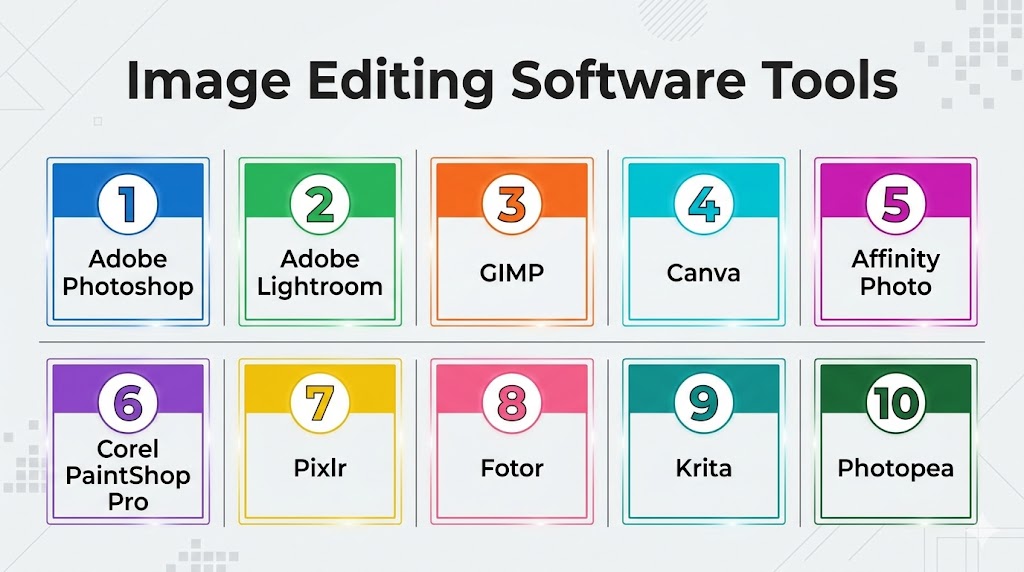
Top 10 Image Editing Software Tools
#1 — Adobe Photoshop
Short description: The industry-standard image editing software used by professionals for advanced photo editing, compositing, and design.
Key Features
- Advanced layer-based editing
- AI tools like generative fill
- RAW image processing
- Extensive plugin ecosystem
- Smart objects and masks
- 3D and advanced compositing tools
Pros
- Industry standard with powerful features
- Massive ecosystem and community
Cons
- Expensive subscription
- Steep learning curve
Platforms / Deployment
Windows / macOS / Web
Cloud / Local
Security & Compliance
Encryption in transit, enterprise controls (varies by plan)
Integrations & Ecosystem
Deep integration with creative tools and workflows.
- Creative Cloud apps
- Plugins and extensions
- Asset libraries
Support & Community
Extensive tutorials, forums, and global community.
#2 — Adobe Lightroom
Short description: A photo editing and management tool focused on photographers and batch processing workflows.
Key Features
- Non-destructive editing
- Presets and batch processing
- RAW file support
- Cloud syncing
- Color grading tools
- AI-based adjustments
Pros
- Excellent for photo workflows
- Easy batch editing
Cons
- Limited graphic design features
- Subscription-based
Platforms / Deployment
Windows / macOS / Mobile
Cloud / Local
Security & Compliance
Not publicly stated
Integrations & Ecosystem
Works within Adobe ecosystem.
Support & Community
Strong photography community.
#3 — GIMP
Short description: A free and open-source image editor offering powerful features comparable to premium tools.
Key Features
- Layer-based editing
- Custom plugins
- Advanced image manipulation
- Multiple file format support
- Script automation
- Open-source flexibility
Pros
- Completely free
- Highly customizable
Cons
- Outdated UI
- Learning curve
Platforms / Deployment
Windows / macOS / Linux
Local
Security & Compliance
Varies / N/A
Integrations & Ecosystem
Supports plugins and scripting.
Support & Community
Large open-source community.
#4 — Canva
Short description: A beginner-friendly design and image editing tool focused on templates and quick content creation.
Key Features
- Drag-and-drop editor
- Pre-built templates
- AI design tools
- Background remover
- Collaboration features
- Stock assets
Pros
- Extremely easy to use
- Great for non-designers
Cons
- Limited advanced editing
- Subscription for premium assets
Platforms / Deployment
Web / Mobile
Cloud
Security & Compliance
Not publicly stated
Integrations & Ecosystem
Integrates with marketing and social tools.
Support & Community
Large global user base.
#5 — Affinity Photo
Short description: A professional image editing tool offering powerful features without a subscription model.
Key Features
- Advanced editing tools
- RAW processing
- Layer-based editing
- HDR merge
- Focus stacking
- Real-time performance
Pros
- One-time purchase
- High performance
Cons
- Smaller ecosystem
- Fewer integrations
Platforms / Deployment
Windows / macOS / iPad
Local
Security & Compliance
Not publicly stated
Integrations & Ecosystem
Limited but growing ecosystem.
Support & Community
Active creative community.
#6 — Corel PaintShop Pro
Short description: A feature-rich image editor with AI tools and advanced photo editing capabilities.
Key Features
- AI-powered enhancements
- Photo editing tools
- Graphic design features
- Batch processing
- RAW support
- Layer editing
Pros
- Powerful features
- Affordable
Cons
- Windows-only
- Interface can feel outdated
Platforms / Deployment
Windows
Local
Security & Compliance
Not publicly stated
Integrations & Ecosystem
Supports plugins and file integrations.
Support & Community
Moderate community support.
#7 — Pixlr
Short description: A browser-based image editing tool designed for quick edits and lightweight workflows.
Key Features
- Web-based editor
- AI background removal
- Filters and effects
- Layer support
- Quick export options
Pros
- No installation required
- Easy to use
Cons
- Limited advanced features
- Internet dependency
Platforms / Deployment
Web / Mobile
Cloud
Security & Compliance
Not publicly stated
Integrations & Ecosystem
Supports basic integrations and exports.
Support & Community
Growing online user base.
#8 — Fotor
Short description: A simple image editing tool with AI enhancements and design features.
Key Features
- AI photo enhancement
- Filters and effects
- Collage maker
- Background removal
- Batch processing
Pros
- Easy to use
- AI-powered tools
Cons
- Limited advanced editing
- Ads in free version
Platforms / Deployment
Web / Windows / Mobile
Cloud / Local
Security & Compliance
Not publicly stated
Integrations & Ecosystem
Supports social media sharing.
Support & Community
Moderate community.
#9 — Krita
Short description: An open-source tool focused on digital painting and illustration.
Key Features
- Brush engine
- Layer support
- Animation tools
- Custom brushes
- Open-source plugins
Pros
- Great for digital art
- Free to use
Cons
- Not ideal for photo editing
- Learning curve
Platforms / Deployment
Windows / macOS / Linux
Local
Security & Compliance
Varies / N/A
Integrations & Ecosystem
Supports plugins and art workflows.
Support & Community
Strong artist community.
#10 — Photopea
Short description: A web-based image editor with Photoshop-like interface and features.
Key Features
- PSD file support
- Layer editing
- Web-based interface
- Multiple format support
- No installation required
Pros
- Free and accessible
- Familiar interface
Cons
- Ads in free version
- Performance depends on browser
Platforms / Deployment
Web
Cloud
Security & Compliance
Not publicly stated
Integrations & Ecosystem
Supports file imports and exports.
Support & Community
Growing user base.
Comparison Table (Top 10)
| Tool Name | Best For | Platform(s) Supported | Deployment | Standout Feature | Public Rating |
|---|---|---|---|---|---|
| Adobe Photoshop | Professionals | Windows, macOS, Web | Cloud/Local | Advanced editing | N/A |
| Adobe Lightroom | Photographers | Cross-platform | Cloud/Local | Batch editing | N/A |
| GIMP | Free users | Windows, macOS, Linux | Local | Open-source | N/A |
| Canva | Beginners | Web, Mobile | Cloud | Templates | N/A |
| Affinity Photo | Professionals | Cross-platform | Local | One-time purchase | N/A |
| PaintShop Pro | Windows users | Windows | Local | AI tools | N/A |
| Pixlr | Quick edits | Web, Mobile | Cloud | Browser-based | N/A |
| Fotor | Casual users | Cross-platform | Cloud/Local | AI enhancement | N/A |
| Krita | Artists | Cross-platform | Local | Digital painting | N/A |
| Photopea | Browser users | Web | Cloud | PSD support | N/A |
Evaluation & Scoring of Image Editing Software
| Tool Name | Core (25%) | Ease (15%) | Integrations (15%) | Security (10%) | Performance (10%) | Support (10%) | Value (15%) | Weighted Total |
|---|---|---|---|---|---|---|---|---|
| Photoshop | 10 | 7 | 10 | 7 | 9 | 10 | 7 | 8.8 |
| Lightroom | 9 | 8 | 8 | 6 | 9 | 9 | 7 | 8.3 |
| GIMP | 8 | 6 | 7 | 5 | 8 | 8 | 10 | 7.9 |
| Canva | 7 | 10 | 8 | 6 | 8 | 9 | 9 | 8.3 |
| Affinity | 9 | 7 | 7 | 6 | 9 | 8 | 9 | 8.4 |
| PaintShop | 8 | 7 | 7 | 6 | 8 | 7 | 8 | 7.6 |
| Pixlr | 7 | 9 | 6 | 5 | 7 | 7 | 8 | 7.4 |
| Fotor | 7 | 9 | 6 | 5 | 7 | 7 | 8 | 7.4 |
| Krita | 8 | 7 | 6 | 5 | 8 | 8 | 9 | 7.7 |
| Photopea | 7 | 9 | 7 | 5 | 7 | 7 | 9 | 7.6 |
How to interpret scores:
- Scores are comparative across tools
- Higher scores indicate balanced capabilities
- Lower scores may still excel in niche areas
- Choose based on your workflow needs
- Testing tools is recommended
Which Image Editing Software Is Right for You?
Solo / Freelancer
- Best: Canva, Photopea, GIMP
- Focus on affordability and ease
SMB
- Best: Canva, Affinity Photo
- Balance features and usability
Mid-Market
- Best: Photoshop, Lightroom
- Need advanced workflows
Enterprise
- Best: Adobe Photoshop
- Require full ecosystem integration
Budget vs Premium
- Budget: GIMP, Photopea
- Premium: Photoshop, Affinity
Feature Depth vs Ease of Use
- Advanced: Photoshop, GIMP
- Easy: Canva, Fotor
Integrations & Scalability
- Strong: Adobe ecosystem
- Limited: standalone tools
Security & Compliance Needs
- Most tools: Not publicly stated
Frequently Asked Questions (FAQs)
What is image editing software?
It allows users to modify and enhance digital images.
Which tool is best for beginners?
Canva is the easiest to start with.
Are there free options?
Yes, GIMP and Photopea are free.
What is RAW editing?
Editing high-quality uncompressed image files.
Do I need advanced tools?
Depends on your use case and complexity.
Can I use these tools on mobile?
Many tools support mobile platforms.
What is layer editing?
It allows editing different parts of an image separately.
Are AI tools important?
They help automate complex editing tasks.
Can I collaborate with teams?
Cloud tools support collaboration.
What are common mistakes?
Over-editing and ignoring file formats.
Conclusion
Image editing software plays a crucial role in modern digital workflows, from content creation to professional design. With a wide range of tools available, users can choose solutions tailored to their skill level and requirements.
