Introduction
Color grading software is used to enhance, correct, and stylize the color of video footage to achieve a desired visual tone and consistency. It plays a critical role in post-production, transforming raw footage into polished cinematic content by adjusting exposure, contrast, color balance, and mood.
With the rise of digital filmmaking, streaming platforms, and content creation, color grading has become more important than ever. Modern tools now include AI-powered color matching, HDR workflows, and real-time collaboration, making them essential across industries.
Common Use Cases
- Film and TV post-production
- YouTube and social media video editing
- Commercial and advertising content
- Music videos and documentaries
- Game cinematics and trailers
What Buyers Should Evaluate
- Color correction and grading capabilities
- Support for HDR and advanced color spaces
- Real-time playback performance
- Integration with editing and VFX tools
- Ease of use vs professional depth
- Hardware acceleration and GPU support
- Collaboration and workflow tools
- LUT (Look-Up Table) support
- Export formats and delivery options
- Pricing and licensing
Best for: Filmmakers, video editors, content creators, colorists, and production studios.
Not ideal for: Users who only need basic editing without advanced color control.
Key Trends in Color Grading Software
- AI-assisted color correction and scene matching
- Real-time HDR grading workflows
- Cloud collaboration and remote editing
- Integration with full post-production pipelines
- Expansion of GPU acceleration for faster rendering
- Growth of mobile and lightweight grading tools
- Automation of repetitive grading tasks
- Support for wide color gamut formats
- Increased use in live production environments
- Simplified tools for content creators
How We Selected These Tools (Methodology)
- Industry adoption across film, TV, and content creation
- Depth of color grading features and tools
- Performance and real-time capabilities
- Integration with editing and VFX workflows
- Ease of use for different skill levels
- Community and learning resources
- Availability of both free and premium options
- Stability and reliability in production
- Support for modern formats and workflows
- Balance between usability and advanced control
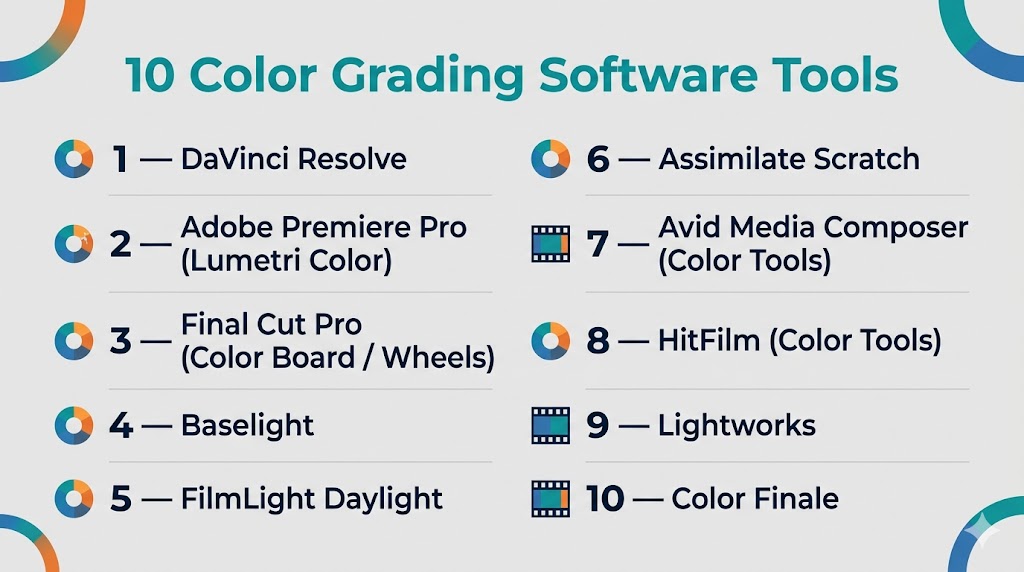
Top 10 Color Grading Software Tools
#1 — DaVinci Resolve
Short description: A professional-grade color grading software widely regarded as the industry standard for color correction and finishing.
Key Features
- Advanced color wheels and curves
- Node-based grading workflow
- HDR grading support
- Real-time playback engine
- Built-in editing and audio tools
- AI-powered features
- Multi-user collaboration
Pros
- Industry-leading color tools
- Free version available
Cons
- High system requirements
- Complex for beginners
Platforms / Deployment
Windows / macOS / Linux
Local
Security & Compliance
Not publicly stated
Integrations & Ecosystem
Part of a full post-production suite with strong pipeline integration.
- Editing tools
- VFX tools
- Audio workflows
Support & Community
Large global community with extensive tutorials and documentation.
#2 — Adobe Premiere Pro (Lumetri Color)
Short description: A popular video editing tool with integrated color grading capabilities suitable for a wide range of users.
Key Features
- Lumetri color panel
- Real-time color adjustments
- LUT support
- Integration with creative workflows
- Timeline-based editing
- GPU acceleration
Pros
- Easy to use
- Strong ecosystem integration
Cons
- Limited advanced grading tools
- Performance issues with heavy projects
Platforms / Deployment
Windows / macOS
Cloud / Local
Security & Compliance
Not publicly stated
Integrations & Ecosystem
Seamless integration with creative tools.
- Editing workflows
- Asset libraries
- Plugin ecosystem
Support & Community
Very large community and support resources.
#3 — Final Cut Pro (Color Board / Wheels)
Short description: A macOS-exclusive editing and color grading tool known for performance and ease of use.
Key Features
- Color wheels and curves
- Real-time playback
- HDR support
- Optimized performance
- Timeline-based workflow
- Plugin support
Pros
- Fast performance on macOS
- User-friendly interface
Cons
- Limited advanced grading tools
- macOS only
Platforms / Deployment
macOS
Local
Security & Compliance
Not publicly stated
Integrations & Ecosystem
Works within Apple ecosystem.
Support & Community
Strong community among Mac users.
#4 — Baselight
Short description: A high-end color grading system used in film and professional post-production environments.
Key Features
- Advanced color grading tools
- HDR workflows
- Scene-based grading
- High-end color management
- Real-time performance
- Collaborative workflows
Pros
- Industry-grade precision
- Used in major productions
Cons
- Expensive
- Requires training
Platforms / Deployment
Windows / Linux
Local
Security & Compliance
Not publicly stated
Integrations & Ecosystem
Integrated into professional pipelines.
- Film workflows
- Post-production systems
Support & Community
Enterprise-level support.
#5 — FilmLight Daylight
Short description: A streamlined color grading tool designed for dailies and on-set workflows.
Key Features
- Real-time grading
- Metadata-based workflows
- Fast processing
- Integration with Baselight
- On-set grading tools
Pros
- Efficient for production workflows
- Fast processing
Cons
- Niche use case
- Limited standalone use
Platforms / Deployment
Windows / Linux
Local
Security & Compliance
Not publicly stated
Integrations & Ecosystem
Works within FilmLight ecosystem.
Support & Community
Professional support.
#6 — Assimilate Scratch
Short description: A professional finishing and color grading tool used in high-end workflows.
Key Features
- Real-time playback
- HDR grading
- RAW workflow support
- Advanced color tools
- Multi-format support
Pros
- High performance
- Flexible workflows
Cons
- Expensive
- Complex interface
Platforms / Deployment
Windows / macOS / Linux
Local
Security & Compliance
Not publicly stated
Integrations & Ecosystem
Supports professional pipelines.
Support & Community
Niche professional community.
#7 — Avid Media Composer (Color Tools)
Short description: A professional editing platform with integrated color grading capabilities.
Key Features
- Color correction tools
- Timeline-based workflow
- Integration with editing
- Media management
- Collaboration tools
Pros
- Industry-standard editing
- Strong media handling
Cons
- Limited grading depth
- Complex interface
Platforms / Deployment
Windows / macOS
Local
Security & Compliance
Not publicly stated
Integrations & Ecosystem
Strong integration with production workflows.
Support & Community
Large professional user base.
#8 — HitFilm (Color Tools)
Short description: A beginner-friendly editing and grading tool for creators.
Key Features
- Basic color grading tools
- Effects library
- Real-time preview
- Editing integration
- Templates
Pros
- Easy to use
- Affordable
Cons
- Limited advanced features
- Not for professional grading
Platforms / Deployment
Windows / macOS
Local
Security & Compliance
Not publicly stated
Integrations & Ecosystem
Standalone tool with plugin support.
Support & Community
Moderate community.
#9 — Lightworks
Short description: A video editing tool with built-in color grading capabilities.
Key Features
- Color correction tools
- Real-time editing
- Timeline workflows
- Multi-format support
- Export options
Pros
- Lightweight
- Free version available
Cons
- Limited advanced grading
- UI learning curve
Platforms / Deployment
Windows / macOS / Linux
Local
Security & Compliance
Not publicly stated
Integrations & Ecosystem
Standalone editor.
Support & Community
Moderate community.
#10 — Color Finale
Short description: A professional color grading plugin designed for Final Cut Pro users.
Key Features
- Advanced color tools
- LUT management
- Real-time preview
- Plugin integration
- Professional workflows
Pros
- Enhances Final Cut Pro
- High-quality grading tools
Cons
- Requires Final Cut Pro
- Paid plugin
Platforms / Deployment
macOS
Local
Security & Compliance
Not publicly stated
Integrations & Ecosystem
Works within Final Cut Pro ecosystem.
Support & Community
Niche but active community.
Comparison Table (Top 10)
| Tool Name | Best For | Platform(s) Supported | Deployment | Standout Feature | Public Rating |
|---|---|---|---|---|---|
| DaVinci Resolve | Professionals | Windows, macOS, Linux | Local | Advanced grading | N/A |
| Premiere Pro | Editors | Windows, macOS | Cloud/Local | Ease of use | N/A |
| Final Cut Pro | Mac users | macOS | Local | Performance | N/A |
| Baselight | Film industry | Windows, Linux | Local | Precision grading | N/A |
| Daylight | On-set workflows | Windows, Linux | Local | Real-time grading | N/A |
| Scratch | Finishing | Windows, macOS, Linux | Local | RAW workflows | N/A |
| Avid | Professionals | Windows, macOS | Local | Media management | N/A |
| HitFilm | Beginners | Windows, macOS | Local | Simplicity | N/A |
| Lightworks | Indie creators | Windows, macOS, Linux | Local | Lightweight | N/A |
| Color Finale | Final Cut users | macOS | Local | Plugin grading | N/A |
Evaluation & Scoring of Color Grading Software
| Tool Name | Core (25%) | Ease (15%) | Integrations (15%) | Security (10%) | Performance (10%) | Support (10%) | Value (15%) | Weighted Total |
|---|---|---|---|---|---|---|---|---|
| DaVinci Resolve | 10 | 7 | 9 | 6 | 9 | 9 | 10 | 9.0 |
| Premiere Pro | 8 | 9 | 9 | 6 | 8 | 9 | 8 | 8.4 |
| Final Cut Pro | 8 | 9 | 8 | 6 | 9 | 8 | 8 | 8.3 |
| Baselight | 10 | 6 | 9 | 6 | 10 | 9 | 6 | 8.4 |
| Daylight | 8 | 7 | 7 | 6 | 9 | 7 | 7 | 7.6 |
| Scratch | 9 | 6 | 8 | 6 | 9 | 8 | 7 | 8.0 |
| Avid | 7 | 6 | 9 | 6 | 8 | 9 | 7 | 7.7 |
| HitFilm | 6 | 9 | 6 | 5 | 6 | 7 | 9 | 7.2 |
| Lightworks | 6 | 7 | 6 | 5 | 7 | 7 | 9 | 6.9 |
| Color Finale | 8 | 8 | 7 | 5 | 8 | 7 | 7 | 7.6 |
How to interpret scores:
- Scores are relative comparisons across tools
- Higher scores indicate well-rounded capabilities
- Lower scores may still suit specific use cases
- Focus on your workflow needs rather than just scores
- Always validate with hands-on testing
Which Color Grading Software Is Right for You?
Solo / Freelancer
- Best: DaVinci Resolve, Lightworks, HitFilm
- Focus on affordability and flexibility
SMB
- Best: Premiere Pro, Final Cut Pro
- Balance usability and performance
Mid-Market
- Best: DaVinci Resolve, Premiere Pro
- Need integration and scalability
Enterprise
- Best: Baselight, Scratch
- Require high-end workflows
Budget vs Premium
- Budget: Resolve, Lightworks
- Premium: Baselight, Scratch
Feature Depth vs Ease of Use
- Advanced: Baselight, Resolve
- Easy: Premiere Pro
Integrations & Scalability
- Strong: Resolve, Premiere
- Limited: HitFilm
Security & Compliance Needs
- Most tools: Not publicly stated
Frequently Asked Questions (FAQs)
What is color grading software?
It is used to adjust and enhance the color of video footage.
Is color grading different from color correction?
Yes, correction fixes issues, grading adds style.
Which tool is best for beginners?
Premiere Pro and HitFilm are easier to learn.
Are there free tools available?
Yes, DaVinci Resolve offers a free version.
Do I need a powerful PC?
Yes, especially for high-resolution workflows.
What is HDR grading?
It allows working with high dynamic range visuals.
Can I use LUTs?
Yes, most tools support LUTs.
Is color grading used in YouTube videos?
Yes, many creators use it.
Can I switch tools easily?
Switching is possible but may require workflow changes.
What are common mistakes?
Overgrading and ignoring color consistency.
Conclusion
Color grading software is a vital part of modern video production, helping creators achieve professional and cinematic visuals. From beginner-friendly tools to industry-grade platforms, each solution offers unique strengths.
