Introduction
Electronic Design Automation (EDA) software refers to a category of tools used by engineers to design, simulate, verify, and manufacture electronic systems such as integrated circuits (ICs), printed circuit boards (PCBs), and embedded systems. These tools automate complex design workflows, enabling engineers to build reliable electronic products faster and with fewer errors.
EDA software has become essential as modern electronics grow increasingly complex—from smartphones and AI chips to automotive systems and IoT devices. Engineers now rely heavily on these tools to manage design complexity, validate performance, and ensure manufacturability before production.
Common real-world use cases:
- Integrated circuit (IC) and chip design
- PCB layout and routing
- Simulation of analog and digital circuits
- FPGA and embedded system development
- Verification and testing of electronic designs
What buyers should evaluate:
- Design and simulation capabilities
- Support for HDL languages (Verilog, VHDL)
- Ease of use and learning curve
- Integration with manufacturing workflows
- Performance and scalability
- Cloud vs on-premise deployment
- Component libraries and IP availability
- Collaboration and version control
- Security and compliance features
Best for: Hardware engineers, chip designers, PCB designers, semiconductor companies, startups building electronics, and R&D teams.
Not ideal for: Non-technical users, teams working only on software projects, or businesses that do not require hardware design and simulation.
Key Trends in Electronic Design Automation (EDA) Software
- AI-driven chip design: Automation of layout, verification, and optimization using AI models
- End-to-end design platforms: Unified workflows from chip design to system-level simulation
- Cloud-based EDA tools: Reduced infrastructure costs and improved collaboration
- LLM-assisted design workflows: Natural language-driven automation in design processes
- Shift toward system-level design: Integration of hardware and software workflows
- Advanced node complexity handling: Tools optimized for high-performance chips
- Verification-first design approach: Increasing emphasis on testing and validation
- Open-source ecosystem growth: Tools like KiCad gaining traction
- Integration with AI and HPC infrastructure: Faster simulation and design cycles
- Security and export control awareness: Increasing regulatory considerations in semiconductor tools
How We Selected These Tools (Methodology)
- Industry adoption and market leadership
- Coverage across IC, PCB, and FPGA design workflows
- Depth of simulation and verification capabilities
- Performance and scalability for complex designs
- Integration with manufacturing and semiconductor ecosystems
- Flexibility across deployment models
- Availability of documentation and community support
- Suitability for different user segments (students to enterprises)
- Vendor stability and long-term development
- Innovation in AI and automation capabilities
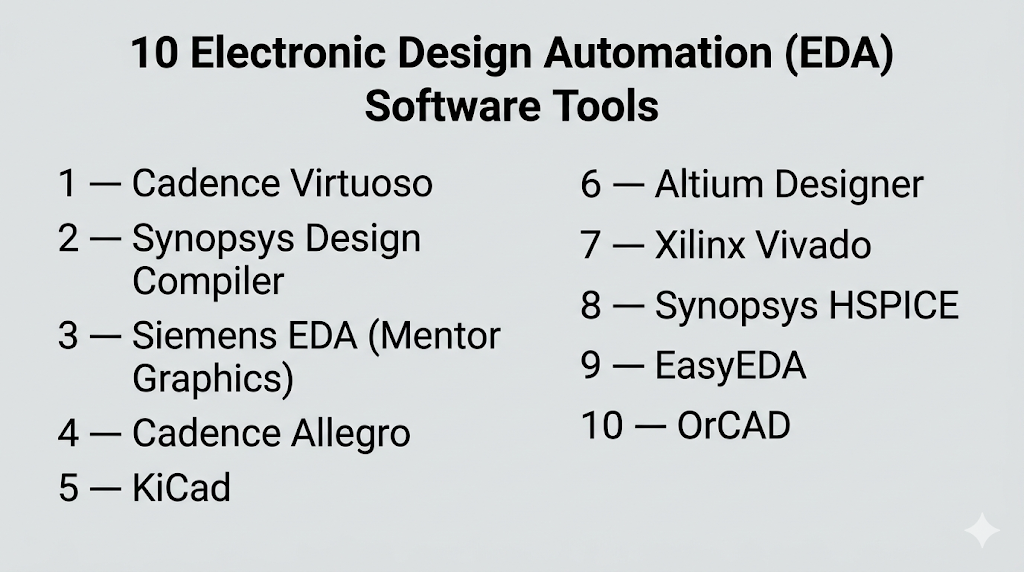
Top 10 Electronic Design Automation (EDA) Software Tools
#1 — Cadence Virtuoso
Short description: Industry-standard platform for analog, mixed-signal, and RF IC design used by semiconductor companies.
Key Features
- Schematic capture and layout design
- Advanced analog simulation
- Constraint-driven design
- Parasitic extraction
- Integration with verification tools
- High scalability
- Custom IC design workflows
Pros
- Industry-proven accuracy
- Strong ecosystem
Cons
- Expensive
- Requires expertise
Platforms / Deployment
Linux
Self-hosted
Security & Compliance
Not publicly stated
Integrations & Ecosystem
- Cadence ecosystem
- Simulation tools
- Verification tools
- APIs
Support & Community
Strong enterprise support and academic usage.
#2 — Synopsys Design Compiler
Short description: Leading tool for digital synthesis and chip design workflows.
Key Features
- RTL synthesis
- Timing optimization
- Power optimization
- Scalability for large designs
- Integration with verification tools
- Advanced node support
Pros
- Industry standard
- High performance
Cons
- High cost
- Complex setup
Platforms / Deployment
Linux
Self-hosted
Security & Compliance
Not publicly stated
Integrations & Ecosystem
- Synopsys ecosystem
- Verification tools
- APIs
- Semiconductor workflows
Support & Community
Enterprise-level support.
#3 — Siemens EDA (Mentor Graphics)
Short description: Comprehensive EDA suite covering design, verification, and manufacturing.
Key Features
- PCB and IC design tools
- Verification and simulation
- Physical design tools
- DRC and LVS checks
- Multi-domain workflows
Pros
- Full-stack solution
- Strong verification tools
Cons
- Complex
- Expensive
Platforms / Deployment
Windows / Linux
Self-hosted
Security & Compliance
Not publicly stated
Integrations & Ecosystem
- Siemens ecosystem
- PLM tools
- APIs
- Manufacturing tools
Support & Community
Strong enterprise support.
#4 — Cadence Allegro
Short description: Advanced PCB design platform for high-speed and complex boards.
Key Features
- PCB layout and routing
- Signal integrity analysis
- High-speed design support
- Component libraries
- Manufacturing outputs
Pros
- Excellent PCB capabilities
- Industry adoption
Cons
- Learning curve
- Cost
Platforms / Deployment
Windows / Linux
Self-hosted
Security & Compliance
Not publicly stated
Integrations & Ecosystem
- Cadence ecosystem
- PCB manufacturing tools
- APIs
- Simulation tools
Support & Community
Strong documentation and support.
#5 — KiCad
Short description: Open-source EDA tool widely used for PCB design and simulation.
Key Features
- Schematic capture
- PCB layout
- SPICE simulation
- 3D visualization
- Open-source flexibility
- Large component libraries
Pros
- Free
- Cross-platform
Cons
- Limited enterprise features
- Community-driven support
Platforms / Deployment
Windows / macOS / Linux
Self-hosted
Security & Compliance
Not publicly stated
Integrations & Ecosystem
- Open-source ecosystem
- Plugins
- Libraries
- APIs
Support & Community
Large and active community.
#6 — Altium Designer
Short description: High-end PCB design software known for usability and collaboration features.
Key Features
- Advanced PCB design
- Real-time collaboration
- Component libraries
- 3D PCB visualization
- Manufacturing integration
- Design rule checks
Pros
- User-friendly
- Strong collaboration
Cons
- Expensive
- Windows-focused
Platforms / Deployment
Windows
Cloud / Self-hosted
Security & Compliance
Not publicly stated
Integrations & Ecosystem
- Cloud collaboration
- Libraries
- APIs
- Manufacturing tools
Support & Community
Strong documentation and training resources.
#7 — Xilinx Vivado
Short description: FPGA design suite for synthesis, simulation, and debugging.
Key Features
- FPGA synthesis
- Hardware debugging
- Timing analysis
- IP integration
- Design automation
- Simulation tools
Pros
- Strong FPGA support
- Integrated workflow
Cons
- Vendor lock-in
- Resource-heavy
Platforms / Deployment
Windows / Linux
Self-hosted
Security & Compliance
Not publicly stated
Integrations & Ecosystem
- FPGA ecosystem
- APIs
- Debug tools
- Hardware integration
Support & Community
Strong developer community.
#8 — Synopsys HSPICE
Short description: Industry-standard simulator for analog and mixed-signal circuits.
Key Features
- Accurate circuit simulation
- Device modeling
- Signal analysis
- High reliability
- Integration with IC tools
Pros
- High accuracy
- Trusted in industry
Cons
- Complex
- Expensive
Platforms / Deployment
Linux
Self-hosted
Security & Compliance
Not publicly stated
Integrations & Ecosystem
- Synopsys ecosystem
- Simulation tools
- APIs
- IC workflows
Support & Community
Enterprise-level support.
#9 — EasyEDA
Short description: Cloud-based EDA tool for PCB design and simulation.
Key Features
- Web-based interface
- Schematic and PCB design
- SPICE simulation
- Collaboration features
- Manufacturing outputs
Pros
- Easy to use
- Accessible
Cons
- Limited advanced features
- Internet dependency
Platforms / Deployment
Web
Cloud
Security & Compliance
Not publicly stated
Integrations & Ecosystem
- Cloud tools
- Libraries
- APIs
- PCB manufacturing
Support & Community
Growing community.
#10 — OrCAD
Short description: PCB design and simulation tool widely used for mid-level engineering workflows.
Key Features
- Schematic capture
- PCB design
- Simulation tools
- Component libraries
- Design validation
Pros
- Balanced features
- Industry usage
Cons
- Windows-only
- Learning curve
Platforms / Deployment
Windows
Self-hosted
Security & Compliance
Not publicly stated
Integrations & Ecosystem
- Cadence ecosystem
- Libraries
- APIs
- Simulation tools
Support & Community
Good documentation and support.
Comparison Table (Top 10)
| Tool Name | Best For | Platform(s) Supported | Deployment | Standout Feature | Public Rating |
|---|---|---|---|---|---|
| Cadence Virtuoso | IC design | Linux | Self-hosted | Analog design | N/A |
| Synopsys Design Compiler | Chip synthesis | Linux | Self-hosted | RTL synthesis | N/A |
| Siemens EDA | Full-stack EDA | Windows, Linux | Self-hosted | Verification tools | N/A |
| Cadence Allegro | PCB design | Windows, Linux | Self-hosted | High-speed PCB | N/A |
| KiCad | Open-source PCB | All major OS | Self-hosted | Free | N/A |
| Altium Designer | PCB design | Windows | Hybrid | Collaboration | N/A |
| Vivado | FPGA design | Windows, Linux | Self-hosted | FPGA workflow | N/A |
| HSPICE | Simulation | Linux | Self-hosted | Accuracy | N/A |
| EasyEDA | Beginners | Web | Cloud | Accessibility | N/A |
| OrCAD | Mid-level PCB | Windows | Self-hosted | Balanced features | N/A |
Evaluation & Scoring of Electronic Design Automation (EDA) Software
| Tool Name | Core | Ease | Integrations | Security | Performance | Support | Value | Weighted Total |
|---|---|---|---|---|---|---|---|---|
| Cadence Virtuoso | 10 | 5 | 9 | 7 | 10 | 9 | 5 | 8.10 |
| Synopsys | 10 | 5 | 9 | 7 | 10 | 9 | 5 | 8.10 |
| Siemens EDA | 9 | 6 | 9 | 7 | 9 | 9 | 6 | 8.05 |
| Allegro | 9 | 6 | 8 | 6 | 9 | 8 | 6 | 7.75 |
| KiCad | 7 | 7 | 6 | 5 | 7 | 7 | 10 | 7.25 |
| Altium | 8 | 8 | 8 | 6 | 8 | 8 | 6 | 7.70 |
| Vivado | 8 | 6 | 8 | 6 | 9 | 8 | 6 | 7.55 |
| HSPICE | 9 | 5 | 7 | 6 | 10 | 8 | 5 | 7.55 |
| EasyEDA | 6 | 9 | 6 | 5 | 6 | 7 | 9 | 7.00 |
| OrCAD | 8 | 7 | 7 | 6 | 8 | 8 | 6 | 7.40 |
How to interpret scores:
- Scores are comparative across tools
- Enterprise tools score higher in performance and features
- Open-source tools score higher in value
- Ease-of-use varies significantly across tools
- Choose based on your workflow, not just total score
Which Electronic Design Automation (EDA) Software Tool Is Right for You?
Solo / Freelancer
- Best: KiCad, EasyEDA
- Focus: Cost and simplicity
SMB
- Best: Altium, OrCAD
- Focus: Balance of features and usability
Mid-Market
- Best: Cadence Allegro, Vivado
- Focus: Performance and scalability
Enterprise
- Best: Cadence Virtuoso, Synopsys, Siemens EDA
- Focus: Accuracy and full-stack workflows
Budget vs Premium
- Budget: KiCad, EasyEDA
- Premium: Cadence, Synopsys
Feature Depth vs Ease of Use
- Deep: Cadence, Synopsys
- Easy: EasyEDA, KiCad
Integrations & Scalability
- Strong: Siemens, Synopsys
Security & Compliance Needs
- Enterprise tools preferred for regulated environments
Frequently Asked Questions (FAQs)
What is EDA software used for?
EDA software is used to design, simulate, and verify electronic systems like chips and PCBs.
How much does EDA software cost?
Costs range from free tools to expensive enterprise licenses.
Is EDA software difficult to learn?
Yes, most tools have a steep learning curve.
What industries use EDA tools?
Semiconductors, electronics, automotive, aerospace, and telecom.
Do I need coding knowledge?
Yes, especially for HDL-based design.
Can I use EDA tools on the cloud?
Yes, some modern tools support cloud deployment.
What are common mistakes?
Poor simulation setup and incorrect design constraints.
Are open-source tools reliable?
Yes, but limited for enterprise use.
Can I switch tools easily?
Switching is difficult due to workflow differences.
What is the difference between CAD and EDA?
CAD is broader; EDA focuses specifically on electronic systems.
Conclusion
Electronic Design Automation software is the backbone of modern electronics development, enabling engineers to design complex systems efficiently and accurately. From enterprise-grade tools like Cadence and Synopsys to accessible platforms like KiCad and EasyEDA, the ecosystem offers solutions for every level.
