Introduction
Shift marketplace platforms are digital solutions that connect employers with hourly workers or shift-based staff for flexible scheduling and workforce management. These platforms streamline shift posting, applications, approvals, and payroll integration, enabling organizations to quickly fill labor needs. In 2026+, with the rise of gig work, remote staffing, and flexible schedules, shift marketplaces are critical for industries such as retail, hospitality, healthcare, and logistics.
Real-world use cases include:
- Staffing retail stores, warehouses, and restaurants with flexible shift workers
- Managing temporary labor for events or seasonal demand
- Tracking attendance, shift swaps, and approvals
- Integrating with payroll and HR systems for accurate payment
- Optimizing workforce allocation and reducing understaffing risks
Key evaluation criteria for buyers:
- Shift scheduling, posting, and management tools
- Worker onboarding and qualification verification
- Mobile app accessibility for workers and managers
- Shift application, approval, and swap functionality
- Payroll and payment integration
- Compliance with labor laws and regulations
- Reporting and workforce analytics
- Communication tools for staff notifications
- Integration with HR and workforce management systems
- Pricing and scalability for varying workforce sizes
Best for: Retailers, restaurants, healthcare providers, logistics companies, and businesses with hourly or shift-based workers.
Not ideal for: Organizations with exclusively salaried employees or minimal need for temporary or flexible staffing.
Key Trends in Shift Marketplace Platforms
- Mobile-first platforms for workers and managers
- AI-driven scheduling and predictive staffing analytics
- Integration with payroll, HR, and workforce management systems
- Real-time shift swapping and coverage notifications
- Multi-location and multi-role workforce management
- Compliance monitoring for labor laws and overtime rules
- Gig economy and temporary worker onboarding automation
- Data-driven workforce planning and labor cost optimization
- Gamification and rewards to improve worker engagement
- Subscription or pay-per-use pricing models for businesses
How We Selected These Tools (Methodology)
- Evaluated adoption in industries using hourly and flexible staffing
- Assessed shift scheduling, posting, and application management
- Reviewed mobile app usability and accessibility
- Measured payroll integration and compliance support
- Analyzed worker onboarding, verification, and communication features
- Considered reporting, analytics, and performance dashboards
- Reviewed integration with HR and workforce management systems
- Examined security, privacy, and data protection measures
- Compared pricing models and scalability for small to enterprise teams
- Considered customer support, documentation, and onboarding resources
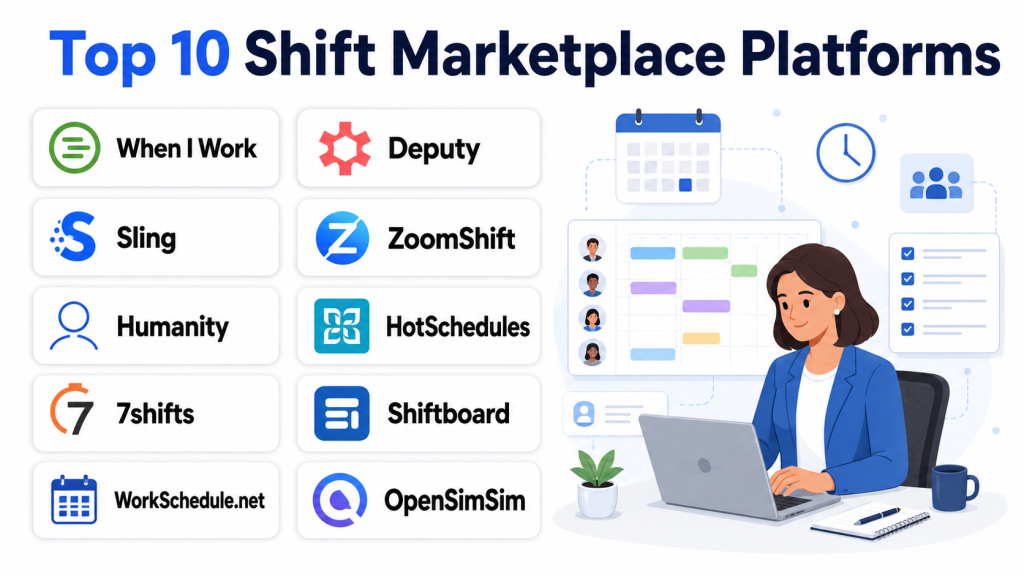
Top 10 Shift Marketplace Platforms
#1 — When I Work
Short description (4–5 lines): When I Work provides shift scheduling, team management, and time tracking tools. Ideal for businesses with hourly employees needing efficient scheduling and workforce visibility.
Key Features
- Shift scheduling and posting
- Employee availability management
- Time tracking and attendance
- Notifications and shift reminders
- Reporting and analytics
Pros
- User-friendly interface
- Mobile apps for employees and managers
Cons
- Limited advanced workforce analytics
- Subscription fees for premium features
Platforms / Deployment
- Web, iOS, Android; Cloud-based
Security & Compliance
- Not publicly stated
Integrations & Ecosystem
- Payroll systems
- HR software
- Calendar and notification tools
Support & Community
Documentation, tutorials, customer support.
#2 — Shiftboard
Short description (4–5 lines): Shiftboard enables workforce scheduling, shift assignment, and labor management for mid-size to large organizations. Suitable for healthcare, logistics, and industrial sectors.
Key Features
- Advanced shift scheduling
- Employee self-service and notifications
- Compliance monitoring
- Reporting dashboards
- Integration with payroll and HR systems
Pros
- Scalable for large teams
- Robust compliance and reporting features
Cons
- Pricing geared towards mid-large enterprises
- Setup may be complex
Platforms / Deployment
- Web, iOS, Android; Cloud-based
Security & Compliance
- Not publicly stated
Integrations & Ecosystem
- HRIS, payroll, time tracking
- Calendar integration
- Analytics dashboards
Support & Community
Documentation, onboarding support, customer service.
#3 — Deputy
Short description (4–5 lines): Deputy provides scheduling, time tracking, and communication tools for hourly and shift-based teams. Ideal for retail, hospitality, and healthcare sectors.
Key Features
- Shift scheduling and assignment
- Employee time tracking
- Shift swapping and notifications
- Reporting and analytics
- Mobile apps for workforce management
Pros
- Mobile-first design
- Real-time communication for shift changes
Cons
- Advanced features require subscription
- Limited customization in some plans
Platforms / Deployment
- Web, iOS, Android; Cloud-based
Security & Compliance
- Not publicly stated
Integrations & Ecosystem
- Payroll systems
- HR software
- Reporting and analytics
Support & Community
Documentation, tutorials, and customer support.
#4 — Sling
Short description (4–5 lines): Sling offers scheduling, shift management, and team communication for businesses with hourly staff. Suitable for small to medium businesses in retail and service industries.
Key Features
- Shift scheduling and assignments
- Employee availability management
- Time tracking
- Messaging and notifications
- Reporting and analytics
Pros
- Intuitive interface
- Affordable for small teams
Cons
- Limited advanced analytics
- Some integrations require higher-tier plans
Platforms / Deployment
- Web, iOS, Android; Cloud-based
Security & Compliance
- Not publicly stated
Integrations & Ecosystem
- Payroll systems
- HR platforms
- Email and notifications
Support & Community
Documentation, customer support, tutorials.
#5 — Humanity
Short description (4–5 lines): Humanity provides workforce scheduling, time tracking, and attendance management for mid-size to large organizations. Ideal for businesses managing multiple locations.
Key Features
- Shift scheduling and employee assignments
- Time clock and attendance tracking
- Notifications and shift reminders
- Analytics and reporting
- Payroll and HR integrations
Pros
- Multi-location support
- Scalable for enterprise needs
Cons
- Learning curve for new users
- Premium plans required for full functionality
Platforms / Deployment
- Web, iOS, Android; Cloud-based
Security & Compliance
- Not publicly stated
Integrations & Ecosystem
- Payroll and HRIS integration
- Analytics dashboards
- Calendar tools
Support & Community
Documentation, tutorials, and customer support.
#6 — ZoomShift
Short description (4–5 lines): ZoomShift is a scheduling and time-tracking platform for hourly employees. Suitable for small to medium-sized businesses seeking simplified shift management.
Key Features
- Shift scheduling and assignments
- Employee time tracking
- Notifications and shift reminders
- Reporting and analytics
- Mobile access for employees
Pros
- Easy to use
- Affordable for smaller teams
Cons
- Limited enterprise-grade features
- Reporting options are basic
Platforms / Deployment
- Web, iOS, Android; Cloud-based
Security & Compliance
- Not publicly stated
Integrations & Ecosystem
- Payroll integration
- HR platforms
- Notification tools
Support & Community
Documentation, online tutorials, support channels.
#7 — Agendrix
Short description (4–5 lines): Agendrix provides scheduling, payroll, and attendance management for hourly employees. Ideal for retail, hospitality, and service industries.
Key Features
- Shift scheduling and management
- Payroll and invoicing
- Time tracking and attendance
- Notifications and alerts
- Reporting and analytics
Pros
- Integrated payroll and scheduling
- User-friendly mobile app
Cons
- Limited integrations with third-party tools
- Advanced features require premium plans
Platforms / Deployment
- Web, iOS, Android; Cloud-based
Security & Compliance
- Not publicly stated
Integrations & Ecosystem
- Payroll and HR systems
- Email and notifications
- Analytics dashboard
Support & Community
Documentation, tutorials, and support channels.
#8 — Connecteam
Short description (4–5 lines): Connecteam combines scheduling, task management, and workforce communication for hourly teams. Suitable for small to medium-sized businesses needing centralized management.
Key Features
- Shift scheduling and assignments
- Task and workflow management
- Time tracking and attendance
- Notifications and chat
- Reporting and analytics
Pros
- All-in-one platform
- Mobile access for employees
Cons
- Some advanced features require subscription
- Reporting capabilities limited for large teams
Platforms / Deployment
- Web, iOS, Android; Cloud-based
Security & Compliance
- Not publicly stated
Integrations & Ecosystem
- Payroll and HR systems
- Email and chat
- Analytics dashboards
Support & Community
Documentation, tutorials, and customer support.
#9 — HotSchedules
Short description (4–5 lines): HotSchedules is a workforce management platform for restaurants and hospitality businesses, focusing on shift scheduling and labor optimization.
Key Features
- Shift scheduling and labor forecasting
- Employee time tracking
- Notifications and shift swaps
- Reporting and analytics
- Mobile app for staff access
Pros
- Industry-focused features
- Supports mobile workforce
Cons
- Primarily for hospitality
- Premium subscription required for full functionality
Platforms / Deployment
- Web, iOS, Android; Cloud-based
Security & Compliance
- Not publicly stated
Integrations & Ecosystem
- Payroll and HR software
- Analytics dashboards
- Notification tools
Support & Community
Customer support, documentation, and tutorials.
#10 — 7shifts
Short description (4–5 lines): 7shifts offers scheduling, communication, and labor management for restaurants and hourly businesses. Suitable for small to medium enterprises in the food service industry.
Key Features
- Shift scheduling and management
- Employee communication tools
- Time tracking
- Labor reporting and analytics
- Mobile app access
Pros
- Easy-to-use interface
- Designed for restaurant staffing
Cons
- Limited outside hospitality industry
- Advanced analytics require premium plans
Platforms / Deployment
- Web, iOS, Android; Cloud-based
Security & Compliance
- Not publicly stated
Integrations & Ecosystem
- Payroll and HR systems
- POS system integrations
- Analytics dashboard
Support & Community
Documentation, tutorials, and customer support.
Comparison Table (Top 10)
| Tool Name | Best For | Platforms Supported | Deployment | Standout Feature | Public Rating |
|---|---|---|---|---|---|
| When I Work | SMBs & hourly teams | Web, iOS, Android | Cloud | Scheduling & time tracking | N/A |
| Shiftboard | Enterprise scheduling | Web, iOS, Android | Cloud | Advanced compliance & reporting | N/A |
| Deputy | Retail & healthcare | Web, iOS, Android | Cloud | Real-time shift management | N/A |
| Sling | SMBs | Web, iOS, Android | Cloud | Affordable & intuitive | N/A |
| Humanity | Multi-location businesses | Web, iOS, Android | Cloud | Enterprise-grade scheduling | N/A |
| ZoomShift | Small teams | Web, iOS, Android | Cloud | Simple scheduling & tracking | N/A |
| Agendrix | Retail & hospitality | Web, iOS, Android | Cloud | Payroll & scheduling | N/A |
| Connecteam | SMBs & mobile workforce | Web, iOS, Android | Cloud | All-in-one scheduling & tasks | N/A |
| HotSchedules | Restaurants & hospitality | Web, iOS, Android | Cloud | Labor optimization | N/A |
| 7shifts | Restaurant staffing | Web, iOS, Android | Cloud | Shift scheduling & communication | N/A |
Evaluation & Scoring of Shift Marketplace Platforms
| Tool Name | Core (25%) | Ease (15%) | Integrations (15%) | Security (10%) | Performance (10%) | Support (10%) | Value (15%) | Weighted Total |
|---|---|---|---|---|---|---|---|---|
| When I Work | 8 | 9 | 7 | 7 | 8 | 7 | 7 | 7.70 |
| Shiftboard | 9 | 7 | 8 | 7 | 8 | 7 | 7 | 7.75 |
| Deputy | 8 | 8 | 7 | 7 | 8 | 7 | 7 | 7.65 |
| Sling | 7 | 9 | 6 | 7 | 7 | 7 | 7 | 7.40 |
| Humanity | 9 | 7 | 8 | 7 | 8 | 7 | 7 | 7.75 |
| ZoomShift | 7 | 8 | 6 | 7 | 7 | 7 | 7 | 7.20 |
| Agendrix | 8 | 8 | 7 | 7 | 8 | 7 | 7 | 7.55 |
| Connecteam | 8 | 8 | 7 | 7 | 8 | 7 | 7 | 7.55 |
| HotSchedules | 8 | 7 | 6 | 7 | 8 | 7 | 7 | 7.30 |
| 7shifts | 8 | 8 | 6 | 7 | 8 | 7 | 7 | 7.45 |
Which Shift Marketplace Platform Is Right for You?
Solo / Freelancer
Platforms like Sling or ZoomShift provide simple scheduling tools for independent contractors or small teams.
SMB / Small Team
Deputy, When I Work, and Agendrix help small businesses manage hourly staff, shift swaps, and notifications.
Mid-Market
Humanity, Shiftboard, and Connecteam support multi-location scheduling, compliance, and workforce reporting for medium-sized organizations.
Enterprise
Shiftboard Enterprise, Humanity Enterprise, and HotSchedules provide scalable workforce management, labor optimization, and payroll integration for large organizations.
Budget vs Premium
Sling and ZoomShift offer affordable solutions for small teams, whereas enterprise platforms provide advanced analytics and compliance tools at a premium.
Feature Depth vs Ease of Use
Shiftboard and Humanity provide deep enterprise-grade features; Sling and ZoomShift are easier to adopt for smaller teams.
Integrations & Scalability
Deputy, Humanity, and Connecteam integrate with payroll, HR, and analytics systems for large-scale workforce management.
Security & Compliance Needs
Ensure GDPR and labor law compliance for shift-based workers, and secure handling of personal and payroll information.
Frequently Asked Questions (FAQs)
1. What is a shift marketplace platform?
It is a platform that helps organizations post shifts, manage applications, track attendance, and process payments for hourly workers.
2. Can I manage multiple locations with these tools?
Yes, enterprise-grade platforms like Humanity and Shiftboard allow multi-location scheduling and oversight.
3. Are these platforms mobile-friendly?
Yes, most platforms provide mobile apps for employees and managers to view shifts and manage schedules.
4. Do they integrate with payroll systems?
Yes, many platforms integrate with payroll and HR systems to automate payments and tax compliance.
5. Can employees swap shifts?
Yes, features for shift swaps, approvals, and notifications are standard in most platforms.
6. Are there analytics dashboards?
Platforms provide reporting on shift coverage, labor costs, attendance, and productivity.
7. Are these platforms suitable for restaurants?
Yes, HotSchedules and 7shifts specialize in hospitality and food service industries.
8. Do these platforms support compliance monitoring?
Enterprise platforms like Shiftboard and Humanity offer labor law compliance tools and reporting.
9. Are there free or trial versions?
Some platforms offer limited free tiers or trial periods; full enterprise functionality usually requires subscriptions.
10. How should I choose the right platform?
Consider business size, number of hourly employees, multi-location needs, payroll integration, and mobile accessibility when selecting a platform.
Conclusion
Shift marketplace platforms simplify hiring, scheduling, and managing hourly and gig-based workforces. Small businesses may start with Sling or ZoomShift for simple scheduling and mobile access. Medium-sized teams benefit from Deputy, When I Work, or Agendrix for multi-location management and compliance support. Enterprises managing large hourly workforces should consider Shiftboard, Humanity, or HotSchedules for scalable scheduling, analytics, and labor optimization. Evaluate team size, compliance needs, and payroll integration before selecting a platform. Begin by shortlisting 2–3 platforms, testing shift posting and tracking features, and ensuring mobile accessibility for your workforce.

This article provides a practical comparison of shift marketplace platforms and how they help organizations manage staffing flexibility more effectively. The clear breakdown of features, benefits, and limitations makes it easier to evaluate the available options.