Introduction
Digital Safety Monitoring Tools are platforms designed to protect organizations, communities, and individuals from online risks, including harassment, abuse, cyberbullying, phishing, malware, and exposure to inappropriate content. These tools combine AI-driven detection, analytics, reporting, and human review to safeguard digital environments and maintain compliance with safety standards.
Real-world use cases include monitoring social media for harmful content, detecting cyberbullying in educational platforms, safeguarding employee digital interactions, screening online communities for unsafe content, providing real-time alerts for threats, and generating reports for compliance or risk management. Digital Safety Monitoring Tools help organizations mitigate online risks, protect users, and maintain trust and accountability.
Evaluation criteria include AI-powered threat detection, human review capabilities, real-time alerts, multi-platform monitoring, reporting and analytics, scalability for large user bases, integration with existing systems, customizable rules and policies, compliance and security features, and cost-effectiveness.
Best for: Enterprises, social media platforms, educational institutions, online communities, and any organization managing digital interactions with public or internal users.
Not ideal for: Small groups or websites with minimal online interactions that can be managed manually without automated monitoring.
Key Trends in Digital Safety Monitoring Tools
- AI and machine learning for threat detection and content analysis
- Real-time monitoring across multiple digital platforms
- Hybrid human + AI review for accuracy and context
- Multi-language and culturally aware moderation
- Integration with enterprise IT, CRM, and compliance systems
- Automated alerts and incident reporting
- Behavior analytics to detect risky or suspicious activity
- Mobile and web dashboards for monitoring teams
- Privacy and regulatory compliance features, including GDPR and COPPA
- Scalable cloud deployment for high-volume monitoring
How We Selected These Tools
- Evaluated adoption by enterprises, educational platforms, and online communities
- Assessed AI and automated detection capabilities for digital threats
- Reviewed human review workflows for flagged content
- Checked multi-format support: text, images, video, and chat
- Examined real-time monitoring and alert features
- Considered integration with IT, CMS, CRM, and security tools
- Evaluated reporting, analytics, and compliance dashboards
- Assessed scalability and performance for high-volume monitoring
- Reviewed security and privacy measures
- Compared pricing, support, and implementation ease
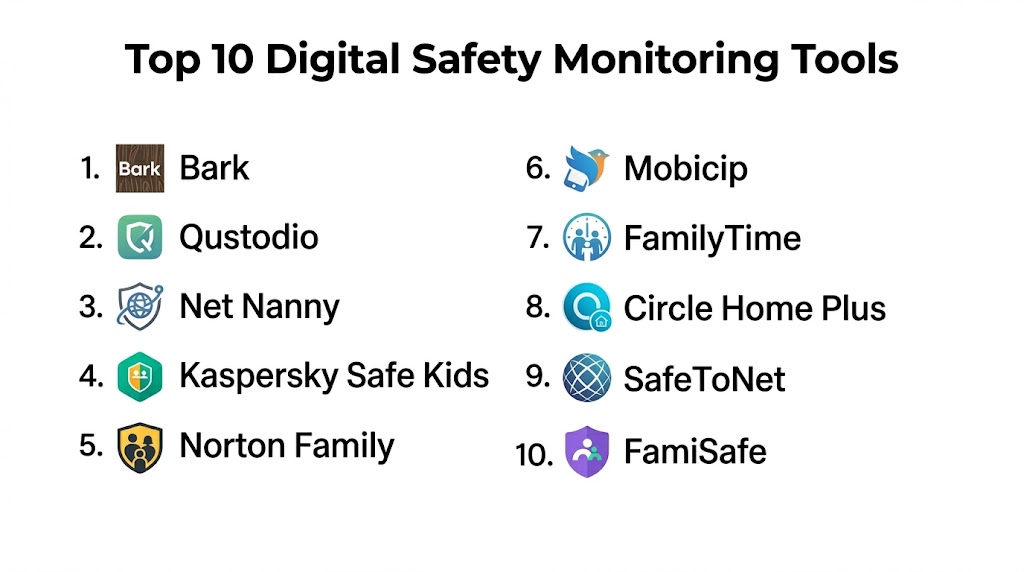
Top 10 Digital Safety Monitoring Tools
#1 — Bark
Short description: Bark provides AI-driven monitoring for online safety, detecting cyberbullying, inappropriate content, and online threats across social media, email, and text.
Key Features
- AI monitoring of social media, email, and text
- Cyberbullying and harassment detection
- Alert system for risky content
- Parental dashboard and reporting
- Multi-platform monitoring
Pros
- Strong AI detection accuracy
- User-friendly reporting
Cons
- Primarily designed for parental monitoring
- Less suited for enterprise-scale communities
Platforms / Deployment
- Web, iOS, Android
- Cloud
Security & Compliance
- Secure login and encrypted data
- Not publicly stated
Integrations & Ecosystem
- Email notifications
- Dashboard alerts
- Multi-platform monitoring
Support & Community
- Tutorials
- Customer support
- Knowledge base
#2 — NetClean
Short description: NetClean offers digital safety monitoring and content scanning solutions, particularly for child protection and enterprise compliance.
Key Features
- AI-powered content scanning
- Real-time alerts and incident reporting
- Integration with file and document systems
- Reporting dashboards
- Customizable safety policies
Pros
- Strong focus on child protection and compliance
- Scalable for enterprises
Cons
- Narrow use-case focus
- Technical setup may be complex
Platforms / Deployment
- Web
- Cloud / On-premises
Security & Compliance
- Secure authentication and encryption
- Not publicly stated
Integrations & Ecosystem
- File and document management integration
- Dashboard analytics
- Custom policy configuration
Support & Community
- Customer support
- Knowledge base
#3 — GoGuardian
Short description: GoGuardian provides digital safety monitoring for schools, including device, web, and application monitoring to protect students online.
Key Features
- Student activity monitoring
- Web and app filtering
- AI alerting for inappropriate behavior
- Reporting dashboards for educators
- Device-level monitoring
Pros
- Tailored for educational environments
- Real-time student safety alerts
Cons
- Limited application outside education
- Subscription cost for full suite
Platforms / Deployment
- Web, iOS, Android
- Cloud
Security & Compliance
- Encrypted data transmission
- Not publicly stated
Integrations & Ecosystem
- LMS and educational tools integration
- Reporting dashboards
- Email notifications
Support & Community
- Tutorials
- Customer support
- Community resources
#4 — Barkly
Short description: Barkly provides enterprise digital safety monitoring with AI and human review for content and behavioral threats.
Key Features
- AI threat detection for text, email, and chat
- Human review workflows
- Real-time alerting and reporting
- Behavior and risk scoring
- Multi-language support
Pros
- Enterprise-focused monitoring
- AI + human hybrid approach
Cons
- Cost may be high for smaller organizations
- Requires configuration
Platforms / Deployment
- Web, API
- Cloud
Security & Compliance
- Secure login and encrypted data
- Not publicly stated
Integrations & Ecosystem
- CRM and IT integrations
- Dashboard analytics
- Custom alerting workflows
Support & Community
- Documentation
- Customer support
- Tutorials
#5 — Qustodio
Short description: Qustodio provides online safety monitoring, including web filtering, content detection, and activity reporting for families and educational institutions.
Key Features
- Web filtering and monitoring
- AI detection of risky behavior
- Real-time alerts
- Reporting dashboards
- Multi-device monitoring
Pros
- Easy setup for parents and schools
- Multi-device support
Cons
- Limited enterprise features
- Focused on education and family safety
Platforms / Deployment
- Web, iOS, Android
- Cloud
Security & Compliance
- Secure login and encrypted data
- Not publicly stated
Integrations & Ecosystem
- Dashboard reporting
- Alert notifications
- Device management
Support & Community
- Tutorials
- Customer support
#6 — NetClean Pro
Short description: NetClean Pro provides enterprise-grade content monitoring, detection, and compliance tools for digital safety.
Key Features
- AI and human-assisted monitoring
- Real-time content scanning
- Reporting and analytics
- Integration with enterprise systems
- Policy configuration
Pros
- Enterprise-level compliance
- Multi-format content support
Cons
- High setup and subscription costs
- Requires IT resources
Platforms / Deployment
- Web
- Cloud / On-premises
Security & Compliance
- Data encryption
- Not publicly stated
Integrations & Ecosystem
- Enterprise file systems
- Dashboards and alerts
- Custom workflow integration
Support & Community
- Customer support
- Knowledge base
#7 — Bark Enterprise
Short description: Bark Enterprise extends AI and human moderation to enterprise platforms, focusing on real-time detection of abusive, inappropriate, and unsafe content.
Key Features
- AI detection for multiple content types
- Human review for flagged content
- Alerting and reporting dashboards
- Policy management
- Integration with enterprise tools
Pros
- Real-time enterprise monitoring
- Multi-format support
Cons
- Subscription cost for large-scale deployment
- Implementation requires planning
Platforms / Deployment
- Web, API
- Cloud
Security & Compliance
- Secure login and encryption
- Not publicly stated
Integrations & Ecosystem
- CRM and IT integration
- Reporting dashboards
- Custom workflows
Support & Community
- Tutorials
- Customer support
#8 — Net Nanny Enterprise
Short description: Net Nanny Enterprise provides online content monitoring, filtering, and reporting for organizational and educational safety.
Key Features
- Web and application filtering
- AI detection of harmful content
- Real-time alerts
- Reporting dashboards
- Multi-device monitoring
Pros
- Strong web filtering
- Real-time alerts for risk detection
Cons
- Less suitable for non-educational enterprises
- Feature set focused on web and apps
Platforms / Deployment
- Web, iOS, Android
- Cloud
Security & Compliance
- Secure login
- Not publicly stated
Integrations & Ecosystem
- Device and web monitoring integration
- Dashboard analytics
- Alerts and notifications
Support & Community
- Tutorials
- Customer support
#9 — Gaggle
Short description: Gaggle provides digital safety monitoring for schools and organizations, detecting risky or harmful content across email, documents, and social media.
Key Features
- AI and human review for text, documents, and media
- Risk scoring and alerts
- Reporting dashboards
- Multi-platform monitoring
- Policy enforcement
Pros
- Comprehensive school safety monitoring
- AI + human review
Cons
- Focused on educational environments
- Enterprise cost
Platforms / Deployment
- Web, iOS, Android
- Cloud
Security & Compliance
- Data encryption and secure login
- Not publicly stated
Integrations & Ecosystem
- LMS and educational systems
- Dashboard analytics
- Alert notifications
Support & Community
- Customer support
- Tutorials
#10 — NetSafe
Short description: NetSafe provides digital safety monitoring for enterprises, social platforms, and educational institutions with AI-driven detection and human review workflows.
Key Features
- Real-time AI content monitoring
- Human review workflow
- Multi-format support
- Reporting dashboards
- Alerts and compliance management
Pros
- Enterprise-scale monitoring
- Flexible content detection
Cons
- High subscription cost
- Requires configuration and training
Platforms / Deployment
- Web, API
- Cloud
Security & Compliance
- Encrypted data processing
- Not publicly stated
Integrations & Ecosystem
- CMS, CRM, IT integration
- Dashboards and analytics
- Custom workflows
Support & Community
- Customer support
- Tutorials
- Knowledge base
Comparison Table
| Tool Name | Best For | Platform(s) Supported | Deployment | Standout Feature | Public Rating |
|---|---|---|---|---|---|
| Bark | Multi-platform monitoring | Web, iOS, Android | Cloud | AI-driven multi-format detection | N/A |
| NetClean | Child protection & compliance | Web | Cloud | Enterprise content scanning | N/A |
| GoGuardian | Educational platforms | Web, iOS, Android | Cloud | Student activity & risk alerts | N/A |
| Barkly | Enterprise content monitoring | Web, API | Cloud | AI + human hybrid moderation | N/A |
| Qustodio | Family & school monitoring | Web, iOS, Android | Cloud | Multi-device content safety | N/A |
| NetClean Pro | Enterprise compliance | Web | Cloud | AI + human content monitoring | N/A |
| Bark Enterprise | Enterprise-scale monitoring | Web, API | Cloud | Real-time multi-format moderation | N/A |
| Net Nanny Enterprise | Web & app safety | Web, iOS, Android | Cloud | Web and application filtering | N/A |
| Gaggle | Schools & documents monitoring | Web, iOS, Android | Cloud | Multi-platform AI + human review | N/A |
| NetSafe | Enterprises & social platforms | Web, API | Cloud | Flexible AI content monitoring | N/A |
Evaluation & Scoring
| Tool Name | Core (25%) | Ease (15%) | Integrations (15%) | Security (10%) | Performance (10%) | Support (10%) | Value (15%) | Weighted Total |
|---|---|---|---|---|---|---|---|---|
| Bark | 9 | 8 | 8 | 8 | 9 | 8 | 7 | 8.1 |
| NetClean | 8 | 7 | 8 | 8 | 8 | 7 | 7 | 7.7 |
| GoGuardian | 8 | 8 | 7 | 8 | 8 | 7 | 7 | 7.8 |
| Barkly | 9 | 7 | 8 | 8 | 8 | 8 | 7 | 7.9 |
| Qustodio | 7 | 8 | 7 | 8 | 7 | 7 | 7 | 7.2 |
| NetClean Pro | 8 | 7 | 8 | 8 | 8 | 7 | 7 | 7.7 |
| Bark Enterprise | 9 | 7 | 8 | 8 | 8 | 7 | 7 | 7.9 |
| Net Nanny Enterprise | 7 | 8 | 7 | 8 | 7 | 7 | 7 | 7.2 |
| Gaggle | 8 | 7 | 7 | 8 | 8 | 7 | 7 | 7.5 |
| NetSafe | 8 | 7 | 8 | 8 | 8 | 7 | 7 | 7.7 |
Which Digital Safety Monitoring Tool Is Right for You?
Small Communities
Qustodio, Net Nanny Enterprise, and GoGuardian provide simple monitoring solutions for schools and small organizations.
Medium Platforms
Barkly, Bark, and Gaggle offer AI + human review workflows and multi-platform monitoring for medium-scale organizations.
Large Enterprises
Two Hat Security, NetClean Pro, and NetSafe deliver enterprise-grade monitoring, real-time alerts, multi-format content support, and scalable workflows.
Real-Time Monitoring
Bark, Barkly, and NetSafe excel in real-time detection and instant alerts for high-volume digital environments.
Ease of Use vs Feature Depth
Qustodio and GoGuardian prioritize ease of use, while Barkly, Two Hat Security, and NetClean Pro provide deeper AI and human moderation capabilities.
Integrations & Scalability
Enterprise platforms integrate with CRM, IT, CMS, and analytics tools, allowing scalable monitoring for large platforms.
Security & Compliance
All platforms provide secure login and encrypted data; enterprise-grade tools offer additional compliance and regulatory safeguards.
Frequently Asked Questions
1. What is a digital safety monitoring tool?
It is software that monitors and detects unsafe content or behavior online, ensuring safe and compliant digital interactions.
2. Can these tools detect harmful content automatically?
Yes. AI-driven detection identifies spam, harassment, cyberbullying, and inappropriate content across multiple formats.
3. Do they support text, images, and videos?
Most platforms support multi-format monitoring, including text, images, video, and in some cases live streaming.
4. Are real-time alerts available?
Yes. Real-time alerts notify moderators or administrators immediately of flagged content or risky behavior.
5. Can moderators use mobile devices?
Yes. Many platforms provide mobile dashboards or responsive web interfaces for monitoring and managing content.
6. Are these platforms scalable for large organizations?
Enterprise-grade tools like Two Hat Security, Barkly, and NetSafe scale to handle millions of content pieces and users.
7. Can they integrate with existing IT systems?
Yes. Most platforms offer APIs and integrations with CMS, CRM, and other enterprise IT systems.
8. Are compliance features included?
Many platforms support regulatory compliance through reporting, data privacy, and content audit trails.
9. Are there free versions?
Most enterprise-grade tools are paid; some tools for small communities, like GoGuardian or Qustodio, have affordable or limited plans.
10. How do I choose the right tool?
Consider the volume of content, type of monitoring required, AI vs human review needs, real-time detection, integrations, and budget.
Conclusion
Digital Safety Monitoring Tools are critical for protecting users, communities, and organizations from online risks across social media, forums, apps, and websites. Small communities benefit from tools like Qustodio, GoGuardian, and Net Nanny Enterprise, while medium platforms gain value from Barkly, Gaggle, and Bark for hybrid AI + human moderation. Large enterprises require enterprise-grade solutions like Two Hat Security, NetClean Pro, and NetSafe for scalable, multi-format monitoring and real-time alerts. Evaluate content volume, monitoring complexity, integrations, and compliance needs to shortlist two to three tools, pilot monitoring workflows, and ensure safe and trustworthy digital environments.

This article provides a well-organized comparison of digital safety monitoring tools and their key capabilities. The feature-by-feature analysis helps readers quickly understand the strengths of each platform and make a more informed choice.