Introduction
Copyright Registration Tools are digital platforms that help creators, businesses, and legal professionals register and protect intellectual property. They simplify the submission of works to government copyright offices, provide tracking of application status, generate legal documentation, and maintain records of ownership. These tools are essential for safeguarding creative content, software, publications, art, music, and other original works.
Real-world use cases include registering written works for publishing, protecting software code and digital assets, managing ownership documentation for art and media, monitoring infringement risks, and facilitating legal enforcement of copyright. Copyright Registration Tools streamline the registration process, reduce administrative burden, and provide verifiable proof of ownership, ensuring creators’ rights are legally recognized.
Evaluation criteria include ease of registration, support for multiple content types, compliance with copyright office requirements, document management, status tracking, notifications, integration with IP management systems, cost-effectiveness, security of sensitive information, and customer support availability.
Best for: Creators, authors, software developers, artists, publishers, and enterprises managing multiple copyrighted works.
Not ideal for: Individuals or organizations with minimal copyright needs or those relying solely on informal documentation without legal enforcement.
Key Trends in Copyright Registration Tools
- AI-assisted content classification for faster registration
- Multi-format support including text, images, music, and software
- Integration with IP management and legal software
- Real-time application status tracking and alerts
- Secure cloud storage of registration documents
- Automation of renewal and maintenance reminders
- Collaboration tools for teams managing multiple works
- Analytics on copyright applications and portfolio management
- Compliance with international copyright standards
- Simplified user interfaces for creators with limited legal experience
How We Selected These Tools
- Reviewed adoption by creators, publishers, and enterprises
- Assessed multi-format registration capabilities
- Evaluated ease of submission and application tracking
- Checked integration with IP management and legal tools
- Reviewed document storage, retrieval, and version control
- Evaluated real-time notifications and alerts
- Considered compliance with copyright office requirements
- Assessed security and privacy features
- Compared pricing models for individuals and organizations
- Evaluated customer support and onboarding resources
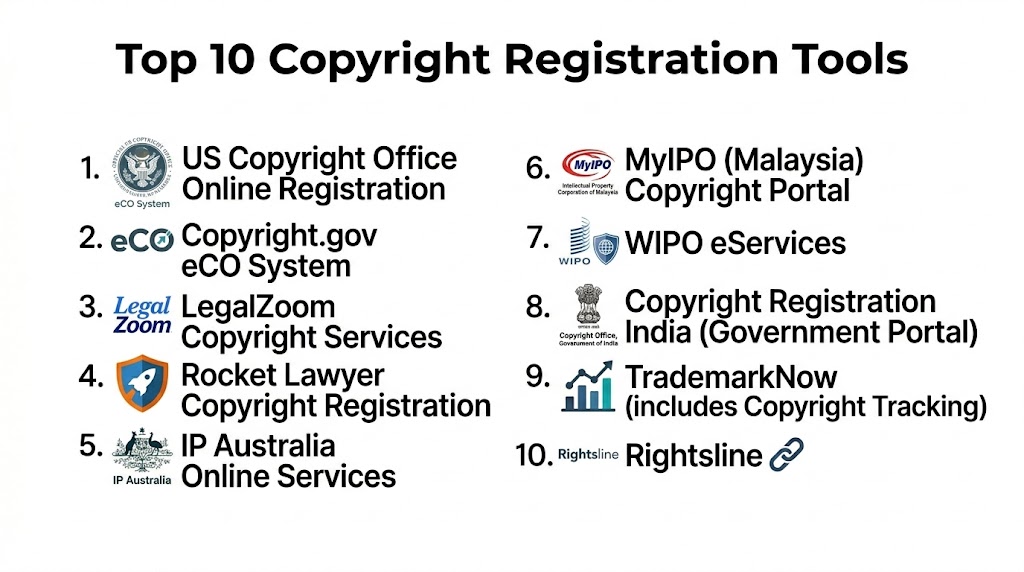
Top 10 Copyright Registration Tools
#1 — Copyright.gov eCO
Short description: The official US Copyright Office’s eCO platform allows creators to submit, manage, and track copyright registrations online for works of authorship.
Key Features
- Online submission for text, visual, and audio works
- Real-time application tracking
- Automated receipt generation
- Secure digital document storage
- Payment processing for registration fees
Pros
- Official government platform
- Free or low-cost registration
Cons
- US-focused; limited international coverage
- Interface can be complex for first-time users
Platforms / Deployment
- Web
- Cloud
Security & Compliance
- Government-grade security
- Legal compliance with US copyright laws
Integrations & Ecosystem
- N/A (government system)
- Document download and verification
- API access limited
Support & Community
- Help center and FAQs
- Email support
- Documentation
#2 — Copyrighted.com
Short description: Copyrighted.com offers online registration services for multiple types of creative works with verification and proof of copyright ownership.
Key Features
- Text, images, video, and software registration
- Instant timestamped proof of ownership
- Secure cloud storage
- Legal documentation generation
- Portfolio management for multiple works
Pros
- Fast registration and proof of ownership
- Supports multiple content types
Cons
- US-centric legal focus
- Paid service per submission
Platforms / Deployment
- Web
- Cloud
Security & Compliance
- Secure document storage and encryption
- Not publicly stated for certifications
Integrations & Ecosystem
- Portfolio management dashboards
- Email notifications
- Export documentation
Support & Community
- Customer support
- Knowledge base and tutorials
#3 — IP Australia eServices
Short description: IP Australia’s online services allow creators to register copyrights, trademarks, and patents with integrated tracking and portfolio management.
Key Features
- Copyright registration for written, artistic, and software works
- Application status tracking
- Document storage and retrieval
- Notifications for submissions
- Integration with IP portfolio tools
Pros
- Government-backed platform
- Centralized IP management
Cons
- Australia-focused
- Some advanced features may require training
Platforms / Deployment
- Web
- Cloud
Security & Compliance
- Secure login and encryption
- Compliant with Australian IP laws
Integrations & Ecosystem
- Portfolio tracking
- Alerts and reporting
- N/A
Support & Community
- Documentation and guides
- Email support
- Help center
#4 — Myows
Short description: Myows provides a digital copyright registration and management platform for artists, authors, and creators seeking legal protection for works.
Key Features
- Timestamped copyright registration
- Proof of authorship certificates
- Portfolio management
- Multi-format support
- Cloud storage of registered works
Pros
- Simple and fast registration
- Proof of authorship included
Cons
- Limited international recognition
- Paid subscription for portfolio management
Platforms / Deployment
- Web
- Cloud
Security & Compliance
- Secure storage and encryption
- Not publicly stated
Integrations & Ecosystem
- Email notifications
- Portfolio dashboards
- Document export
Support & Community
- Customer support
- Tutorials and guides
#5 — CopyrightsNow
Short description: CopyrightsNow offers creators the ability to register, manage, and monitor copyrights with legal documentation and proof of ownership.
Key Features
- Online submission and registration
- Proof of ownership and legal documents
- Multi-format content support
- Portfolio management
- Notification and reminders
Pros
- Easy-to-use interface
- Supports multiple creative works
Cons
- Limited global coverage
- Paid service
Platforms / Deployment
- Web
- Cloud
Security & Compliance
- Secure login and encryption
- Not publicly stated
Integrations & Ecosystem
- Portfolio dashboard
- Alerts and notifications
- Documentation exports
Support & Community
- Customer support
- Knowledge base
#6 — CopyTrack
Short description: CopyTrack provides copyright registration, tracking, and enforcement services for photographers, artists, and creators online.
Key Features
- Copyright registration and proof
- Image tracking across the web
- Legal claim support
- Portfolio management
- Reporting dashboards
Pros
- Integrated infringement tracking
- Strong image support
Cons
- Focused on images
- Subscription-based
Platforms / Deployment
- Web
- Cloud
Security & Compliance
- Encrypted document storage
- Not publicly stated
Integrations & Ecosystem
- Image databases and tracking
- Notification dashboards
- Portfolio export
Support & Community
- Tutorials
- Customer support
#7 — Safe Creative
Short description: Safe Creative provides digital copyright registration and certification for creators worldwide with timestamped proof and portfolio tracking.
Key Features
- Global copyright registration
- Multi-format support
- Timestamped proof of ownership
- Portfolio management
- Verification tools
Pros
- Recognized international coverage
- Multi-format registration
Cons
- Paid subscription for full features
- Interface may be complex
Platforms / Deployment
- Web
- Cloud
Security & Compliance
- Secure login and encryption
- Not publicly stated
Integrations & Ecosystem
- Portfolio dashboards
- Verification tools
- Email notifications
Support & Community
- Knowledge base
- Customer support
#8 — Copyright Genie
Short description: Copyright Genie offers streamlined copyright registration for individuals and small businesses with instant proof of ownership and document management.
Key Features
- Quick registration process
- Proof of authorship
- Multi-format content support
- Cloud storage
- Notifications and reminders
Pros
- Fast and easy registration
- Cost-effective for small creators
Cons
- Limited enterprise features
- Subscription required for portfolio tracking
Platforms / Deployment
- Web
- Cloud
Security & Compliance
- Secure login and encryption
- Not publicly stated
Integrations & Ecosystem
- Portfolio dashboards
- Notifications
- Exportable documentation
Support & Community
- Customer support
- Tutorials
#9 — IPCheckups
Short description: IPCheckups offers copyright and intellectual property management for creators, including registration, proof, and infringement monitoring.
Key Features
- Online registration and timestamp
- Proof of ownership
- Multi-format support
- Portfolio management
- Alerts for potential infringement
Pros
- Integrated infringement monitoring
- Multi-format coverage
Cons
- Limited international legal enforcement
- Paid subscription
Platforms / Deployment
- Web
- Cloud
Security & Compliance
- Encrypted storage
- Not publicly stated
Integrations & Ecosystem
- Portfolio dashboards
- Alert notifications
- Document export
Support & Community
- Tutorials
- Customer support
#10 — LegalZoom Copyright Services
Short description: LegalZoom provides copyright registration services with legal documentation, proof of ownership, and filing support for creative works.
Key Features
- Filing with US Copyright Office
- Proof of ownership certificates
- Legal documentation
- Multi-format registration
- Status tracking
Pros
- Trusted legal service
- Filing support included
Cons
- Focused on US registrations
- Paid service per work
Platforms / Deployment
- Web
- Cloud
Security & Compliance
- Secure login
- US copyright compliance
Integrations & Ecosystem
- Status notifications
- Documentation download
- Email alerts
Support & Community
- Customer support
- Knowledge base
Comparison Table
| Tool Name | Best For | Platform(s) Supported | Deployment | Standout Feature | Public Rating |
|---|---|---|---|---|---|
| Copyright.gov eCO | US official registration | Web | Cloud | Government-backed registration | N/A |
| Copyrighted.com | Multi-format creators | Web | Cloud | Instant proof of ownership | N/A |
| IP Australia eServices | Australian creators | Web | Cloud | Government-backed IP management | N/A |
| Myows | Artists and authors | Web | Cloud | Timestamped proof of authorship | N/A |
| CopyrightsNow | Small to medium creators | Web | Cloud | Legal documentation generation | N/A |
| CopyTrack | Photographers & image creators | Web | Cloud | Image infringement monitoring | N/A |
| Safe Creative | International registration | Web | Cloud | Multi-format registration & proof | N/A |
| Copyright Genie | Individuals & small businesses | Web | Cloud | Quick registration and proof | N/A |
| IPCheckups | IP management & monitoring | Web | Cloud | Infringement alerts | N/A |
| LegalZoom Copyright | US creators & legal support | Web | Cloud | Filing with US Copyright Office | N/A |
Evaluation & Scoring
| Tool Name | Core (25%) | Ease (15%) | Integrations (15%) | Security (10%) | Performance (10%) | Support (10%) | Value (15%) | Weighted Total |
|---|---|---|---|---|---|---|---|---|
| Copyright.gov eCO | 9 | 7 | 7 | 9 | 8 | 8 | 9 | 8.1 |
| Copyrighted.com | 8 | 8 | 7 | 8 | 8 | 8 | 8 | 7.9 |
| IP Australia eServices | 8 | 7 | 7 | 9 | 8 | 8 | 8 | 7.9 |
| Myows | 8 | 8 | 7 | 8 | 8 | 7 | 8 | 7.8 |
| CopyrightsNow | 8 | 8 | 7 | 8 | 8 | 7 | 8 | 7.8 |
| CopyTrack | 8 | 7 | 7 | 8 | 8 | 7 | 8 | 7.7 |
| Safe Creative | 8 | 7 | 7 | 8 | 8 | 7 | 8 | 7.7 |
| Copyright Genie | 8 | 8 | 7 | 8 | 8 | 7 | 8 | 7.8 |
| IPCheckups | 8 | 7 | 7 | 8 | 8 | 7 | 8 | 7.7 |
| LegalZoom Copyright | 9 | 7 | 7 | 9 | 8 | 8 | 8 | 8.0 |
Which Copyright Registration Tool Is Right for You?
Individual Creators
Copyrighted.com, Myows, Copyright Genie, and Safe Creative provide fast, multi-format registration and proof for individual works.
Small to Medium Businesses
CopyrightsNow, CopyTrack, and IPCheckups help organizations manage multiple works and track potential infringement.
Government and Official Registrations
Copyright.gov eCO and IP Australia eServices provide official legal registration for national copyrights.
Legal Support and Filing Assistance
LegalZoom Copyright Services offers filing support and legal documentation for creators seeking official US registration.
Multi-Format Needs
CopyTrack and Safe Creative support text, images, video, and software registration for comprehensive IP protection.
Ease of Use vs Feature Depth
Copyright Genie and Copyrighted.com provide simple interfaces, while LegalZoom and CopyTrack offer more legal and enforcement features.
Frequently Asked Questions
1. What is a copyright registration tool?
It is a platform that helps creators submit, track, and manage copyright registration for legal protection.
2. Can these tools handle multiple content types?
Yes. Most tools support text, images, video, music, and software.
3. Are these tools legally recognized?
Government platforms like Copyright.gov and IP Australia are officially recognized; private services provide timestamped proof and documentation.
4. Is registration instant?
Some platforms provide instant timestamped proof, but official registration may take weeks depending on jurisdiction.
5. Can I track my application status?
Yes, most tools offer dashboards or notifications for registration status updates.
6. Are these platforms secure?
Yes. Platforms use encrypted login, secure storage, and data protection practices.
7. Do these tools help with infringement monitoring?
Some, like CopyTrack and IPCheckups, provide monitoring for potential copyright violations.
8. Are there free options?
Government platforms offer low-cost submissions; most private platforms charge per work or subscription.
9. Can multiple users manage works?
Yes. Portfolio management features allow teams to manage multiple works and contributors.
10. How do I choose the right tool?
Consider content type, jurisdiction, number of works, need for legal support, monitoring, and budget when selecting a copyright registration tool.
Conclusion
Copyright Registration Tools help creators, artists, and businesses protect intellectual property efficiently and legally. Individuals benefit from platforms like Copyrighted.com, Myows, and Copyright Genie for fast, multi-format registration. Small and medium businesses can leverage CopyrightsNow, CopyTrack, and IPCheckups for portfolio management and infringement monitoring. Government-backed tools such as Copyright.gov eCO and IP Australia eServices provide official registration, while LegalZoom offers filing assistance and legal support. Evaluate the type of works, registration needs, jurisdiction, and integration requirements to shortlist two to three tools, submit or register your works, and track ownership to ensure intellectual property protection.

This article does a great job of comparing copyright registration tools and simplifying a topic that can often seem complex. The clear feature breakdown and practical insights make it easier to evaluate the available options and choose the right platform.