Introduction
Digital Experience Monitoring (DEM) tools help organizations monitor, analyze, and improve the end-user experience across applications, devices, networks, and digital workplaces. These platforms provide visibility into how employees and customers interact with digital systems, allowing IT teams to identify performance bottlenecks, troubleshoot issues, and optimize user satisfaction.
As businesses increasingly rely on hybrid work, cloud applications, SaaS platforms, and distributed infrastructure, DEM solutions have become critical for maintaining productivity and service quality. Common real-world use cases include monitoring application response times, measuring endpoint performance, detecting network latency, analyzing employee digital experience, troubleshooting remote workforce issues, and improving SaaS application performance.
Evaluation Criteria for Buyers: Real-time monitoring, endpoint visibility, AI-driven analytics, application performance tracking, network diagnostics, integration with ITSM and observability platforms, scalability, reporting dashboards, automation capabilities, security controls, and ease of deployment.
Best for: Enterprise IT operations teams, digital workplace teams, network engineers, MSPs, and organizations managing remote or hybrid workforces.
Not ideal for: Small businesses with limited IT infrastructure, organizations using only basic monitoring tools, or teams without dedicated IT operations workflows.
Key Trends in Digital Experience Monitoring DEM
- AI-powered anomaly detection and root cause analysis
- Integration with observability, APM, and ITSM platforms
- Real-time endpoint and application performance visibility
- SaaS and cloud application monitoring for hybrid workforces
- Automated remediation workflows for recurring issues
- Employee experience analytics and productivity insights
- Unified dashboards for endpoint, network, and application data
- Predictive analytics for outage prevention and optimization
- Mobile-first monitoring for distributed teams
- Enhanced security, compliance, and audit logging features
How We Selected These Tools
- Evaluated market adoption and enterprise recognition
- Assessed feature completeness across endpoint, network, and application monitoring
- Reviewed AI and automation capabilities
- Analyzed scalability and reliability for enterprise environments
- Verified integrations with ITSM, observability, and collaboration platforms
- Assessed reporting and analytics dashboards
- Reviewed security controls and compliance posture where publicly stated
- Evaluated ease of deployment and user experience
- Considered suitability for SMB, mid-market, and enterprise organizations
- Reviewed support quality, documentation, and community resources
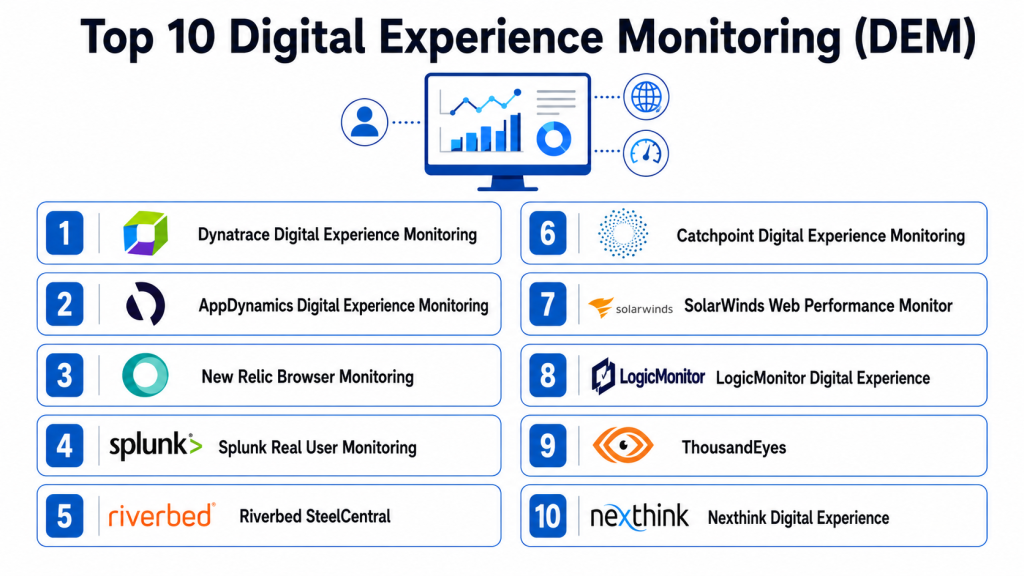
Top 10 Digital Experience Monitoring DEM Tools
#1 — Nexthink
Short description: Nexthink provides advanced digital employee experience monitoring with endpoint analytics, application performance visibility, and AI-driven insights for enterprise IT teams.
Key Features
- Real-time endpoint monitoring
- AI-powered experience analytics
- Application and network visibility
- Automated remediation workflows
- Employee sentiment and feedback collection
- Detailed reporting dashboards
- Integration with ITSM and collaboration tools
Pros
- Strong endpoint visibility and analytics
- AI-driven issue detection
- Enterprise scalability
- Automated remediation support
Cons
- High enterprise pricing
- Complex deployment for large environments
- Learning curve for advanced analytics
- Best suited for large organizations
Platforms / Deployment
Web / Windows / macOS / iOS / Android
Cloud
Security & Compliance
- SSO, MFA, encryption, RBAC
- SOC 2, GDPR
Integrations & Ecosystem
- ServiceNow, Microsoft Teams, Splunk
- API integrations and automation tools
Support & Community
Documentation, enterprise onboarding, training, and premium support.
#2 — Riverbed Aternity
Short description: Aternity monitors digital experience across endpoints, applications, and networks, providing real-time analytics for IT operations teams.
Key Features
- Endpoint performance monitoring
- Real-time application analytics
- Network experience visibility
- AI-assisted root cause analysis
- Automated alerts and remediation
- User experience scoring
- Reporting dashboards
Pros
- Comprehensive digital experience visibility
- Strong analytics and reporting
- Real-time issue detection
- Scalable enterprise deployment
Cons
- Enterprise-focused pricing
- Setup complexity
- Limited customization for SMBs
- Requires skilled IT administrators
Platforms / Deployment
Web / Windows / macOS / Android / iOS
Cloud / Hybrid
Security & Compliance
- SSO, encryption, RBAC
- SOC 2, GDPR
Integrations & Ecosystem
- ITSM, observability, collaboration tools
- API support and automation integrations
Support & Community
Enterprise support, training resources, documentation.
#3 — ThousandEyes
Short description: ThousandEyes provides end-to-end visibility into networks, applications, and internet services, helping organizations optimize digital experiences.
Key Features
- Internet and WAN monitoring
- SaaS application visibility
- Endpoint and network diagnostics
- Real-time alerts
- Topology and path visualization
- Root cause analysis
- AI-assisted performance analytics
Pros
- Excellent internet and SaaS visibility
- Strong network diagnostics
- Enterprise-grade analytics
- Real-time issue detection
Cons
- Higher pricing tiers
- Requires networking expertise
- Limited endpoint-focused features
- Complex reporting for new users
Platforms / Deployment
Web / Windows / macOS
Cloud
Security & Compliance
- SSO, encryption, RBAC
- SOC 2
Integrations & Ecosystem
- Cisco ecosystem, ITSM platforms
- APIs, observability tools
Support & Community
Documentation, training, enterprise support.
#4 — ControlUp
Short description: ControlUp delivers real-time monitoring and analytics for virtual desktops, endpoints, and digital workplaces, improving employee productivity.
Key Features
- Endpoint and VDI monitoring
- Real-time performance analytics
- Automated remediation actions
- User experience scoring
- Application performance visibility
- Alerts and notifications
- Reporting dashboards
Pros
- Strong VDI and endpoint monitoring
- Real-time analytics
- Automated troubleshooting
- Scalable for enterprise environments
Cons
- Best for Windows-heavy environments
- Advanced features require expertise
- Limited non-enterprise appeal
- Reporting customization can be complex
Platforms / Deployment
Web / Windows
Cloud / On-premise
Security & Compliance
- SSO, encryption, RBAC
- GDPR
Integrations & Ecosystem
- Citrix, VMware, Microsoft ecosystem
- ITSM integrations and APIs
Support & Community
Technical support, onboarding, documentation.
#5 — VMware Workspace ONE Experience Management
Short description: Workspace ONE Experience Management helps IT teams monitor endpoint health, employee experience, and application performance across distributed workforces.
Key Features
- Endpoint health monitoring
- User experience analytics
- Application performance visibility
- AI-assisted insights
- Employee sentiment tracking
- Alerts and remediation
- Dashboard reporting
Pros
- Strong integration with VMware ecosystem
- Unified endpoint visibility
- Employee experience insights
- Enterprise scalability
Cons
- Best suited for VMware customers
- Advanced analytics require expertise
- Complex deployment for large environments
- Higher cost for smaller teams
Platforms / Deployment
Web / Windows / macOS / Android / iOS
Cloud
Security & Compliance
- SSO, MFA, encryption
- SOC 2, GDPR
Integrations & Ecosystem
- VMware Workspace ONE, ITSM tools
- API and automation integrations
Support & Community
Enterprise support, onboarding, and training resources.
#6 — Lakeside SysTrack
Short description: SysTrack provides endpoint analytics, digital experience scoring, and workforce performance monitoring for enterprise IT teams.
Key Features
- Endpoint monitoring and analytics
- User experience scoring
- Application and network visibility
- AI-driven recommendations
- Reporting dashboards
- Automated alerts
- Workforce productivity insights
Pros
- Strong analytics and reporting
- Workforce productivity visibility
- Enterprise scalability
- AI-assisted recommendations
Cons
- Complex setup
- Enterprise-focused pricing
- Requires IT expertise
- Limited SMB suitability
Platforms / Deployment
Web / Windows / macOS
Cloud / Hybrid
Security & Compliance
- SSO, RBAC, encryption
- Not publicly stated
Integrations & Ecosystem
- ITSM, observability platforms
- API integrations
Support & Community
Documentation, enterprise onboarding, and support.
#7 — Dynatrace DEM
Short description: Dynatrace DEM combines observability, APM, and digital experience monitoring to provide full-stack visibility into applications and user interactions.
Key Features
- Full-stack observability
- Real user monitoring
- AI-powered root cause analysis
- Application performance monitoring
- Endpoint and network visibility
- Dashboards and analytics
- Automated remediation workflows
Pros
- Advanced AI capabilities
- Unified observability platform
- Excellent root cause analysis
- Enterprise-grade scalability
Cons
- Premium pricing
- Steep learning curve
- Complex configuration
- May be excessive for SMBs
Platforms / Deployment
Web / Windows / Linux / macOS
Cloud / Hybrid
Security & Compliance
- SSO, MFA, encryption, RBAC
- SOC 2, ISO 27001
Integrations & Ecosystem
- Kubernetes, AWS, Azure, ITSM tools
- APIs and automation integrations
Support & Community
Documentation, enterprise support, active community.
#8 — AppDynamics Digital Experience Monitoring
Short description: AppDynamics provides real-time application and user experience monitoring with AI-driven analytics and business transaction visibility.
Key Features
- Real user monitoring
- Application performance visibility
- AI-driven anomaly detection
- Business transaction monitoring
- Alerts and remediation
- Reporting dashboards
- User experience analytics
Pros
- Strong application performance insights
- AI-driven analytics
- Enterprise scalability
- Real-time monitoring
Cons
- Enterprise pricing
- Complex deployment
- Requires application monitoring expertise
- Reporting customization can be difficult
Platforms / Deployment
Web / Windows / Linux
Cloud / Hybrid
Security & Compliance
- SSO, encryption, RBAC
- SOC 2
Integrations & Ecosystem
- Cisco ecosystem, ITSM platforms
- APIs and observability integrations
Support & Community
Documentation, training, enterprise support.
#9 — Catchpoint
Short description: Catchpoint monitors internet performance, digital experience, and SaaS application availability across distributed environments.
Key Features
- Internet performance monitoring
- SaaS application monitoring
- Synthetic transaction testing
- Real-time alerts
- Performance analytics
- Topology visibility
- Reporting dashboards
Pros
- Strong internet monitoring
- SaaS visibility
- Scalable enterprise deployment
- Reliable synthetic monitoring
Cons
- Limited endpoint-focused features
- Higher cost for enterprise plans
- Requires networking expertise
- Learning curve for analytics
Platforms / Deployment
Web / Windows / macOS
Cloud
Security & Compliance
- SSO, encryption
- SOC 2
Integrations & Ecosystem
- ITSM, observability, APIs
- Collaboration platform integrations
Support & Community
Documentation, enterprise onboarding, support.
#10 — Cisco ThousandEyes Endpoint Experience
Short description: Cisco ThousandEyes Endpoint Experience extends visibility into employee devices, networks, and SaaS applications for distributed workforce monitoring.
Key Features
- Endpoint performance monitoring
- SaaS application visibility
- Network diagnostics
- Real-time alerts and analytics
- User experience dashboards
- Topology mapping
- Root cause analysis
Pros
- Strong network and SaaS monitoring
- Enterprise-grade visibility
- Real-time diagnostics
- Integration with Cisco ecosystem
Cons
- Cisco ecosystem dependency
- Enterprise-focused pricing
- Complex reporting
- Advanced features require expertise
Platforms / Deployment
Web / Windows / macOS / iOS / Android
Cloud
Security & Compliance
- SSO, MFA, encryption
- SOC 2
Integrations & Ecosystem
- Cisco tools, ITSM platforms
- APIs and automation integrations
Support & Community
Enterprise support, documentation, onboarding resources.
Comparison Table
| Tool Name | Best For | Platform Supported | Deployment | Standout Feature | Public Rating |
|---|---|---|---|---|---|
| Nexthink | Enterprise DEX | Web / Windows / macOS | Cloud | AI-powered employee experience analytics | N/A |
| Riverbed Aternity | Large enterprises | Web / Windows / macOS | Cloud / Hybrid | Real-time endpoint analytics | N/A |
| ThousandEyes | Network visibility | Web / Windows / macOS | Cloud | Internet and SaaS monitoring | N/A |
| ControlUp | VDI environments | Web / Windows | Cloud / On-premise | Real-time VDI monitoring | N/A |
| Workspace ONE | VMware customers | Web / Windows / macOS | Cloud | Endpoint experience management | N/A |
| SysTrack | Workforce analytics | Web / Windows / macOS | Cloud / Hybrid | Productivity insights | N/A |
| Dynatrace DEM | Full-stack observability | Web / Linux / Windows | Cloud / Hybrid | AI-driven root cause analysis | N/A |
| AppDynamics DEM | Application performance | Web / Linux / Windows | Cloud / Hybrid | Business transaction monitoring | N/A |
| Catchpoint | Internet monitoring | Web / Windows / macOS | Cloud | Synthetic monitoring | N/A |
| Cisco ThousandEyes Endpoint | Distributed workforce | Web / Windows / macOS | Cloud | Endpoint and SaaS visibility | N/A |
Evaluation & Scoring
| Tool Name | Core 25% | Ease 15% | Integrations 15% | Security 10% | Performance 10% | Support 10% | Value 15% | Weighted Total |
|---|---|---|---|---|---|---|---|---|
| Nexthink | 9 | 8 | 9 | 9 | 8.5 | 8 | 7.5 | 8.4 |
| Riverbed Aternity | 8.5 | 7.5 | 8.5 | 8 | 8 | 7.5 | 7.5 | 8.0 |
| ThousandEyes | 8.5 | 7.5 | 8.5 | 8 | 8 | 7.5 | 7.5 | 8.0 |
| ControlUp | 8 | 8 | 7.5 | 7.5 | 7.5 | 7 | 7.5 | 7.7 |
| Workspace ONE | 8 | 7.5 | 8 | 8 | 7.5 | 7 | 7.5 | 7.7 |
| SysTrack | 8 | 7 | 7.5 | 7.5 | 7.5 | 7 | 7.5 | 7.5 |
| Dynatrace DEM | 9 | 7 | 9 | 9 | 8.5 | 8 | 7 | 8.3 |
| AppDynamics DEM | 8.5 | 7 | 8.5 | 8 | 8 | 7.5 | 7 | 7.9 |
| Catchpoint | 8 | 7.5 | 7.5 | 7.5 | 7.5 | 7 | 7.5 | 7.5 |
| Cisco ThousandEyes Endpoint | 8.5 | 7.5 | 8.5 | 8 | 8 | 7.5 | 7 | 7.9 |
Which Digital Experience Monitoring Tool Is Right for You?
Solo / Freelancer
Lightweight monitoring solutions or bundled observability tools may be sufficient for freelancers or very small environments.
SMB
ControlUp or Catchpoint provide manageable deployment complexity with strong monitoring and visibility capabilities.
Mid-Market
Workspace ONE, SysTrack, and Auvik-style DEM solutions balance analytics, integrations, and scalability for growing teams.
Enterprise
Nexthink, Dynatrace, Riverbed Aternity, and ThousandEyes provide enterprise-grade observability, AI analytics, and automation.
Budget vs Premium
SMBs may prefer simpler monitoring-focused platforms, while enterprises benefit from premium AI-powered analytics and automation.
Feature Depth vs Ease of Use
Advanced observability platforms offer deep visibility but require expertise, whereas simpler DEM tools focus on usability and faster onboarding.
Integrations & Scalability
Organizations should prioritize integrations with ITSM, observability, collaboration, and endpoint management systems for long-term scalability.
Security & Compliance Needs
Ensure DEM platforms provide SSO, MFA, encryption, audit logging, RBAC, and compliance support for enterprise deployments.
Frequently Asked Questions
1. What is Digital Experience Monitoring?
DEM monitors the performance and usability of applications, endpoints, and networks to improve employee and customer digital experiences.
2. How is DEM different from APM?
APM focuses mainly on applications, while DEM includes endpoint, network, SaaS, and user experience visibility.
3. Can DEM improve employee productivity?
Yes, DEM tools identify slow applications, endpoint issues, and connectivity problems that negatively affect productivity.
4. Are AI capabilities important in DEM?
AI helps detect anomalies, predict outages, automate remediation, and accelerate root cause analysis in complex environments.
5. Do DEM tools support hybrid work?
Yes, most modern DEM platforms are designed for remote and hybrid workforce monitoring across distributed devices and networks.
6. What integrations are most important?
ITSM, observability, endpoint management, collaboration, and cloud monitoring integrations are critical for unified visibility.
7. How do DEM tools collect data?
They use endpoint agents, network monitoring, synthetic testing, and application telemetry to gather performance information.
8. Can DEM tools automate remediation?
Many enterprise platforms include automation workflows to resolve recurring endpoint or application issues automatically.
9. Are DEM platforms secure?
Leading vendors provide encryption, SSO, MFA, RBAC, and audit logging to protect operational and employee data.
10. How do organizations measure DEM success?
Success is measured through improved application performance, reduced downtime, better employee satisfaction, and faster issue resolution.
Conclusion
Digital Experience Monitoring platforms have become essential for organizations managing modern hybrid workforces, cloud applications, and distributed IT environments. Smaller organizations may prioritize simpler monitoring and visibility solutions, while enterprises benefit from advanced AI-driven analytics, automation, and observability platforms like Nexthink, Dynatrace, Riverbed Aternity, and ThousandEyes. The ideal DEM platform depends on infrastructure complexity, endpoint visibility requirements, integration needs, and operational maturity. Organizations should shortlist a few solutions, test them in real-world conditions, validate integrations with ITSM and observability stacks, and measure measurable improvements in employee productivity, application performance, and issue resolution speed before scaling adoption.

This article explains digital experience monitoring tools in a very simple and organized way. The detailed comparisons and practical insights made it much easier to understand the strengths of each platform.
One area that deserves more attention is the operational overhead created by monitoring data itself. DEM platforms generate massive volumes of session data, endpoint telemetry, synthetic test results, and user interaction metrics, but the article focuses primarily on visibility benefits rather than the cost of managing that telemetry at scale. In large enterprises, data retention policies, privacy regulations, session replay storage, and cross-region data residency requirements can significantly impact both architecture and budget. A mature DEM strategy should evaluate not only how well a platform detects user experience issues, but also how efficiently it filters, samples, retains, and governs observability data. Without strong telemetry governance, organizations can end up spending more on storing experience data than on solving the actual experience problems the platform was intended to identify.
User experience issues are not always caused by the application itself; network conditions, third-party services, and endpoint performance frequently contribute to degraded experiences. Organizations often struggle to correlate these signals quickly enough to identify the true source of a problem. Expanding on cross-domain observability and root-cause analysis workflows would help readers better understand how DEM platforms support faster and more accurate incident resolution.
Measuring digital experience is useful, but acting on those insights at scale is where many organizations encounter difficulties. Large enterprises often receive thousands of performance signals daily, making alert fatigue and prioritization significant operational challenges. Discussing how DEM platforms integrate with incident management workflows, automate remediation, and translate technical metrics into business impact would provide a stronger perspective on long-term operational value.
Even the most comprehensive DEM platform has limited value if teams cannot distinguish recurring performance degradation from isolated incidents. In large enterprises, seasonal traffic patterns, infrastructure changes, and software releases can all influence user experience in different ways. Expanding the discussion around baseline behavior analysis, anomaly detection, and trend forecasting would help organizations use DEM data more proactively instead of reacting only after users report issues.