Introduction
Change Order Management Tools help construction teams, project managers, and contractors handle revisions to work scope, specifications, timelines, and costs during a project lifecycle. Change orders are a normal part of dynamic projects—especially in construction, engineering, and field services—but without structured tools, they can wreak havoc on budgets, timelines, and documentation. Modern change order software provides centralized tracking, approval workflows, cost impacts, audit trails, and integration with project schedules and accounting systems.
Real‑world use cases include:
- Contractors managing client‑requested revisions in mid‑project.
- Project managers coordinating subcontractor approvals and documentation.
- Field teams capturing change details onsite with photos and comments.
- Accounting teams updating budgets and forecasts based on approved changes.
- Owners and stakeholders reviewing impacts on schedule and cost.
Evaluation criteria for buyers:
- Centralized change order tracking with history and audit trails.
- Automated workflows for submission, review, and approval.
- Integration with project management, scheduling, and accounting tools.
- Real‑time cost and schedule impact analysis.
- Mobile access for field teams and stakeholders.
- Reporting, dashboards, and analytical insights.
- Customizable templates and forms.
- Version control and collaboration features.
- Security, role‑based permissions, and compliance.
- Ease of use and total cost of ownership.
Best for: Construction firms, engineering teams, project managers, and owners handling frequent project revisions with cost and schedule impacts.
Not ideal for: Small projects with minimal scope changes where email and spreadsheets suffice.
Key Trends in Change Order Management Tools
- Cloud‑based platforms with real‑time synchronization.
- Mobile capture of change requests with photos and annotations.
- AI‑assisted identification of change risks and cost impacts.
- Integration with scheduling and accounting systems for impact analysis.
- Automated approval workflows with audit trails.
- Collaborative dashboards with stakeholder comments and status.
- Low‑code/no‑code templates for custom change forms.
- Predictive analytics for change order frequency and risk profiles.
- Subscription and usage‑based pricing models for scalability.
- Focus on security, compliance, and role‑based access controls.
How We Selected These Tools (Methodology)
- Evaluated market adoption and customer reviews.
- Reviewed feature depth for change tracking, workflows, and automation.
- Assessed integration capability with project, schedule, and accounting systems.
- Checked mobile accessibility and field‑ready capture options.
- Considered reporting, dashboards, and analytical capabilities.
- Verified security, roles, permissions, and audit logs.
- Evaluated scalability from small firms to enterprise projects.
- Analyzed ease of use and onboarding requirements.
- Compared subscription and deployment flexibility.
- Prioritized platforms with strong support, documentation, and training.
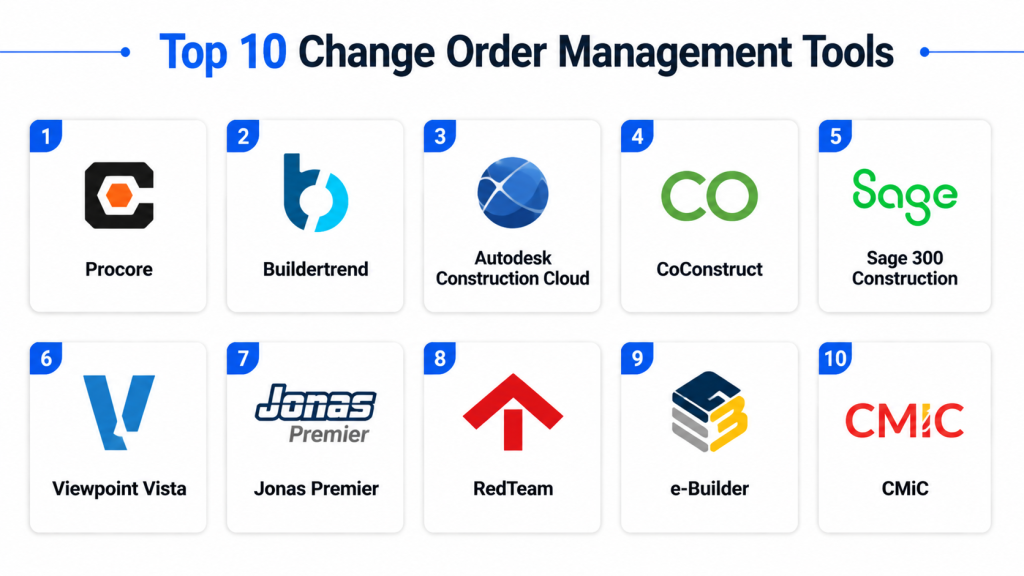
Top 10 Change Order Management Tools
#1 — Procore Change Events
Short description: Procore’s change order module within its broader construction suite enables centralized capture, review, and approval of change requests with cost and schedule impacts.
Key Features
- Integrated change events and change orders
- Cost and schedule impact tracking
- Centralized documentation and audit trail
- Automated approval workflows
- Reporting dashboards
Pros
- Seamless integration with broader project data
- Real‑time collaboration across teams
- Strong reporting and compliance tracking
Cons
- Premium pricing for full platform
- Complexity for new users
- Full adoption requires training
Platforms / Deployment
- Web, iOS, Android
- Cloud
Security & Compliance
- Encryption, role‑based access, audit logs
- Not publicly stated specifics
Integrations & Ecosystem
- ERP, accounting, schedule systems
- API access
- Project dashboards
Support & Community
- Documentation, webinars, live support
- Active enterprise community
#2 — Autodesk Build Change Management
Short description: Part of Autodesk’s construction management ecosystem, the change management module enables tracking, documentation, and approval of changes with visual context.
Key Features
- Visual markup and documentation capture
- Centralized change logs
- Automated workflows and reviews
- Cost and schedule impact analysis
- Integration with BIM models
Pros
- Strong visual context for change requests
- Integrated with design and build data
- Collaboration with stakeholders
Cons
- Higher cost for full ecosystem use
- Learning curve for new users
- Some features require ecosystem adoption
Platforms / Deployment
- Web, iOS, Android
- Cloud
Security & Compliance
- Encryption, SSO, role‑based access
- Not publicly stated specifics
Integrations & Ecosystem
- BIM 360, ERP, schedule systems
- API access
- Reporting and analytics
Support & Community
- Documentation, training, community forums
- Enterprise support tiers
#3 — Buildertrend Change Orders
Short description: Buildertrend provides simple change order tracking for residential and small‑to‑mid sized projects with client communication and budget impacts.
Key Features
- Client‑reviewable change orders
- Cost impact tracking
- Automated notifications
- Mobile access for field teams
- Reporting
Pros
- User‑friendly for small teams
- Integrated client communication
- Mobile accessibility
Cons
- Limited advanced analytics
- Less suited for enterprise complexity
- Subscription costs for full feature set
Platforms / Deployment
- Web, iOS, Android
- Cloud
Security & Compliance
- Encryption, role‑based access
- Not publicly stated
Integrations & Ecosystem
- Accounting, CRM, schedule systems
- API access
- Basic dashboards
Support & Community
- Documentation, tutorials, email support
- Community forums
#4 — Jonas Enterprise Change Order Management
Short description: Jonas provides detailed change order management within its construction and service ERP, focusing on cost, billing, and contract impacts.
Key Features
- Change order creation and tracking
- Cost and revenue impact analysis
- Billing and contract integration
- Document history and audit logs
- Reporting
Pros
- Deep integration with finance and billing
- Audit trail for compliance
- Scales for enterprise projects
Cons
- Primarily ERP‑centric
- Complexity may be high for small teams
- Implementation time
Platforms / Deployment
- Web
- Cloud / Hybrid
Security & Compliance
- Encryption, role‑based access
- Not publicly stated specifics
Integrations & Ecosystem
- Accounting, ERP systems
- API access
- Financial reporting
Support & Community
- Documentation and enterprise support
- Community resources
#5 — ChangePoint
Short description: A robust change order and contract management suite designed for construction and professional services with workflow automation and audit trails.
Key Features
- Configurable change order workflows
- Cost and schedule impact tracking
- Document version control
- Approval routing and notifications
- Reporting dashboards
Pros
- Flexible workflows
- Strong tracking and audit capabilities
- Suitable for mid‑to‑large teams
Cons
- Interface can feel complex
- Integration setup may be required
- Premium pricing
Platforms / Deployment
- Web
- Cloud
Security & Compliance
- Encryption, role permissions
- Not publicly stated specifics
Integrations & Ecosystem
- ERP, accounting, schedule tools
- API access
- Custom reporting
Support & Community
- Documentation, training, support tiers
- Moderate community
#6 — eSUB Construction Software
Short description: eSUB offers change order tracking within its project management suite, focusing on communication, documentation, and field capture.
Key Features
- Change request capture from field
- Client and subcontractor approvals
- Cost and schedule tracking
- Document management
- Reporting
Pros
- Field‑ready data capture
- Team collaboration
- Integrates with project docs
Cons
- Features vary with subscription tier
- Limited advanced analytics
- Best suited for mid‑market projects
Platforms / Deployment
- Web, iOS, Android
- Cloud
Security & Compliance
- Encryption, access control
- Not publicly stated specifics
Integrations & Ecosystem
- Project management, accounting systems
- API access
- Document repositories
Support & Community
- Documentation and email support
- Community resources
#7 — RedTeam Software
Short description: RedTeam provides change order management with estimating, cost tracking, and documentation tools for construction teams.
Key Features
- Change order creation with cost impacts
- Integrated estimating and budget tracking
- Approval workflows
- Document attachments and history
- Reporting
Pros
- Integrated with estimating and budget tools
- Cloud collaboration
- Real‑time cost tracking
Cons
- Smaller user community
- Advanced integrations may require setup
- Premium pricing
Platforms / Deployment
- Web, iOS
- Cloud
Security & Compliance
- Encryption, role‑based access
- Not publicly stated specifics
Integrations & Ecosystem
- Accounting, project tools
- API access
- Dashboards
Support & Community
- Documentation and email support
- Moderate user community
#8 — ProContractor by Viewpoint
Short description: ProContractor includes change order management within its construction accounting and project suite, focusing on cost impact and contract tracking.
Key Features
- Change request and RFI linkage
- Cost impacts and budget adjustments
- Scheduling effects tracking
- Reporting and audit logs
- Document control
Pros
- Deep accounting integration
- Tracks financial impacts
- Compliance features
Cons
- Best for existing Viewpoint users
- Learning curve
- Higher price point
Platforms / Deployment
- Web
- Cloud
Security & Compliance
- Encryption, role permissions
- Not publicly stated specifics
Integrations & Ecosystem
- ERP, accounting, project tools
- API access
- Dashboards
Support & Community
- Documentation and support tiers
- Enterprise community
#9 — CMiC Change Management
Short description: CMiC’s change order solution provides a centralized system for tracking revision requests, approvals, and impacts within a construction management suite.
Key Features
- Centralized change order logs
- Cost and schedule impact views
- Approval workflows
- Document attachments
- Reporting
Pros
- Cohesive with project and finance modules
- Provides audit trails
- Scales to enterprise
Cons
- Complex for smaller teams
- Subscription cost
- Deployment time
Platforms / Deployment
- Web
- Cloud
Security & Compliance
- Encryption, user access control
- Not publicly stated specifics
Integrations & Ecosystem
- Accounting, ERP, project tools
- API access
- Custom dashboards
Support & Community
- Documentation and enterprise support
- Community resources
#10 — ChangeOrderPro
Short description: A focused change order tool designed to capture, route, approve, and archive change requests with cost and schedule impact tracking.
Key Features
- Change request submission forms
- Automated routing and approvals
- Cost and schedule impacts
- Document attachments
- Reporting
Pros
- Simple and focused tool
- Affordable for small to mid teams
- Automated approvals
Cons
- Fewer integrations
- Limited advanced analytics
- Less extensive support resources
Platforms / Deployment
- Web
- Cloud
Security & Compliance
- Encryption and basic access control
- Not publicly stated specifics
Integrations & Ecosystem
- Basic integration options
- API access
- Simple dashboards
Support & Community
- Email support and documentation
- Small community
Comparison Table (Top 10)
| Tool Name | Best For | Platform(s) Supported | Deployment | Standout Feature | Public Rating |
|---|---|---|---|---|---|
| Procore Change Events | Enterprise projects | Web, iOS, Android | Cloud | Integrated change with project data | N/A |
| Autodesk Build Change Mgmt | Design‑centric construction | Web, iOS, Android | Cloud | Visual context & BIM integration | N/A |
| Buildertrend Change Orders | Residential and small projects | Web, iOS, Android | Cloud | Client communication | N/A |
| Jonas Enterprise Change Mgmt | Financially integrated enterprises | Web | Cloud/Hybrid | Billing & contract impacts | N/A |
| ChangePoint | Mid‑to‑large construction teams | Web | Cloud | Workflow flexibility | N/A |
| eSUB Construction Software | Field‑focused change capture | Web, iOS, Android | Cloud | Field submissions | N/A |
| RedTeam Software | Integrated cost tracking | Web, iOS | Cloud | Estimating integration | N/A |
| ProContractor by Viewpoint | Accounting‑centric construction | Web | Cloud | Financial impact tracking | N/A |
| CMiC Change Management | Project & finance cohesion | Web | Cloud | Centralized logs | N/A |
| ChangeOrderPro | Simple web‑based change management | Web | Cloud | Focused approvals | N/A |
Evaluation & Scoring of Change Order Management Tools
| Tool Name | Core (25%) | Ease (15%) | Integrations (15%) | Security (10%) | Performance (10%) | Support (10%) | Value (15%) | Weighted Total |
|---|---|---|---|---|---|---|---|---|
| Procore Change Events | 9 | 7 | 9 | 8 | 8 | 8 | 7 | 8.3 |
| Autodesk Build Change Mgmt | 9 | 6 | 9 | 8 | 8 | 7 | 6 | 8.0 |
| Buildertrend Change Orders | 7 | 8 | 7 | 7 | 8 | 7 | 7 | 7.4 |
| Jonas Enterprise Change Mgmt | 8 | 6 | 8 | 8 | 8 | 8 | 7 | 7.7 |
| ChangePoint | 8 | 7 | 8 | 7 | 7 | 7 | 7 | 7.6 |
| eSUB Construction Software | 7 | 8 | 7 | 7 | 7 | 7 | 7 | 7.3 |
| RedTeam Software | 7 | 7 | 7 | 7 | 7 | 7 | 6 | 7.0 |
| ProContractor by Viewpoint | 8 | 6 | 8 | 8 | 8 | 8 | 7 | 7.8 |
| CMiC Change Management | 8 | 6 | 8 | 8 | 8 | 7 | 7 | 7.7 |
| ChangeOrderPro | 6 | 8 | 6 | 7 | 7 | 6 | 7 | 6.7 |
Interpretation: Scores indicate comparative strengths in core features, usability, integrations, security, performance, support, and value. Higher scores point to tools fit for complex enterprise use, while mid‑range scores balance functionality and cost for mid‑size teams.
Which Change Order Management Tool Is Right for You?
Solo / Freelancer
ChangeOrderPro and Buildertrend provide simple and cost‑effective change order tracking for small teams with limited scope.
SMB
eSUB Construction Software and ChangePoint offer balanced features for change capture, approvals, and reporting.
Mid‑Market
ProContractor by Viewpoint and Jonas Enterprise Change Management suit teams needing financial integration and broad project visibility.
Enterprise
Procore Change Events and Autodesk Build Change Management deliver enterprise‑grade integration, collaboration, and impact analysis across large projects.
Budget vs Premium
Smaller contractors can start with ChangeOrderPro or Buildertrend, while enterprises benefit from fully integrated platforms like Procore or Autodesk.
Feature Depth vs Ease of Use
Buildertrend balances ease with core features, whereas Procore and Autodesk provide deeper capabilities at a learning cost.
Integrations & Scalability
Enterprise systems like Procore and Jonas integrate with accounting, schedule, and project tools and scale across departments.
Security & Compliance Needs
Tools with encryption, role‑based access, and audit logs such as Procore, Jonas, and CMiC are ideal where compliance and traceability matter.
Frequently Asked Questions
1. What pricing models do change order tools offer?
Most platforms use subscription billing, typically tiered by users, projects, or features. Some tools have modular pricing.
2. Can these tools integrate with project and accounting systems?
Yes, leading tools integrate with ERP, accounting, schedule, and project management platforms to ensure cost and schedule impacts are aligned.
3. Do they support mobile capture?
Many tools like eSUB and Buildertrend provide mobile access so field teams can capture change requests onsite with photos and notes.
4. Can change orders automatically update budgets?
Yes, enterprise platforms enable cost impacts to flow into budgets and forecasts, reducing manual errors.
5. How secure is the change order data?
Top tools include encryption, role‑based permissions, audit trails, and compliance tracking to protect sensitive project data.
6. Can approvals be automated?
Yes, automated workflows can route change requests to defined approvers with escalations and notifications.
7. Are audit trails included?
Audit logs are a core feature in most tools, tracking changes, comments, approvals, and document history.
8. How scalable are these solutions?
Cloud‑based platforms scale from small teams to enterprise deployments with multiple projects and stakeholder groups.
9. Do tools support impact analysis on schedules?
Many platforms provide schedule impact modeling showing how approved changes affect timelines.
10. What should I evaluate before selecting a tool?
Consider project size, team roles, integration needs, mobile access, reporting requirements, and support offerings.
Conclusion
Change Order Management Tools are essential for maintaining control over project revisions, cost implications, and schedule adjustments in dynamic construction and engineering environments. While small teams can benefit from focused tools like ChangeOrderPro or Buildertrend for straightforward change capture and approvals, larger projects require enterprise solutions like Procore Change Events or Autodesk Build Change Management for broad integration, impact analysis, and collaboration. Assess your team’s project complexity, mobile needs, and integration requirements before selecting a solution. Running pilot tests with 2–3 tools will help validate workflows, user adoption, cost impacts, and reporting capability, ensuring smoother change management and project outcomes.

Very useful and well-structured blog on change order management tools. The comparison is clear and practical, making it easier to understand the strengths and limitations of different solutions.