Introduction
Asset Inspection Apps are mobile and web solutions designed to help organizations inspect, assess, and report on physical assets across locations. These apps replace paper forms and spreadsheets with digital workflows, enabling teams to conduct inspections efficiently, capture media evidence, enforce safety checks, and centralize results. Whether for facilities, infrastructure, equipment, or vehicles, asset inspection technology improves accuracy, visibility, and compliance.
Real‑world use cases include:
- Safety teams conducting daily facility inspections for hazards and compliance.
- Field engineers assessing infrastructure health and maintenance needs.
- Property managers auditing building systems and occupancy safety.
- Utilities monitoring poles, pipelines, and transmission equipment.
- Fleet managers inspecting vehicles for defects before dispatch.
Evaluation criteria for buyers:
- Customizable inspection checklists and templates.
- Offline inspection capability with automatic syncing.
- Media capture (photos, video, annotations) during inspections.
- Reporting and analytics for trends and risks.
- Integration with maintenance, asset, or ERP systems.
- Mobile usability and GPS tagging for field work.
- Workflow automation, approvals, and alerts.
- Security, access control, and audit logs.
- Scalability for teams of varying size.
- Pricing and total cost of ownership.
Best for: Field service teams, safety and compliance officers, facilities managers, engineers, and operations teams across industries.
Not ideal for: Organizations with minimal field inspections or those relying on desktop reporting without mobile requirements.
Key Trends in Asset Inspection Apps
- AI‑assisted defect detection and anomaly classification within images.
- Offline inspection with auto synchronization when connected.
- Integration with IoT sensors for real‑time condition monitoring.
- Custom workflows and automated corrective action triggers.
- GPS tagging and mapping of asset locations.
- Analytics dashboards for compliance and risk tracking.
- Low‑code/no‑code builders for creating custom inspection forms.
- Voice‑to‑text and multimedia capture embedded in inspections.
- Subscription and usage‑based pricing for scalable adoption.
- Integration with asset management, maintenance, and GIS systems.
How We Selected These Tools (Methodology)
- Reviewed market adoption and sector coverage.
- Assessed feature completeness for inspections, multimedia capture, and workflows.
- Evaluated mobile and offline functionality.
- Considered integration capabilities with asset, CMMS, and ERP systems.
- Checked analytics, reporting, and compliance tracking features.
- Analyzed ease of setup and usability for field teams.
- Assessed security controls, access management, and auditability.
- Compared pricing flexibility and subscription models.
- Prioritized tools with strong support and documentation.
- Evaluated scalability for small teams through enterprise deployments.
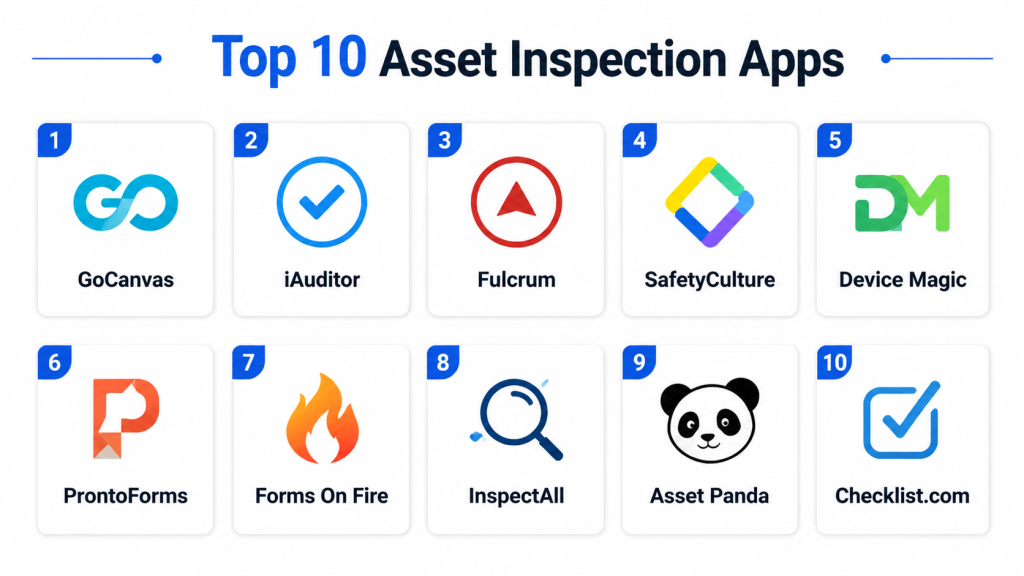
Top 10 Asset Inspection Apps
#1 — iAuditor by SafetyCulture
Short description: A widely used inspection and checklist app enabling teams to conduct audits, inspections, and corrective actions with rich multimedia capture and analytics.
Key Features
- Customizable inspection templates
- Offline inspection support
- Photo, video, and annotation capture
- Automated corrective action workflows
- Analytics dashboards and trend reporting
Pros
- Intuitive interface and strong template library
- Excellent offline capability
- Real‑time analytics for compliance visibility
Cons
- Some advanced analytics require higher plans
- Integrations require setup via API or connectors
- Can be overwhelming for very small teams
Platforms / Deployment
- Web, iOS, Android
- Cloud
Security & Compliance
- Encryption, role‑based access, audit logs
- Not publicly stated specifics
Integrations & Ecosystem
Supports API connections for ERP, asset, and maintenance systems.
- Export to BI tools
- Workflow automation integration
- Asset tagging and GIS connectivity
Support & Community
- Extensive documentation, webinars, and live support
- Active user community and template share library
#2 — GoCanvas
Short description: A mobile app focused on digital forms and inspections, enabling teams to replace paperwork with custom checklists and automated workflows.
Key Features
- Drag‑and‑drop form builder
- Offline functionality with sync
- Signature and media capture
- Automated report generation
- Analytics dashboards
Pros
- Easy form customization
- Offline support for remote inspections
- Strong reporting tools
Cons
- Some advanced workflow automation behind higher tiers
- Integrations not as extensive as enterprise systems
- Mobile UI sometimes slow on older devices
Platforms / Deployment
- Web, iOS, Android
- Cloud
Security & Compliance
- Encryption, role‑based access
- Not publicly stated specifics
Integrations & Ecosystem
- CRM, ERP, cloud storage, API access
- Reporting export
- Workflow integration
Support & Community
- Tutorials, documentation, help center
- Support team available via email and chat
#3 — ProntoForms
Short description: Field‑ready form and inspection app with powerful analytics and enterprise integration capabilities suited for regulated industries.
Key Features
- Custom forms and logic
- Offline data capture
- GPS and barcode scanning
- Integration with asset and maintenance systems
- Analytics and dashboards
Pros
- Strong enterprise integration
- Flexible form logic
- Excellent analytics
Cons
- Pricing can be high for small teams
- Slight learning curve for advanced workflows
- Setup may require specialist assistance
Platforms / Deployment
- Web, iOS, Android
- Cloud
Security & Compliance
- Encryption, SSO/SAML, audit logs
- Not publicly stated specifics
Integrations & Ecosystem
- CMMS, ERP, asset systems, mobile workforce platforms
- API access
- Data pipelines to analytics
Support & Community
- Comprehensive documentation
- Enterprise support tiers and training
#4 — Fulcrum
Short description: A flexible mobile data collection app supporting inspections, field observations, and compliance with GPS and multimedia capture.
Key Features
- Custom forms and geolocation
- Offline inspection and sync
- Photo, video capture
- Workflow automation
- Real‑time dashboards
Pros
- Strong geospatial support
- Easy map integration
- Scalable for multi‑team use
Cons
- Advanced analytics require exports
- Some integration setup needed
- Premium pricing for full feature set
Platforms / Deployment
- Web, iOS, Android
- Cloud
Security & Compliance
- Encryption, role‑based permissions
- Not publicly stated specifics
Integrations & Ecosystem
- API access, GIS maps, cloud analytics
- Export for BI tools
Support & Community
- Tutorials, help docs, email support
- Community forums
#5 — Asset Panda
Short description: Inspection and asset management app combining inspection data with asset tracking, lifecycle, and maintenance history.
Key Features
- Asset database and inspection linking
- Offline inspections
- Barcode/QR scanning
- Maintenance scheduling
- Reporting and dashboards
Pros
- Combines inspections with asset management
- Excellent for lifecycle tracking
- Custom fields and workflows
Cons
- Setup can be complex
- Higher tier pricing for advanced automation
- Interface may feel dated to some users
Platforms / Deployment
- Web, iOS, Android
- Cloud
Security & Compliance
- Encryption, RBAC, audit trails
- Not publicly stated specifics
Integrations & Ecosystem
- API support, ERP connectors
- Analytics export
- Maintenance platform links
Support & Community
- Documentation and onboarding support
- Customer success teams
#6 — Donesafe
Short description: A safety and inspection app aimed at compliance and risk reduction with checklists, corrective actions, and automated alerts.
Key Features
- Custom checklists and forms
- Offline inspections
- Automated alerts
- Risk and compliance dashboards
- Corrective action tracking
Pros
- Strong safety and compliance focus
- Automated workflows
- Easy checklist creation
Cons
- Some reports need configuration
- Not as robust for asset lifecycle needs
- Enterprise workflows need training
Platforms / Deployment
- Web, iOS, Android
- Cloud
Security & Compliance
- Encryption, role‑based access
- Not publicly stated specifics
Integrations & Ecosystem
- ERP, HR systems, asset registers
- API access
Support & Community
- Documentation, webinars, support team
- Moderate community
#7 — Vector EHS Management
Short description: Inspection and auditing solution targeting environmental, health, and safety compliance with field mobile inspections.
Key Features
- Custom inspection forms
- Automated corrective actions
- Incident reporting
- Risk and compliance dashboards
- Offline mobile use
Pros
- Strong EHS compliance emphasis
- Incident and inspection integration
- Detailed dashboards
Cons
- Best suited for EHS use cases
- Pricing higher for broader inspection needs
- Setup requires specialist support
Platforms / Deployment
- Web, iOS, Android
- Cloud
Security & Compliance
- Encryption, audit logs
- Not publicly stated specifics
Integrations & Ecosystem
- Asset, HR, compliance systems
- Reporting export
- Workflow links
Support & Community
- Documentation and dedicated support
- Industry user community resources
#8 — SafetyCulture (iAuditor) Enterprise
Short description: An enterprise edition of iAuditor with advanced analytics, integrations, and compliance reporting for large field operations.
Key Features
- All standard inspection tools
- Enhanced analytics and dashboards
- Enterprise integrations with ERP/CMMS
- Workflow automation
- Compliance reporting
Pros
- Enterprise‑grade features
- Scalable across teams
- Integration ready
Cons
- Higher cost
- May require professional services
- Some features best suited for compliance teams
Platforms / Deployment
- Web, iOS, Android
- Cloud
Security & Compliance
- Enhanced enterprise security
- Not publicly stated specifics
Integrations & Ecosystem
- ERP, CMMS, BI tools
- API access
- Workflow engines
Support & Community
- Premium support
- Dedicated account management
#9 — GoSpotCheck
Short description: A field activity and inspection app designed for retail, CPG, and distributed teams with real‑time reporting.
Key Features
- Task and checklist management
- Photo capture and annotations
- Offline inspections
- Real‑time dashboards
- Automated reporting
Pros
- Retail and distributed field focus
- Real‑time insights
- User‑friendly mobile app
Cons
- Limited enterprise integrations
- Pricing geared to medium teams
- Some advanced features require customization
Platforms / Deployment
- Web, iOS, Android
- Cloud
Security & Compliance
- Encryption and permissions
- Not publicly stated specifics
Integrations & Ecosystem
- CRM connections, API access
- Dashboard exports
Support & Community
- Help center and support team
- Moderate user community
#10 — Whip Around
Short description: Inspection and fleet management app particularly suited for vehicle and equipment inspections with corrective action tracking.
Key Features
- Vehicle and asset checklists
- Photo and annotation capture
- Automated corrective action tracking
- Scheduled recurring inspections
- Reports and alerts
Pros
- Fleet and equipment inspection focus
- Recurring inspection automation
- Easy mobile use
Cons
- Less suited for other asset types
- Limited integrations
- Reports not as advanced
Platforms / Deployment
- Web, iOS, Android
- Cloud
Security & Compliance
- Encryption and access control
- Not publicly stated specifics
Integrations & Ecosystem
- Fleet systems, API support
- Reporting tools
Support & Community
- Documentation and email support
- User forums
Comparison Table (Top 10)
| Tool Name | Best For | Platform(s) Supported | Deployment | Standout Feature | Public Rating |
|---|---|---|---|---|---|
| iAuditor | General inspections | Web, iOS, Android | Cloud | Templates & analytics | N/A |
| GoCanvas | Custom form‑based inspections | Web, iOS, Android | Cloud | Drag‑and‑drop forms | N/A |
| ProntoForms | Regulated industries | Web, iOS, Android | Cloud | Enterprise integration | N/A |
| Fulcrum | Geospatial asset inspection | Web, iOS, Android | Cloud | GIS support | N/A |
| Asset Panda | Asset management + inspections | Web, iOS, Android | Cloud | Asset lifecycle linkage | N/A |
| Donesafe | Safety and compliance | Web, iOS, Android | Cloud | Risk and corrective workflows | N/A |
| Vector EHS Management | EHS compliance | Web, iOS, Android | Cloud | Incident + inspection integration | N/A |
| SafetyCulture Enterprise | Enterprise inspections | Web, iOS, Android | Cloud | Enterprise analytics & integrations | N/A |
| GoSpotCheck | Retail and distributed teams | Web, iOS, Android | Cloud | Real‑time dashboards | N/A |
| Whip Around | Fleet & equipment | Web, iOS, Android | Cloud | Recurring inspections | N/A |
Evaluation & Scoring of Asset Inspection Apps
| Tool Name | Core (25%) | Ease (15%) | Integrations (15%) | Security (10%) | Performance (10%) | Support (10%) | Value (15%) | Weighted Total |
|---|---|---|---|---|---|---|---|---|
| iAuditor | 9 | 8 | 8 | 7 | 8 | 8 | 7 | 8.2 |
| GoCanvas | 8 | 8 | 7 | 7 | 8 | 7 | 7 | 7.6 |
| ProntoForms | 9 | 7 | 9 | 8 | 8 | 8 | 7 | 8.2 |
| Fulcrum | 8 | 7 | 8 | 7 | 8 | 7 | 7 | 7.7 |
| Asset Panda | 8 | 7 | 8 | 7 | 8 | 7 | 7 | 7.7 |
| Donesafe | 8 | 7 | 7 | 7 | 8 | 7 | 7 | 7.5 |
| Vector EHS Management | 8 | 7 | 7 | 7 | 8 | 7 | 7 | 7.5 |
| SafetyCulture Enterprise | 9 | 7 | 9 | 8 | 8 | 8 | 7 | 8.1 |
| GoSpotCheck | 8 | 8 | 7 | 7 | 8 | 7 | 7 | 7.6 |
| Whip Around | 7 | 8 | 6 | 7 | 7 | 6 | 7 | 7.0 |
Interpretation: Weighted totals allow comparison across core inspection features, usability, integration readiness, security, performance, support, and value. Higher scores indicate broader applicability and robust feature sets.
Which Asset Inspection Apps Tool Is Right for You?
Solo / Freelancer
Fulcrum and Whip Around provide simple, mobile‑ready inspection tools for individual inspectors and small operational needs.
SMB
iAuditor, GoCanvas, and GoSpotCheck are ideal for small to mid‑size teams seeking digital checklists, offline support, and basic analytics.
Mid‑Market
Asset Panda, Donesafe, and Vector EHS Management offer stronger workflows, corrective action tracking, and compliance reporting for regulated environments.
Enterprise
ProntoForms and SafetyCulture Enterprise deliver advanced integrations, analytics, and enterprise‑grade deployment for large field teams and complex inspection workflows.
Budget vs Premium
SMBs may start with GoCanvas or GoSpotCheck for affordability, while enterprises benefit from premium solutions like SafetyCulture Enterprise or ProntoForms.
Feature Depth vs Ease of Use
iAuditor and Asset Panda balance usability with core features, whereas enterprise tools provide depth with training and setup.
Integrations & Scalability
ProntoForms and SafetyCulture Enterprise integrate with asset management, maintenance, and ERP systems, scaling across business units.
Security & Compliance Needs
Tools with robust roles, audit trails, and workflows, such as ProntoForms and SafetyCulture Enterprise, are suitable for regulated industries needing strict compliance.
Frequently Asked Questions
1. What pricing models do Asset Inspection Apps offer?
Many use tiered subscriptions based on users, feature access, or data volume. Open or freemium tiers may exist, but advanced workflows often require paid plans.
2. How do these apps work offline?
Most field inspection apps allow offline data entry and store it locally, then sync automatically when connectivity is restored, ensuring continuity in remote locations.
3. Can these apps capture photos and videos?
Yes, modern inspection apps support multimedia capture, annotations, GPS tagging, and voice notes to enrich inspection records and provide evidence.
4. Are inspection results secure?
Apps typically use encryption, role‑based access, and audit trails to protect sensitive inspection data. Enterprise plans may add single‑sign‑on and compliance reporting.
5. Do these tools integrate with maintenance or asset systems?
Many offer API access and prebuilt connectors to ERP, maintenance, and asset management platforms to ensure inspection results trigger corrective actions.
6. Are analytics and dashboards included?
Most inspection apps include dashboards and reports, with higher‑tier plans offering trend analysis, compliance tracking, and risk scoring.
7. How easy is setup for field teams?
Consumer‑focused apps like iAuditor and GoCanvas are quick to deploy. Enterprise tools may require setup support and onboarding assistance for workflows.
8. Can workflows be automated?
Yes, tools support corrective action triggers, alerts, approvals, and notifications, streamlining inspection follow‑ups and task assignments.
9. How scalable are these solutions?
Cloud‑based inspection platforms scale from small teams to enterprise deployments, handling multiple locations, user roles, and inspection types.
10. What should I evaluate before buying?
Consider offline support, custom form flexibility, integration needs, analytics depth, and the availability of support and training resources.
Conclusion
Asset Inspection Apps streamline the way organizations conduct inspections, enforce compliance, and track condition and risk across facilities, equipment, and field assets. Smaller teams can benefit from user‑friendly solutions like GoCanvas or GoSpotCheck with essential inspection and offline capabilities, while enterprises should evaluate platforms like ProntoForms and SafetyCulture Enterprise for deeper integrations, compliance workflows, and analytics. Assess your team’s size, inspection complexity, offline needs, and integration requirements before selecting a solution. A short pilot with 2–3 tools will reveal usability and fit for your workflow, enabling you to scale with confidence, improve safety, and reduce risk.

Very informative and well-structured blog on asset inspection apps. The comparison of features, pros, and cons is clear and practical, making it easy to understand different inspection and maintenance solutions.