Introduction
eFax and Fax Server Software provide digital alternatives to traditional fax machines by enabling organizations to send, receive, manage, and archive faxes electronically. These tools help businesses eliminate the need for physical fax machines, phone lines, and paper workflows while ensuring reliable delivery, security, compliance, and integration with existing systems like email, document management, and enterprise applications.
Despite the widespread adoption of email and messaging services, fax remains critical in industries such as healthcare, legal, government, and finance due to compliance requirements, established workflows, and secure document exchange. eFax and Fax Server Software bridge legacy communication with modern digital processes by offering secure transmission, tracking, centralized management, and automated workflows.
Real‑world use cases include:
- Sending and receiving faxes via email or web portals
- Integrating fax workflows with electronic document systems
- Centralized fax administration for large organizations
- Automated fax routing and archival
- Ensuring compliance with industry regulations
Evaluation criteria for buyers:
- Delivery reliability and uptime
- Security and compliance features
- Integration with email and document systems
- Scalability and administration controls
- Audit trails and reporting capabilities
- Support for inbound and outbound automation
- Mobile and remote access options
- Encryption and access control
- User experience and onboarding
- Cost and licensing flexibility
Best for: Healthcare providers, legal firms, government agencies, financial services, enterprises with legacy fax requirements, and distributed teams needing secure document exchange.
Not ideal for: Very small businesses with minimal fax volume or organizations that have fully transitioned to modern secure messaging alternatives and no longer require fax communications.
Key Trends in eFax & Fax Server Software
- Cloud‑based faxing with email and API integration
- Hybrid deployments bridging on‑premise servers with cloud fax
- Automated fax workflows with document systems
- Enhanced encryption and secure transmission
- Mobile faxing via apps and web interfaces
- Fax over IP and voice network modernization
- Centralized reporting and audit trails
- Integration with electronic health records and ERP systems
- Intelligent routing and fax automation
- Fax analytics and operational insights
How We Selected These Tools
- Fax delivery reliability and uptime
- Security, encryption, and compliance capabilities
- Integration ecosystem with email, document, and API systems
- Ease of administration and scalability
- Automated inbound/outbound workflows
- Reporting, tracking, and audit trail quality
- Mobile and remote access support
- Flexibility of licensing and deployment models
- Vendor support and long‑term reliability
- Performance in mixed cloud/on‑premise environments
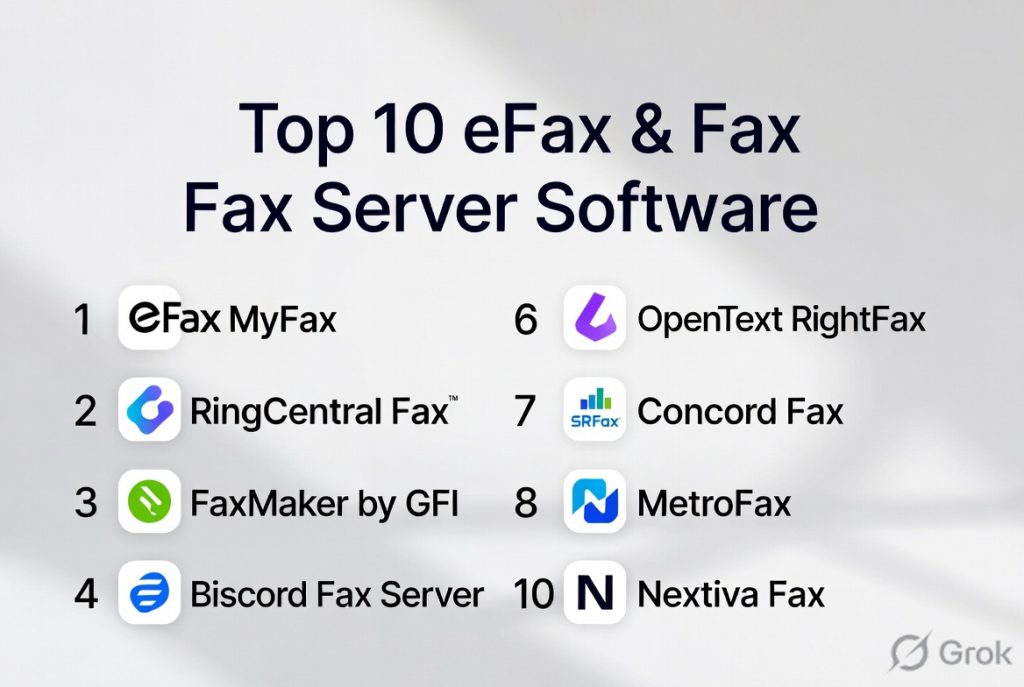
Top 10 eFax & Fax Server Software
#1 — eFax Corporate
Short description: eFax Corporate is a cloud‑based fax service designed for enterprises that need secure, scalable faxing with email integration, mobile access, and compliance support.
Key Features
- Send/receive faxes via email or web portal
- Secure transmission with encryption
- Fax to email and email to fax
- Mobile access and apps
- Archival and audit logs
- Integration with document systems
Pros
- Enterprise‑grade security and compliance
- Easy to use and scalable
- No fax machines required
- Audit and reporting capabilities
Cons
- Enterprise pricing
- Cloud‑only option may not suit all workflows
- Advanced integrations may require setup
Platforms / Deployment
- Web / Android / iOS / Email
- Cloud
Security & Compliance
- Encryption
- Audit logs
- Access control
Integrations & Ecosystem
- Email systems
- Document repositories
- Enterprise applications
Support & Community
- Enterprise support plans
- Documentation and onboarding
#2 — GFI FaxMaker
Short description: GFI FaxMaker is a fax server solution that provides inbound and outbound faxing with email integration, network faxing, and automation for enterprises and servers.
Key Features
- Fax server with email and application faxing
- Network fax routing
- Integration with printers and systems
- Fax archiving and reporting
- User quota and permissions
Pros
- On‑premise fax server support
- Centralized administration
- Reliable routing and automation
- Reporting tools
Cons
- On‑premise deployment complexity
- Licensing costs for servers
- Requires IT management
Platforms / Deployment
- Windows Server / Cloud hybrid
- On‑premise / Cloud
Security & Compliance
- Encryption options
- Access controls
- Audit trails
Integrations & Ecosystem
- Email servers
- Document systems
- Enterprise workflows
Support & Community
- Technical support
- Documentation and training
#3 — RightFax
Short description: RightFax is a high‑performance fax server solution widely used by large enterprises, healthcare organizations, and regulated industries for secure fax workflows and integrations.
Key Features
- Enterprise fax automation
- Integration with email and document systems
- High‑volume fax processing
- Workflow triggers and routing rules
- Reporting and compliance features
Pros
- Enterprise scalability
- Secure and compliant faxing
- Automation capabilities
- Integration flexibility
Cons
- Complex deployment
- Higher cost for enterprise licensing
- Requires specialized expertise
Platforms / Deployment
- Windows Server / Cloud integration
- Hybrid
Security & Compliance
- Encryption
- Access controls
- Audit logging
Integrations & Ecosystem
- Email and DMS
- Healthcare systems
- ERP workflows
Support & Community
- Enterprise support
- Implementation services
#4 — Biscom Fax
Short description: Biscom Fax provides secure faxing, mobile fax apps, advanced encryption, and enterprise features for regulated industries requiring reliable document exchange.
Key Features
- Secure fax transmission
- Mobile and web access
- Encryption and compliance controls
- Central management
- Reporting and tracking
Pros
- Strong security focus
- Good compliance controls
- Mobile access
- Centralized fax management
Cons
- Premium pricing
- Feature set complex for small teams
- Implementation planning required
Platforms / Deployment
- Web / Mobile / Server
- Cloud / Hybrid
Security & Compliance
- Encryption
- Access controls
- Audit trails
Integrations & Ecosystem
- Email systems
- Directory services
Support & Community
- Support teams
- Documentation
#5 — SRFax
Short description: SRFax provides secure cloud faxing with encryption, compliance support, and flexible volume pricing for businesses of various sizes.
Key Features
- Secure cloud faxing
- Email to fax and fax to email
- Mobile access
- Encryption and compliance
- Online interface
Pros
- Affordable volume‑based pricing
- Strong security features
- Easy onboarding
- Cloud access
Cons
- Fewer enterprise automation features
- Limited API ecosystem
- Reporting basic
Platforms / Deployment
- Web / Mobile / Email
- Cloud
Security & Compliance
- Encryption
- Access controls
Integrations & Ecosystem
- Email systems
Support & Community
- Documentation
- Customer support
#6 — FaxCore
Short description: FaxCore is a flexible fax server solution that offers multi‑tenant support, automation, email faxing, and integration with enterprise systems with strong server deployment options.
Key Features
- Multi‑tenant fax server
- Automated fax routing
- Email and application faxing
- Reporting and logs
- Integration support
Pros
- Good automation
- Server deployment support
- Central administration
- Custom routing options
Cons
- On‑premise deployment effort
- Licensing costs
- Smaller partner ecosystem
Platforms / Deployment
- Windows Server / Cloud
- On‑premise / Hybrid
Security & Compliance
- Encryption
- Access controls
- Audit logs
Integrations & Ecosystem
- Email servers
- Application workflows
Support & Community
- Technical support
- Documentation
#7 — RingCentral Fax
Short description: RingCentral Fax offers cloud faxing integrated with unified communication tools to support email faxing, mobile fax, and integration with business platforms.
Key Features
- Cloud faxing
- Email to fax and fax to email
- Mobile apps
- Integration with unified communications
- Tracking and notifications
Pros
- Easy cloud deployment
- Unified communications ecosystem
- Mobile support
- Affordable tiers
Cons
- Fewer advanced automation features
- Limited enterprise admin controls
- Reporting basic
Platforms / Deployment
- Web / Mobile / Email
- Cloud
Security & Compliance
- Encryption
- Access controls
Integrations & Ecosystem
- Unified communication tools
Support & Community
- Customer support
- Documentation
#8 — mFax
Short description: mFax provides cloud fax services with API access, encrypted transmission, and flexible integration for email, business platforms, and applications.
Key Features
- API fax integration
- Email and web faxing
- Encryption and compliance
- Reporting
- Mobile access
Pros
- API flexibility
- Cloud deployment
- Security features
- Integration options
Cons
- Smaller ecosystem
- Enterprise tools less robust
- Pricing can vary
Platforms / Deployment
- Web / Mobile / API
- Cloud
Security & Compliance
- Encryption
- Access controls
Integrations & Ecosystem
- Business applications
- API workflows
Support & Community
- API documentation
- Support forums
#9 — FaxLogic
Short description: FaxLogic provides cloud fax solutions with email integration, online management portals, and support for inbound/outbound fax workflows.
Key Features
- Cloud faxing
- Email to fax and fax to email
- Online portal
- Tracking and logs
- Mobile access
Pros
- Cloud simplicity
- Easy setup
- Email integration
- Affordable plans
Cons
- Basic reporting
- Fewer automation features
- Limited enterprise controls
Platforms / Deployment
- Web / Mobile / Email
- Cloud
Security & Compliance
- Encryption
- Access controls
Integrations & Ecosystem
- Email systems
Support & Community
- Documentation
- Support channels
#10 — FaxBetter
Short description: FaxBetter delivers simple online fax services with email integration, secure transmission, and basic tracking for small to mid‑sized businesses.
Key Features
- Email faxing
- Online portal
- Secure fax transmission
- Basic logs
Pros
- Simple and easy to use
- Affordable
- No fax machines needed
Cons
- Basic feature set
- Limited reporting and automation
- Not suitable for heavy workflows
Platforms / Deployment
- Web / Email / Mobile
- Cloud
Security & Compliance
- Encryption
- Access controls
Integrations & Ecosystem
- Email systems
Support & Community
- Support resources
Comparison Table
| Tool Name | Best For | Platforms Supported | Deployment | Standout Feature | Public Rating |
|---|---|---|---|---|---|
| eFax Corporate | Enterprise cloud fax | Web / Mobile / Email | Cloud | Enterprise security & audit | N/A |
| GFI FaxMaker | Server faxing | Windows Server / Cloud | On‑prem / Cloud | Network fax routing | N/A |
| RightFax | High‑volume enterprises | Server / Web | Hybrid | Enterprise automation | N/A |
| Biscom Fax | Secure faxing | Web / Mobile / Server | Cloud / Hybrid | Security and compliance | N/A |
| SRFax | Secure cloud fax | Web / Mobile / Email | Cloud | Affordable secure fax | N/A |
| FaxCore | Flexible fax server | Server / Cloud | On‑prem / Hybrid | Multi‑tenant automation | N/A |
| RingCentral Fax | Unified communications | Web / Mobile / Email | Cloud | Communications integration | N/A |
| mFax | API‑centric fax | Web / Mobile / API | Cloud | API integration | N/A |
| FaxLogic | Cloud faxing | Web / Mobile / Email | Cloud | Easy cloud setup | N/A |
| FaxBetter | SMB cloud fax | Web / Email / Mobile | Cloud | Simple online fax | N/A |
Evaluation & Scoring of eFax & Fax Server Software
| Tool Name | Core 25% | Ease 15% | Integrations 15% | Security 10% | Performance 10% | Support 10% | Value 15% | Weighted Total |
|---|---|---|---|---|---|---|---|---|
| eFax Corporate | 9 | 8 | 9 | 9 | 9 | 8 | 7 | 8.4 |
| GFI FaxMaker | 8 | 7 | 8 | 8 | 8 | 7 | 7 | 7.6 |
| RightFax | 9 | 7 | 9 | 9 | 9 | 8 | 7 | 8.3 |
| Biscom Fax | 8 | 7 | 8 | 9 | 8 | 7 | 7 | 7.7 |
| SRFax | 7 | 9 | 7 | 8 | 8 | 8 | 8 | 8.0 |
| FaxCore | 8 | 7 | 8 | 8 | 8 | 7 | 7 | 7.6 |
| RingCentral Fax | 7 | 9 | 7 | 8 | 8 | 7 | 8 | 7.7 |
| mFax | 7 | 8 | 8 | 8 | 8 | 7 | 7 | 7.7 |
| FaxLogic | 7 | 8 | 7 | 8 | 8 | 7 | 8 | 7.7 |
| FaxBetter | 6 | 9 | 6 | 8 | 7 | 7 | 9 | 7.4 |
Which eFax & Fax Server Software Is Right for You?
Solo / Freelancer
FaxBetter and SRFax provide simple, affordable cloud fax solutions for individuals or small offices needing basic faxing without server infrastructure.
SMB
SRFax, RingCentral Fax, and FaxLogic offer cloud faxing with email integration, mobile access, and scalable plans suited to small and mid‑sized businesses.
Mid‑Market
eFax Corporate, mFax, and GFI FaxMaker balance security, integration, and administration for growing organizations with higher fax volumes.
Enterprise
RightFax, eFax Corporate, Biscom Fax, and FaxCore are appropriate for large organizations, regulated industries, and high‑volume fax requirements with compliance and automation needs.
Budget vs Premium
- Budget: FaxBetter, RingCentral Fax
- Premium: eFax Corporate, RightFax
Feature Depth vs Ease of Use
- Ease: FaxBetter, SRFax, RingCentral Fax
- Depth: RightFax, eFax Corporate, FaxCore
Integrations & Scalability
Organizations needing deep integration with enterprise systems and document workflows should focus on tools with strong connectors and API support.
Security & Compliance Needs
Enterprises in regulated sectors should emphasize encryption, audit trails, access controls, and governance features.
Frequently Asked Questions
1. What is eFax or Fax Server Software?
eFax and Fax Server Software enable organizations to send, receive, manage, and archive faxes electronically without traditional fax machines and phone lines.
2. Can these tools integrate with email?
Yes. Most tools support email to fax and fax to email workflows for seamless use with existing communication systems.
3. Are these solutions secure?
Enterprise‑grade tools include encryption, access controls, audit trails, and compliance features to protect fax transmissions and data.
4. Do they support mobile faxing?
Many platforms offer mobile apps or web access to send and receive faxes from smartphones and tablets.
5. Can fax servers handle high volumes?
Yes. Fax server solutions like RightFax and GFI FaxMaker are designed for high‑volume, automated fax processing.
6. Are there cloud‑only options?
Yes. Cloud fax services such as eFax Corporate, SRFax, and RingCentral Fax provide hosted faxing without server infrastructure.
7. Do these tools provide reporting?
Most offer audit logs, delivery receipts, analytics, and reporting dashboards for compliance and operational visibility.
8. Is API integration available?
Some providers like mFax offer API access for integrating faxing into business applications and workflows.
9. Can companies transition from physical fax machines?
Yes. Organizations can migrate to cloud faxing or hybrid fax server setups to modernize fax workflows.
10. What should buyers evaluate first?
Evaluate integration needs, security and compliance requirements, fax volume, administration controls, and deployment preferences.
Conclusion
eFax and Fax Server Software remain essential for organizations that rely on secure, compliant document exchange across hybrid and regulated environments. From simple cloud faxing solutions like FaxBetter and SRFax to enterprise‑grade platforms such as RightFax, eFax Corporate, and FaxCore, there are options suited to every scale and requirement. Begin by mapping your fax volume, integration needs, and compliance needs, shortlist tools with strong email integration and reporting, and pilot workflows to measure performance, reliability, and adoption. A strategic approach to fax modernization improves communication efficiency, enhances security, and supports operational continuity.

This article does a great job comparing eFax and fax server software in a simple and practical way. The feature breakdown makes it easy to understand the differences and choose the most suitable option.